Skip to content
View in the app

A better way to browse. Learn more.

FengShui.Geomancy.Net

A full-screen app on your home screen with push notifications, badges and more.

To install this app on iOS and iPadOS
  1. Tap the Share icon in Safari
  2. Scroll the menu and tap Add to Home Screen.
  3. Tap Add in the top-right corner.
To install this app on Android
  1. Tap the 3-dot menu (⋮) in the top-right corner of the browser.
  2. Tap Add to Home screen or Install app.
  3. Confirm by tapping Install.
About Feng Shui at Geomancy.Net
Sponsored Link
 

Selection of Chinese Name

From 228.00 USD

Selecting an auspicious Chinese Name for yourself


Features

  • Our comprehensive name analysis service helps you find the best possible name for you

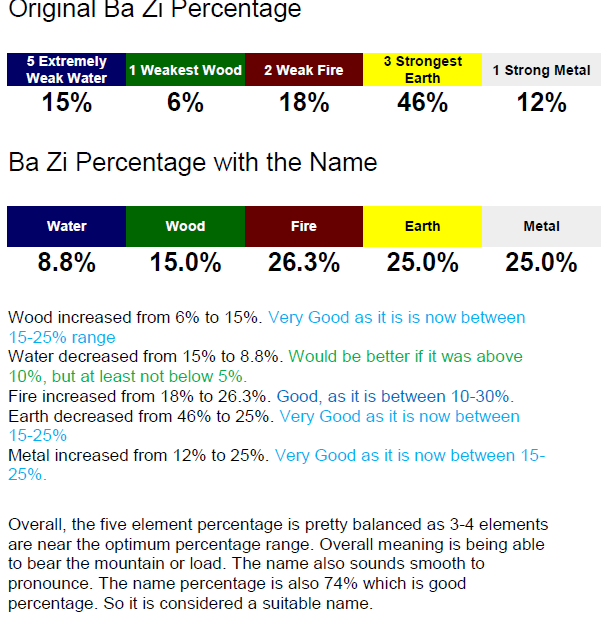
  • Includes comprehensive Ba Zi Review to determine the whether the name is suitable to you or not

  • We will attempt to find the best name stroke group for your surname, and then work out as many possible name combinations for you to be able to find the most suitable name.

  • In addition, you can also match out your preferred name from a character reference list provided for each name stroke group.
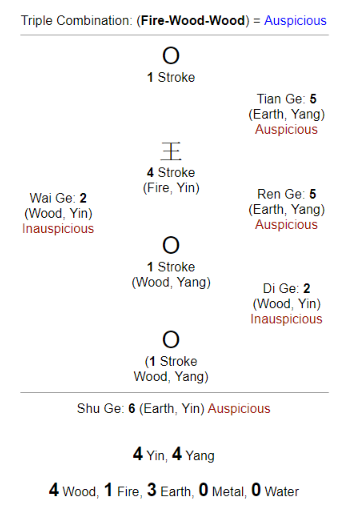
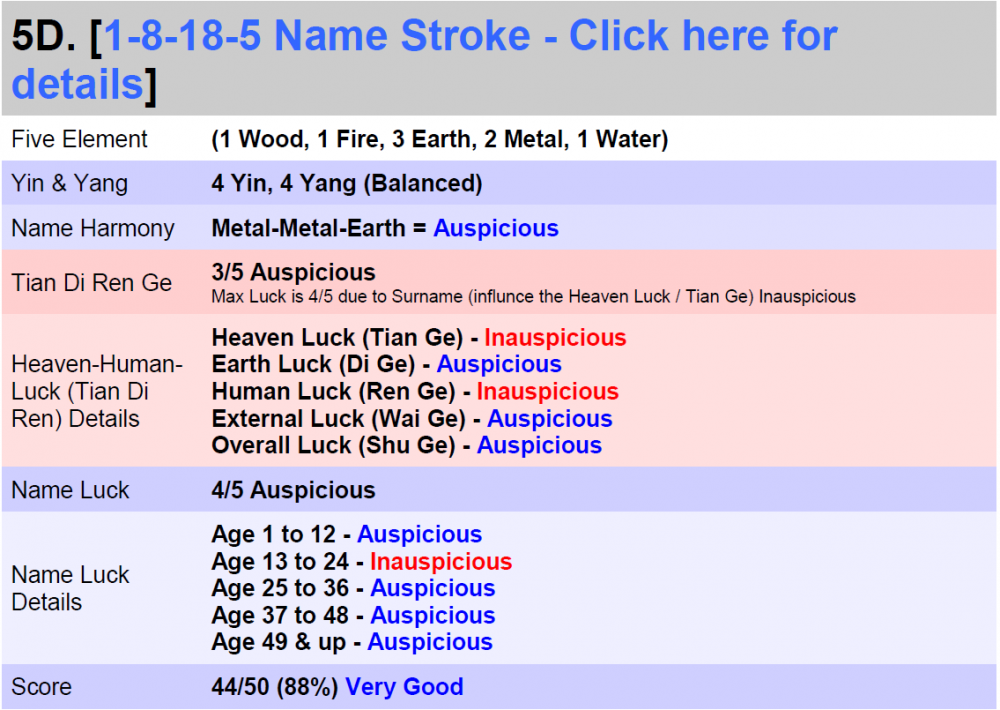
 

name_stroke_chart_only.png.7baa6a5a62e834f6042810ccce1ae323.png

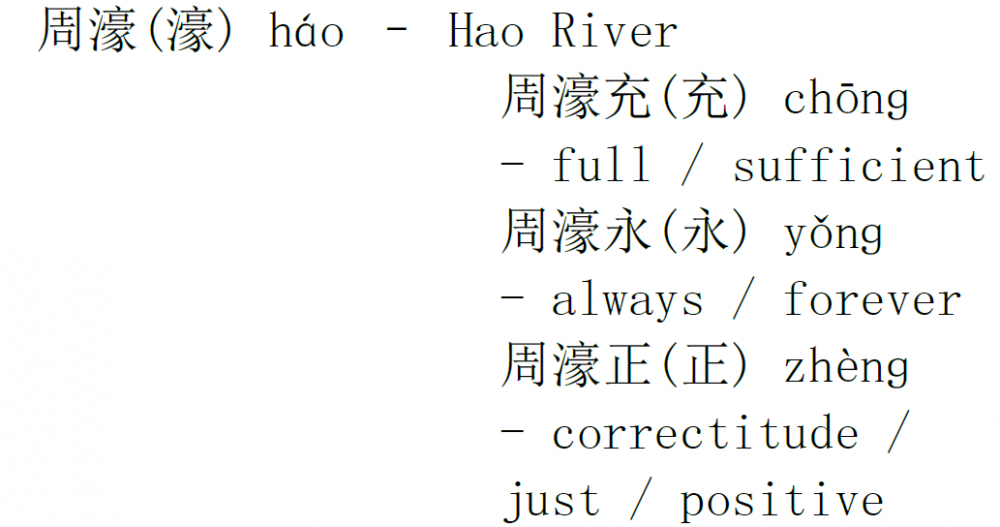
name_stroke_summary.thumb.png.dc5bbf872899ab8cfac83d946d0cf2b2.pngname_examples.thumb.png.a7f860f6ea2dded682fe600b99fbeeda.png

bazi_percentage_with_name.png.bffcb5c583595d4eeb394bd9d8ff51fb.png

1896848090_HEALTHWEALTHANDHAPPINESS50.png.f952b2f62d103a15ac9504d78e890d64.png

WHATSAPPx.gif.933b1f171b62310142ae17b5501fc685.gif Robert Lee, +65 9835-5734 / support@geomancy.net

Learn more about Chinese Name at our Chinese Name Blog


Information Required (Fill up this Form...)


    Additional Fees maybe charged for Urgent (48HRS) Services

Sponsored Link
 
Background Picker

Account

Navigation

Search

Search

Configure browser push notifications

Chrome (Android)
  1. Tap the lock icon next to the address bar.
  2. Tap Permissions → Notifications.
  3. Adjust your preference.
Chrome (Desktop)
  1. Click the padlock icon in the address bar.
  2. Select Site settings.
  3. Find Notifications and adjust your preference.