Skip to content
View in the app

A better way to browse. Learn more.

FengShui.Geomancy.Net

A full-screen app on your home screen with push notifications, badges and more.

To install this app on iOS and iPadOS
  1. Tap the Share icon in Safari
  2. Scroll the menu and tap Add to Home Screen.
  3. Tap Add in the top-right corner.
To install this app on Android
  1. Tap the 3-dot menu (⋮) in the top-right corner of the browser.
  2. Tap Add to Home screen or Install app.
  3. Confirm by tapping Install.
About Feng Shui at Geomancy.Net
Sponsored Link
 
  • Search By Tags

    Search will match any tag entered
  • Search By Author

Content Type

Forums

  • General Help and Site Announcements
    • General Help or Advice
    • What others say about us?
    • What's New?
  • Singapore Property Reviews and Useful FAQ
    • Singapore Property Reviews
    • Around Singapore
    • Useful FAQ Blog
  • Services
    • Our International Feng Shui Services
    • Feng Shui for Business
    • Which Feng Shui Reports are for me?
  • Information
    • Feng Shui Tips & Guidelines
    • Caricatures: Laughter is good medicine & more...
    • Superstitions and Taboos
    • Chinese Culture (General)
    • Current Affairs & Lifestyle
  • Major Feng Shui Theories and Concepts
    • Ba Zi Feng Shui / 4 Pillars of Destiny / Life Reading
    • 4 Good-Bad Directions/Eight House Suitability (Zai Yun)
    • Flying Star Feng Shui (Xuan Kong Fei Xing)
    • Decode your Ba Zi for Your Health, Wealth & Happiness
    • Five Element Cures (Wu Xing)
    • Chinese Name Analysis (Xing Ming Xue) = Change Name or New born's Name

Blogs

  • Ba Zi Life Reading
  • Chinese Name
  • FAQ: Home Feng Shui / Cannot Cannot Buy / Baby Name / Auspicious Dates
  • Twelve Practical Tips for Choosing a New HDB BTO Flat with External Feng Shui Considerations

Calendars

  • Community Calendar

Product Groups

  • Singapore Onsite Home Consultation
    • Expired / Disabled Promotions
  • Singapore Covid-19 Off-Site Home Consultation
  • International Offsite Home Consultation
  • House Hunting Services
  • Ba Zi Life Reading Services
  • Auspicious Dates Services
  • Newborn Baby Services
  • Chinese Name Services
  • Other Consultation Services
  • Geomancy.Net e-Books
  • Geomancy.Net e-Courses

Categories

  • Articles

Find results in

Find results that contain...

Date Created

  • Start

    End

Last Updated

  • Start

    End


Filter by number of...

  • Minimum number of comments

  • Minimum number of replies

  • Minimum number of reviews

  • Minimum number of views

Found 2 results

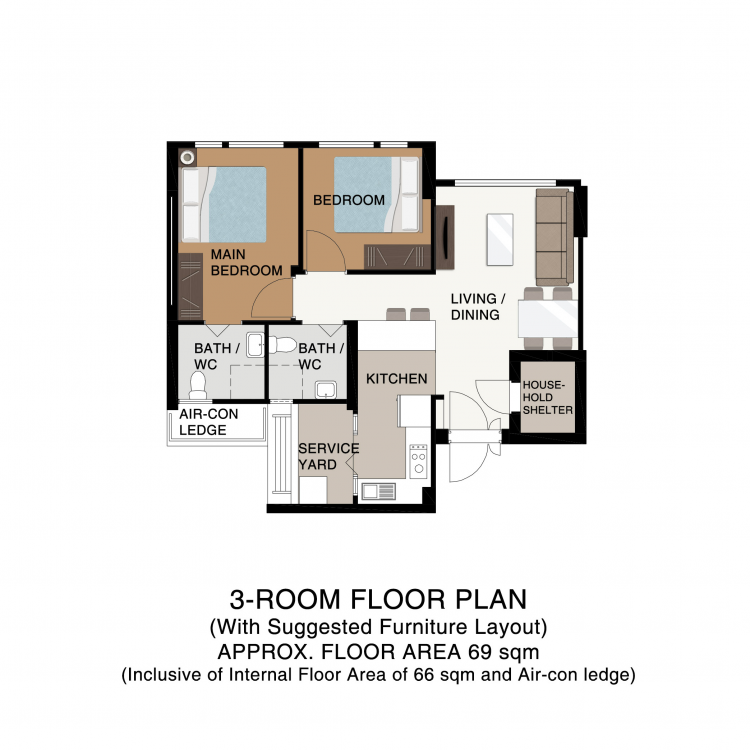
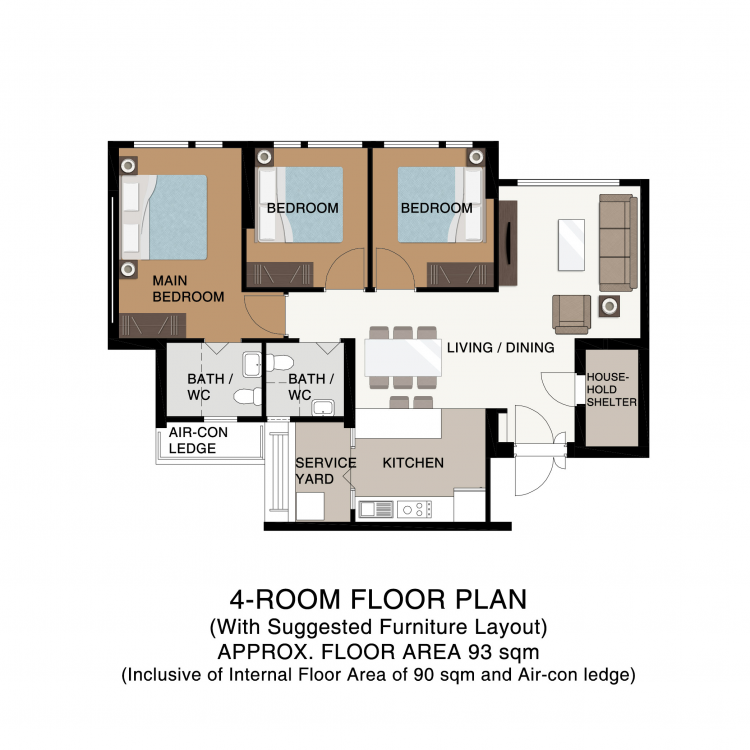
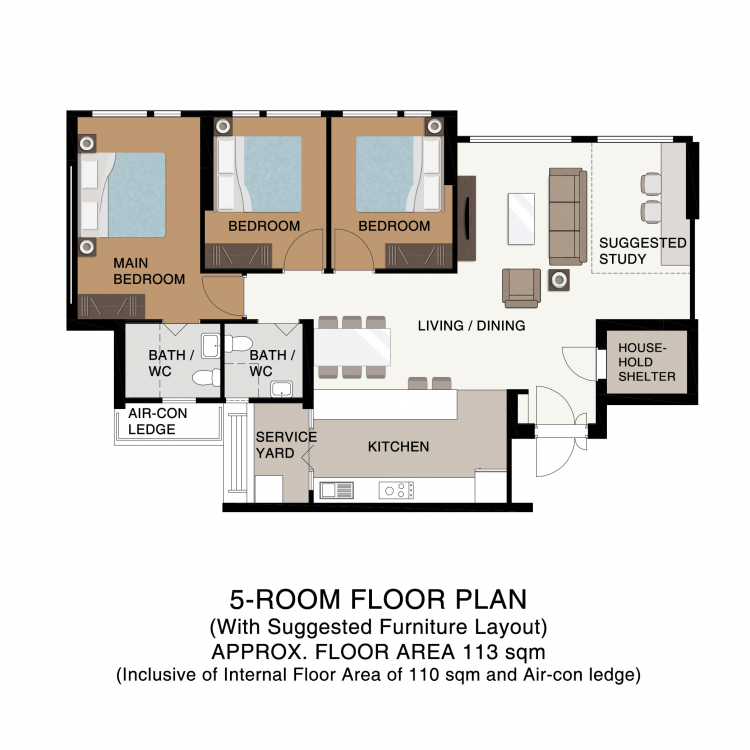
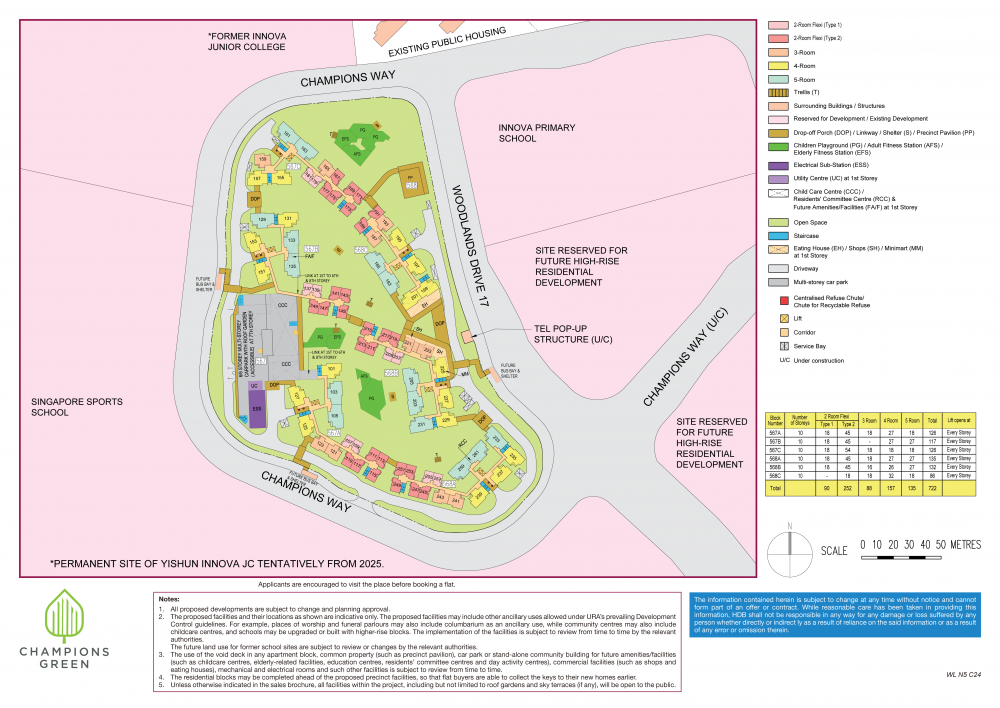
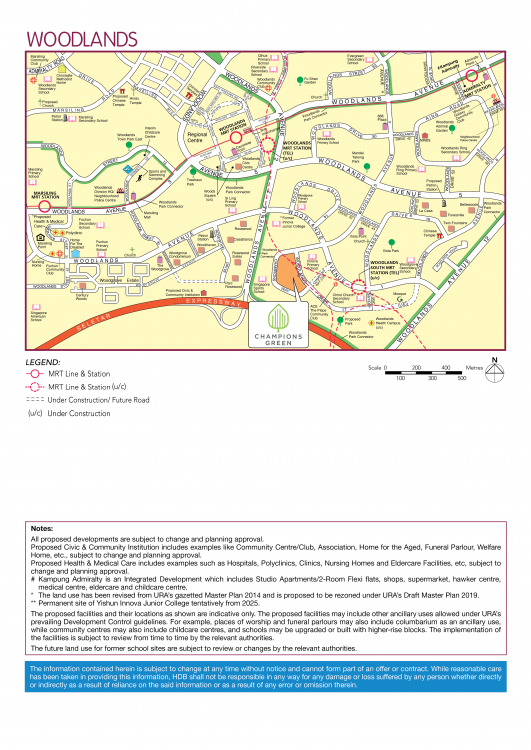
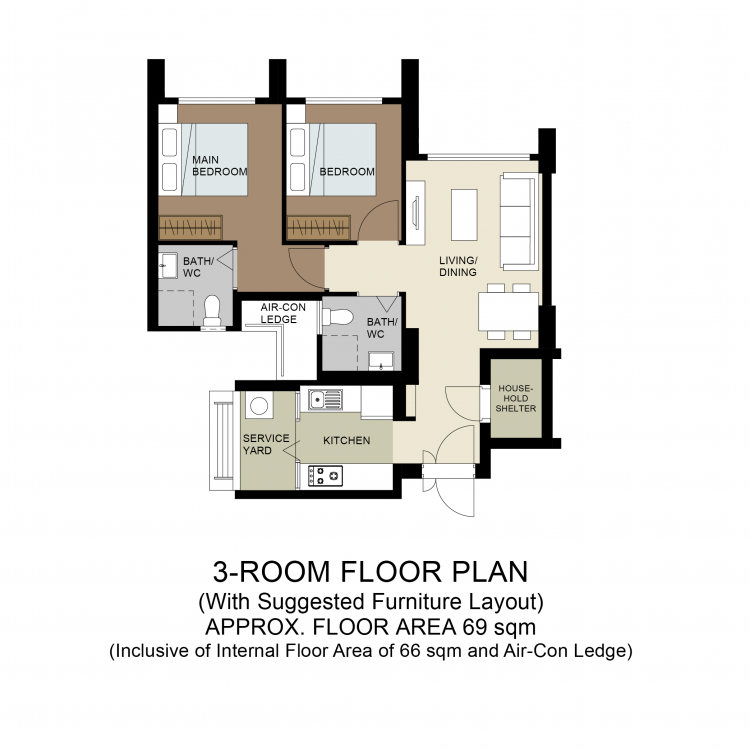
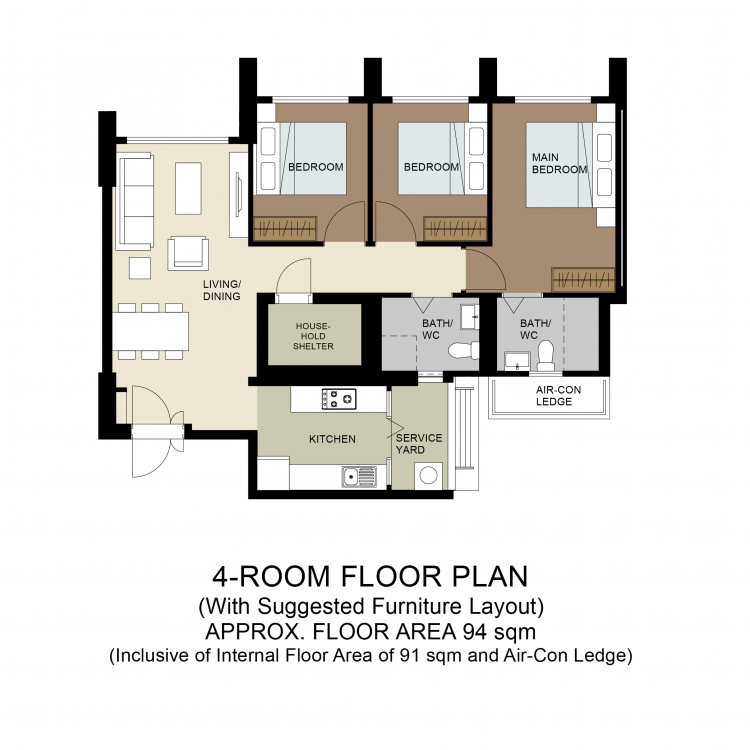
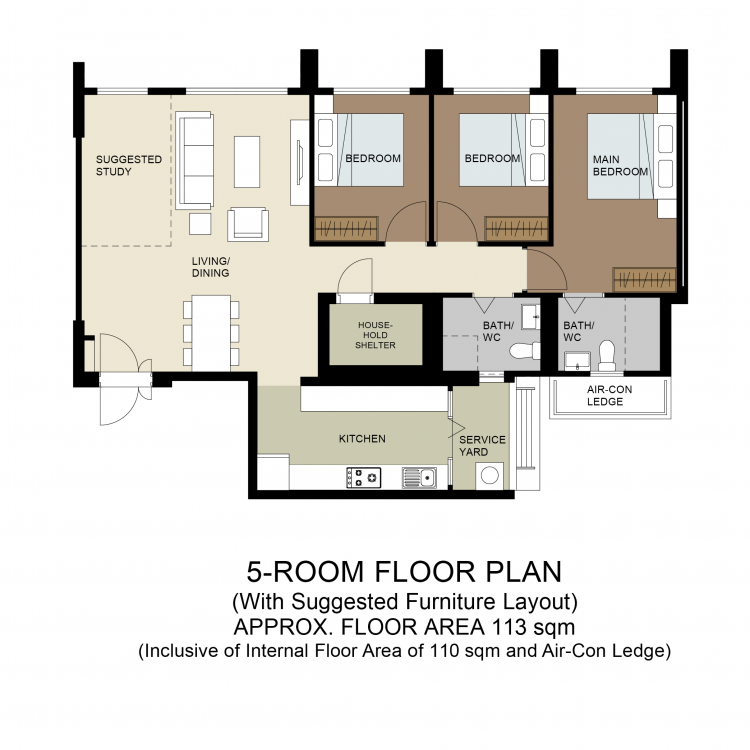
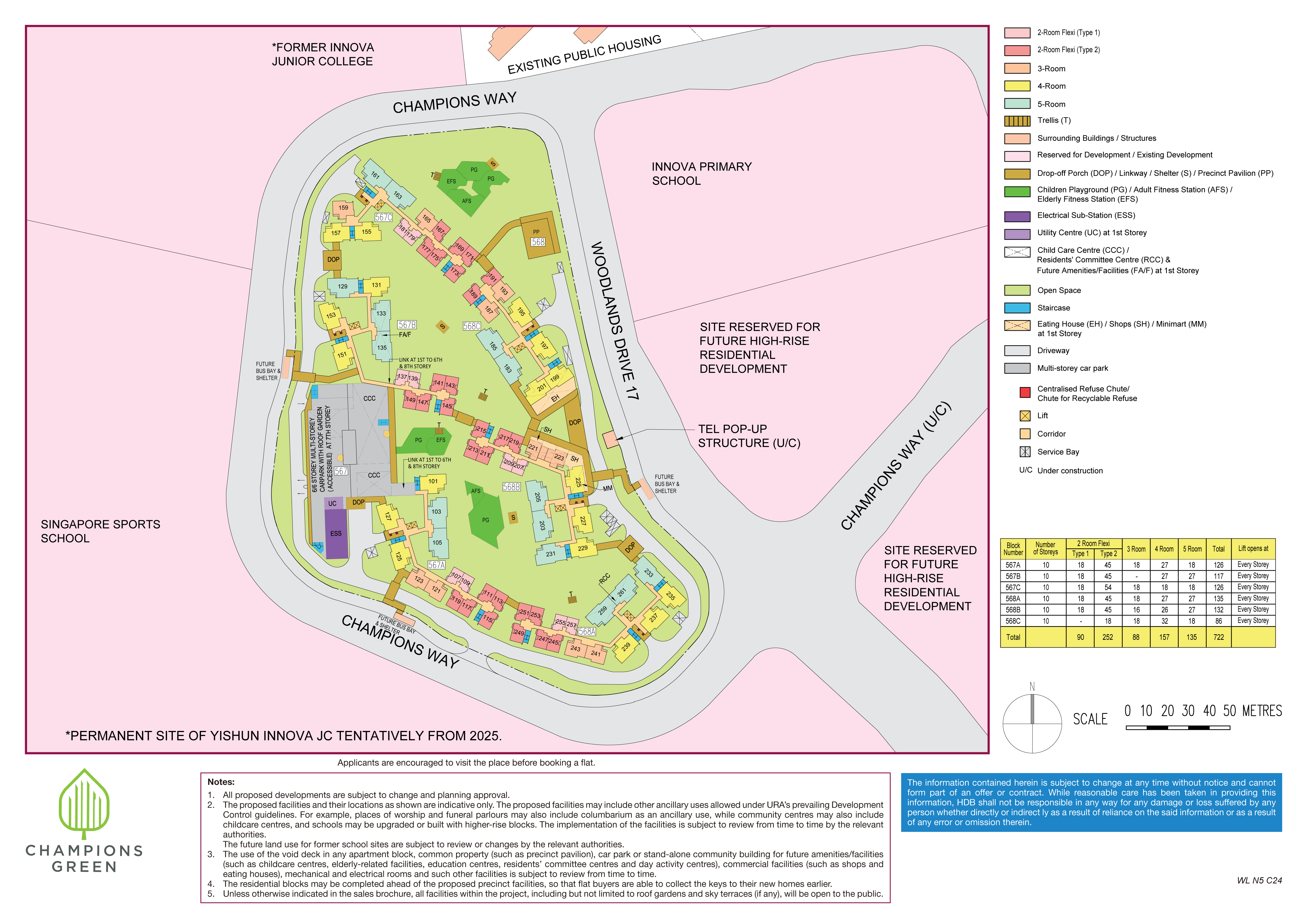
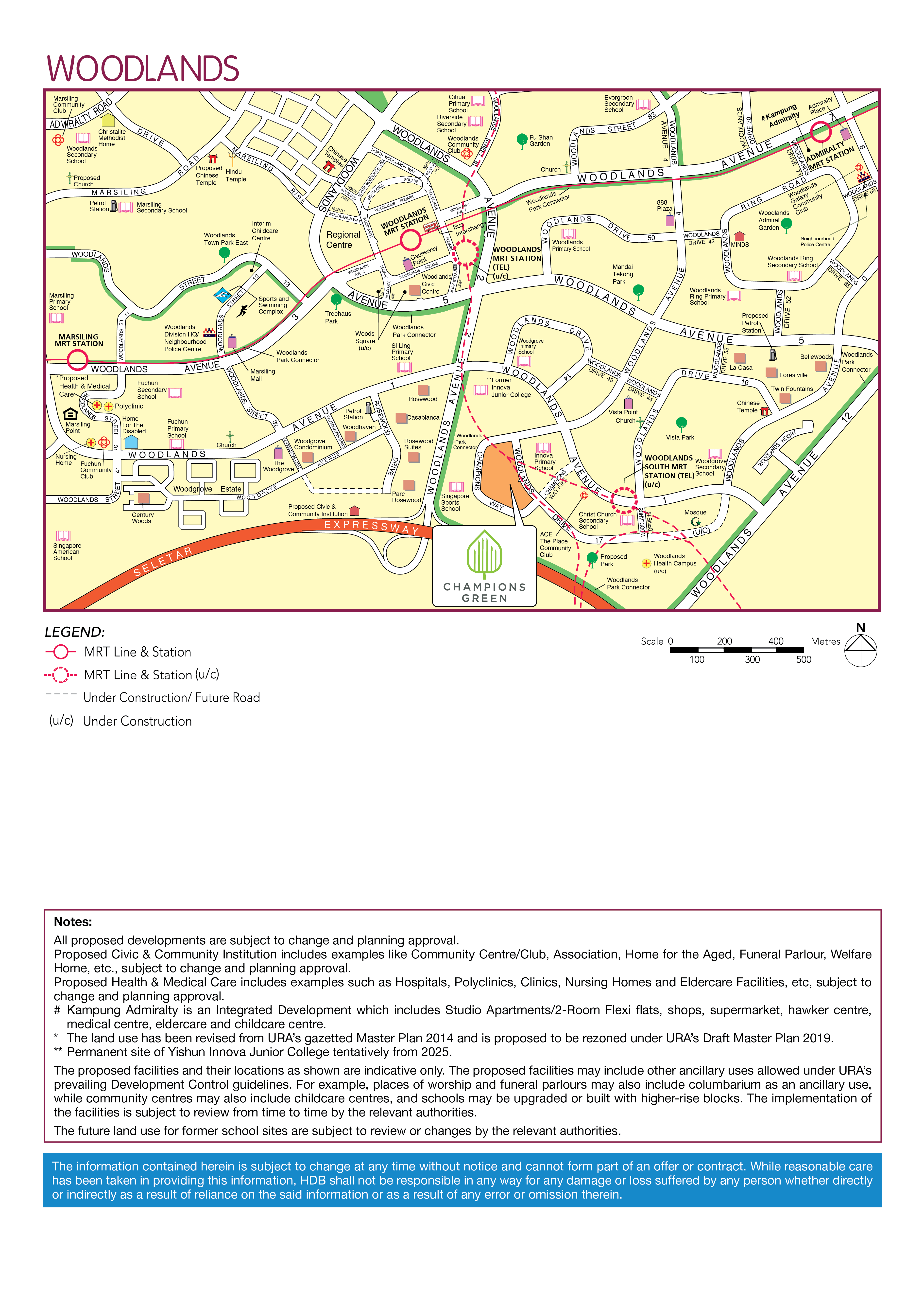
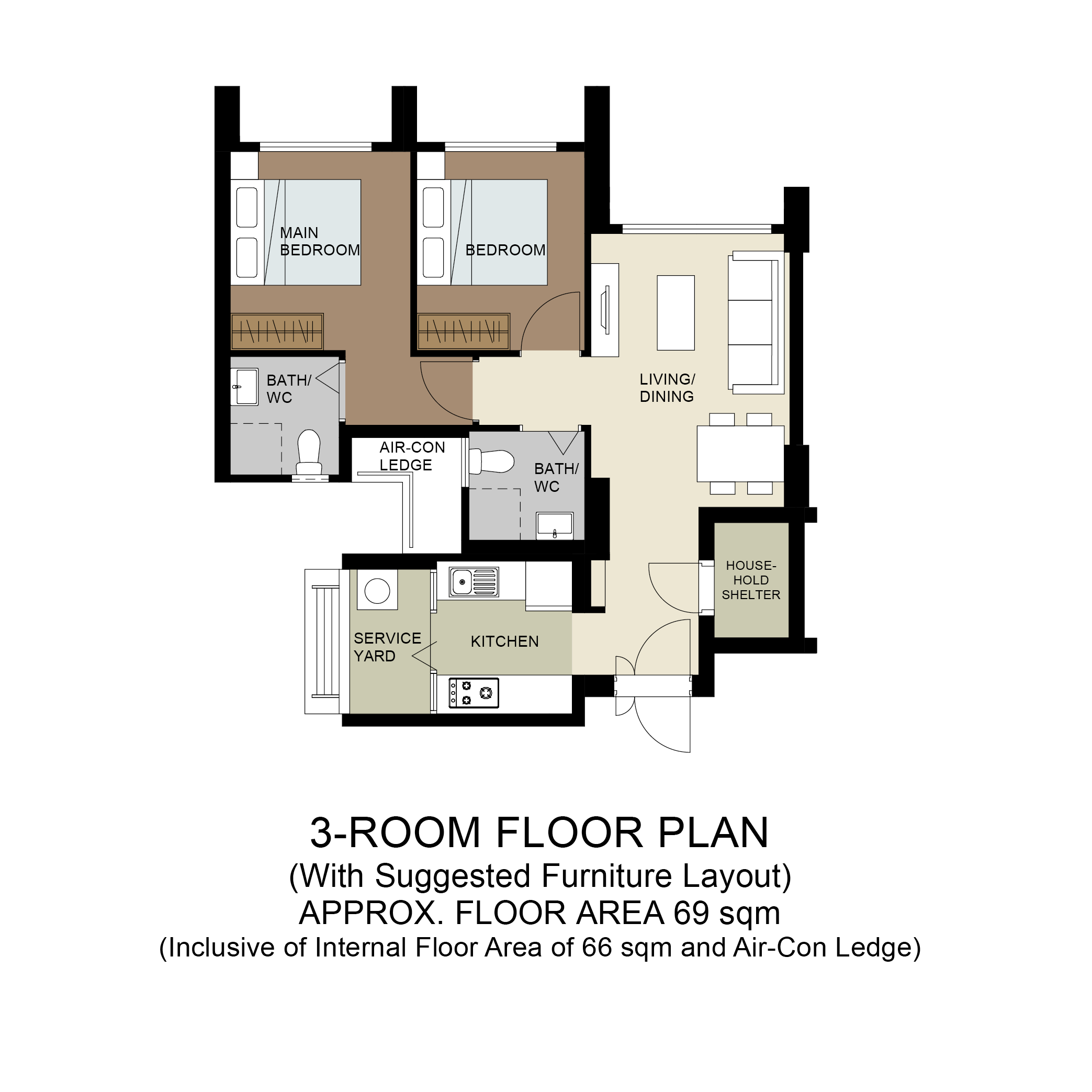
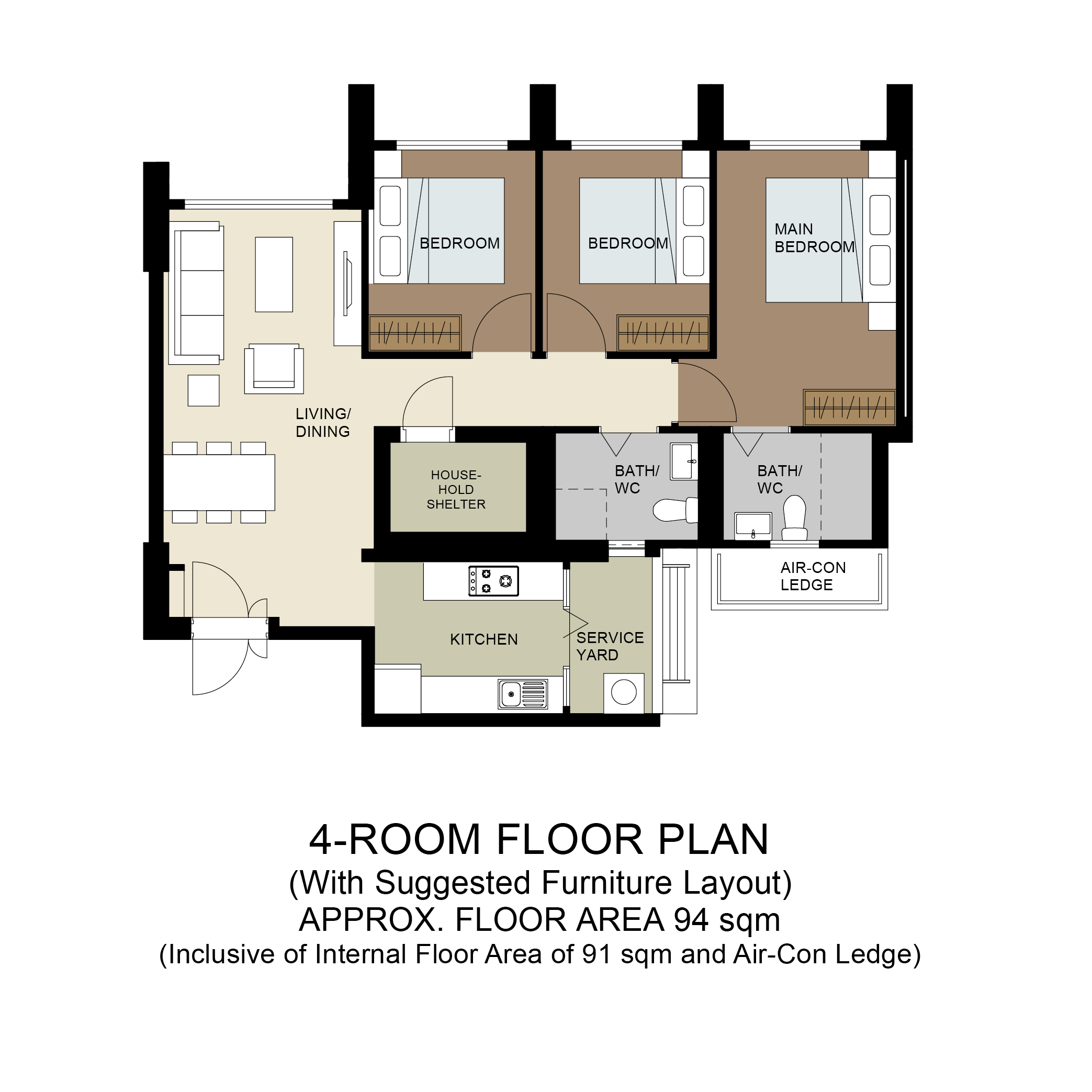
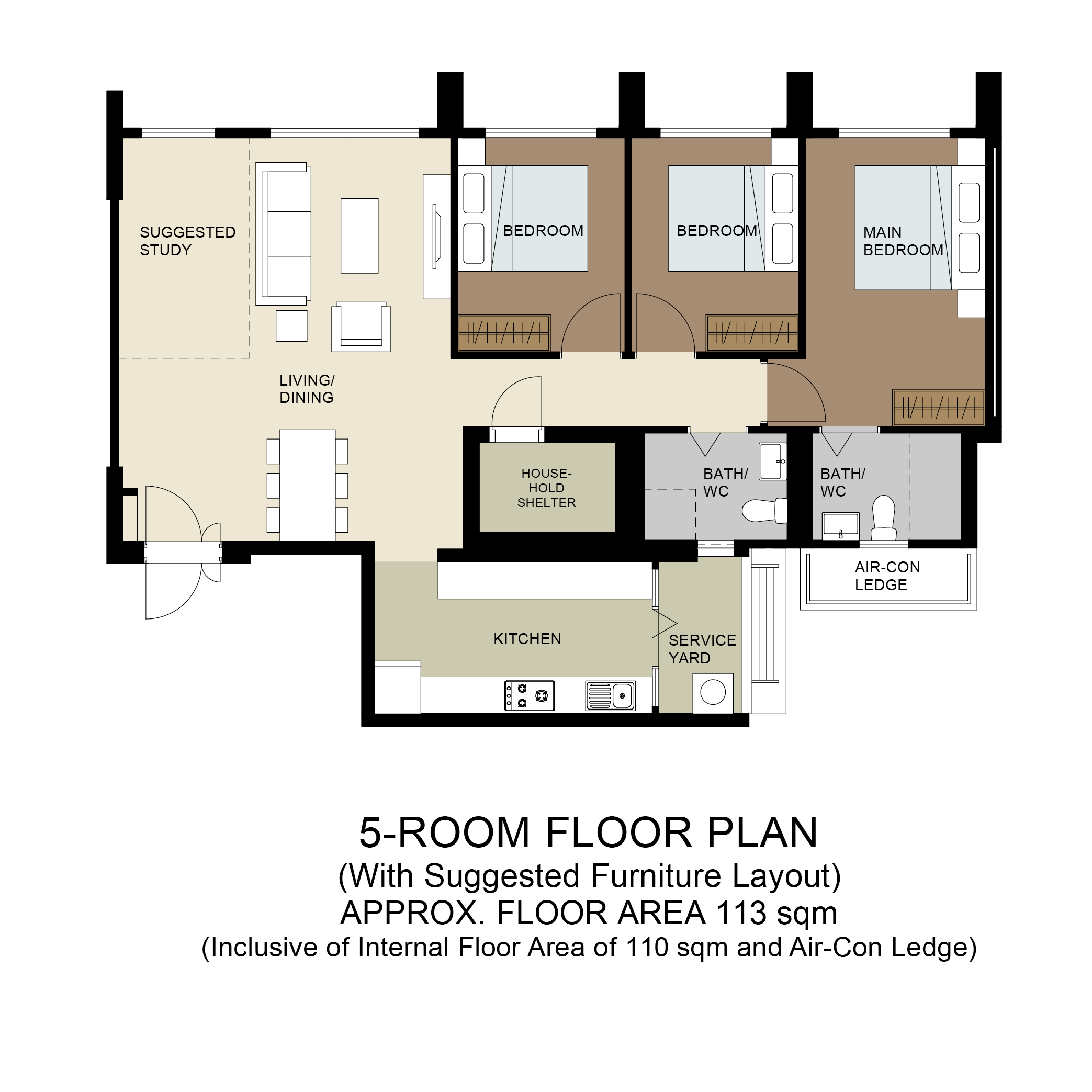
  1. Part 1: HDB Sales Brochure Information Resources Champions Green Sales Brochure: Site Plan and Floor Plans champions-green.pdf Note: Expected Lease Commencement is December 2023 under Period 8 Feng Shui. However, should this be January 2024 onwards, then it can become a Period 8 home. 2-room Flexi, 3-, 4-, and 5-room flats Champions Green will be bounded by Champions Way and Woodlands Drive 17. It comprises 6 residential blocks that are 10 storeys high. The development’s name describes the green spaces in the estate that are designed to promote healthy and active lifestyles. You can choose your home from 722 units of 2-room Flexi, 3-, 4-, and 5-room flats.
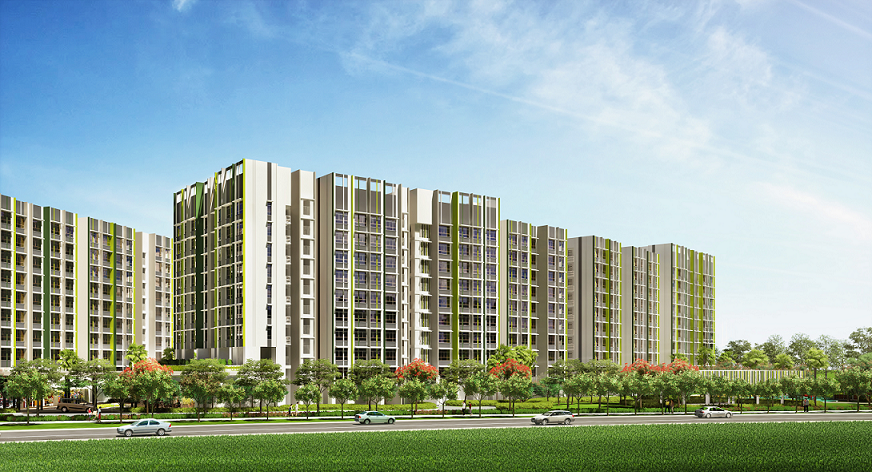
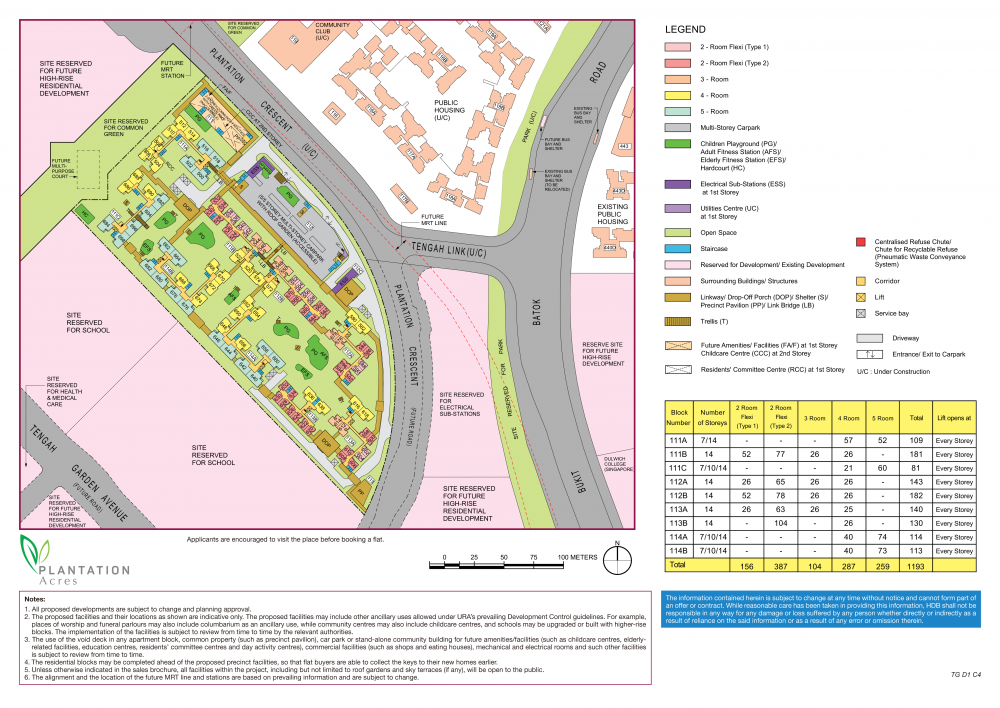
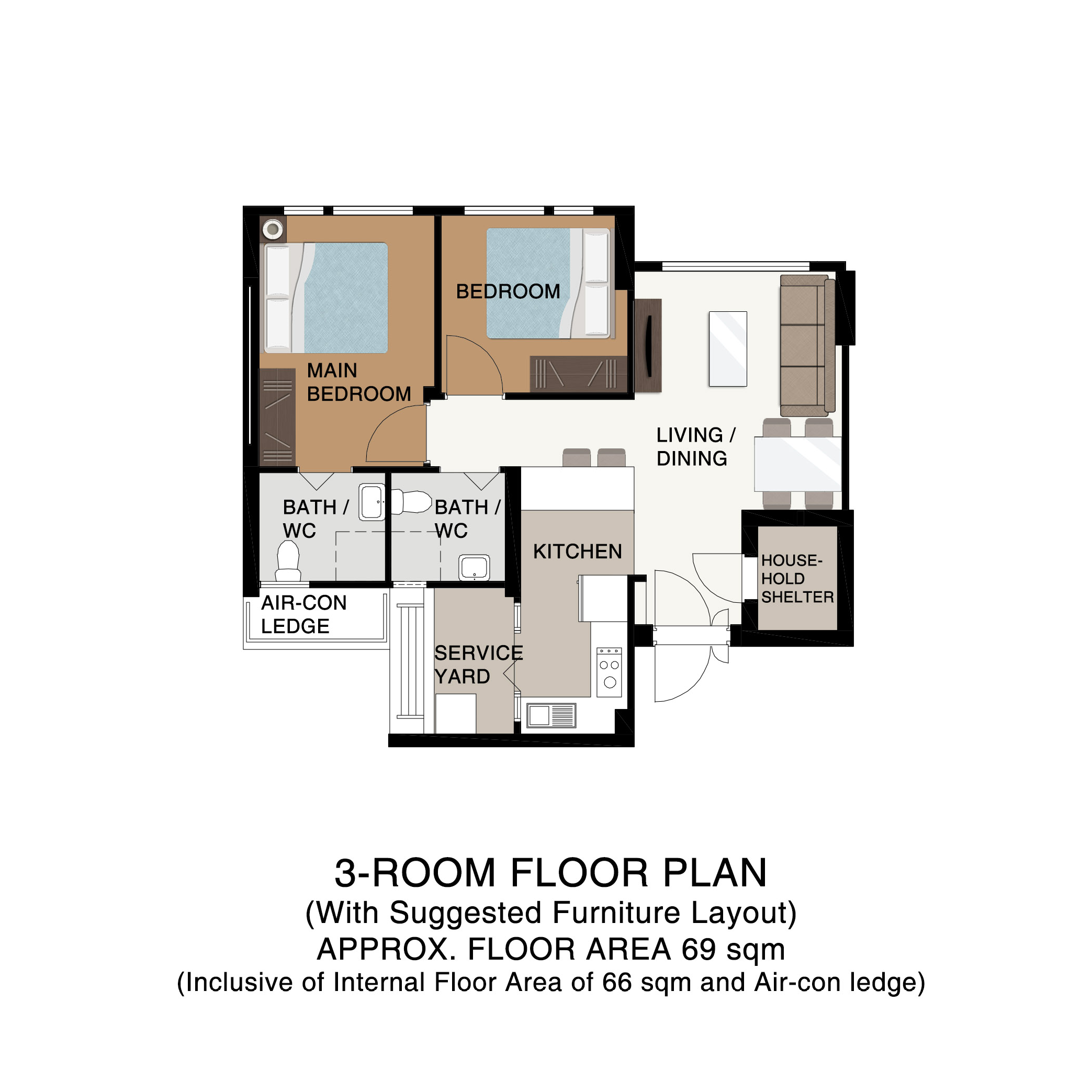
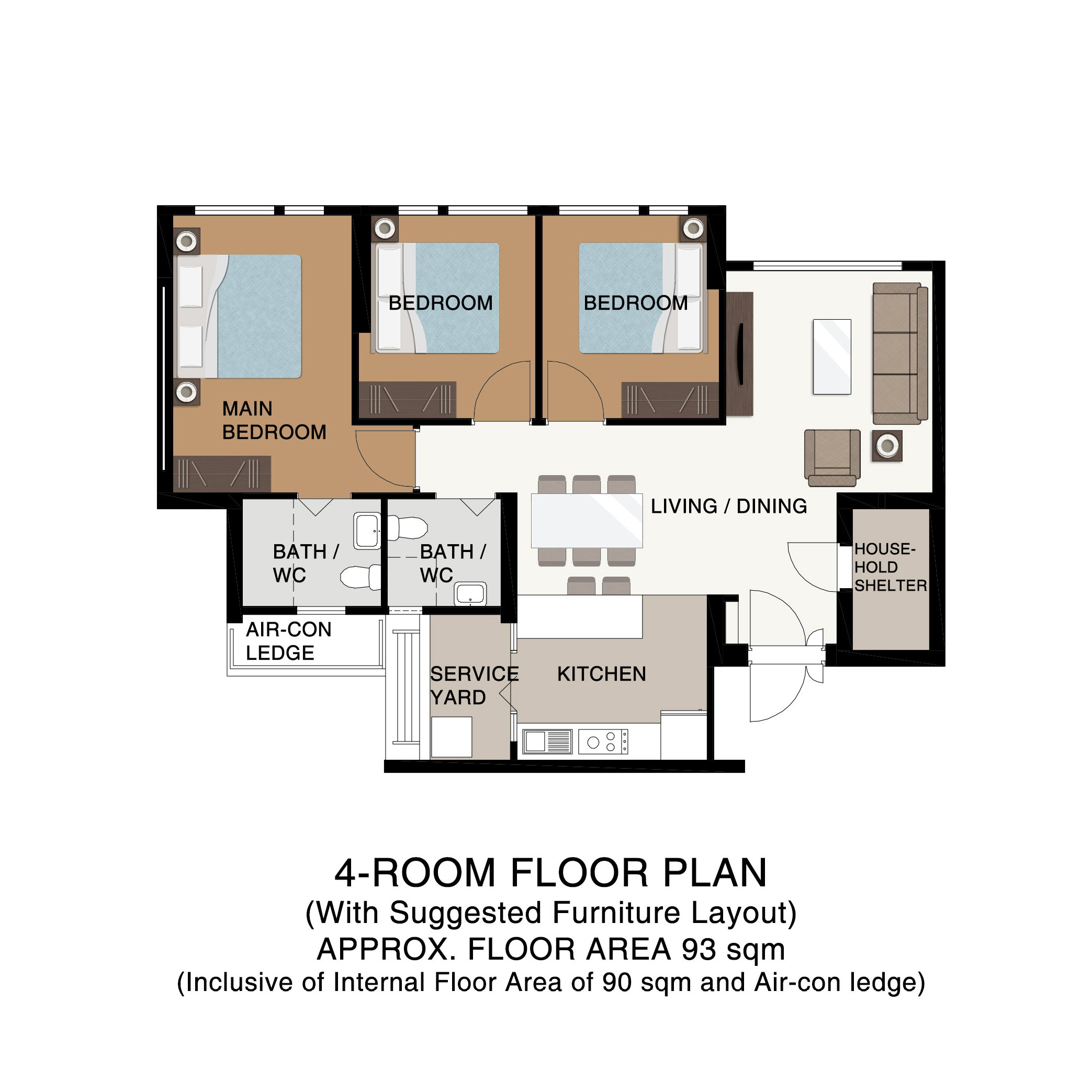
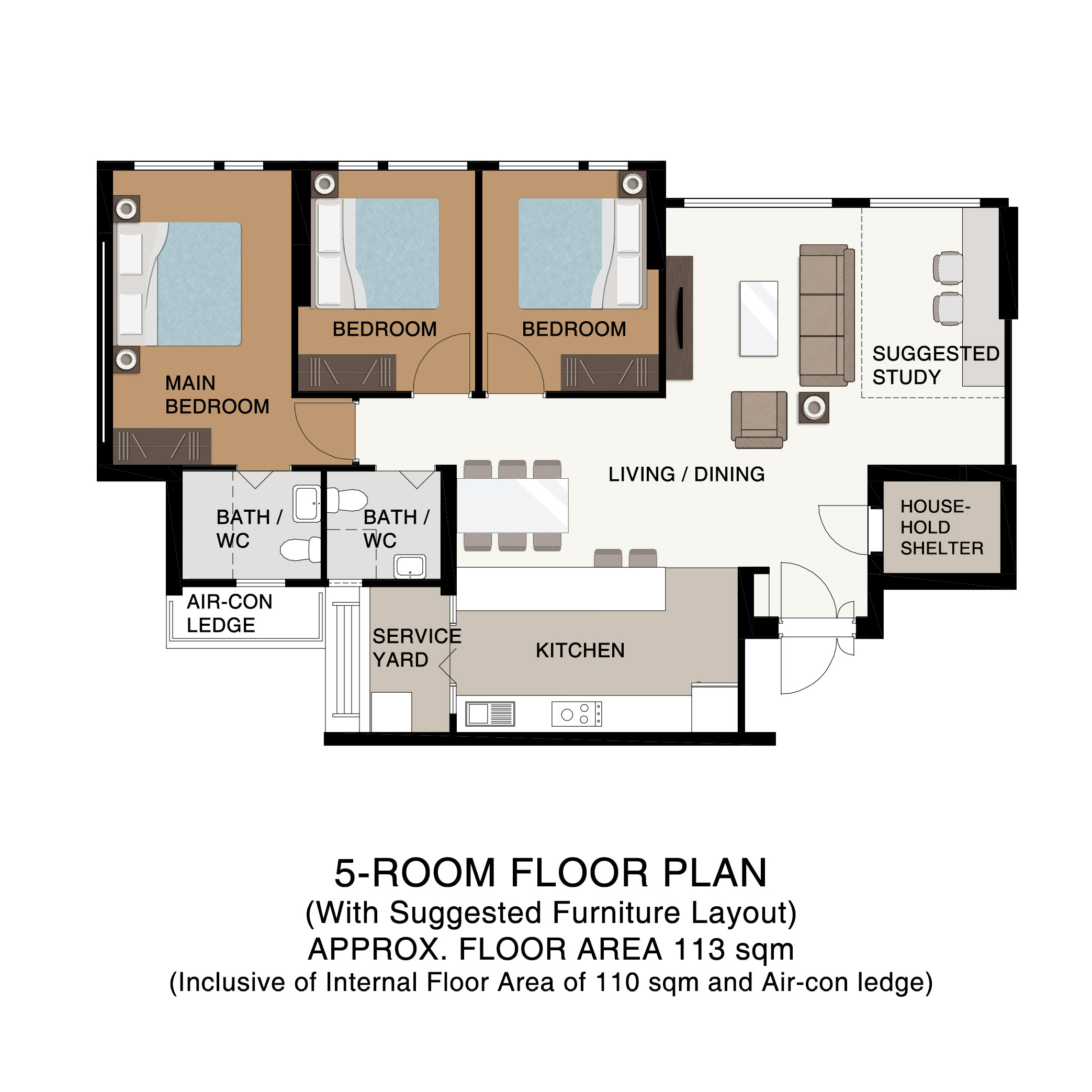
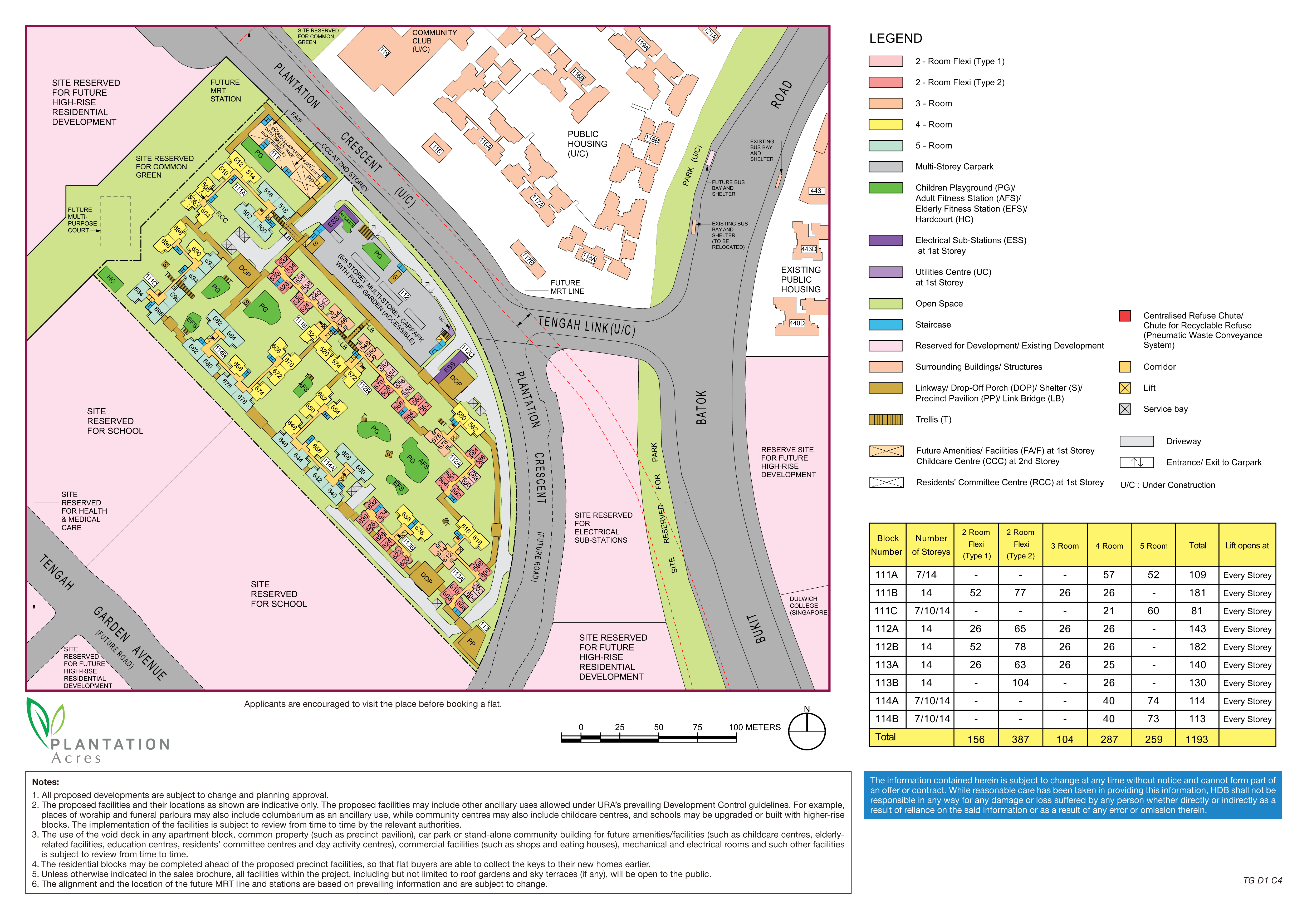
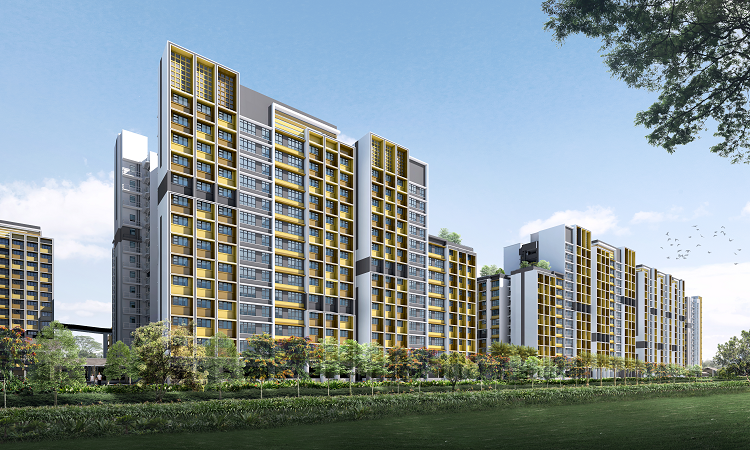
  2. Plantation Acres Sales Brochure: Site Plan and Floor Plans plantation-acres.pdf Expected Lease Commencement Date is Year 2022* Delayed Part 1: HDB Sales Brochure Information Resources Plantation Acres Plantation Acres will be sited along Plantation Crescent. This development comprises 9 residential blocks ranging from 7 to 14 storeys. You can choose from 1,193 units of 2-room Flexi, 3-, 4-, and 5-room flats. The name ‘Plantation Acres’ is inspired by the green spaces within the development. About Plantation District Key amenities such as a Community Club, Neighbourhood Centre, and a shopping street will line the Plantation Farmway, making it a vibrant spot for residents to gather. There will be opportunities for facilities such as organic markets and farm-to-table dining. plantation-acres.pdf
Sponsored Link
 
Background Picker

Account

Navigation

Search

Search

Configure browser push notifications

Chrome (Android)
  1. Tap the lock icon next to the address bar.
  2. Tap Permissions → Notifications.
  3. Adjust your preference.
Chrome (Desktop)
  1. Click the padlock icon in the address bar.
  2. Select Site settings.
  3. Find Notifications and adjust your preference.