Cecil Lee
Staff
-
Joined
-
Last visited
Everything posted by Cecil Lee
-
On 14.9.2020
-
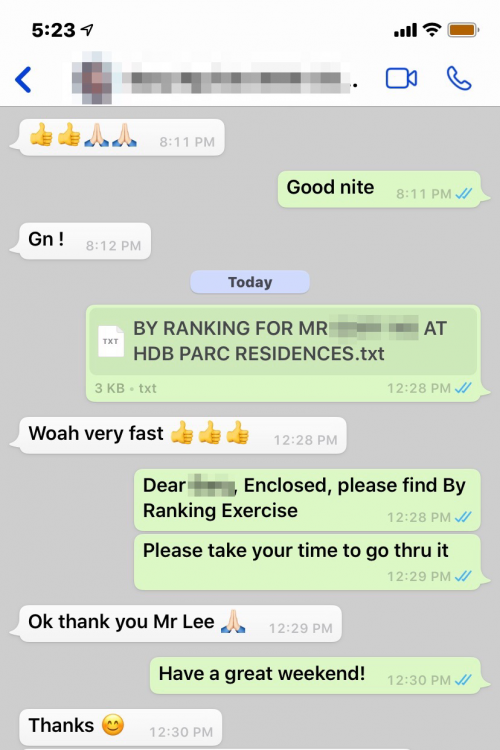
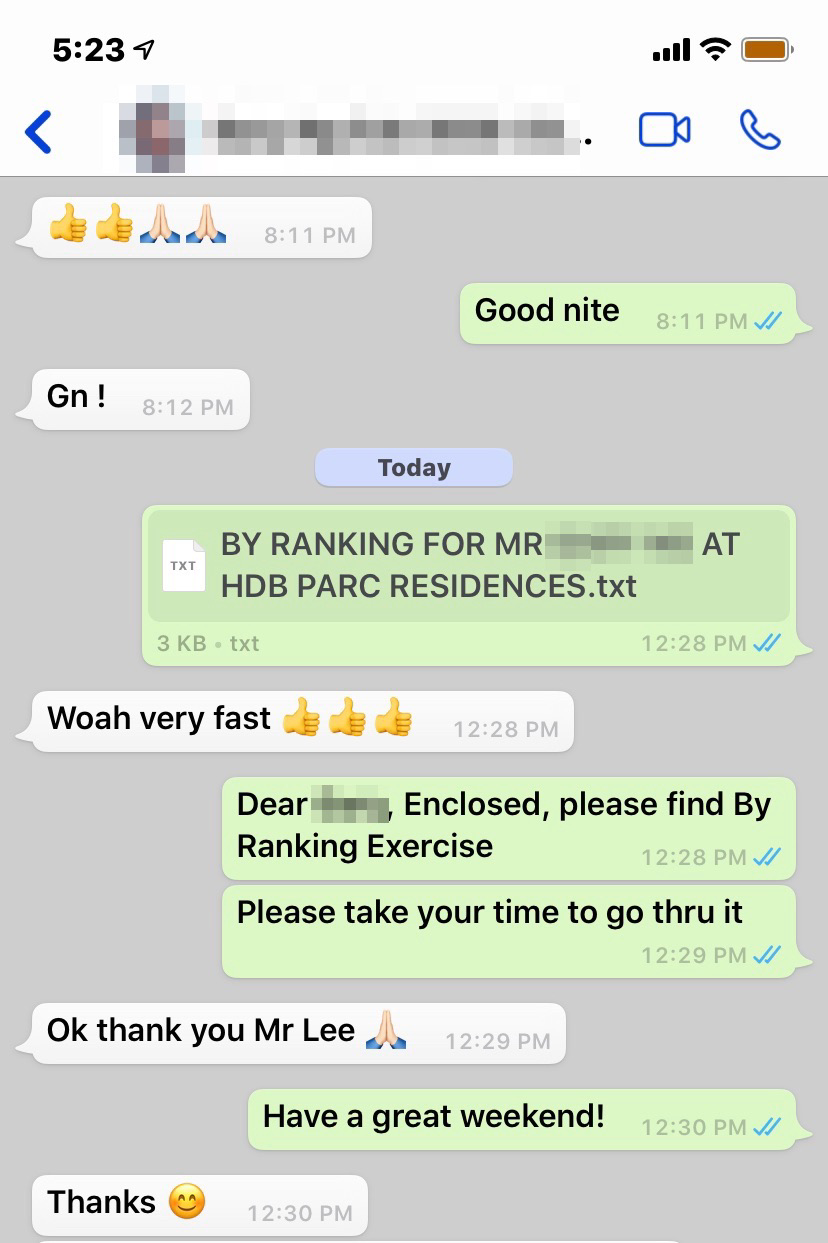
Woah very fast
-
That's Life! Life’s Like That.... One....*** Please note that this is not aimed at anyone. *** Senario: I have a family of 8 but I only have a saloon car. Is there a cure? Response: Either tie one family member on the roof, another in the boot or go buy an MPV. Don't be like me, lah! Or expect earthquake to change the direction of my house..... "a trait of human nature of never wanting to give up. However, sometimes... just...let go ... and find some other directions.. LOL”

-
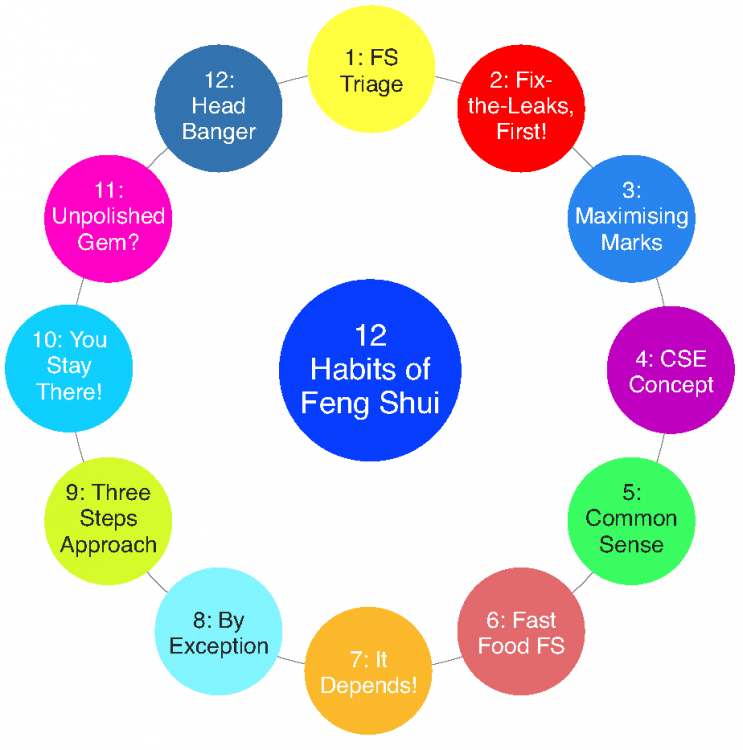
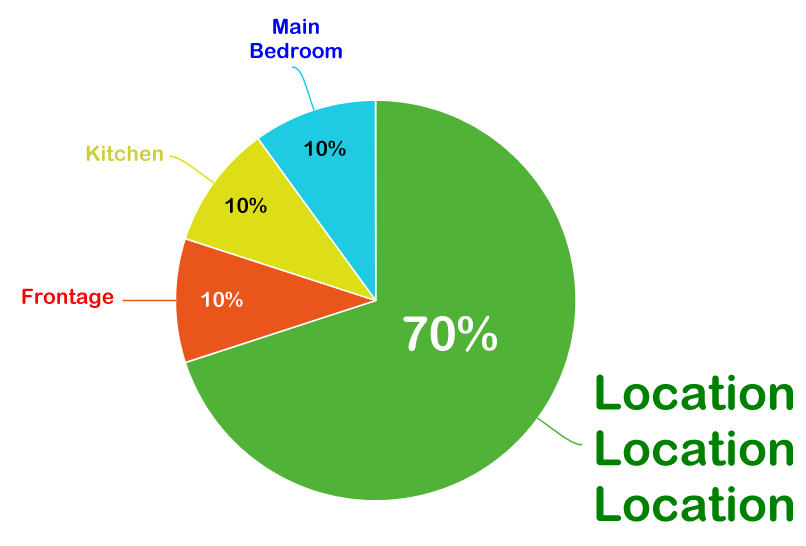
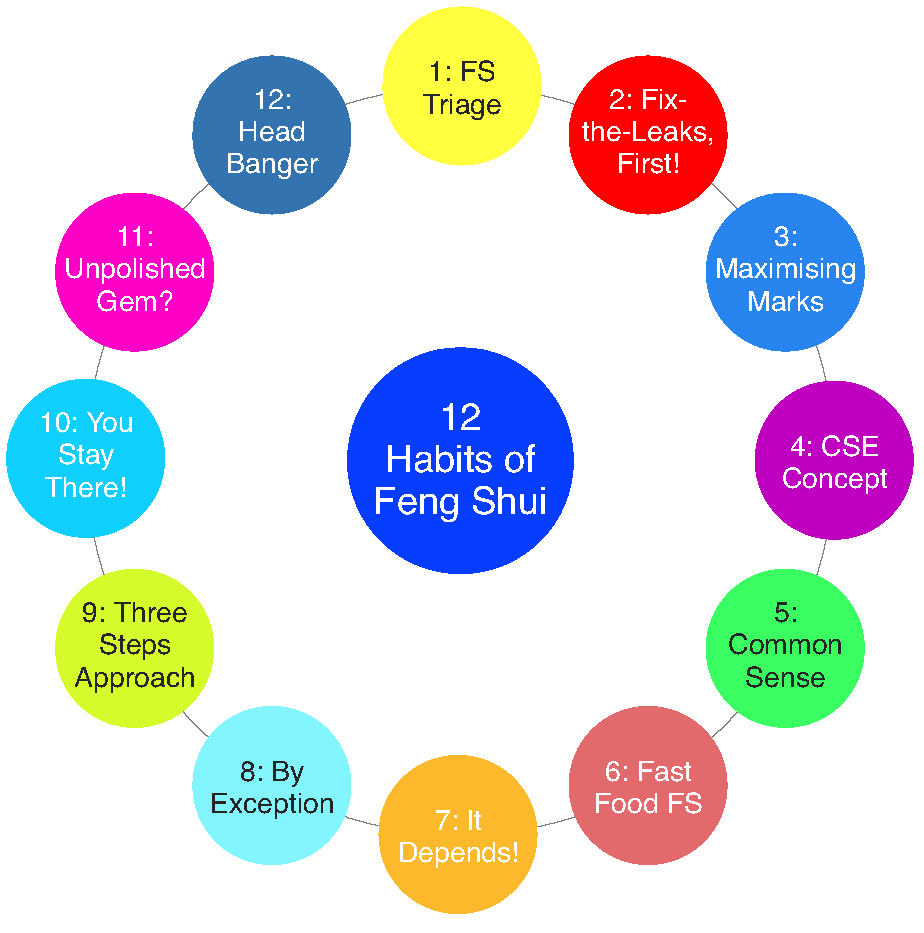
A. A Feng Shui Examination and the marks awarded consists of:- 1. Location, location, location = 70% 2. Frontage = 10% 3, Kitchen = 10% 4. Main Bedroom = 10% TOTAL = 100% (C) Geomancy.net 2020 B. Please note that your question is like asking just (Frontage) 10% out of a total of 100% as illustrated as above. But what about a big chunk = Location, location, location is a whopping 70% !. C. One has to be realistic, here. Your "cure" can be found under Habit Number 12:- https://www.geomancy.net/forums/topic/17416-grow-health-wealth-happiness-with-the-12-habits-of-feng-shui-c-geomancynet/ What CURE? Go find out what is HABIT THREE (3), more like it LAH!

-
From the messages found in this thread:- 1. Yes, common sense and the concern for flooding (if any). If none... then no issue, here. 2. Usually, even if the living room is sunken, if the rear e.g. dining and kitchen is higher is considered as "Good" Shapes and Forms Feng Shui. 3. Today, many modern homes are wheel chair friendly, thus not ideal, if a family member has to move using a wheel chair.
-
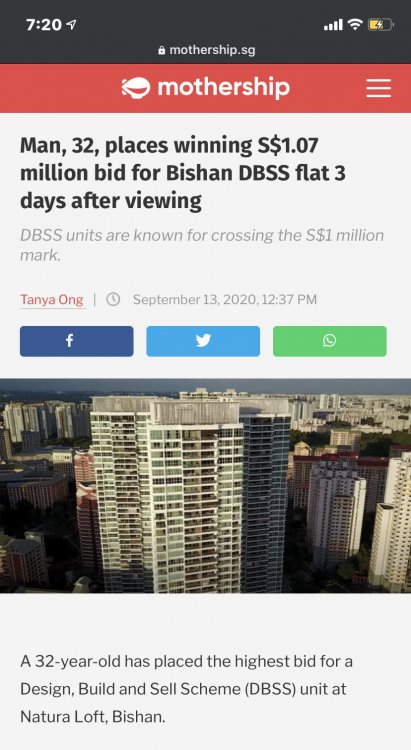
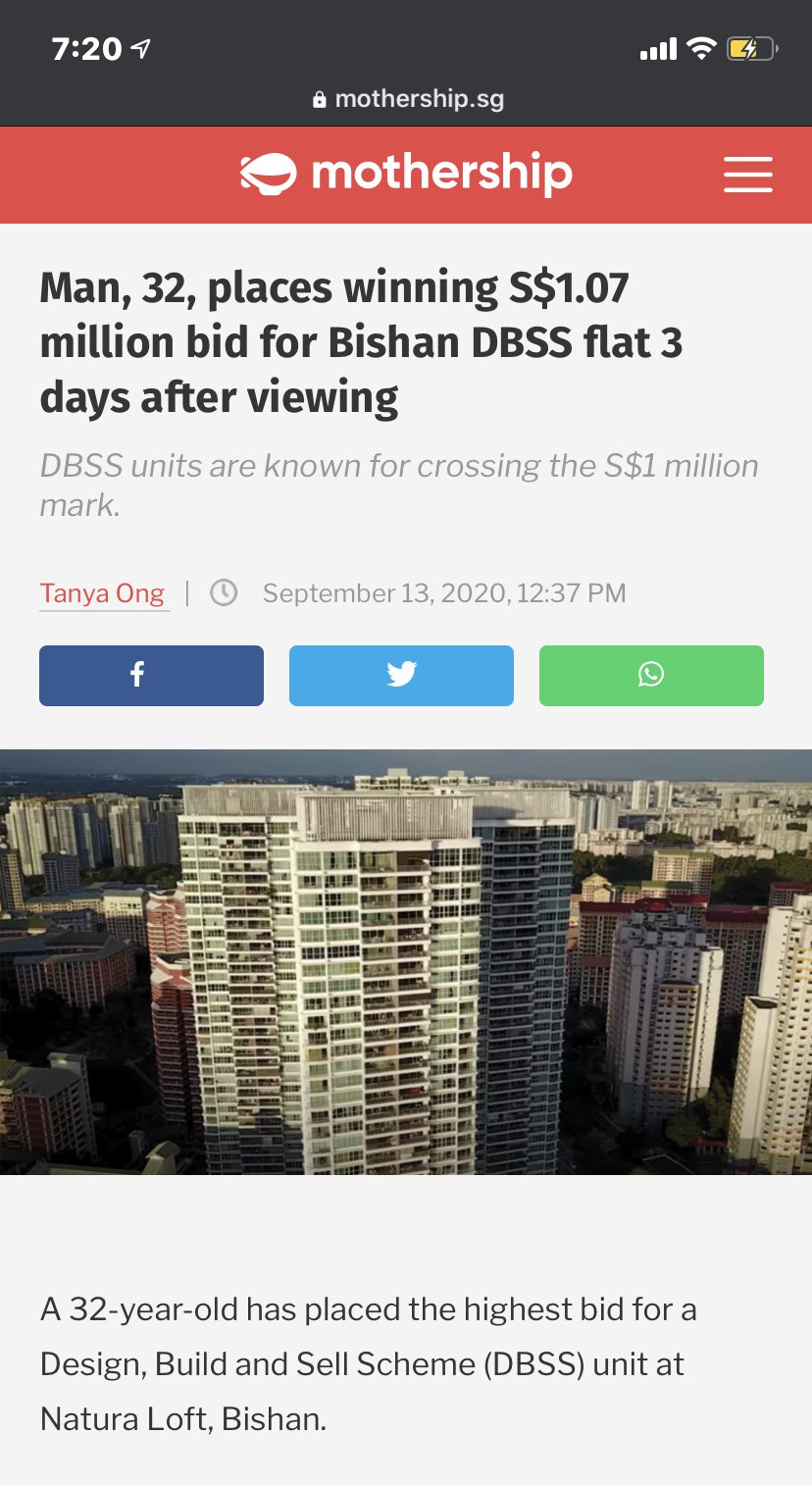
A 32-year-old has placed the highest bid for a Design, Build and Sell Scheme (DBSS) unit at Natura Loft, Bishan. Source & Credit:
-
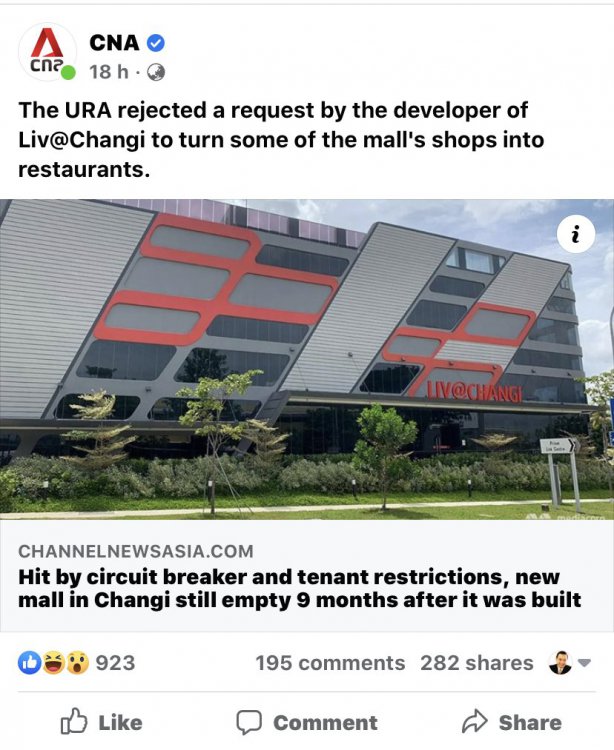
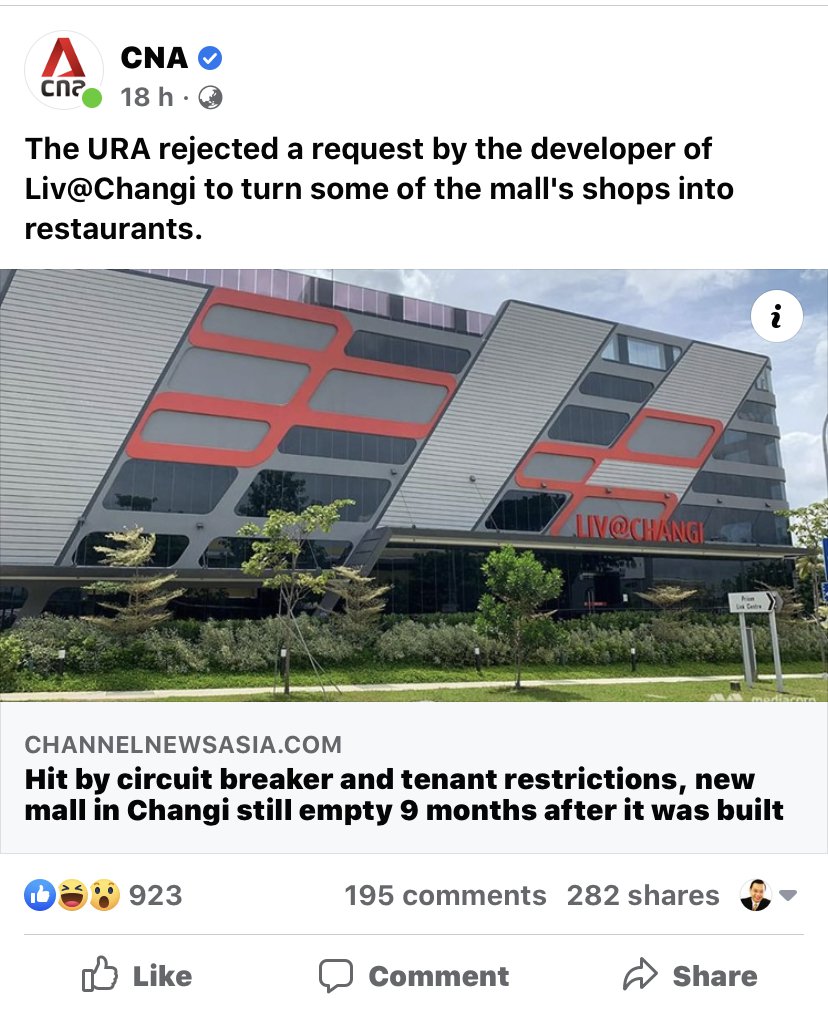
Liv@Changi
-
" As much as we see, Geomancy.net has great web presence built up over the years and is seen as one of the SG market leaders in residential house audit. "
-
Woah very fast ???
-
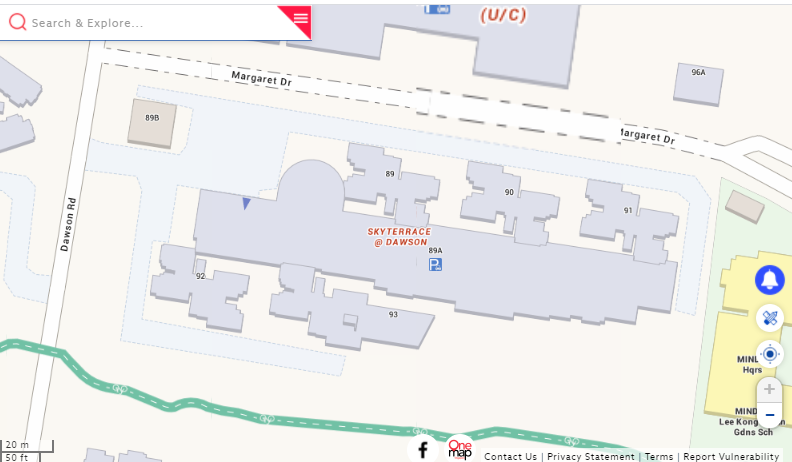
1. There is often no need for a private developer to design or manage such projects. 2. Many private developers, such as Sim Lian, began their business as main contractors. 3. For example, in the late 1990s, Sim Lian worked on projects for Hong Kong-based MCL Land. 4. A good example of a site managed by HDB is the existing HDB SkyTerrace@Dawson. 5. HDB SkyTerrace@Dawson could easily be mistaken for a private estate, except for the lack of fencing, guards, and pool or clubhouse facilities. Unfortunately, the quality of workmanship was previously found to be poor in this development, which is quite a shame.
-
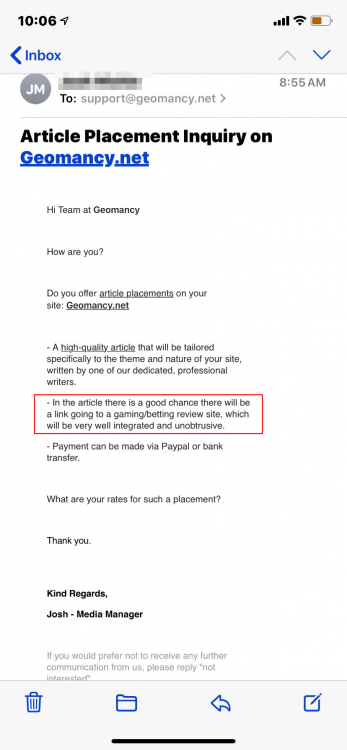
Stealth and What’s bad of such schemes Yucks!
-
Good Bye, Sayonara, Mampost!

-
"As much as we see, Geomancy.net has great web presence built up over the years and is seen as one of the SG market leaders in residential house audit."
-
Need Help?
-
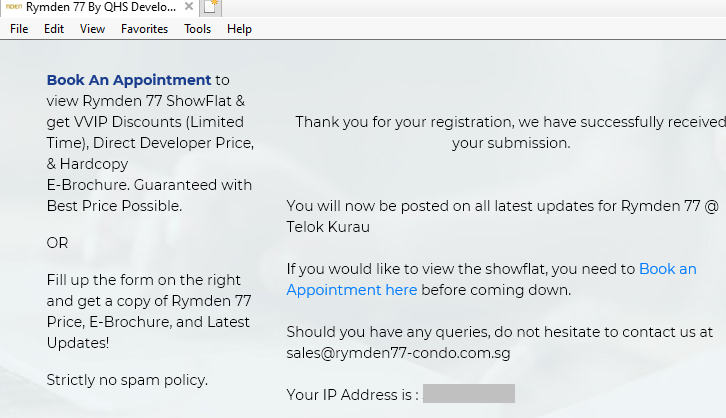
Can Help? Do you have the e-brochure?
-
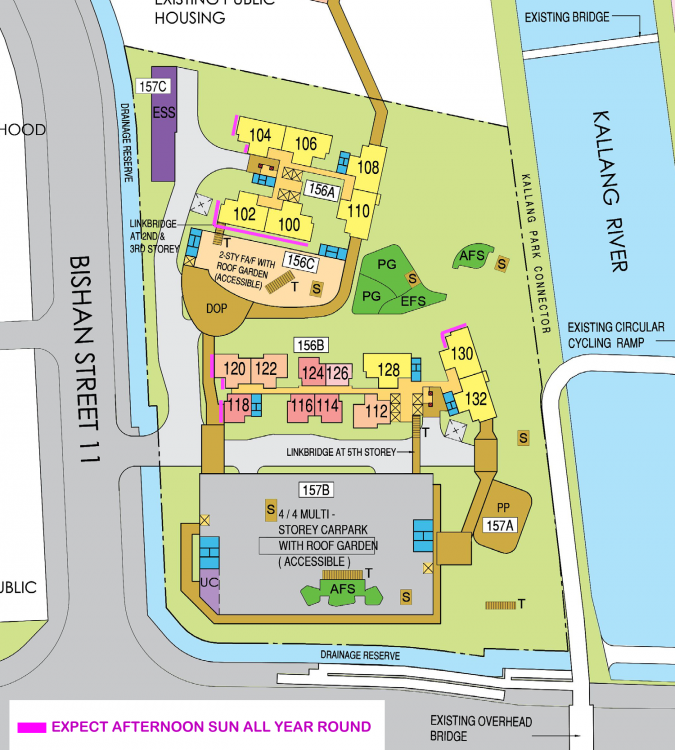
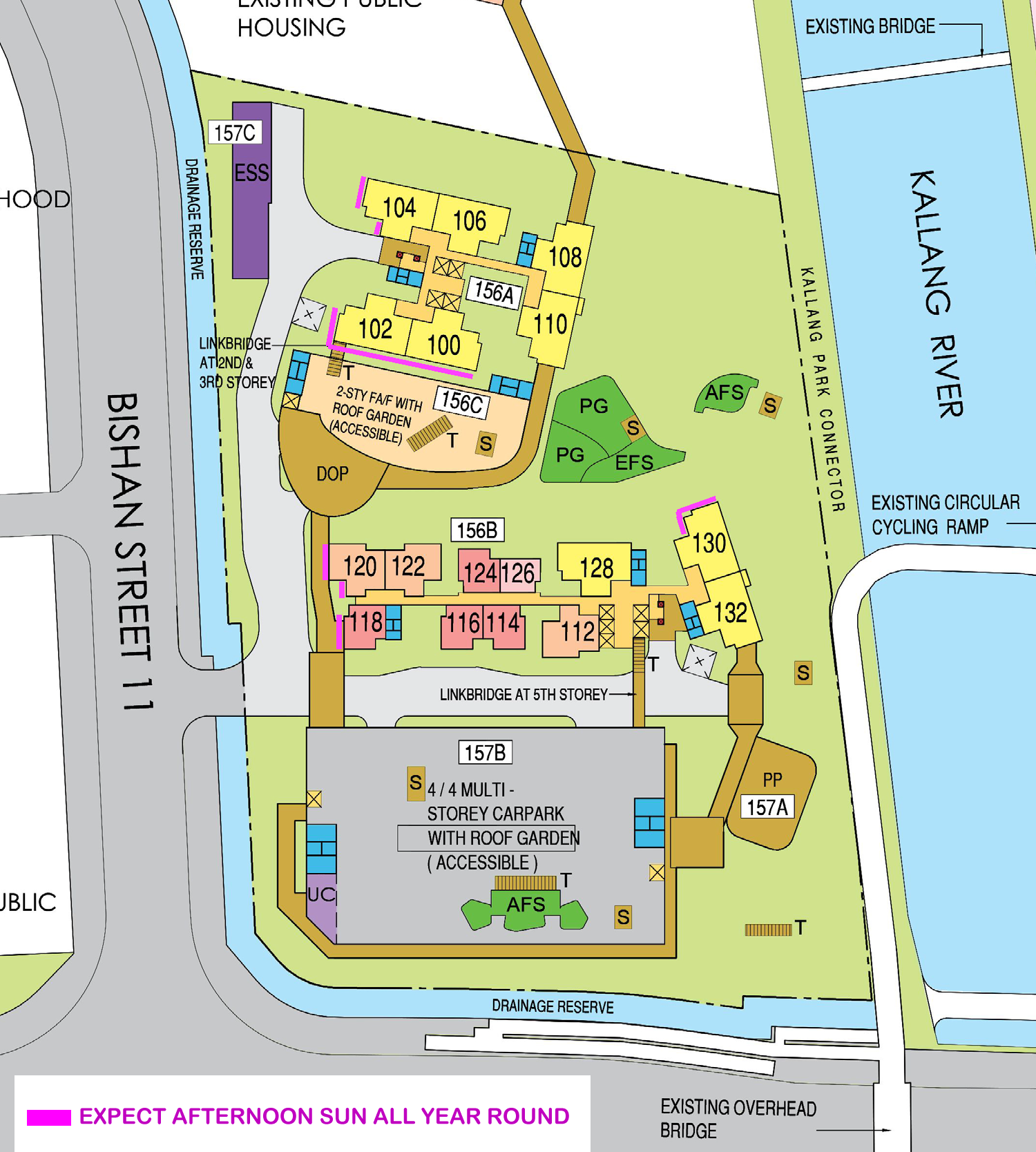
Case Study 7: Almost great for those that dread direct afternoon sun homes 1. Good that there are no units that are direct view of the afternoon sun. 2. Stacks #100 and #120 have indirect afternoon sun at an angle all year round. 3. Other North and South facing stacks e.g. 118 and 120 will get afternoon sun bathing the walls. And every six months will get afternoon sun at a slight angle towards the unit's frontage.
-
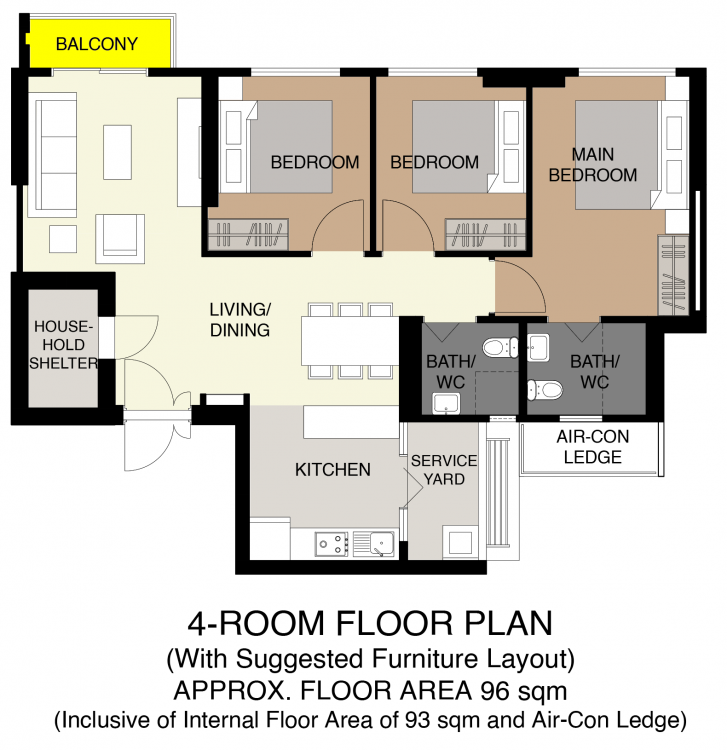
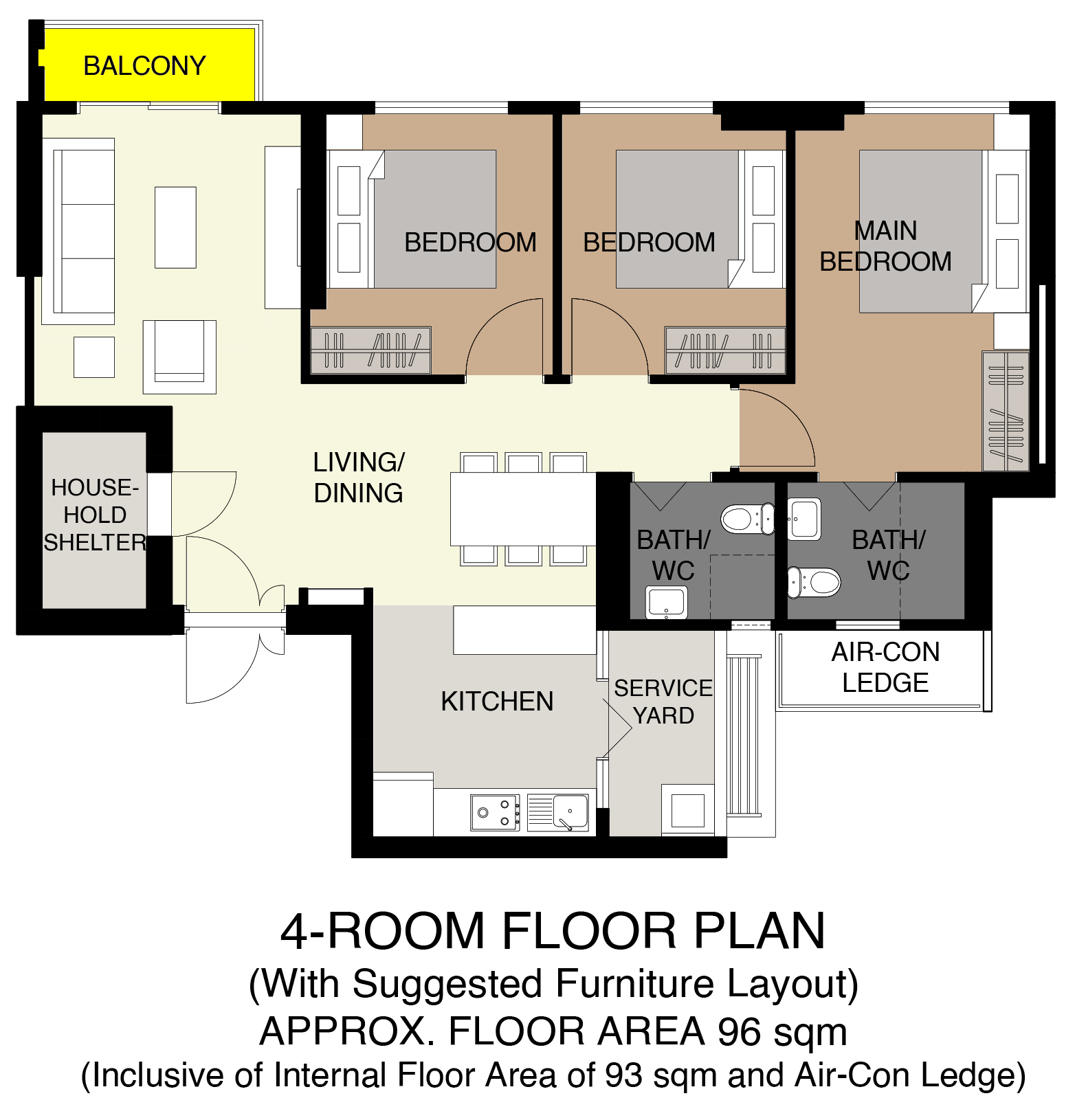
Interlude: Once in a while HDB introduces a layout with a balcony even if it is a tiny one. Stacks #110 and #132, here A client who has a low ballot number at HDB Costa Grove told me that she is only eyeing such a unit (5 bedder, there.) LOL! Frankly this concept is not new. In the recent past, there were a few HDB developments with such a balcony. It is very popular design for HDB's DBSS units. A non-functional balcony is at a "designer" HDB development - HDB Waterway Terraces II = ridiculously small. A dust collector and perhaps a bird-shit... enabled balcony.
-
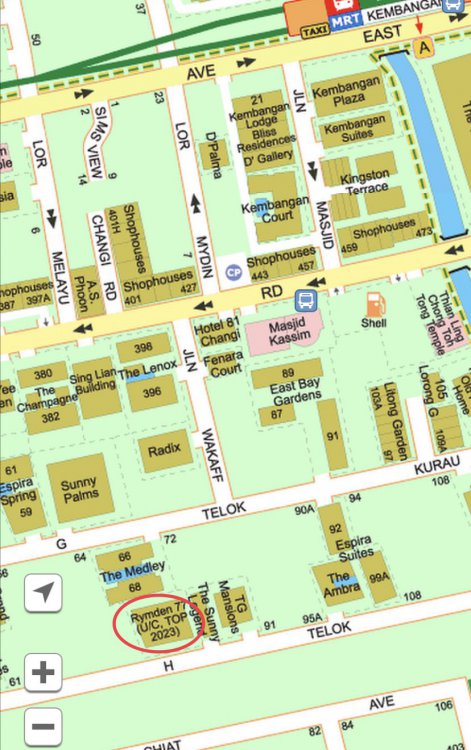
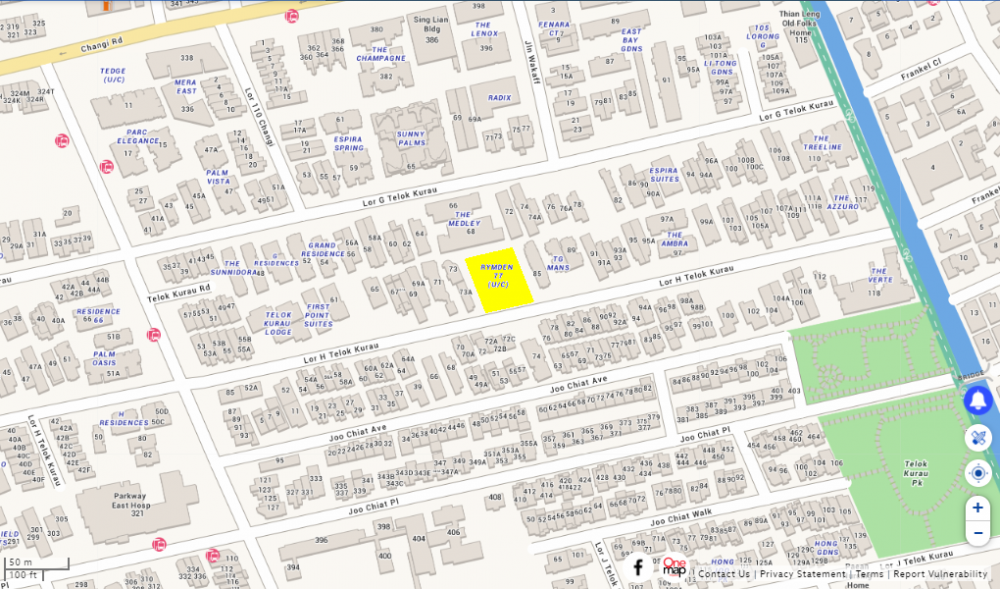
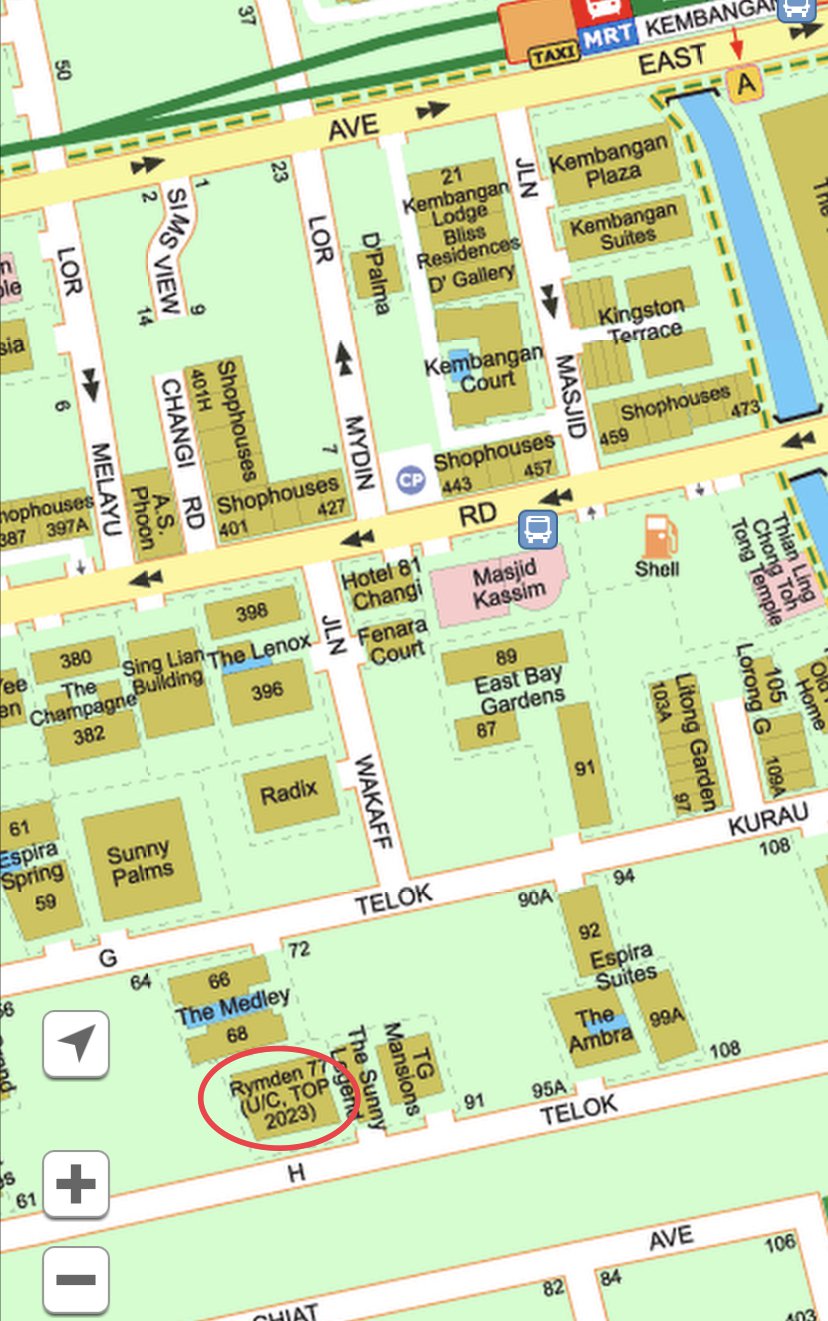
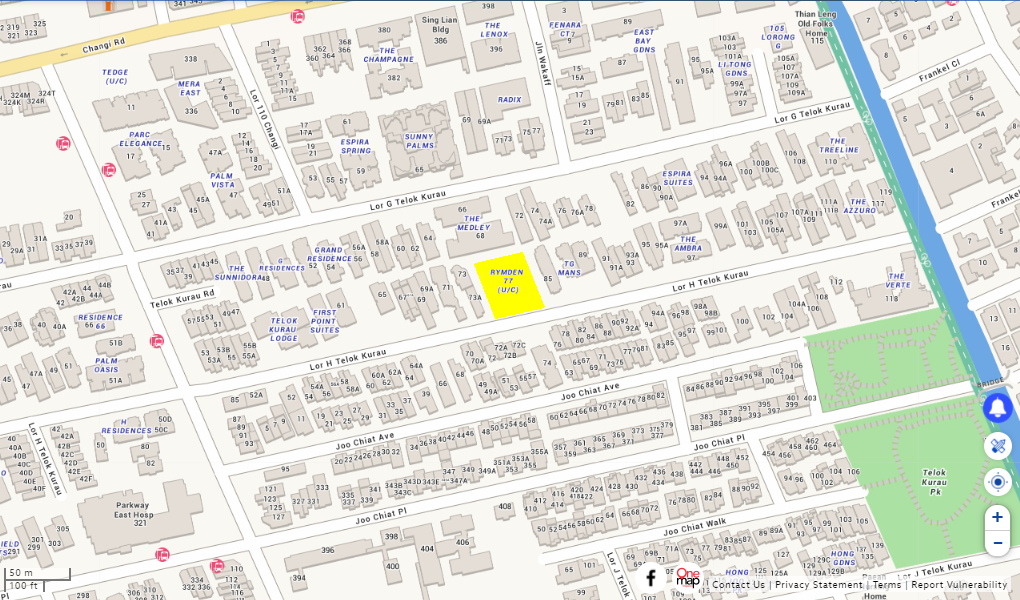
Another overview of the site via onemap.sg. Plot shaded in Yellow: I was born at Lorong L Telok Kurau barely 600 metres away from this site. LOL
-
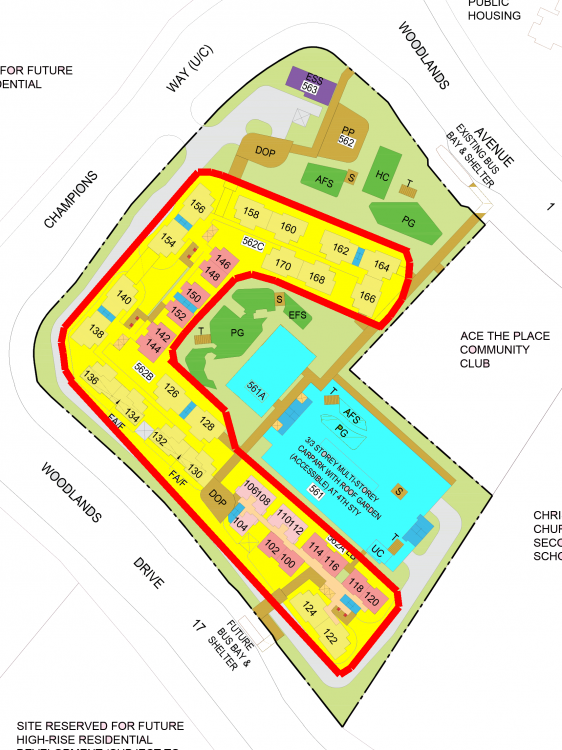
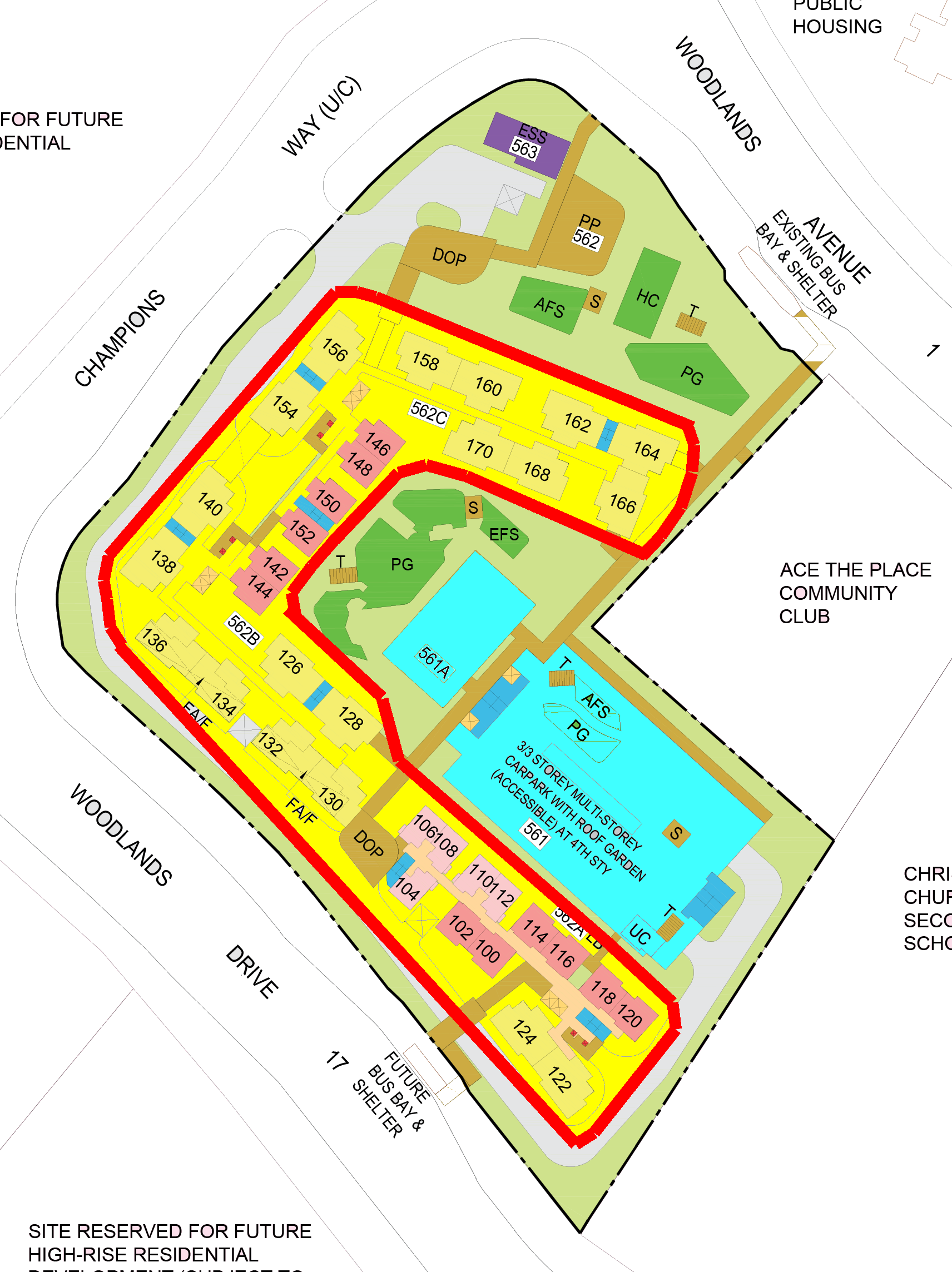
Case Study 10: What is a horse shoe design? 1. A site where the blocks are typically laid out like a horse shoe. 1.1. This resource was done for CDL prior to the launch / sale of The Tropica condo in the past:- https://www.geomancy.net/content/feng-shui-resources/site-review/the-tropica-condominium/the-tropica-singapore 2. HDB Champion Bliss certainly has a horse shoe type of profile: 3. The MSCP car park + 1 Storey Amenity is the equivalent of the "virtual water" or clear space. Thus units higher then these facilities can enjoy "water".
-
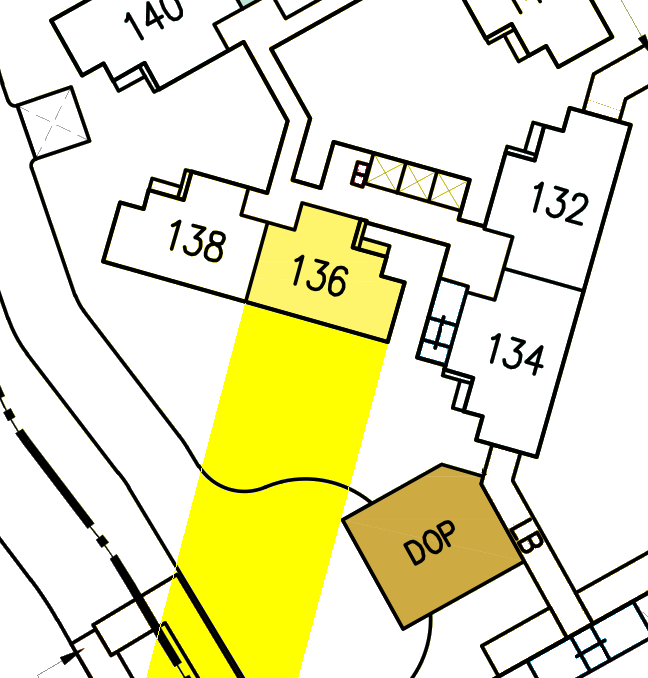
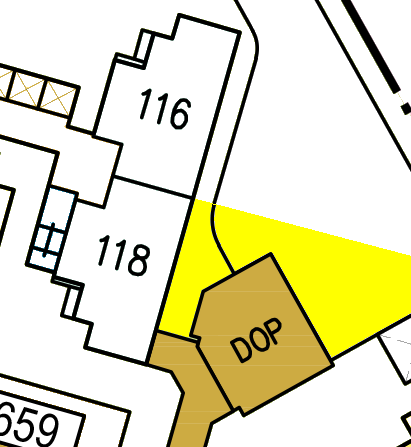
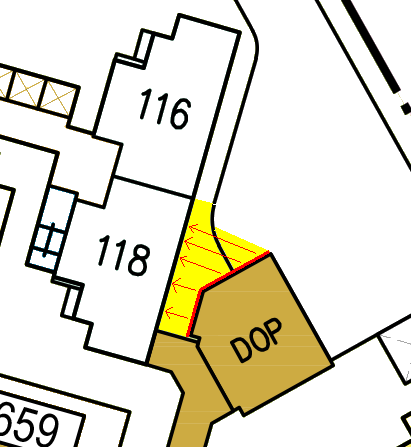
Case Study 9A: Sha Qi? How about watch your front? 1. Case 1: Your front is clear! No issue or Okay! 2. [Below] Case 2: Potential poison arrow from DOP roof-line towards #02-118:- 2.1. Illustration showing poison arrows aimed towards #02-118:-
-
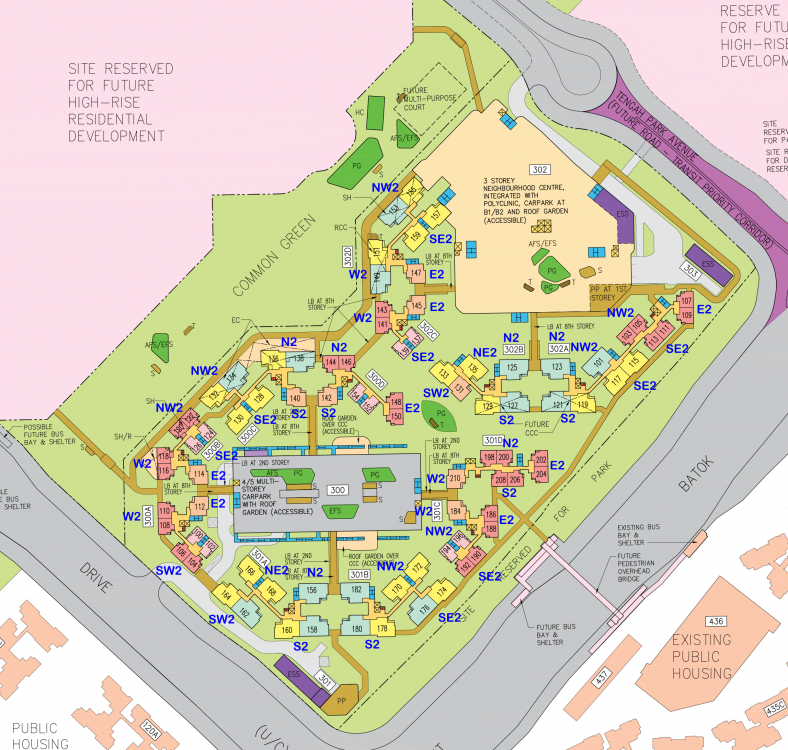
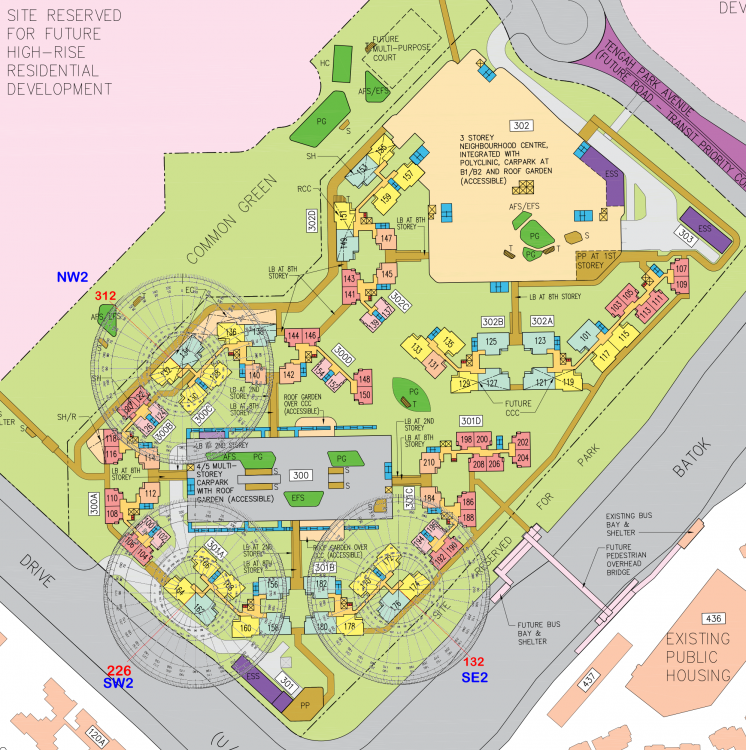
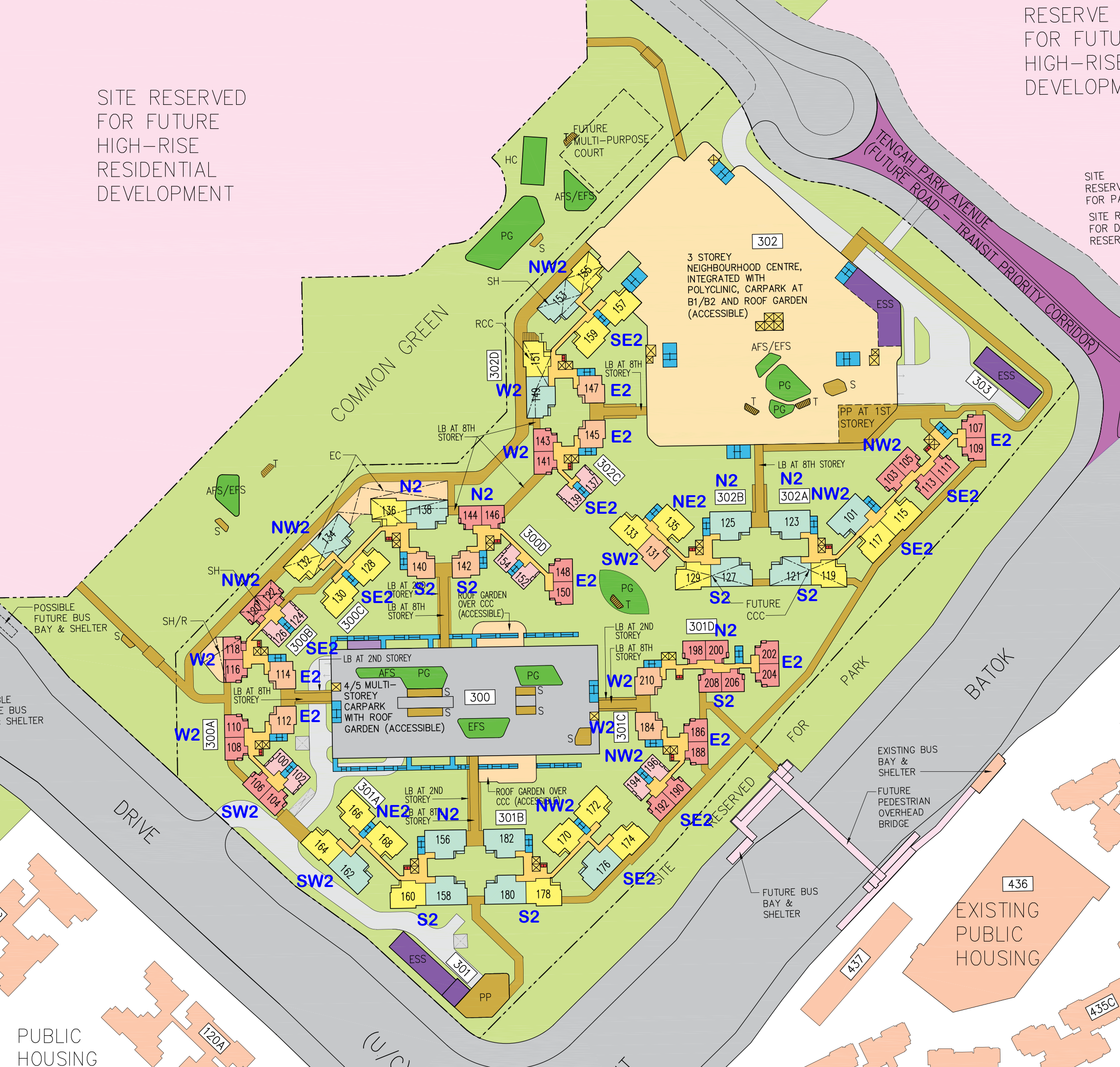
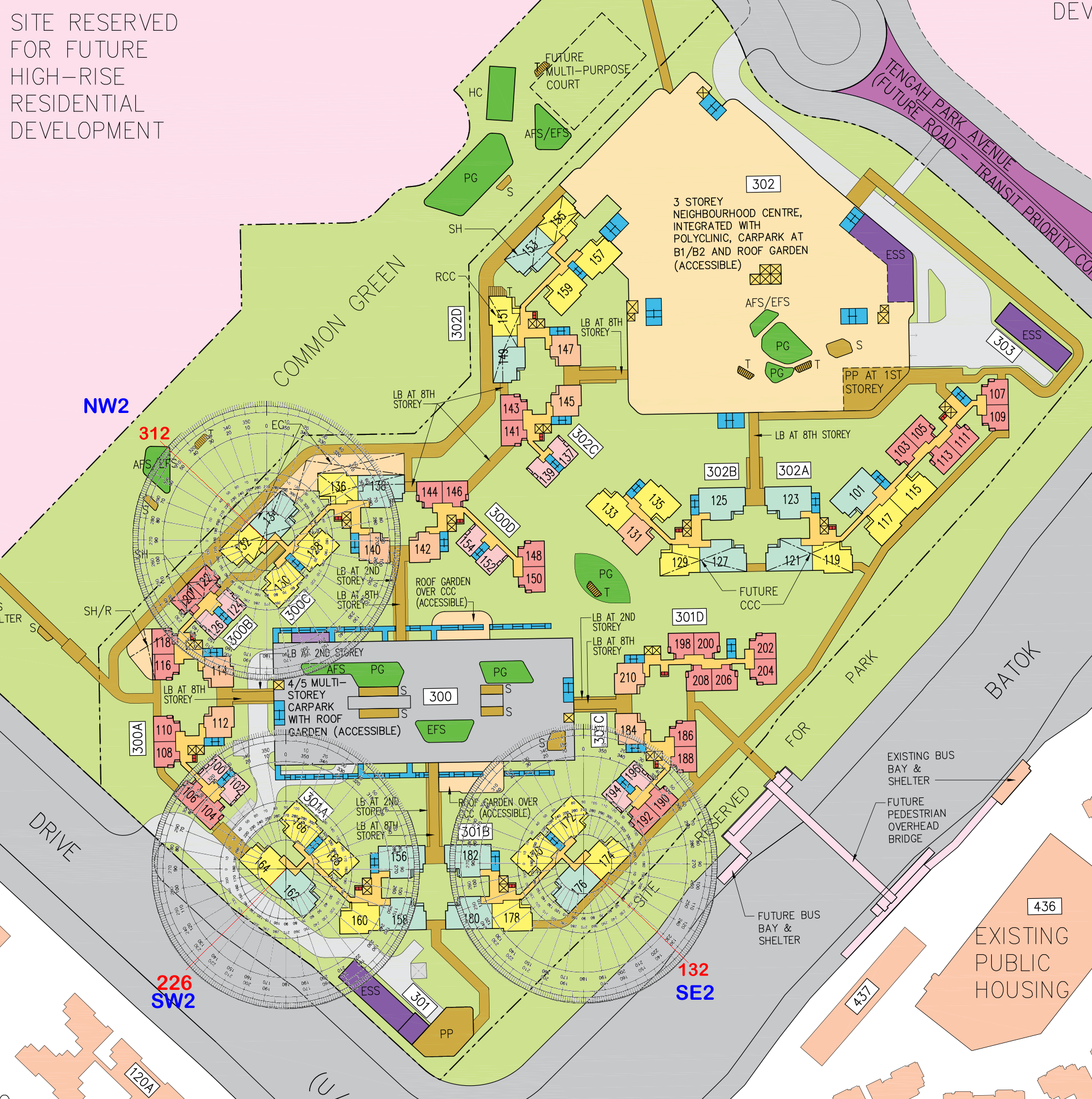
Case Study 15: HDB Parc Residences falls under Period 9 Flying Star Feng Shui 1. This development has a mix of both East and West Group facing units. 1.1. For East Group: N2, S2, SE2 and E2 1.2. For West Group: NW2, NE2, SW2 and W2 Working:-
-
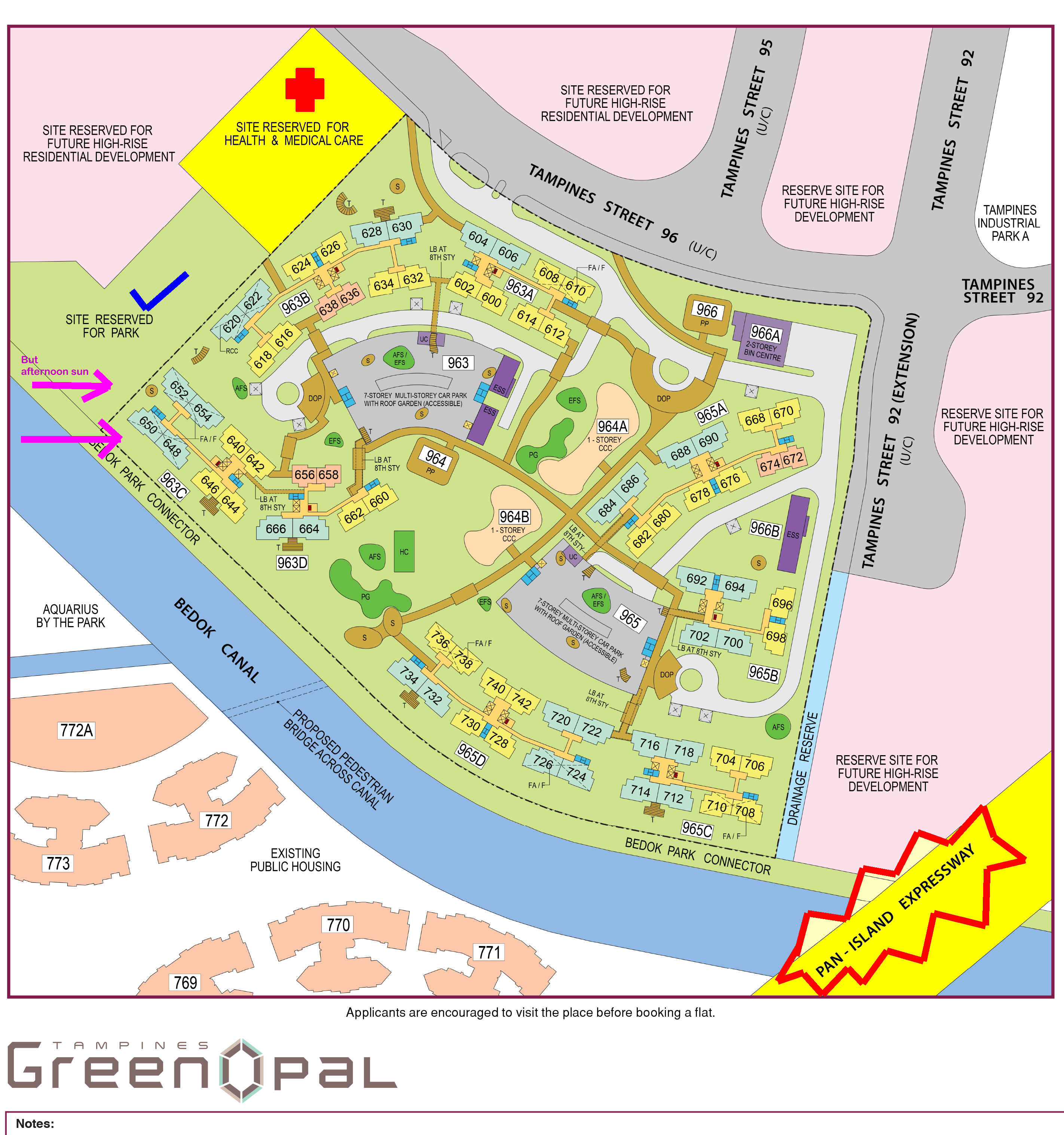
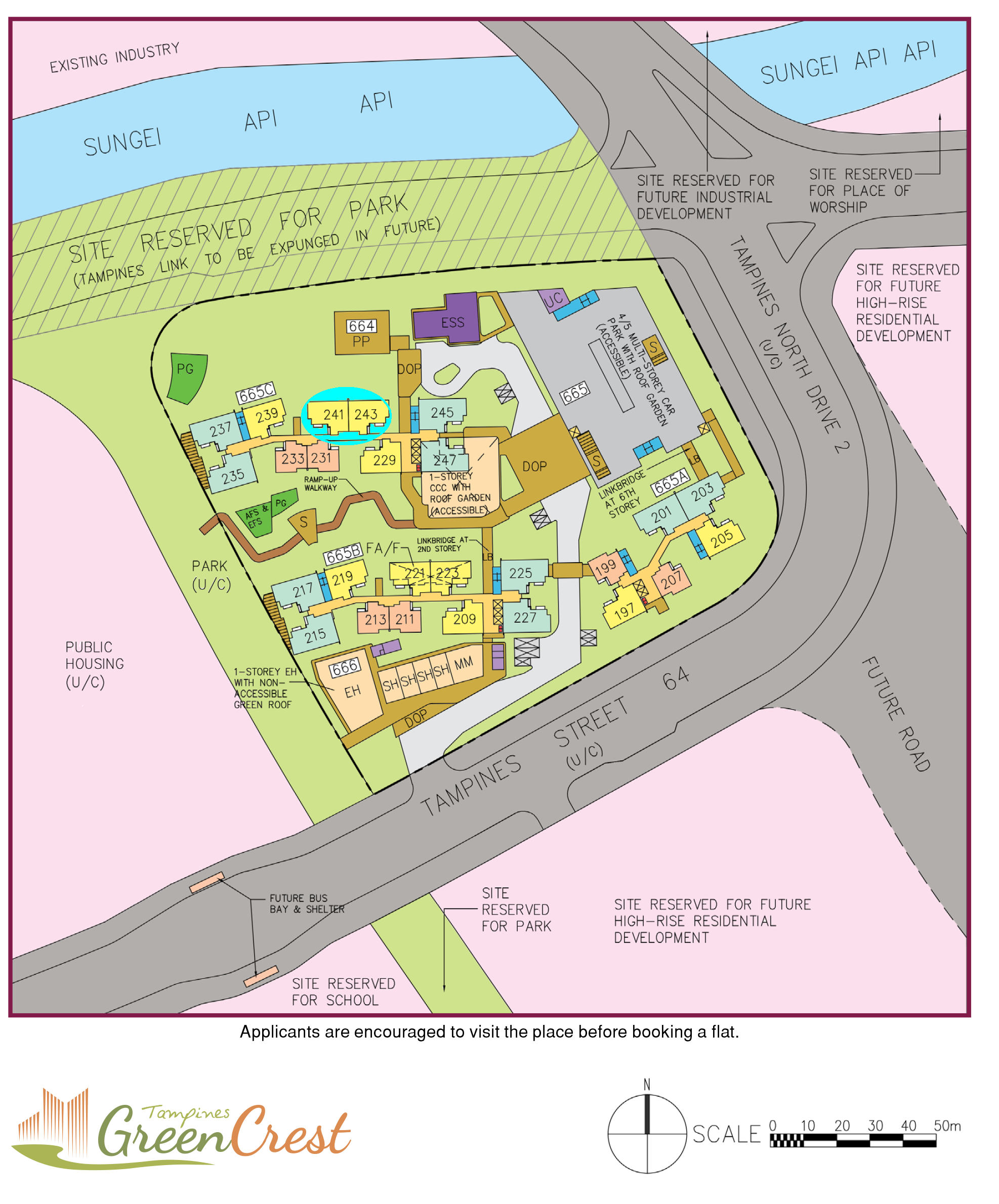
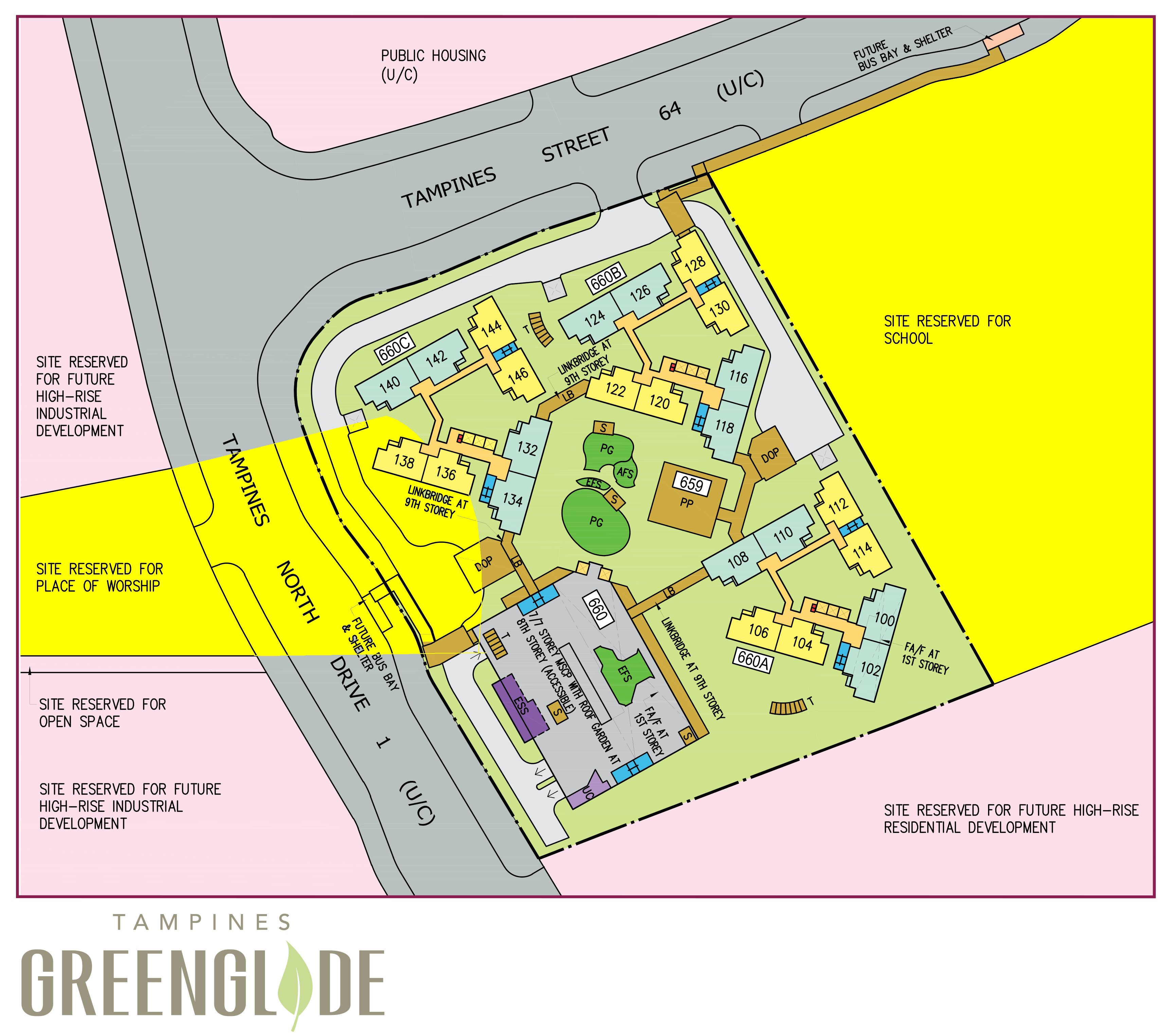
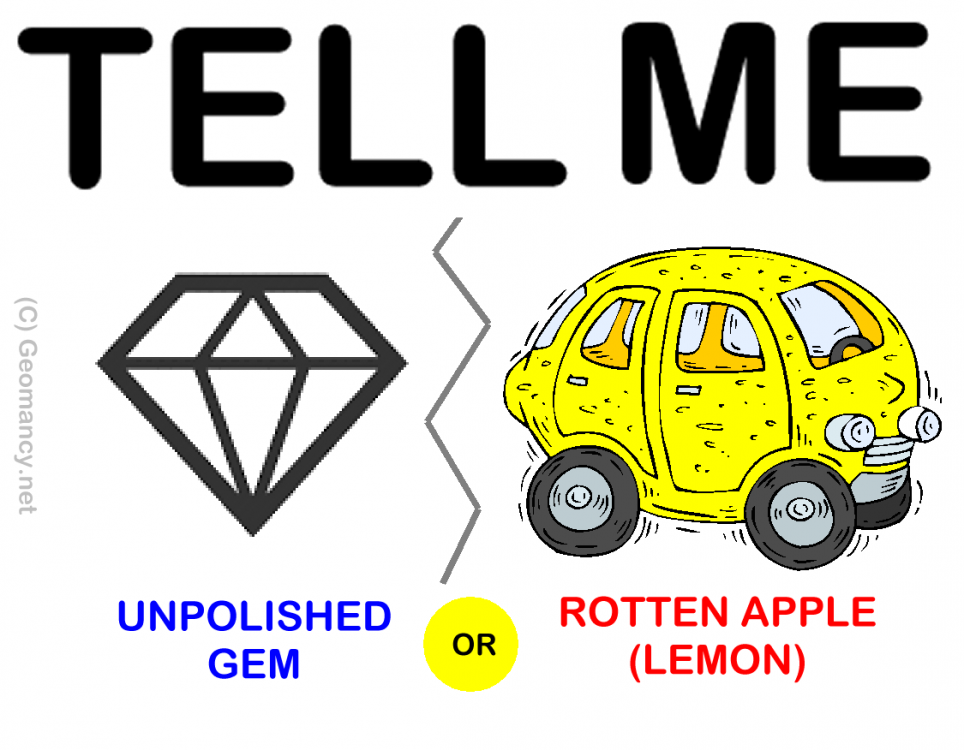
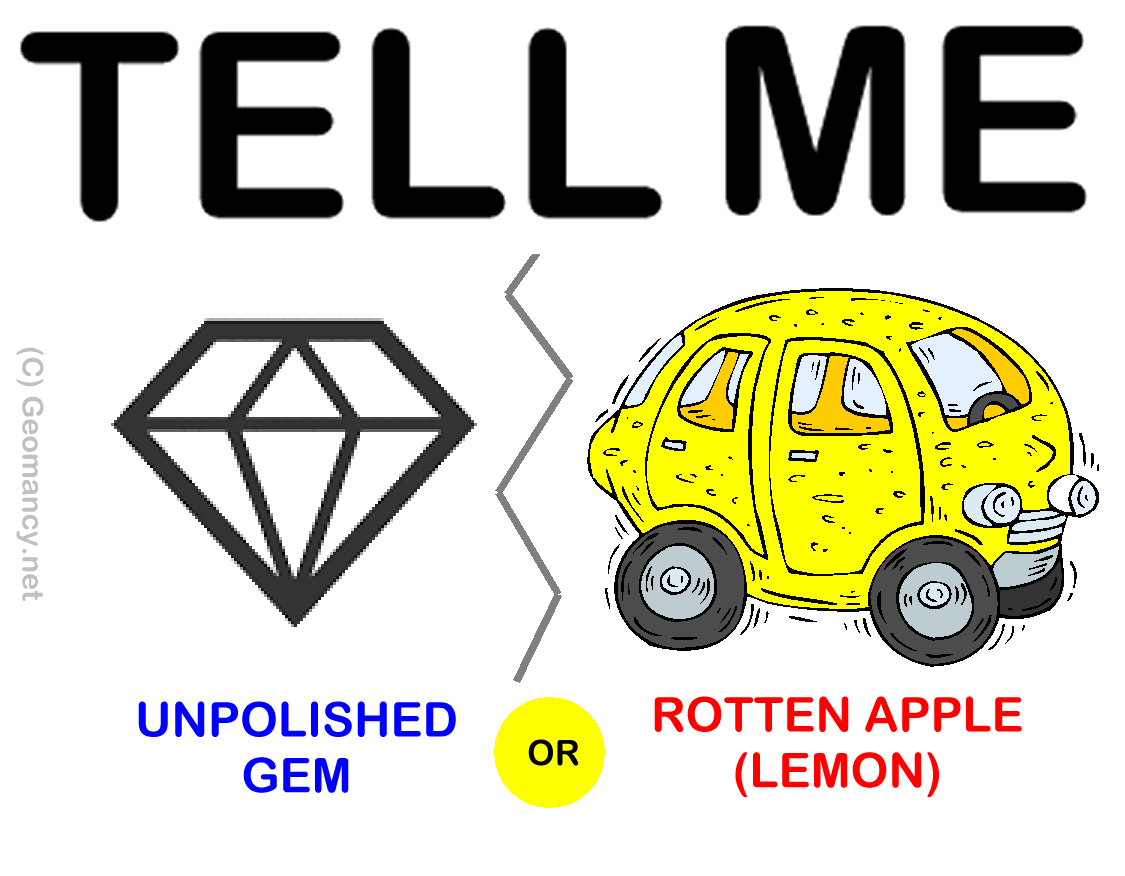
Case Study 11: What is your opinion of the three Aug 2020 Tampines sites: GreenCrest, GreenGlade or GreenOpal? 1. In my opinion, it is easy to give GreenOpal a lower priority than the other two site. While GreenGlade is "sandwiched" between a future place of worship and a school. GreenOpal seems to look more promising amongst the three. 2. Why I consider GreenOpal the lowest priority? 2.1. For three major reasons:- A. Pan-Island Expressway: 3. If one is sensitive to traffic noise, it is a no-no to occupy several blocks close to it. B. Site Reserved for Health and Medical Care: 4. The other two Tampines sites don't have this. 4.1. Leave it to your imagination on this one.. Can be a bonus for some - but most younger residents may not find it .... beneficial at the moment. C. Okay there is a site reserved for the park as well as Bedok Canal. 5. Personal preference as really don't like having afternoon sun all year round + several stacks also have afternoon sun that bathe or soak into the master bedroom wall. 6. If one's ballot number is close to the "bottom"; not much good choice to choose from... 7. Maybe can consider these.. but do expect afternoon sun: 688 and 684 also got an added "bonus" of afternoon sun soaking into the master bedroom side wall... 8. [Below - Tampines GreenCrest] In general, if one were to consider long term especially when Tampines Link is expunged, then stacks like #241 and #243 are the better stacks. 8.1. I did a write-up on the concerns of facing a Precinct Pavilion. 8.2. Thus best to get a unit that is at least 5 or 6 storeys or higher, here. 9. HDB Tampines GreenGlade 9.1. Future site reserved for place of worship is fortunately a road away. Just try to avoid stacks #136 and #138 (If possible) 9.2. I have also added comments on "Any concerns if face a school.." 10. Looks like have to understand the concept of the "Bell curve". Case Study: Do you know that even if a geomancer says that the site is excellent, all sites are govern by the concept of the Bell Curve 1. Remember, even if a geomancer says that this is a good development. However, a good unit also depends on where it is within the development: 2. Is your potential unit under the Good, the Bad or the Ugly? 3. Often if one is lucky, even if the unit is not so fantastic superficially. Some units are like an unpolished gem. While others unfortunately may be a hopeless rotten apple. 3.1. Just imagine, if the unit is like a 10 year old rundown 1,000 cc car. Even a good Feng Shui Master is unable to turn it into a good unit! By the way, (above) this falls under Habit Number 11. 4. Under Habit 1, one possibility is by ranking one's bedroom type by stack/unit: 1st choice, 2nd choice etc... Reference: Habit 1 can be found under this link:-
.png.6bd8421a800bf571c5f03c1f9fa4a481.png)
.thumb.png.b12d753baed592dd7739556efd6e0a6e.png)
A.thumb.png.42e5c2184f174bfa1d33f630df7f5658.png)
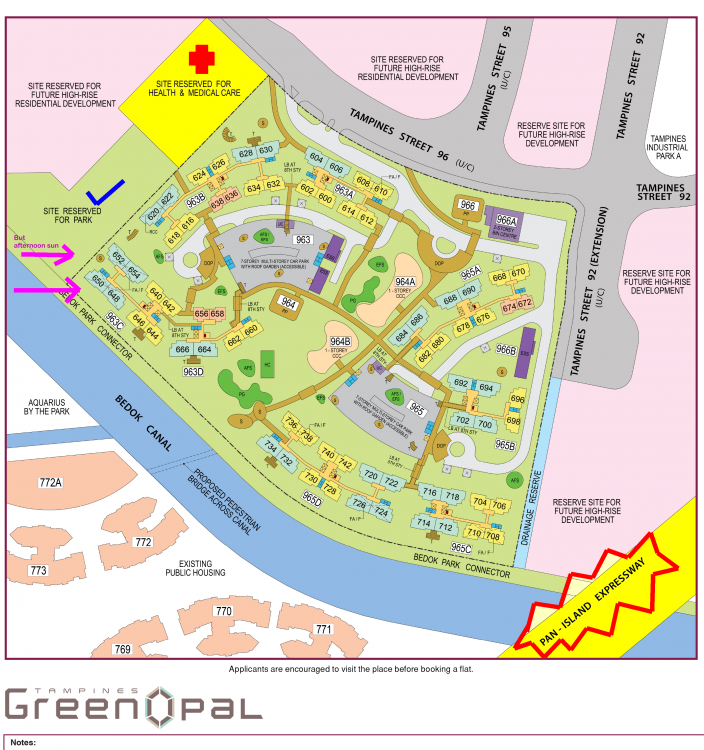
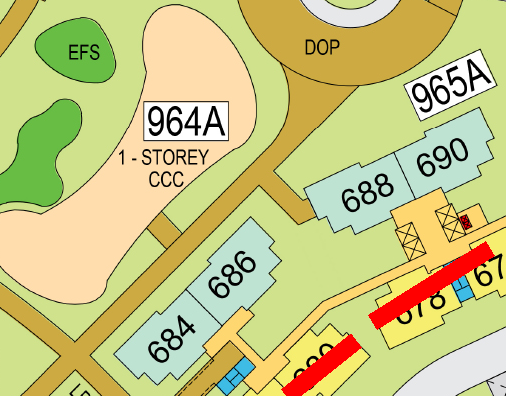
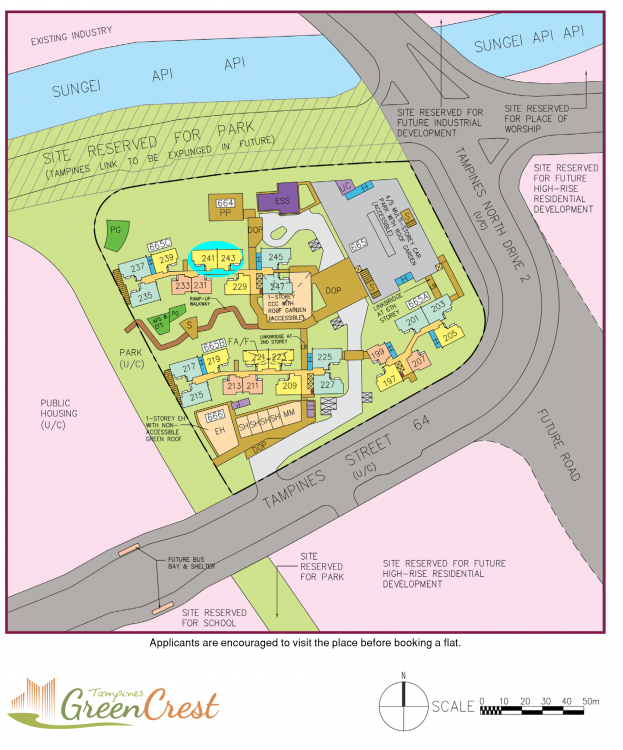
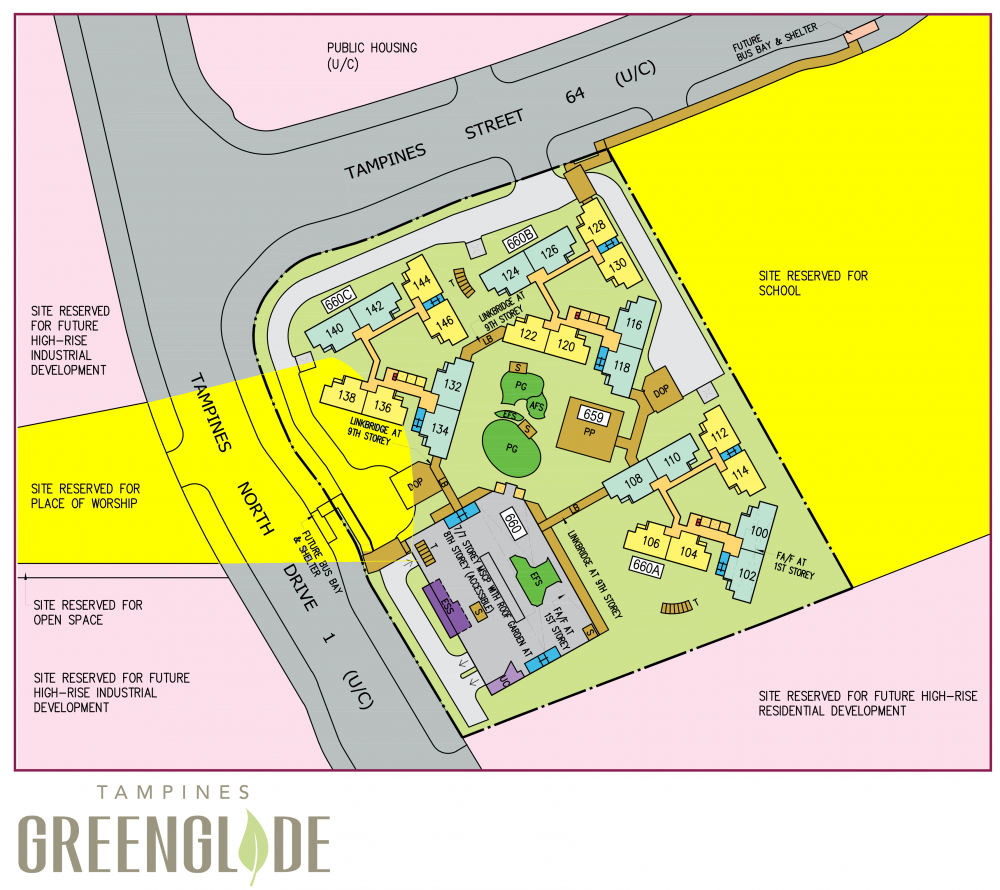 Case Study 8: What is your opinion of the three Aug 2020 Tampines sites: GreenCrest, GreenGlade or GreenOpal? 1. In my opinion, it is easy to give GreenOpal a lower priority than the other two site. While GreenGlade is "sandwiched" between a future place of worship and a school. GreenOpal seems to look more promising amongst the three. 1. In my opinion, it is easy to give GreenOpal a lower priority than the other two site. (For now, have yet to look rank all three). 2. Why I consider GreenOpal the lowest priority? 2.1. For three major reasons:- A. Pan-Island Expressway: 3. If one is sensitive to traffic noise, it is a no-no to occupy several blocks close to it. B. Site Reserved for Health and Medical Care: 4. The other two Tampines sites don't have this. 4.1. Leave it to your imagination on this one.. Can be a bonus for some - but most younger residents may not find it .... beneficial at the moment. C. Okay there is a site reserved for the park as well as Bedok Canal. 5. Personal preference as really don't like having afternoon sun all year round + several stacks also have afternoon sun that bathe or soak into the master bedroom wall. 6. If one's ballot number is close to the "bottom"; not much good choice to choose from... 7. Maybe can consider these.. but do expect afternoon sun: 688 and 684 also got an added "bonus" of afternoon sun soaking into the master bedroom side wall... 8. [Below - Tampines GreenCrest] In general, if one were to consider long term especially when Tampines Link is expunged, then stacks like #241 and #243 are the better stacks. 8.1. I did a write-up on the concerns of facing a Precinct Pavilion. 8.2. Thus best to get a unit that is at least 5 or 6 storeys or higher, here. 9. HDB Tampines GreenGlade 9.1. Future site reserved for place of worship is fortunately a road away. Just try to avoid stacks #136 and #138 (If possible) 9.2. I have also added comments on "Any concerns if face a school.." 10. Looks like have to understand the concept of the "Bell curve". Case Study: Do you know that even if a geomancer says that the site is excellent, all sites are govern by the concept of the Bell Curve 1. Remember, even if a geomancer says that this is a good development. However, a good unit also depends on where it is within the development: 2. Is your potential unit under the Good, the Bad or the Ugly? 3. Often if one is lucky, even if the unit is not so fantastic superficially. Some units are like an unpolished gem. While others unfortunately may be a hopeless rotten apple. 3.1. Just imagine, if the unit is like a 10 year old rundown 1,000 cc car. Even a good Feng Shui Master is unable to turn it into a good unit! By the way, (above) this falls under Habit Number 11. 4. Under Habit 1, one possibility is by ranking one's bedroom type by stack/unit: 1st choice, 2nd choice etc... Reference: Habit 1 can be found under this link:-
Case Study 11: What is your opinion of the three Aug 2020 Tampines sites: GreenCrest, GreenGlade or GreenOpal? 1. In my opinion, it is easy to give GreenOpal a lower priority than the other two site. While GreenGlade is "sandwiched" between a future place of worship and a school. GreenOpal seems to look more promising amongst the three. 2. Why I consider GreenOpal the lowest priority? 2.1. For three major reasons:- A. Pan-Island Expressway: 3. If one is sensitive to traffic noise, it is a no-no to occupy several blocks close to it. B. Site Reserved for Health and Medical Care: 4. The other two Tampines sites don't have this. 4.1. Leave it to your imagination on this one.. Can be a bonus for some - but most younger residents may not find it .... beneficial at the moment. C. Okay there is a site reserved for the park as well as Bedok Canal. 5. Personal preference as really don't like having afternoon sun all year round + several stacks also have afternoon sun that bathe or soak into the master bedroom wall. 6. If one's ballot number is close to the "bottom"; not much good choice to choose from... 7. Maybe can consider these.. but do expect afternoon sun: 688 and 684 also got an added "bonus" of afternoon sun soaking into the master bedroom side wall... 8. [Below - Tampines GreenCrest] In general, if one were to consider long term especially when Tampines Link is expunged, then stacks like #241 and #243 are the better stacks. 8.1. I did a write-up on the concerns of facing a Precinct Pavilion. 8.2. Thus best to get a unit that is at least 5 or 6 storeys or higher, here. 9. HDB Tampines GreenGlade 9.1. Future site reserved for place of worship is fortunately a road away. Just try to avoid stacks #136 and #138 (If possible) 9.2. I have also added comments on "Any concerns if face a school.." 10. Looks like have to understand the concept of the "Bell curve". Case Study: Do you know that even if a geomancer says that the site is excellent, all sites are govern by the concept of the Bell Curve 1. Remember, even if a geomancer says that this is a good development. However, a good unit also depends on where it is within the development: 2. Is your potential unit under the Good, the Bad or the Ugly? 3. Often if one is lucky, even if the unit is not so fantastic superficially. Some units are like an unpolished gem. While others unfortunately may be a hopeless rotten apple. 3.1. Just imagine, if the unit is like a 10 year old rundown 1,000 cc car. Even a good Feng Shui Master is unable to turn it into a good unit! By the way, (above) this falls under Habit Number 11. 4. Under Habit 1, one possibility is by ranking one's bedroom type by stack/unit: 1st choice, 2nd choice etc... Reference: Habit 1 can be found under this link:-
Case Study 8: What is your opinion of the three Aug 2020 Tampines sites: GreenCrest, GreenGlade or GreenOpal? 1. In my opinion, it is easy to give GreenOpal a lower priority than the other two site. While GreenGlade is "sandwiched" between a future place of worship and a school. GreenOpal seems to look more promising amongst the three. 1. In my opinion, it is easy to give GreenOpal a lower priority than the other two site. (For now, have yet to look rank all three). 2. Why I consider GreenOpal the lowest priority? 2.1. For three major reasons:- A. Pan-Island Expressway: 3. If one is sensitive to traffic noise, it is a no-no to occupy several blocks close to it. B. Site Reserved for Health and Medical Care: 4. The other two Tampines sites don't have this. 4.1. Leave it to your imagination on this one.. Can be a bonus for some - but most younger residents may not find it .... beneficial at the moment. C. Okay there is a site reserved for the park as well as Bedok Canal. 5. Personal preference as really don't like having afternoon sun all year round + several stacks also have afternoon sun that bathe or soak into the master bedroom wall. 6. If one's ballot number is close to the "bottom"; not much good choice to choose from... 7. Maybe can consider these.. but do expect afternoon sun: 688 and 684 also got an added "bonus" of afternoon sun soaking into the master bedroom side wall... 8. [Below - Tampines GreenCrest] In general, if one were to consider long term especially when Tampines Link is expunged, then stacks like #241 and #243 are the better stacks. 8.1. I did a write-up on the concerns of facing a Precinct Pavilion. 8.2. Thus best to get a unit that is at least 5 or 6 storeys or higher, here. 9. HDB Tampines GreenGlade 9.1. Future site reserved for place of worship is fortunately a road away. Just try to avoid stacks #136 and #138 (If possible) 9.2. I have also added comments on "Any concerns if face a school.." 10. Looks like have to understand the concept of the "Bell curve". Case Study: Do you know that even if a geomancer says that the site is excellent, all sites are govern by the concept of the Bell Curve 1. Remember, even if a geomancer says that this is a good development. However, a good unit also depends on where it is within the development: 2. Is your potential unit under the Good, the Bad or the Ugly? 3. Often if one is lucky, even if the unit is not so fantastic superficially. Some units are like an unpolished gem. While others unfortunately may be a hopeless rotten apple. 3.1. Just imagine, if the unit is like a 10 year old rundown 1,000 cc car. Even a good Feng Shui Master is unable to turn it into a good unit! By the way, (above) this falls under Habit Number 11. 4. Under Habit 1, one possibility is by ranking one's bedroom type by stack/unit: 1st choice, 2nd choice etc... Reference: Habit 1 can be found under this link:-
Case Study 11: What is your opinion of the three Aug 2020 Tampines sites: GreenCrest, GreenGlade or GreenOpal? 1. In my opinion, it is easy to give GreenOpal a lower priority than the other two site. While GreenGlade is "sandwiched" between a future place of worship and a school. GreenOpal seems to look more promising amongst the three. 2. Why I consider GreenOpal the lowest priority? 2.1. For three major reasons:- A. Pan-Island Expressway: 3. If one is sensitive to traffic noise, it is a no-no to occupy several blocks close to it. B. Site Reserved for Health and Medical Care: 4. The other two Tampines sites don't have this. 4.1. Leave it to your imagination on this one.. Can be a bonus for some - but most younger residents may not find it .... beneficial at the moment. C. Okay there is a site reserved for the park as well as Bedok Canal. 5. Personal preference as really don't like having afternoon sun all year round + several stacks also have afternoon sun that bathe or soak into the master bedroom wall. 6. If one's ballot number is close to the "bottom"; not much good choice to choose from... 7. Maybe can consider these.. but do expect afternoon sun: 688 and 684 also got an added "bonus" of afternoon sun soaking into the master bedroom side wall... 8. [Below - Tampines GreenCrest] In general, if one were to consider long term especially when Tampines Link is expunged, then stacks like #241 and #243 are the better stacks. 8.1. I did a write-up on the concerns of facing a Precinct Pavilion. 8.2. Thus best to get a unit that is at least 5 or 6 storeys or higher, here. 9. HDB Tampines GreenGlade 9.1. Future site reserved for place of worship is fortunately a road away. Just try to avoid stacks #136 and #138 (If possible) 9.2. I have also added comments on "Any concerns if face a school.." 10. Looks like have to understand the concept of the "Bell curve". Case Study: Do you know that even if a geomancer says that the site is excellent, all sites are govern by the concept of the Bell Curve 1. Remember, even if a geomancer says that this is a good development. However, a good unit also depends on where it is within the development: 2. Is your potential unit under the Good, the Bad or the Ugly? 3. Often if one is lucky, even if the unit is not so fantastic superficially. Some units are like an unpolished gem. While others unfortunately may be a hopeless rotten apple. 3.1. Just imagine, if the unit is like a 10 year old rundown 1,000 cc car. Even a good Feng Shui Master is unable to turn it into a good unit! By the way, (above) this falls under Habit Number 11. 4. Under Habit 1, one possibility is by ranking one's bedroom type by stack/unit: 1st choice, 2nd choice etc... Reference: Habit 1 can be found under this link:-

.png.2f27f7758bd215d8e2c80bf6c976ad99.png)
A.png.710707f56ae0db00e1247328f22634a9.png)