Cecil Lee
Staff
-
Joined
-
Last visited
Everything posted by Cecil Lee
-
Can or Cannot buy review
-
Back in 2011 it is like novelty to have the common staircase area as a bomb shelter. But today 2020, this is common for many new developments.
-
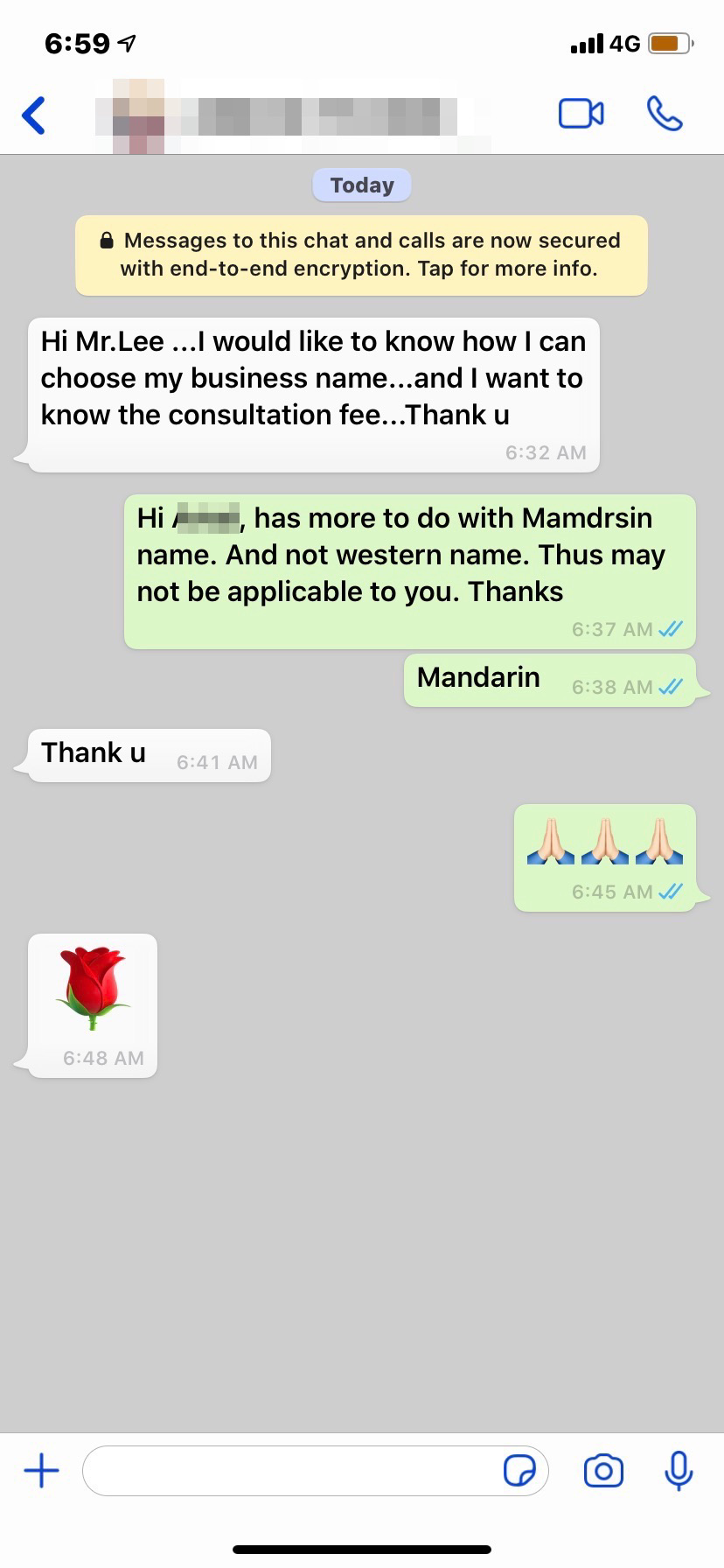
From Overseas Arabic country... Hi Mr.Lee ...I would like to know how I can choose my business name...and I want to know the consultation fee...Thank u
-
Thank you very much for taking the time to write such detailed and comprehensive explanation. I understand perfectly and I totally agree. Primary colors (bright red, green, blue and yellow) and pastel colors. If I choose to see bright pink as fire and pale pink as earth, that's my personal decision, but a primary color will always be considered first, acknowledging also BaZi. Yes, many authors and websites make use of people's fears and push "magical" objects to buy from them. "OMG #5 is in this sector this month. Choose to buy from our Feng Shui Supermarket a rotten tomato, an oversized rhynocerous or a frog that talks to exhaust the malicious star and bring you wealth" Never bought and don't plan to do so from these, like you said in another article, Fast Food Feng Shui.
-
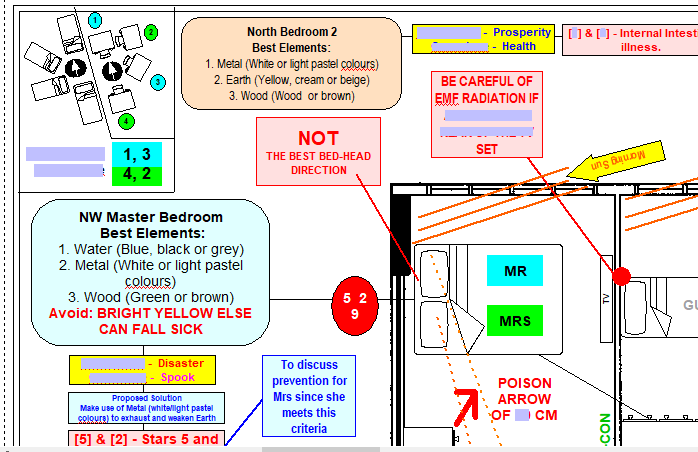
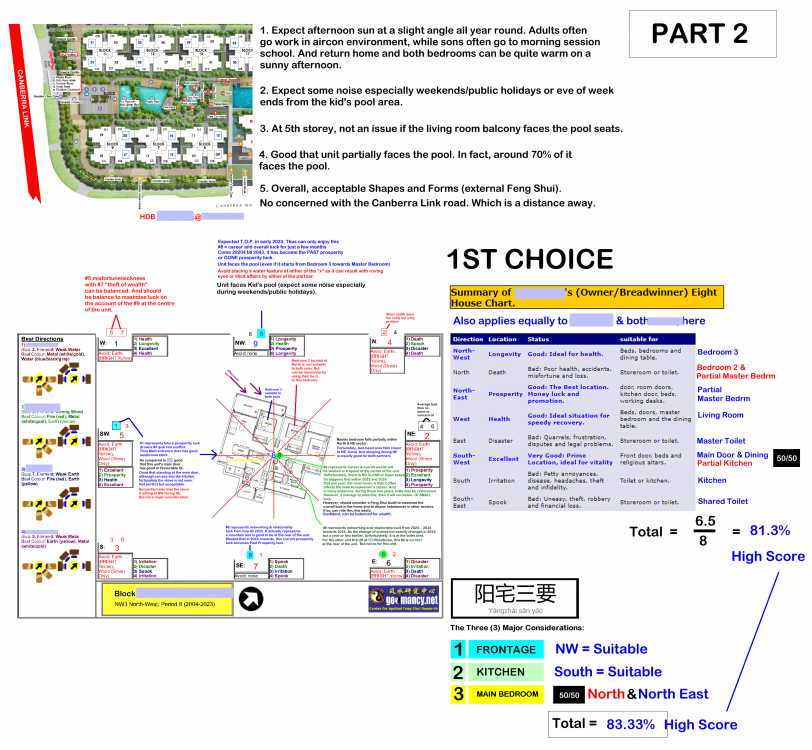
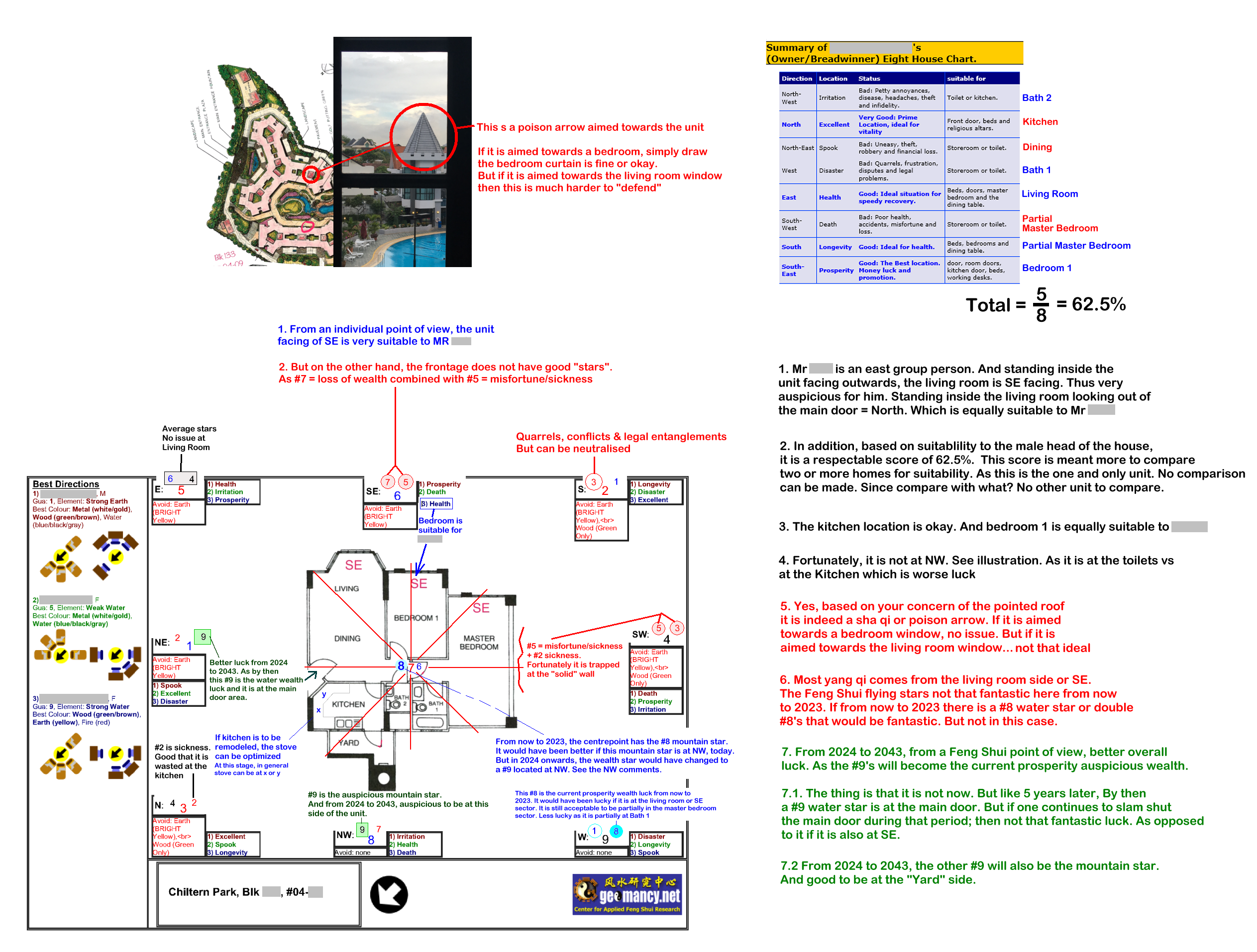
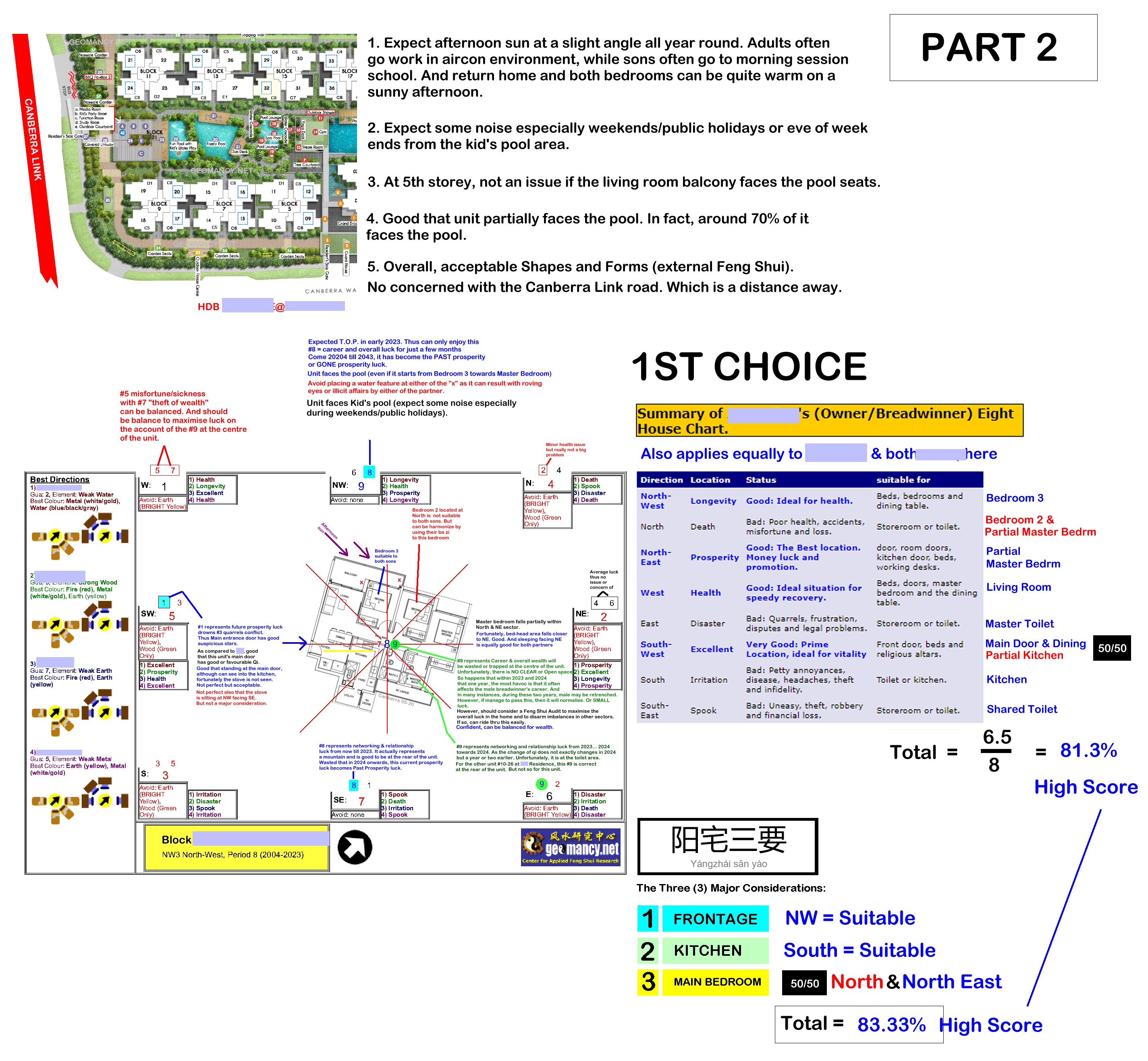
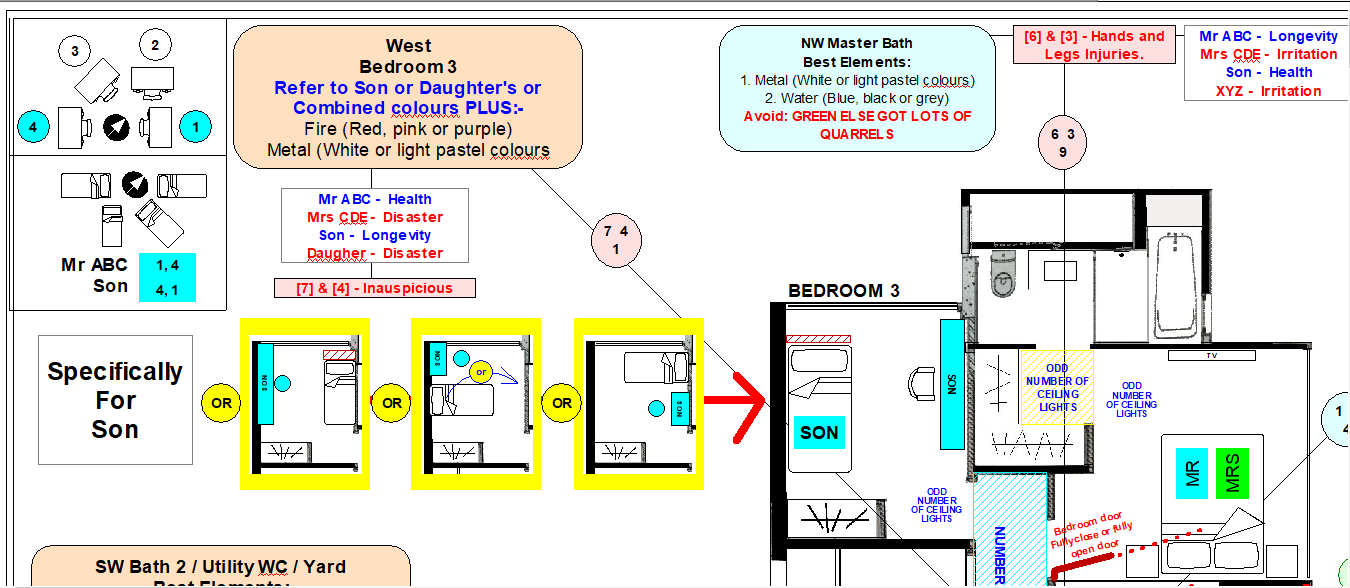
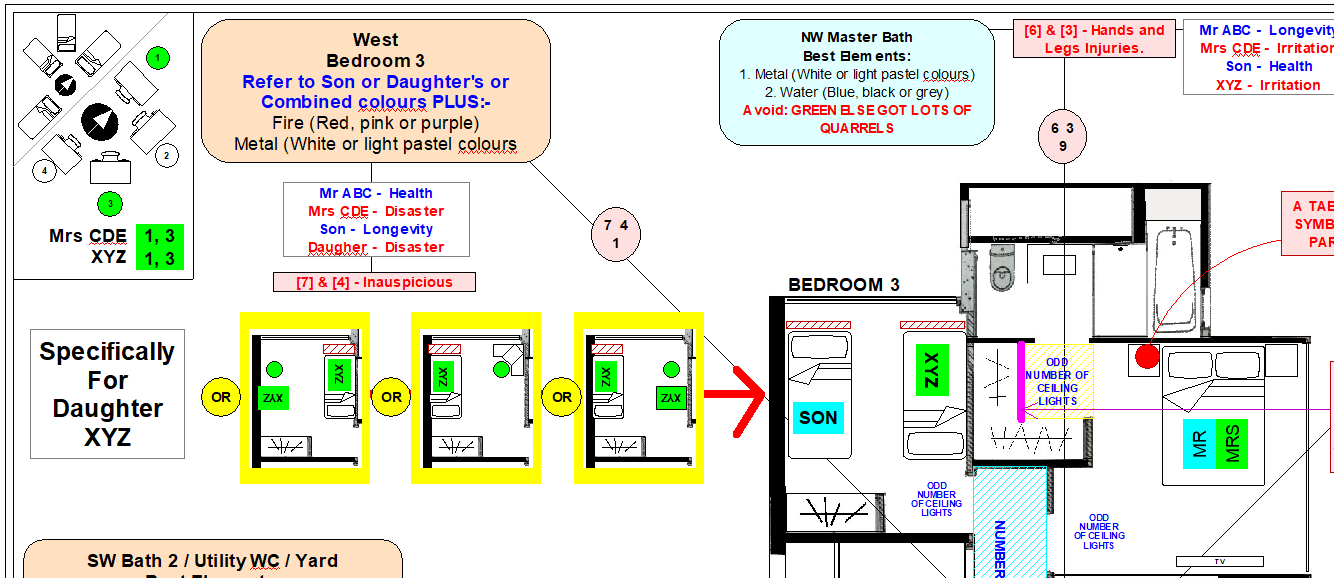
Another consideration is, if an enemy wants to take down Singapore, they need only to bomb three + one:- A. District 15 Katong (East) B. Districts 10/11 Holland /Bukit Timah (If one looks close to the map, they are at the fringe of The Central Singapore.) C. The last one is Serangoon Garden’s area None of these are located at areas like Jurong, Tuas. Many of the who who are West group: Ministers, Senior servants, who who in our industry. And who who in Singapore are staying in these areas. Jurong was merely a swamp land... not as superior qi as these areas. Thus if the enemy is smart, won’t want to waste their bombs, here. Thus ensure a quick and decisive victory. LOLFurthermore, especially those who were born in the months of January and February... will most likely have a wrongly calculated Ba Zi. Especially if the Feng Shui Master use what is known as a H'sia calendar only (Xia / Seasonal / Solar Calendar). Learn Why...Whether one stays in the North, East or West, Feng Shui has the means to look at it using all available Feng Shui tools Related: For example under Case Study 1: Identifying Health Issues early in the Master Bedroom (If any) Major concepts: a. Eight House Concept: Who sleeps where? b. Flying Star Feng Shui: NW MS#5 W#2 (Nasty Stars) c. Ba Zi Feng Shui: Binding elements (colours) d. Shapes & Forms: Poison arrow from sharp corner of ward-rope 1. In this illustration: #5 = misfortune with #2 sickness affects the health of women. 2. This issue was identified and this flaw can be discussed with the client as one of the considerations to take note of should they still want to go through with the purchase of this unit.


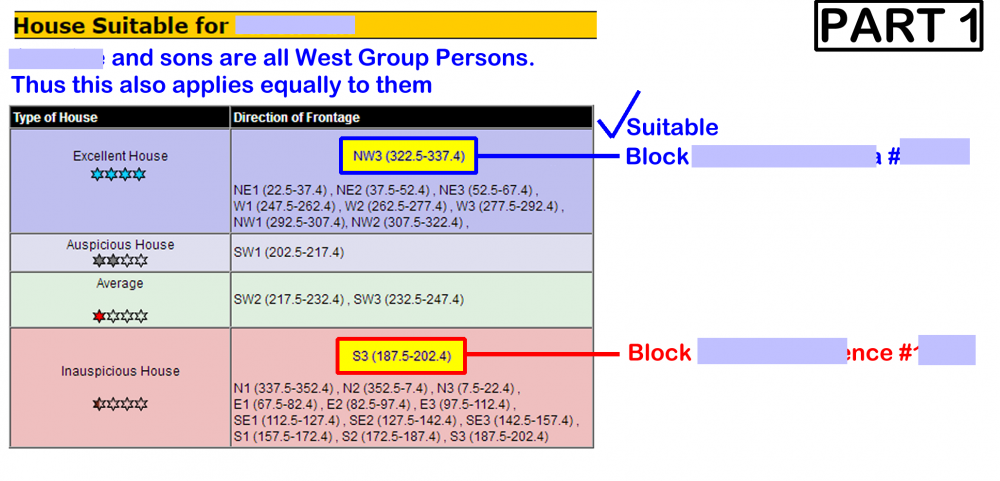
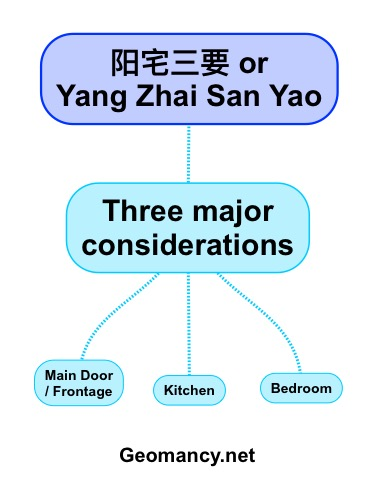
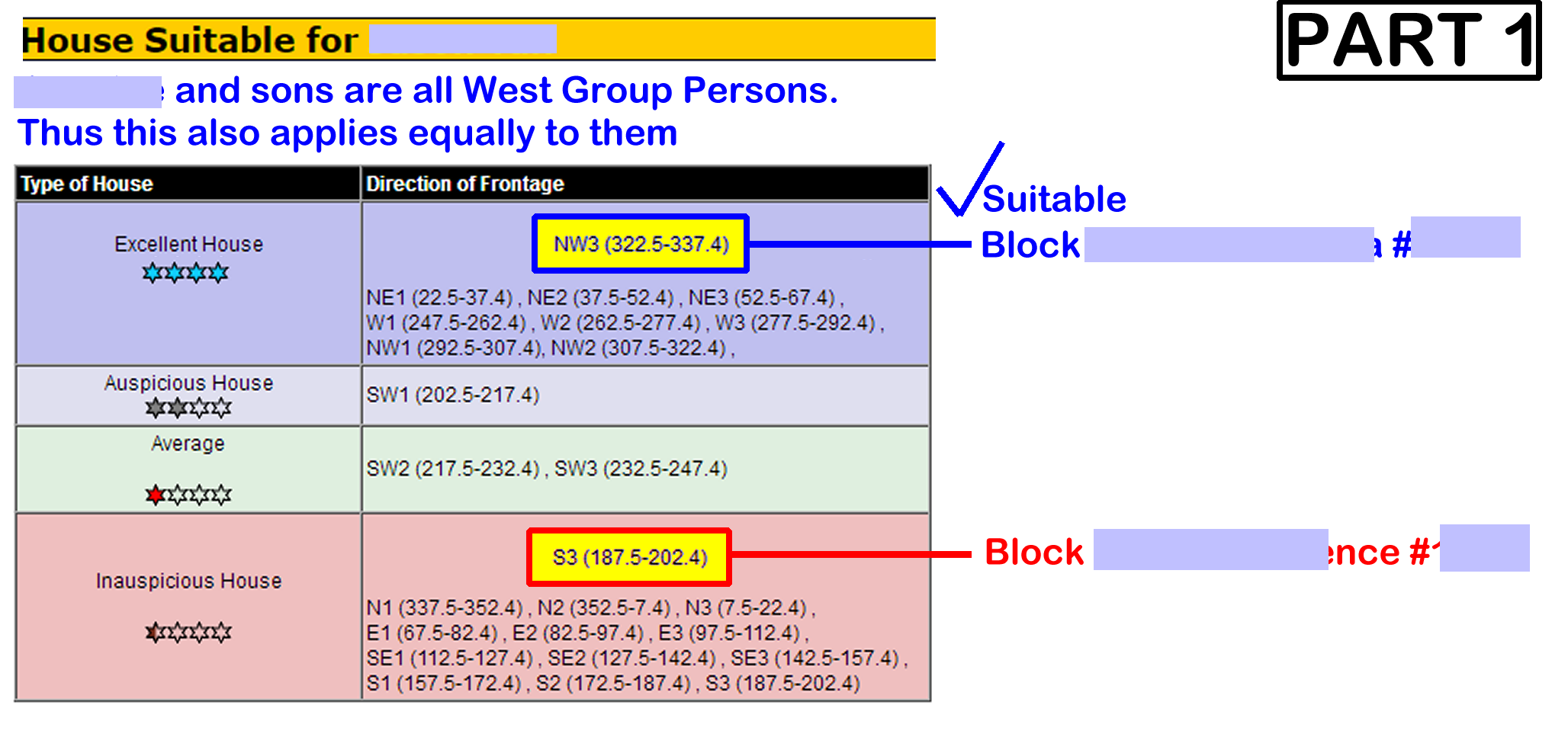
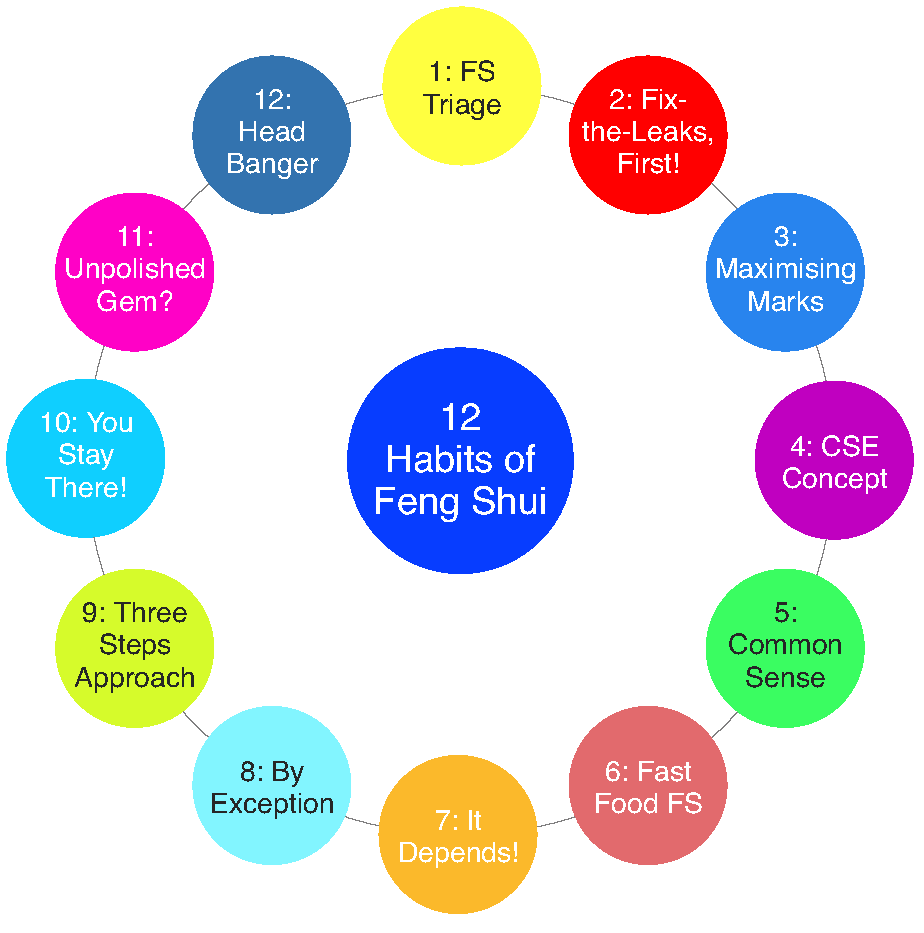
 1. In my opinion, this is truly extreme Feng Shui. 2. In fact, tell your Feng Shui Master that you shouldn't be in Singapore! Singapore is in the "South". 3. You should ask your Feng Shui Master to give you money to migrate WEST. LOL 4. Do you know that under the Eight House Concept: Half are West Group and the other Half are East Group. 5. Thus statistically speaking every Two sets of couples; one set should have one partner stay in the East as in East Asia. And the other West as in India, Europe, Texas, California or New York. 5.1 If everyone strictly follow this, then many husbands and wife East vs West have to live apart. 6. Sigh... Singapore Feng Shui Masters are really, really mad people. Most likely such Feng Shui Masters are also a Feng Shui store in disguise. It fits such people. 7. Feng Shui is also governed by the Bell Curve:- 8. Talk is cheap. The Feng Shui Master must always remember Habit 10. Else, should volunteer to visit the Institute of Mental Health (IMH) at Hougang. 9. One of the fundamentals in Feng Shui is to apply the three major considerations also. Whether your home is in the North, South, East or West of Singapore:-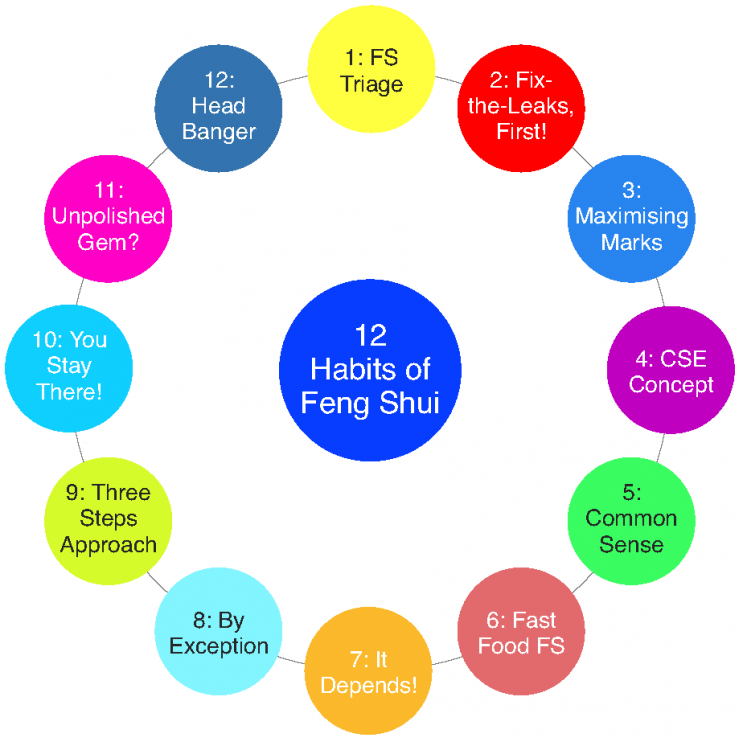
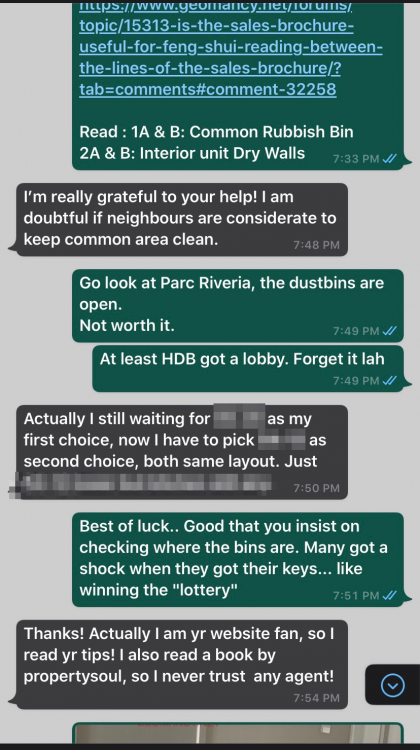
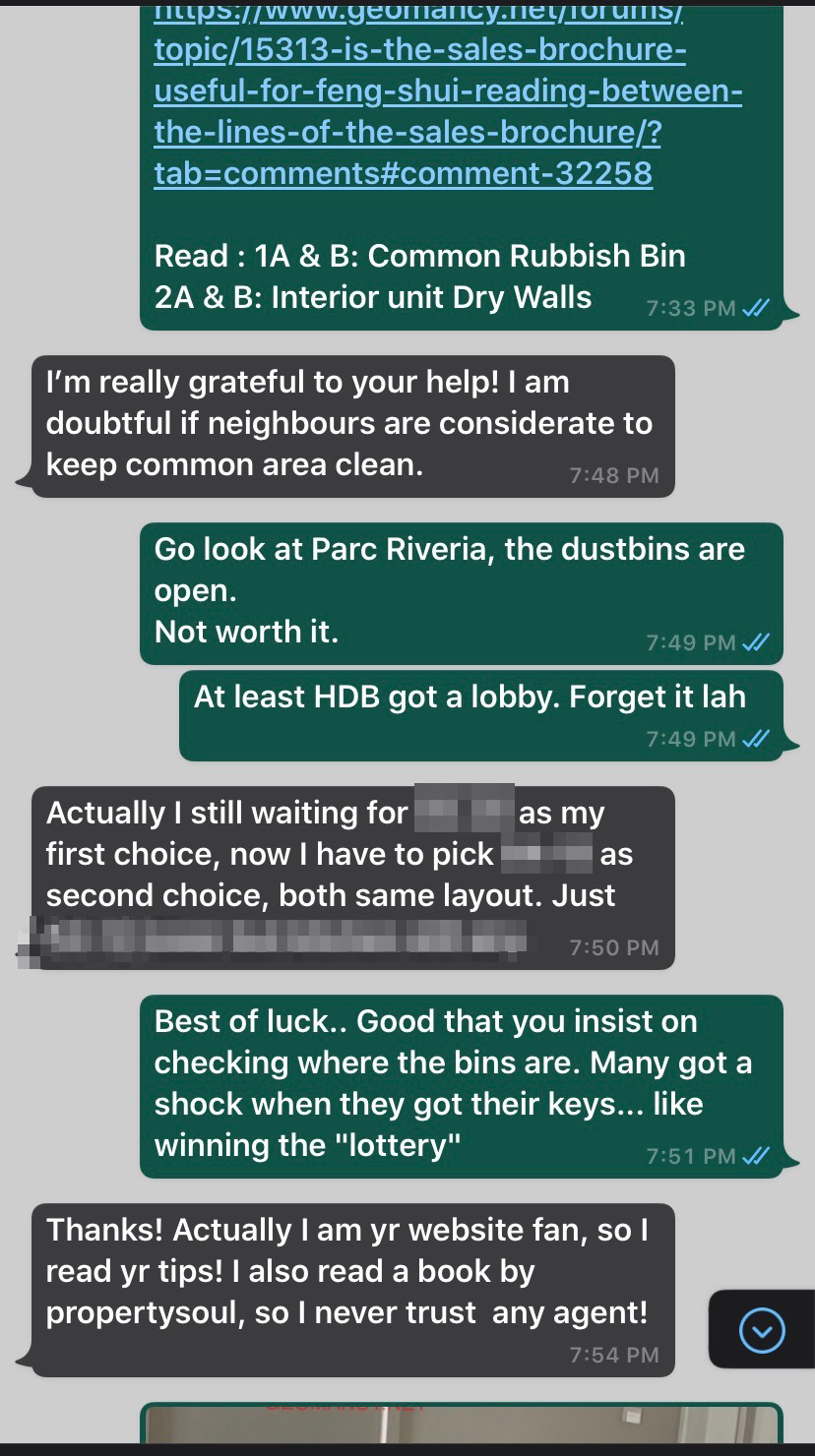
 I’m really grateful to your help! I am doubtful if neighbours are considerate to keep common area clean.
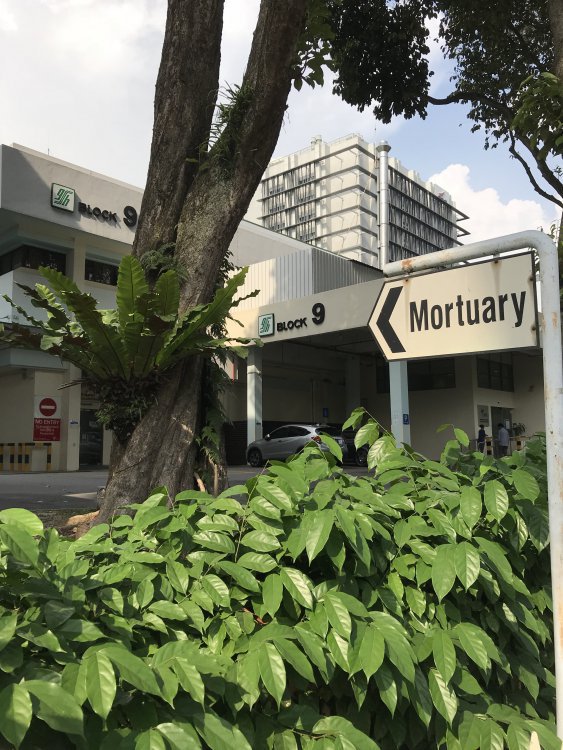
 All hospital have a mortuary. Hopefully, not to have a home or unit facing or close to this. Take it as more of a stigma. Location: Singapore General Hospital Block 9 Mortuary
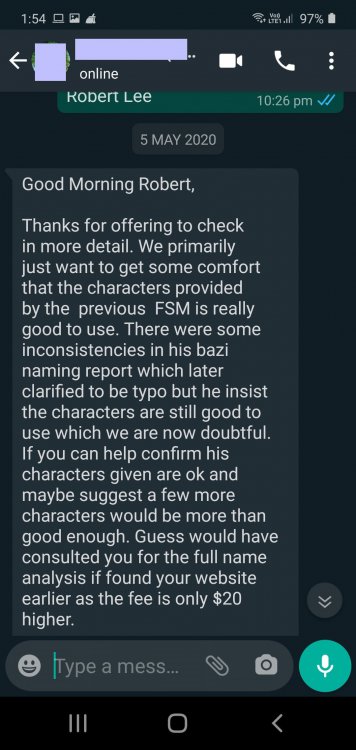
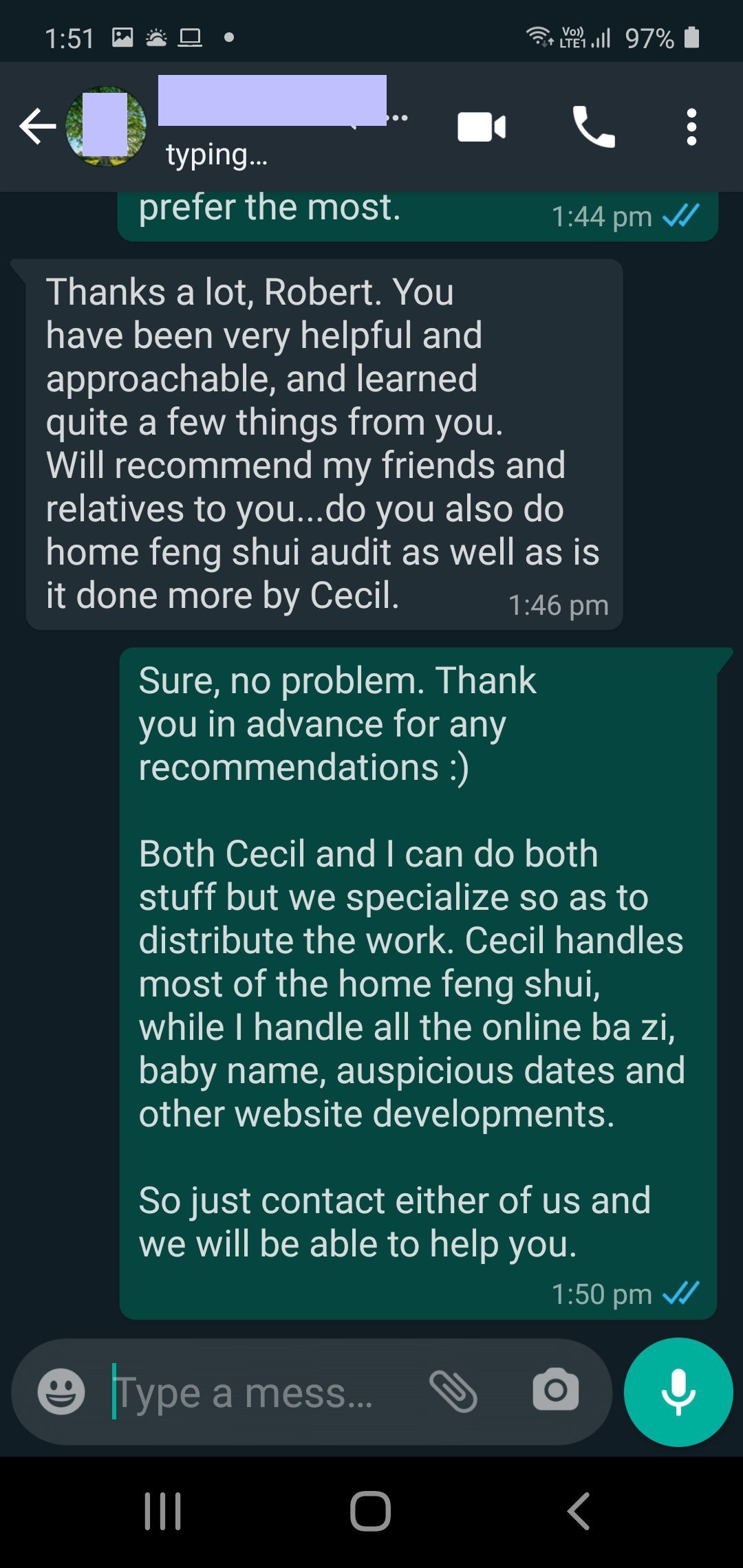
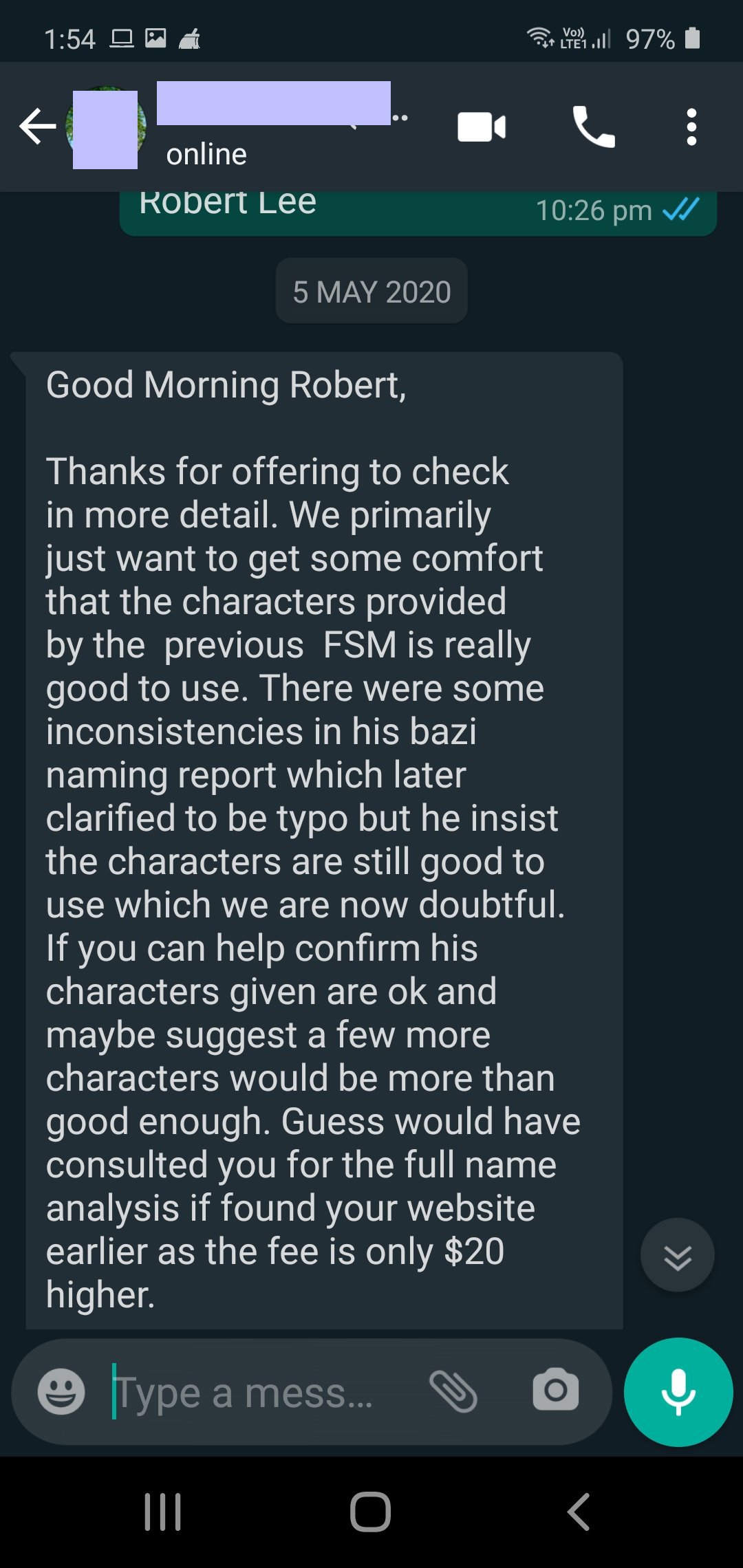
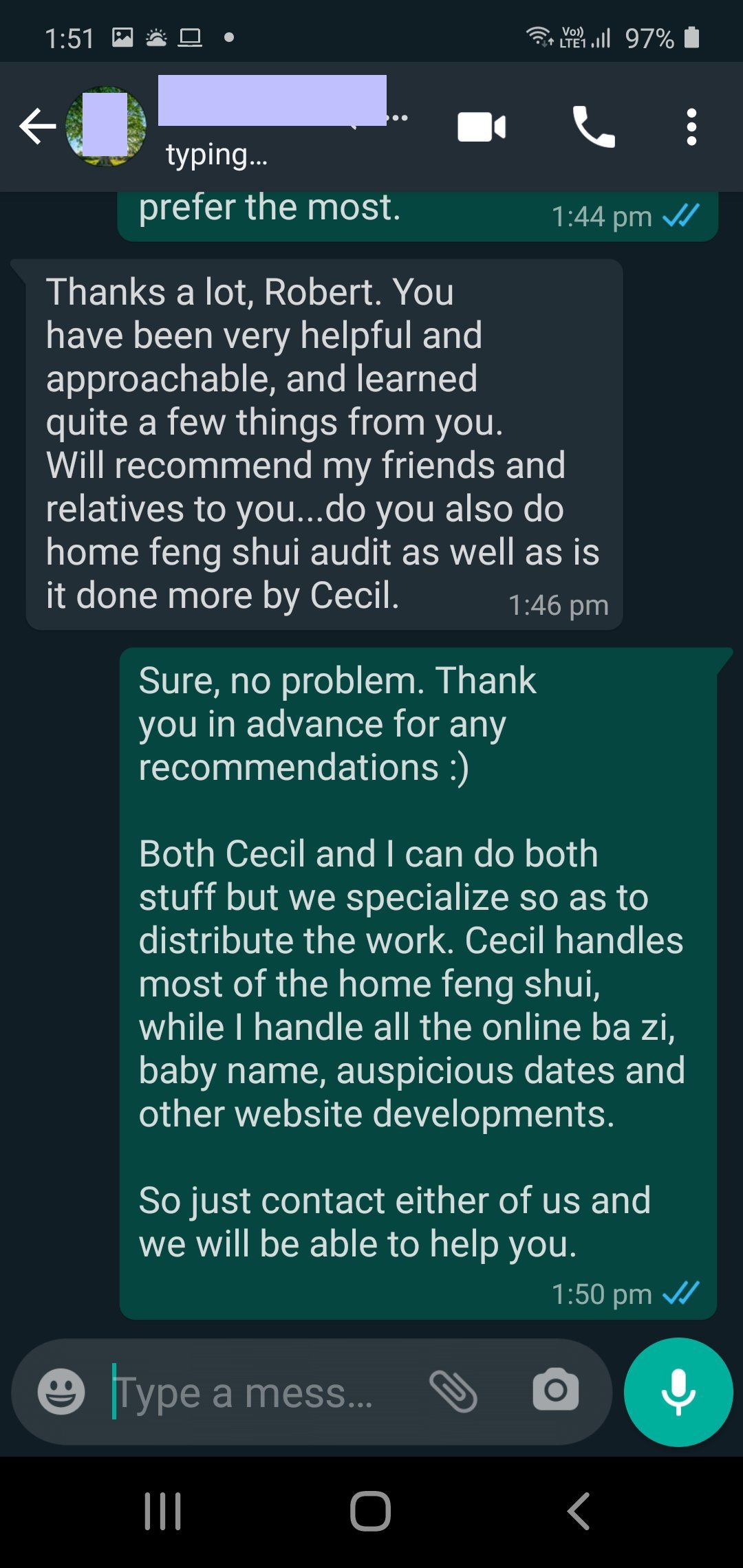
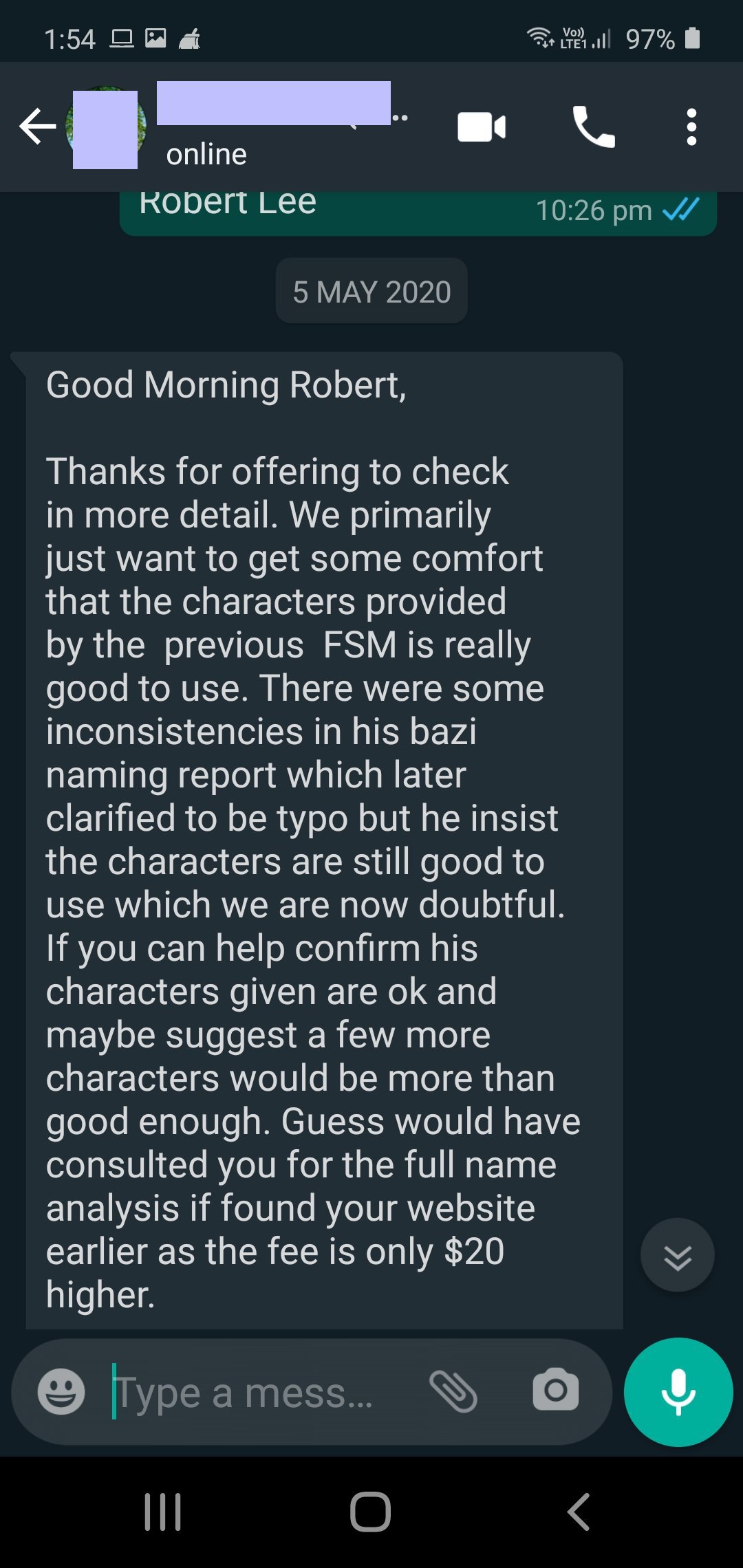
 Not all Naming Service are equal... New Client (Baby Name) seek 2nd Opinion from us to get some comfort that the characters provided by the previous FSM is really good to use.Cecil Lee commented on Cecil Lee's blog entry in FAQ: Home Feng Shui / Cannot Cannot Buy / Baby Name / Auspicious DatesCase Study of a Baby Name Service 1. This new client approached Master Robert Lee because he wanted a second opinion... 2. Previous FSM... There were some inconsistencies in his bazi naming report... 3. Thanks a lot, Robert. You have been very helpful and approachable, and learned quite a few things from you. 4. Will recommend my friends and relatives to you... do you also do home feng shui audit as well as is it done more by Cecil.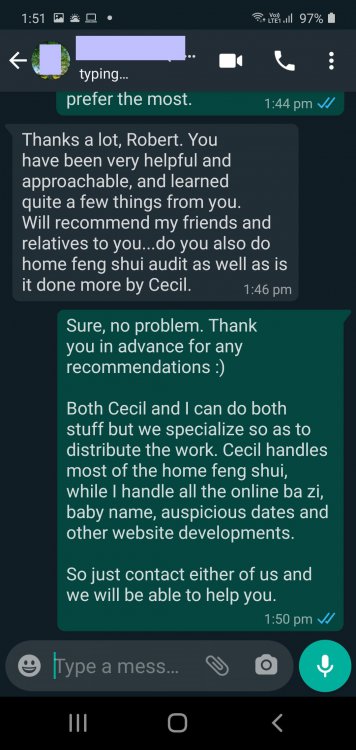
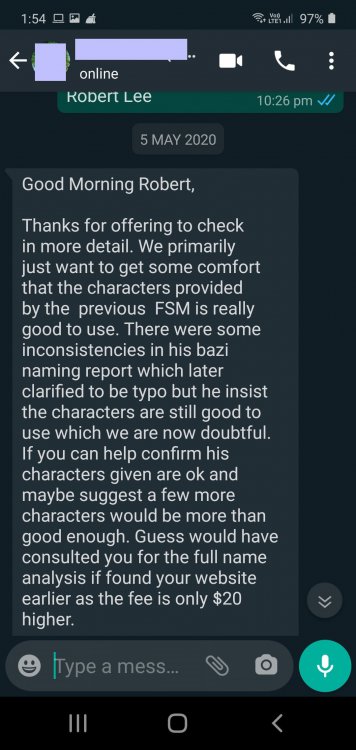 New Client (Baby Name) seek 2nd Opinion from us to get some comfort that the characters provided by the previous FSM is really good to use. Thanks a lot, Robert. You have been very helpful and approachable, and learned quite a few things from you. Will recommend my friends and relatives to you... do you also do home feng shui audit as well as is it doen more by Cecil.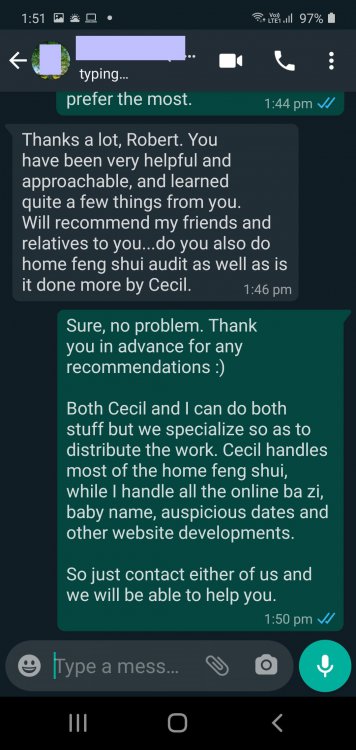
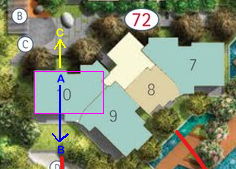
 1. In my opinion, if one wants to take readings of just that specific stack, then the best way to make sense of such layouts is to first visualise the mass. Often try to see such mass in terms of a rectangle. 2. For example, For #09, I drawn a pink (rectangular) boundary. For #08 a yellow one. For #10 another pink rectangle. 3. Usually it is "standing" at A looking out towards B for #8 and #9 3.1. For some other developments if the "tilted" balcony with it's sliding panels are a long stretch, then this is a possibility. But for this development, Water Bank, I would use Para 1 above. 4. For stack #10, usually it is standing inside marking A looking out towards B. 4.1. I have not looked into this #10 layout. Sometimes, it could be standing inside marking A looking out towards C. But usually, if the kitchen /WCand yard is on this "C" side and or the amount of openings at C is a longer stretch, then maybe C. 5. Okay, if the Feng Shui Master is a pure conservative, then they will consider the front door. And nothing but the front door matters. In Singapore, there are still some hardcore diehards of this. If so, I am not interested in "them".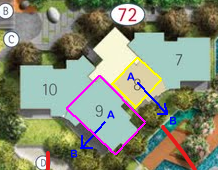
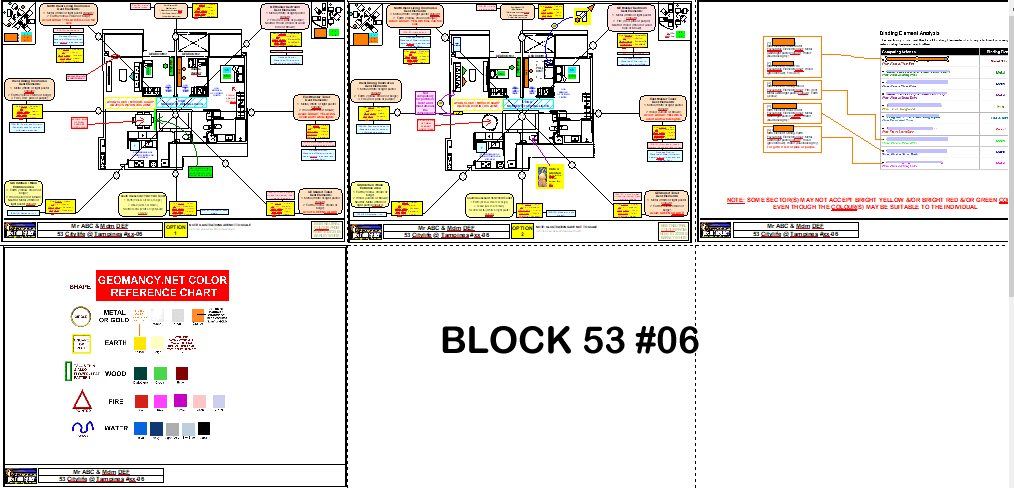
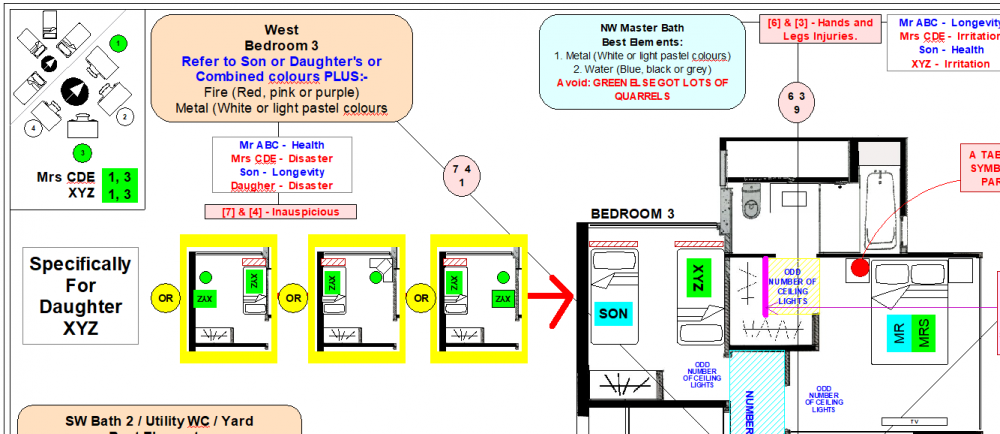
 Case Study: Plot the Eight House 4 Good/Bad Related: Found under Volume 2. This is Volume 1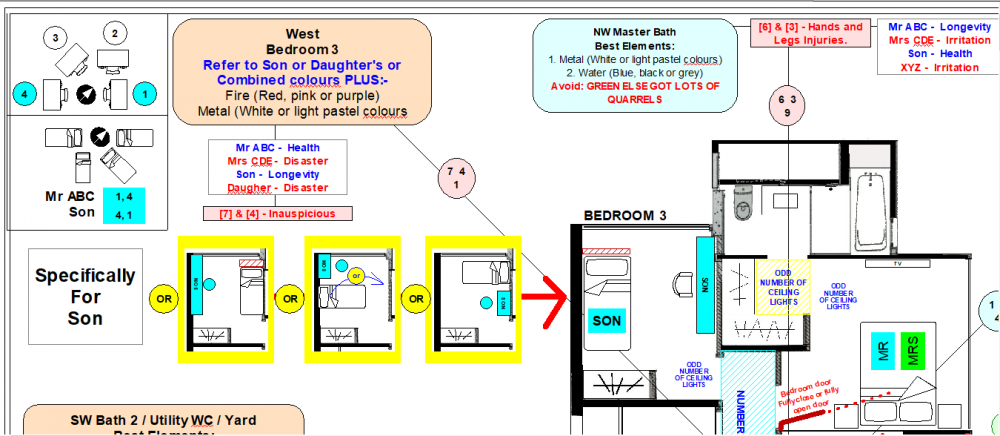
 Many Feng Shui Masters (FSMs) are actually a Feng Shui Store. In Singapore, there are many FSMs with lineages are also a glorfied Feng Shui Store. What a disappointment to their ancestors. Given that geniune Feng Shui is all about the environment studies. Nothing to do with Lifestyle shops. LOL They give Authentic Feng Shui a bad reputation. I guess it is easiest to make supernormal profits. LOL.. Ask: "Must I buy from You"
.thumb.png.e89513674ef6a85e688c84dde9e3856b.png)
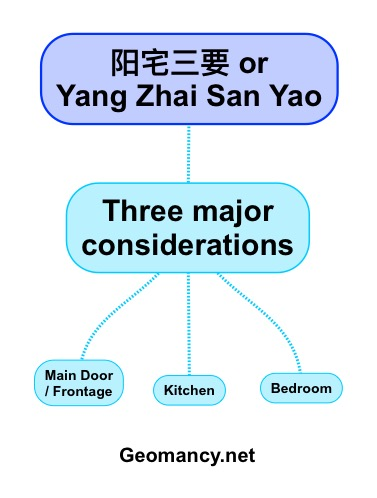
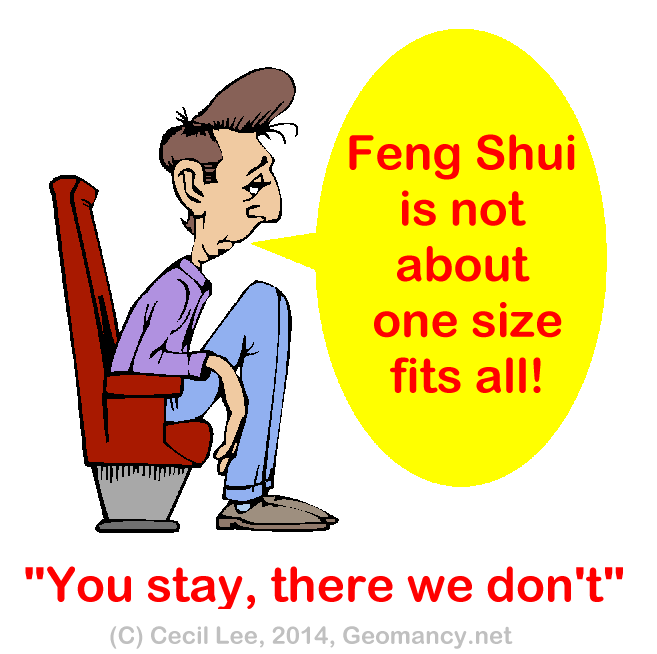
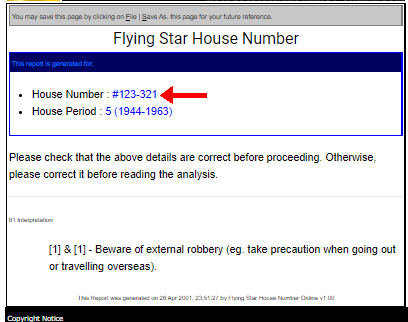
.png.9866fbb82be3c7309a605107cdf81cc7.png) These are some considerations: You wrote: Based on your review stack 39 or stack 38 will have a better facing for fengshui in general? 1. Feng Shui is not one size fits all as per my previous reply. 2. Yang Zhai San Yao is used to determine whether say #38 or #39 is better. This is usually the most important weightage for an individual = Main Door / Frontage, Kitchen and Bedroom. This is definitely not identical for all persons. 2.1. Another factor is the afternoon sun. For me, for whatever reason, I will avoid a unit facing the afternoon sun ... if I can. This is technically not directly Feng Shui. More to personal dislike. 3. Else, you might as well do this: 3.1. Get a coin say Heads = #38 ; Tails #39. 3.2. Okay how about I am undecided with 6 stacks! Use a dice. This is another perfect solution. 4. You wrote: also unblock eg above storey 7 onwards, 4.1. Facing a landed property, yes, safest is at least 6 storeys and above. As some landed properties can one fine day turned into a private apartment. Here, the maximum built up is 5 storeys + Atrium or attic. Thus usually a normal condo is 2.7 metres high can easily clear this 5 + 1 height. 4.2. Please note that Flying Star Feng Shui comes in two flavours: Horizontal Flying Stars and this is called Vertical Flying stars:- https://www.geomancy.net/content/personalised-reports/free-feng-shui-reports/house-number-report/about-house-number-report Here an input of say #07-39 can yield some significance. 5. In addition, another consideration is to plot the Horizontal or regular Flying Star Feng Shui to check each sector and significance in relation to say #38 vs #39 etc... 6. The science of Feng Shui is not like post two lines of questions and PRESTO! The next visit, you get all your answers. 7. The saying "NO PAIN NO GAIN". Of course, the easiest out is to Flip a coin: Heads = 38. Tails = 39. This is the lazy way of doing it. 8. Look here:- 9. Besides Yang Zhai San Yao, External Feng Shui many other factors are also looked at. 10. As the luck period will change from around 2023, the wealth sectors also plotted and considered. Related: For example under Case Study 1: Identifying Health Issues early in the Master Bedroom (If any) Major concepts: a. Eight House Concept: Who sleeps where? b. Flying Star Feng Shui: NW MS#5 W#2 (Nasty Stars) c. Ba Zi Feng Shui: Binding elements (colours) d. Shapes & Forms: Poison arrow from sharp corner of ward-rope 1. In this illustration: #5 = misfortune with #2 sickness affects the health of women. 2. This issue was identified and this flaw can be discussed with the client as one of the considerations to take note of should they still want to go through with the purchase of this unit. Don't buy a home and suddenly confronted with #5 misfortune and sickness and #2 sickness stars (Flying Stars) in the master bedroom. Thus if one does not look at sector by sector how to say generally #39 or #38 is better? This is why I say "NO PAIN NO GAIN". LOL
These are some considerations: You wrote: Based on your review stack 39 or stack 38 will have a better facing for fengshui in general? 1. Feng Shui is not one size fits all as per my previous reply. 2. Yang Zhai San Yao is used to determine whether say #38 or #39 is better. This is usually the most important weightage for an individual = Main Door / Frontage, Kitchen and Bedroom. This is definitely not identical for all persons. 2.1. Another factor is the afternoon sun. For me, for whatever reason, I will avoid a unit facing the afternoon sun ... if I can. This is technically not directly Feng Shui. More to personal dislike. 3. Else, you might as well do this: 3.1. Get a coin say Heads = #38 ; Tails #39. 3.2. Okay how about I am undecided with 6 stacks! Use a dice. This is another perfect solution. 4. You wrote: also unblock eg above storey 7 onwards, 4.1. Facing a landed property, yes, safest is at least 6 storeys and above. As some landed properties can one fine day turned into a private apartment. Here, the maximum built up is 5 storeys + Atrium or attic. Thus usually a normal condo is 2.7 metres high can easily clear this 5 + 1 height. 4.2. Please note that Flying Star Feng Shui comes in two flavours: Horizontal Flying Stars and this is called Vertical Flying stars:- https://www.geomancy.net/content/personalised-reports/free-feng-shui-reports/house-number-report/about-house-number-report Here an input of say #07-39 can yield some significance. 5. In addition, another consideration is to plot the Horizontal or regular Flying Star Feng Shui to check each sector and significance in relation to say #38 vs #39 etc... 6. The science of Feng Shui is not like post two lines of questions and PRESTO! The next visit, you get all your answers. 7. The saying "NO PAIN NO GAIN". Of course, the easiest out is to Flip a coin: Heads = 38. Tails = 39. This is the lazy way of doing it. 8. Look here:- 9. Besides Yang Zhai San Yao, External Feng Shui many other factors are also looked at. 10. As the luck period will change from around 2023, the wealth sectors also plotted and considered. Related: For example under Case Study 1: Identifying Health Issues early in the Master Bedroom (If any) Major concepts: a. Eight House Concept: Who sleeps where? b. Flying Star Feng Shui: NW MS#5 W#2 (Nasty Stars) c. Ba Zi Feng Shui: Binding elements (colours) d. Shapes & Forms: Poison arrow from sharp corner of ward-rope 1. In this illustration: #5 = misfortune with #2 sickness affects the health of women. 2. This issue was identified and this flaw can be discussed with the client as one of the considerations to take note of should they still want to go through with the purchase of this unit. Don't buy a home and suddenly confronted with #5 misfortune and sickness and #2 sickness stars (Flying Stars) in the master bedroom. Thus if one does not look at sector by sector how to say generally #39 or #38 is better? This is why I say "NO PAIN NO GAIN". LOL

 Related:Another one of the many Feng Shui Audits at CityLife EC
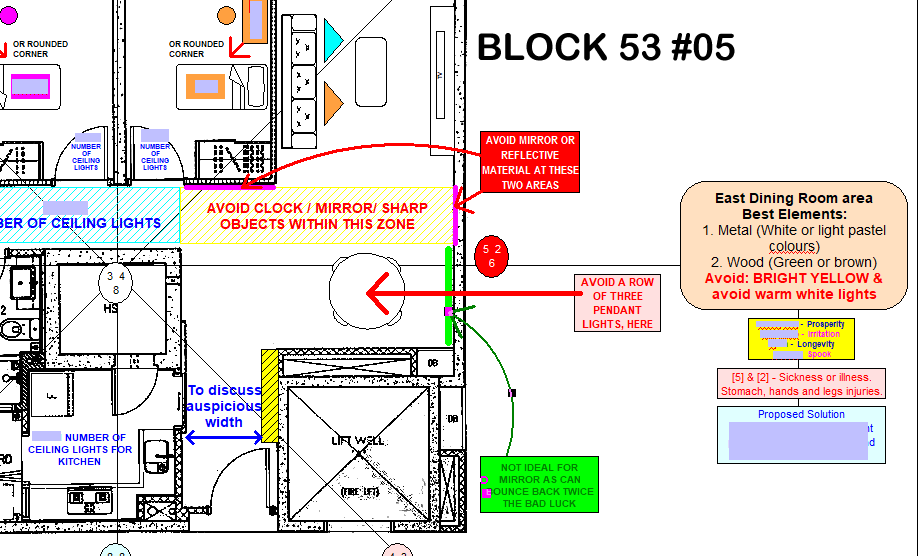
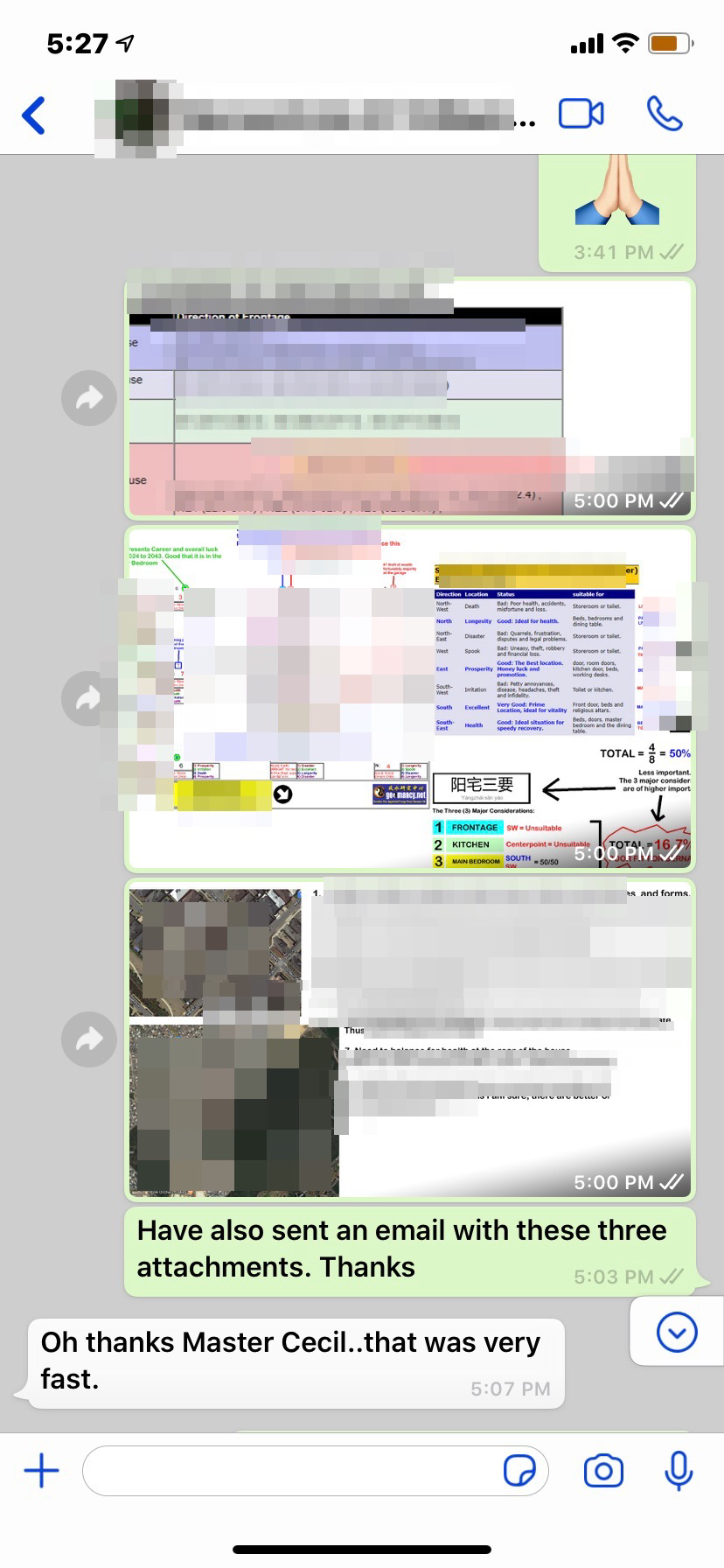
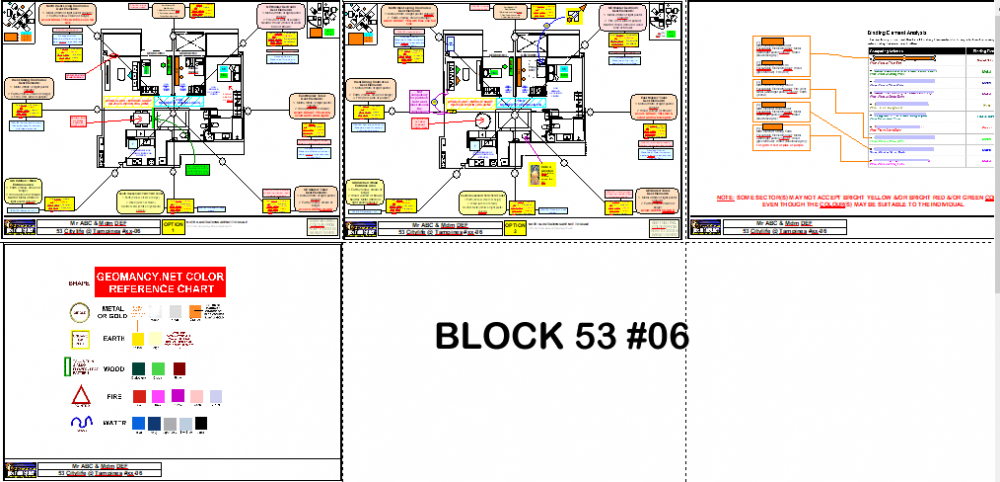 Sample of a Feng Shui Audit at Citylife EC during T.O.P. A sample extract
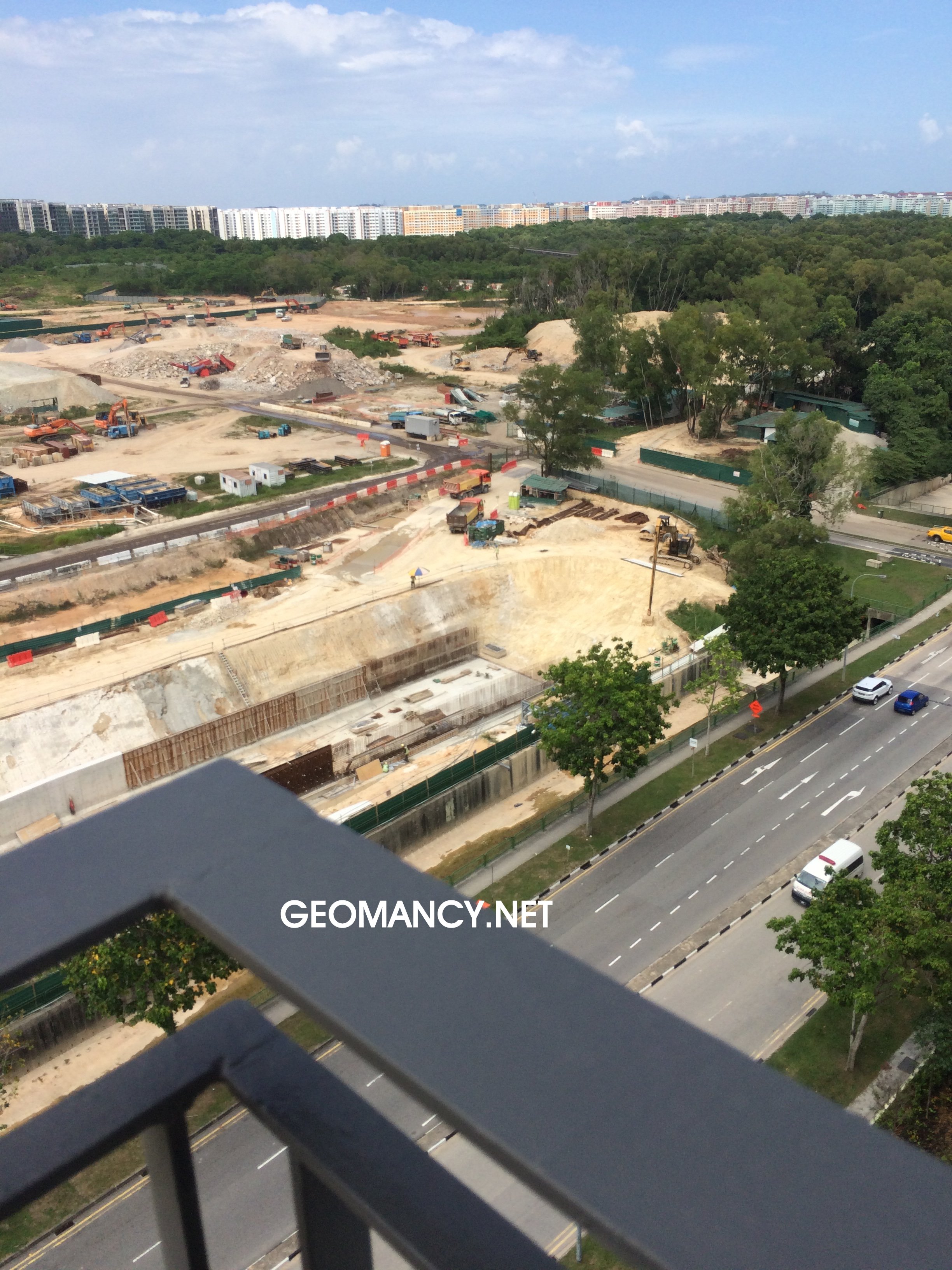
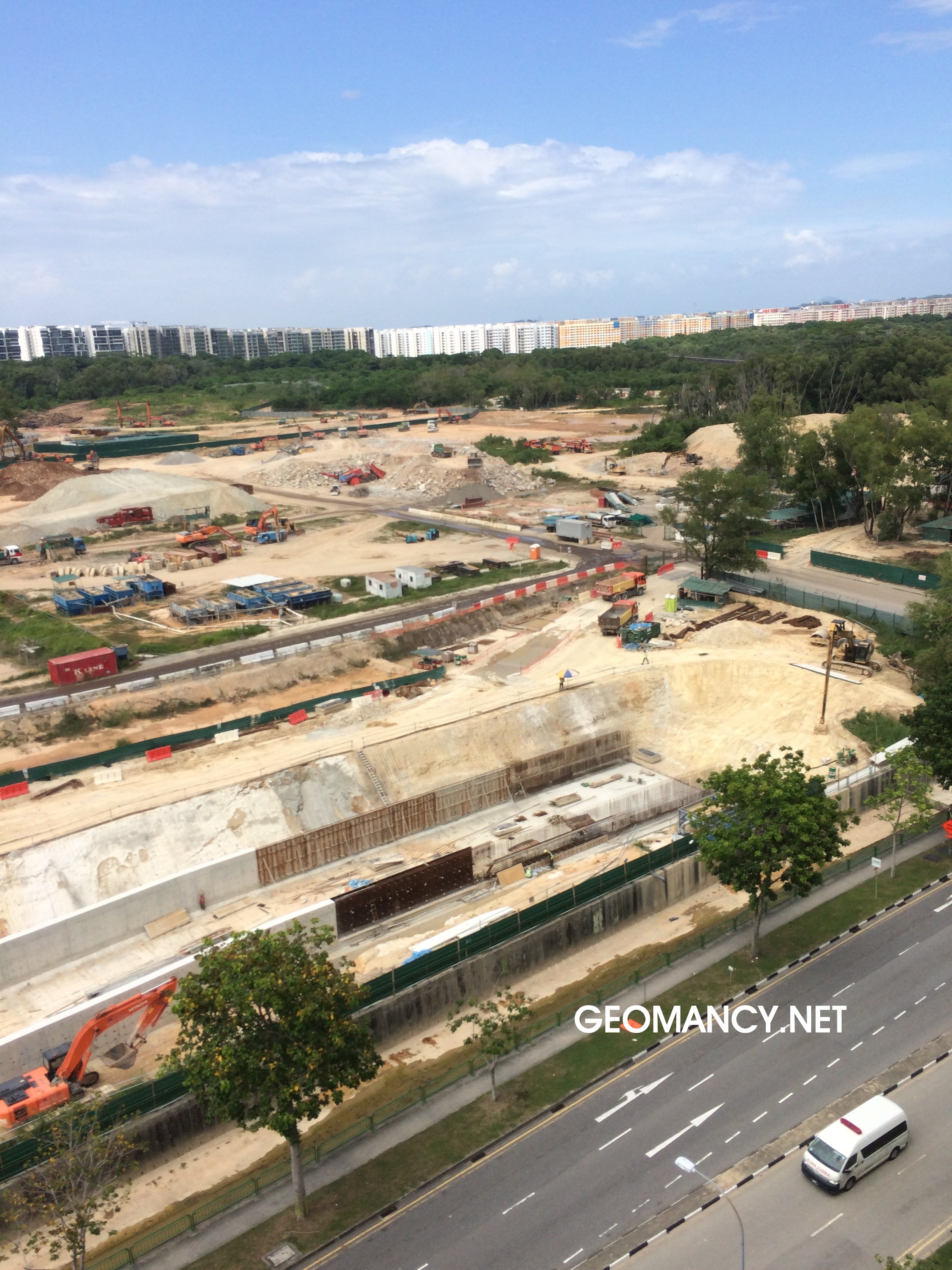
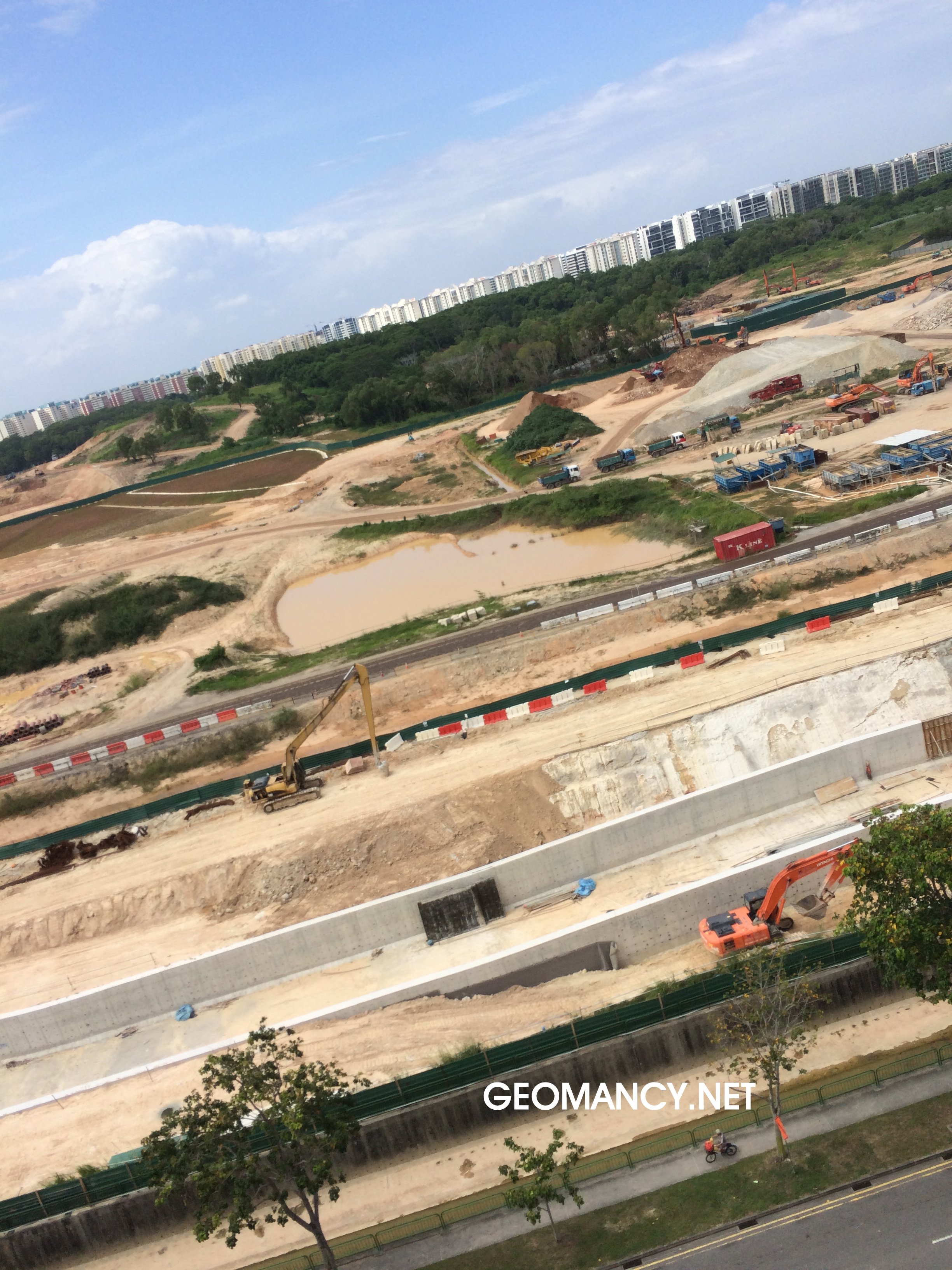
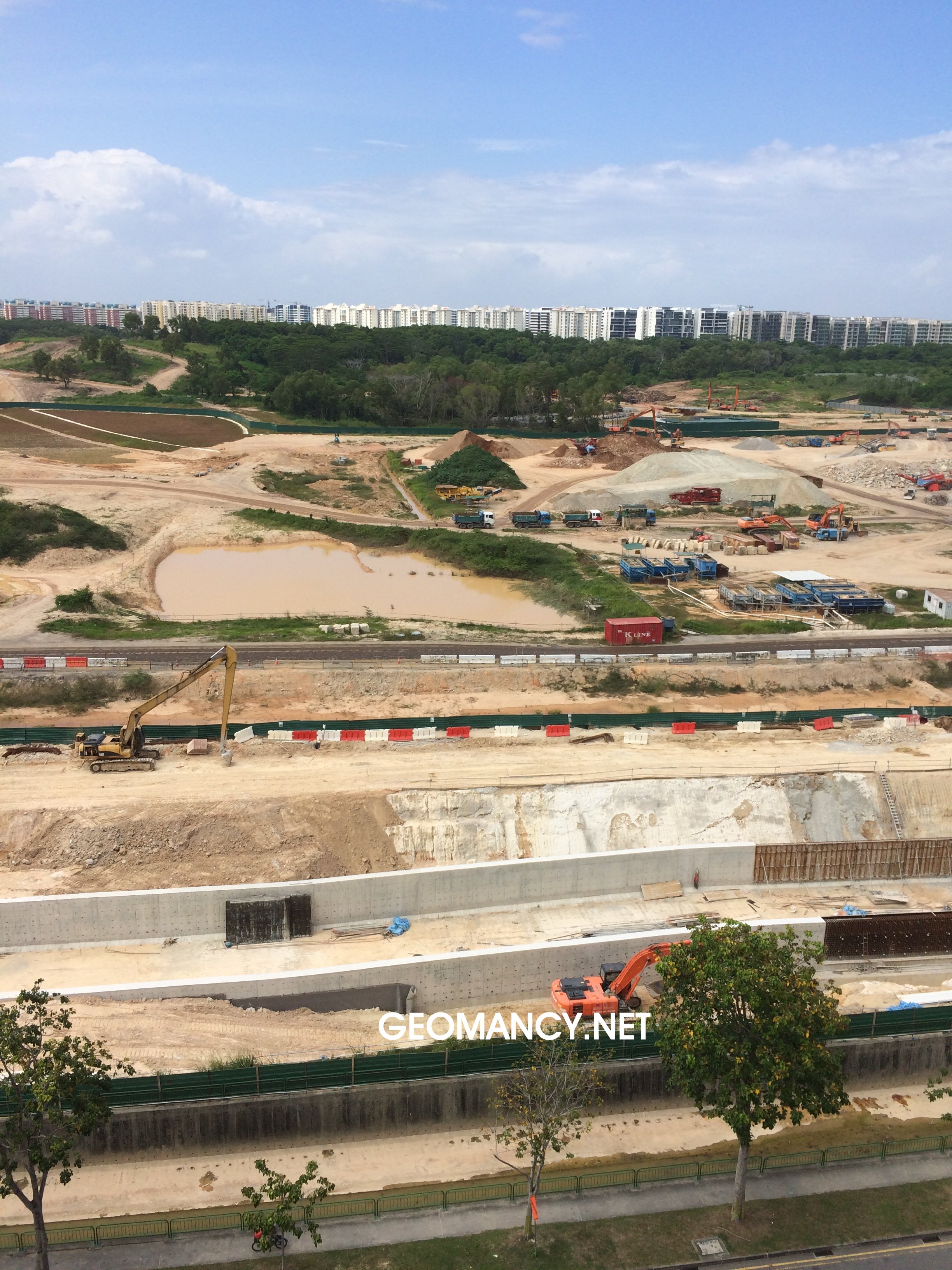
 These photos were taken during CityLife EC's T.O.P. in 2016 of HDB GreenVerge. Then the land was just being cleared. Earlier on, the area with yellow highlights was suppose to continue to be both green and a cycling dirt track... In Singapore, it is more likely that every corner will be turned into some kind of housing development: HDB/EC/codo or into a shopping mall etc...
.png.3ec1b1d7b303ced94816bca390553f69.png)
 Related:Related: Citylife EC - Which units are lucky today? More...
.png.1aacb6ec483f09a004cee7617f13197d.png)