Everything posted by Cecil Lee
-
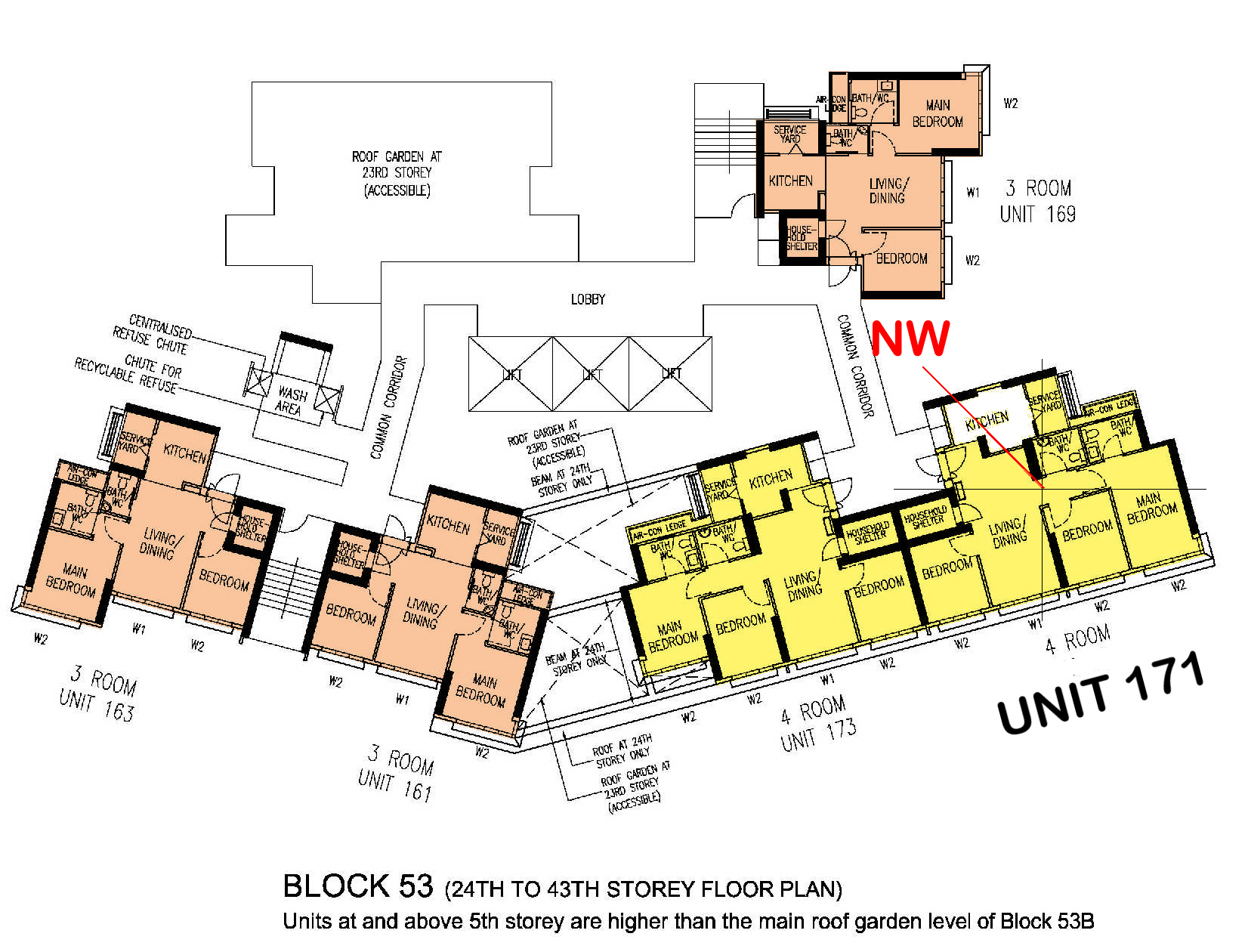
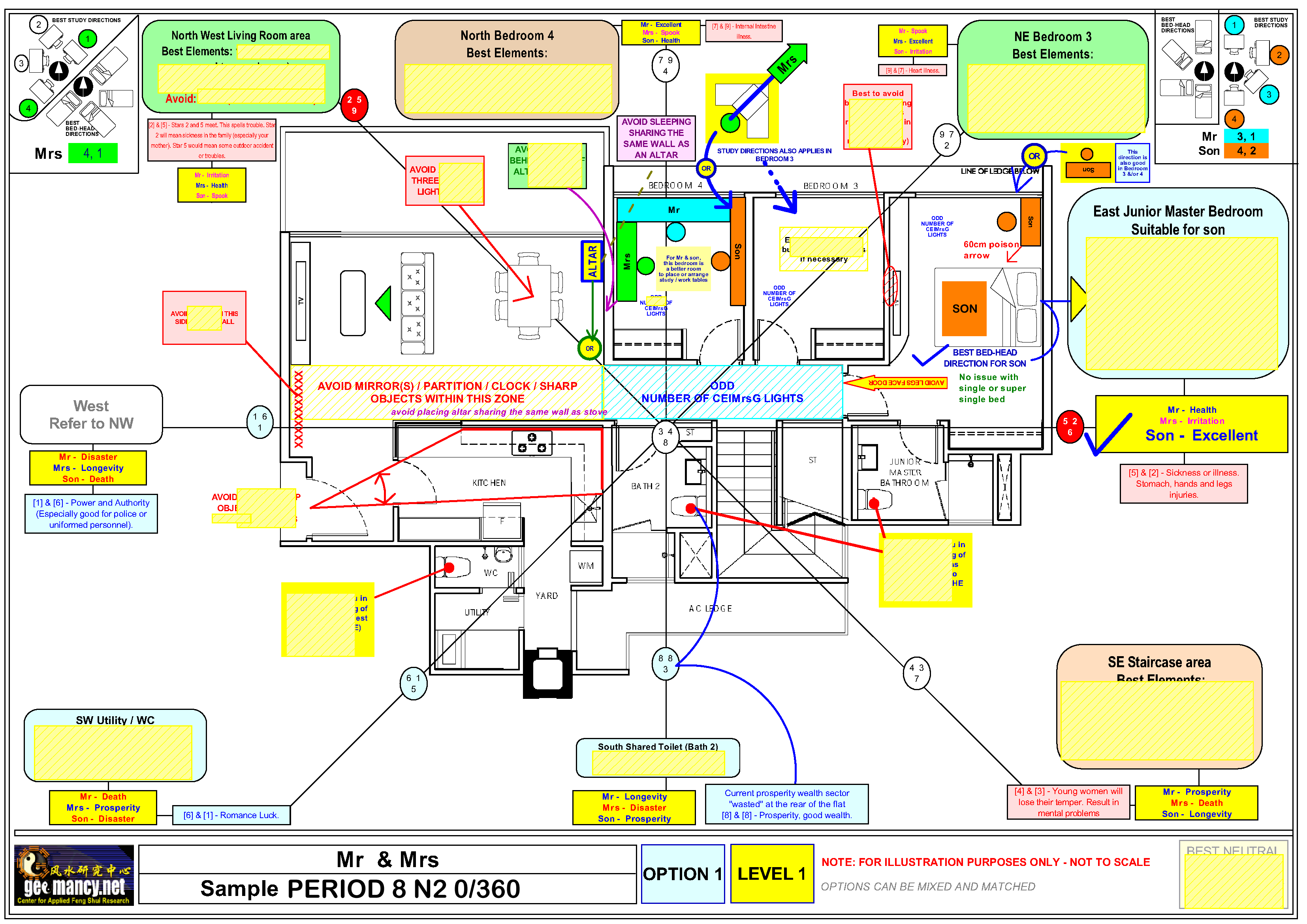
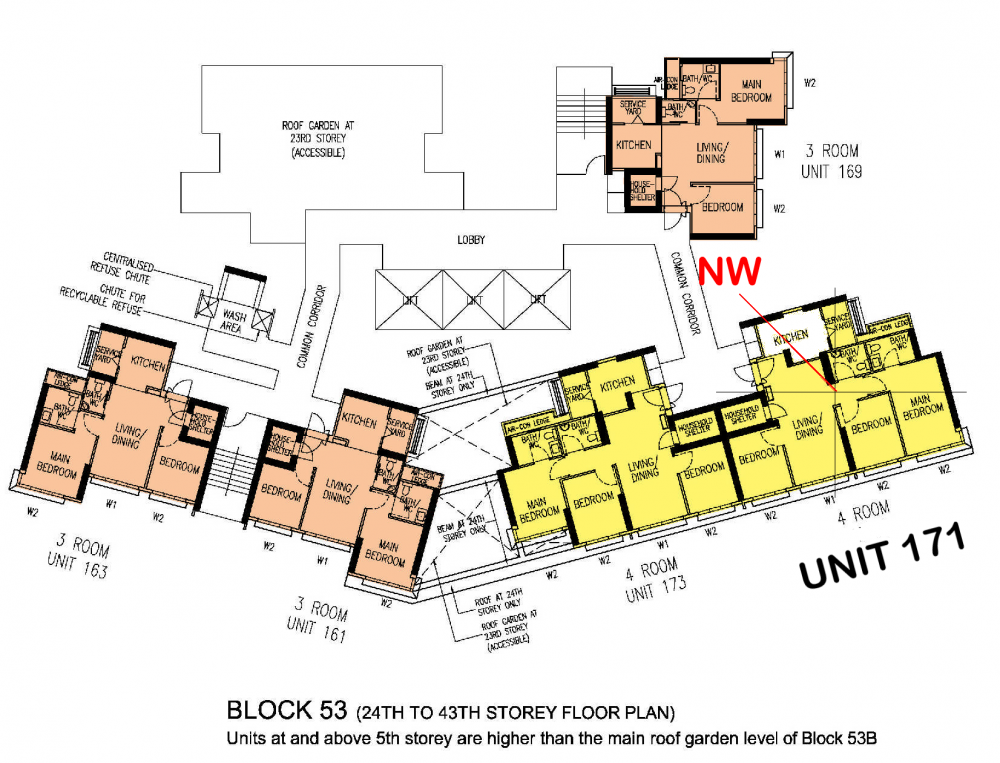
Part 4: Calling residents of Unit 171.... your kitchen is at NW = inauspicious Fire at Heaven's Gate... Not good for the Male-Head breadwinner and overall luck for the home Oh Gosh! My number 171 was just called! What can it be????
-
Usually, local banks don't provide loans for properties in Geylang. Not sure? Please check with the various banks... as I am not responsible for this... This cartoon is based on my personal knowledge. Maybe the banks could have changed their guidelines recently or in the near future... PLEASE DON'T TAKE THIS WHOLESALE!
-
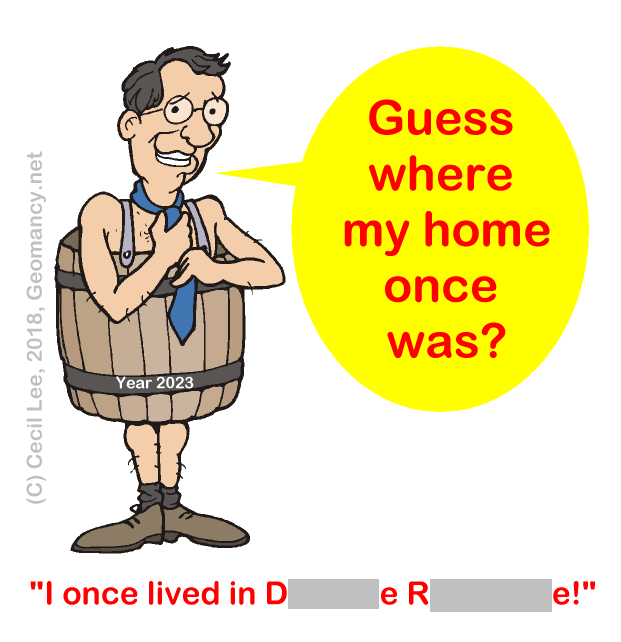
“Please note that all conversations are purely fictitious” So sorry, I had accidentally posted this in the wrong thread. It should be under Caricatures not here! I can assure you that this has nothing whatsoever to do with Daintree Residence! Furthermore this refers to a PAST event. And Daintree Residence has not even been built. So how can I have stayed, there!
-
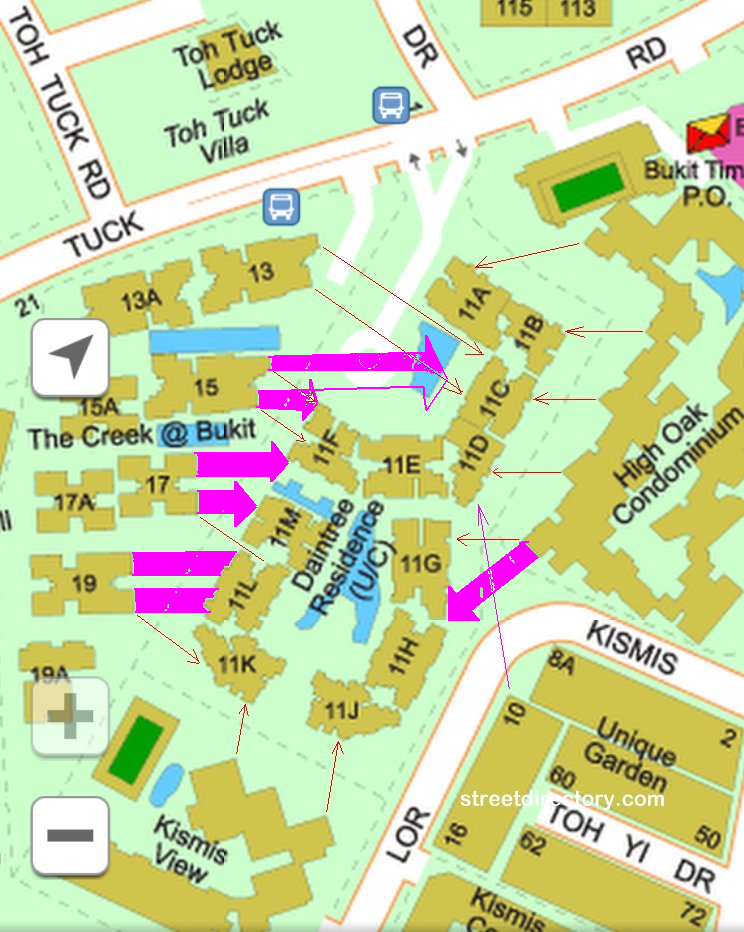
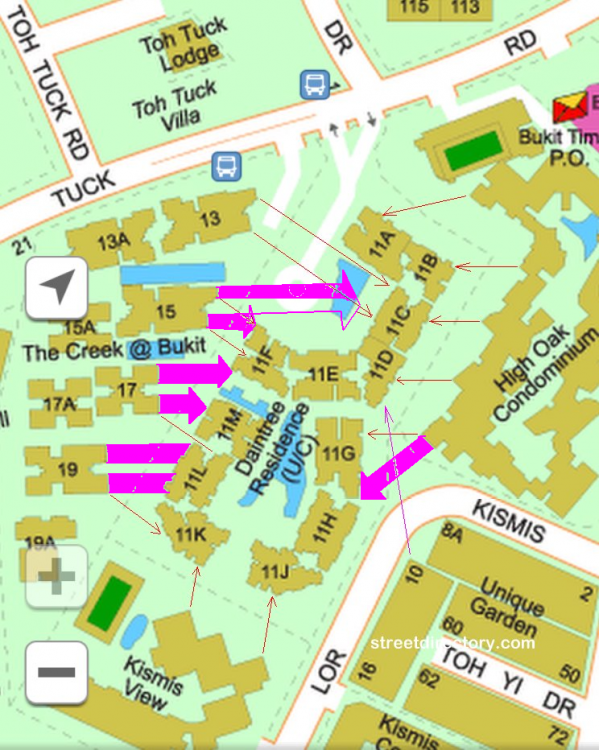
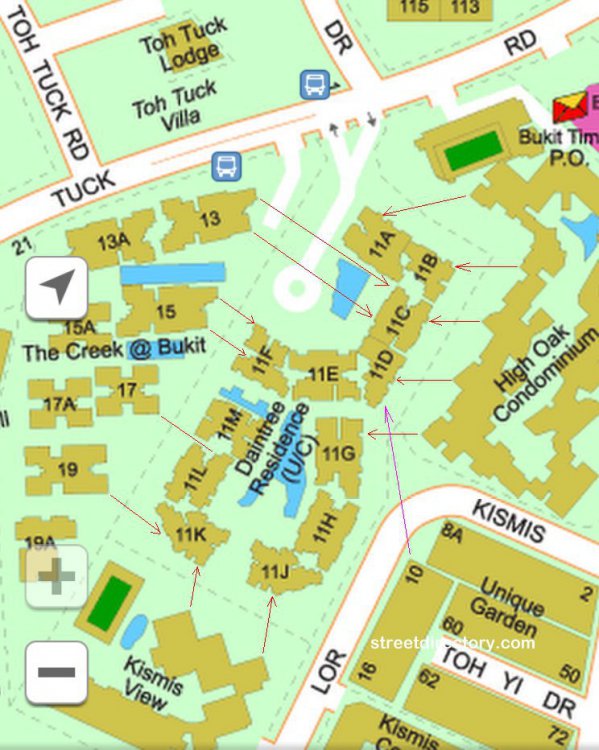
Part 3 - There are two types of Diabetes: Type 1 and Type 2. In Sha Qi there is also the Type 1. Which I had illustrated under Para 2 (above) = that of poison arrows from corners of buildngs. 1. Introducing to Type 2: Sha Qi (in purple colour on the streetmap): 1.1 Type 2 diabetes! Oops! Sorry I mean Type 2 Sha Qi looks like the purple coloured arrows below:- 1.2 There is a distinct "hammer-head" from The Creek's Block 17 and also from Block 15 as shown above. You now realise that there is a term Type 2 - Sha Qi... 1.3 High Oak condo also has a purple hammer aimed towards Daintree Residence block 11G. There may be a few more coming from High Oak.. but best to confirm on-site.. which is like many years more... ACTUNG! There may be more!! 1.4 In addition, not sure if you can relate to this or not? 1.5 The Creek Block 15 looks like a fish with mouth opened ... feeding off from Daintree Residence. 1.6 The Creek Block's 17, 19 and even 13 seems to look like hungry fishes swimming towards it's prey or vicitim... guess which development is it?
-
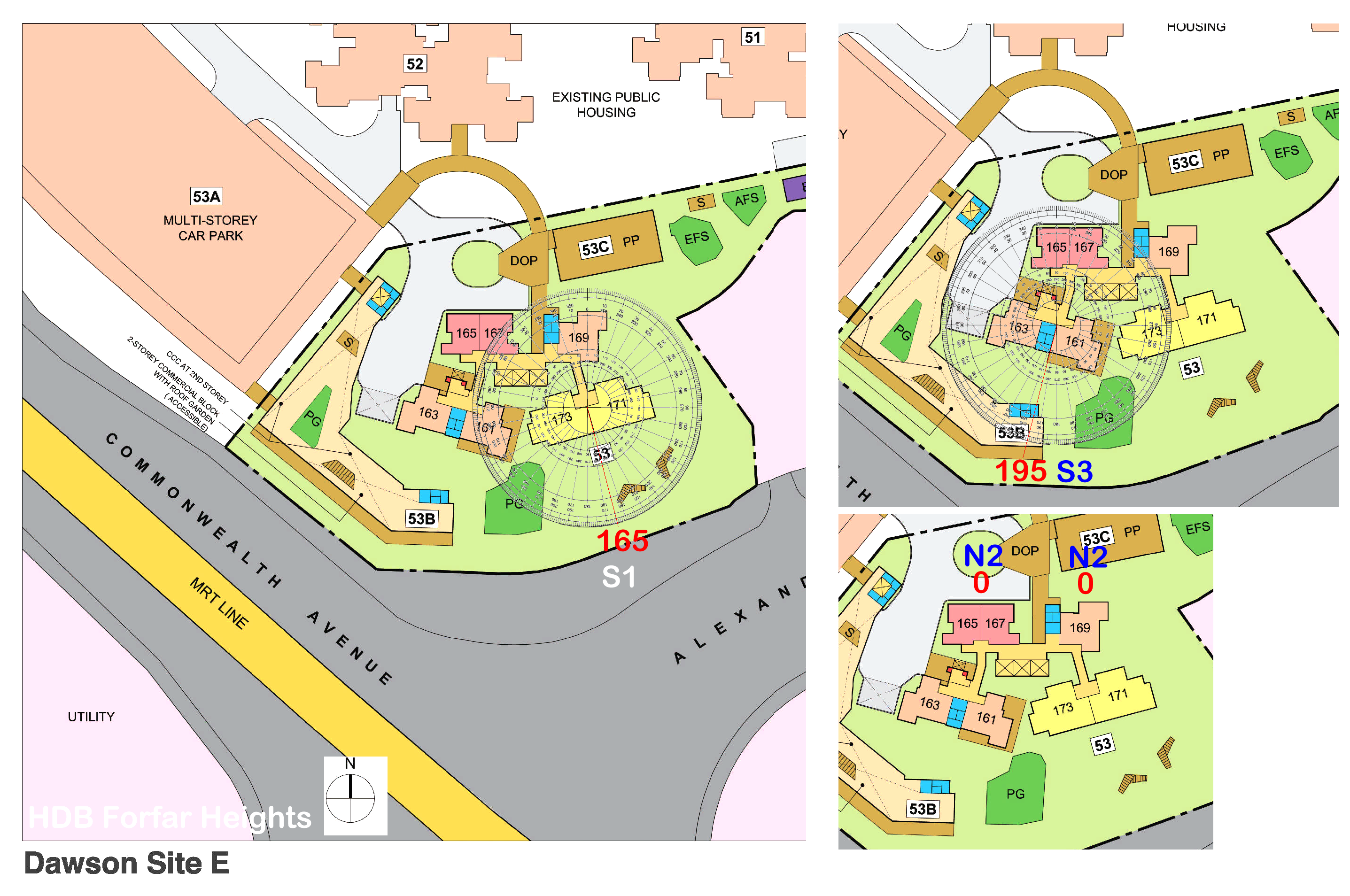
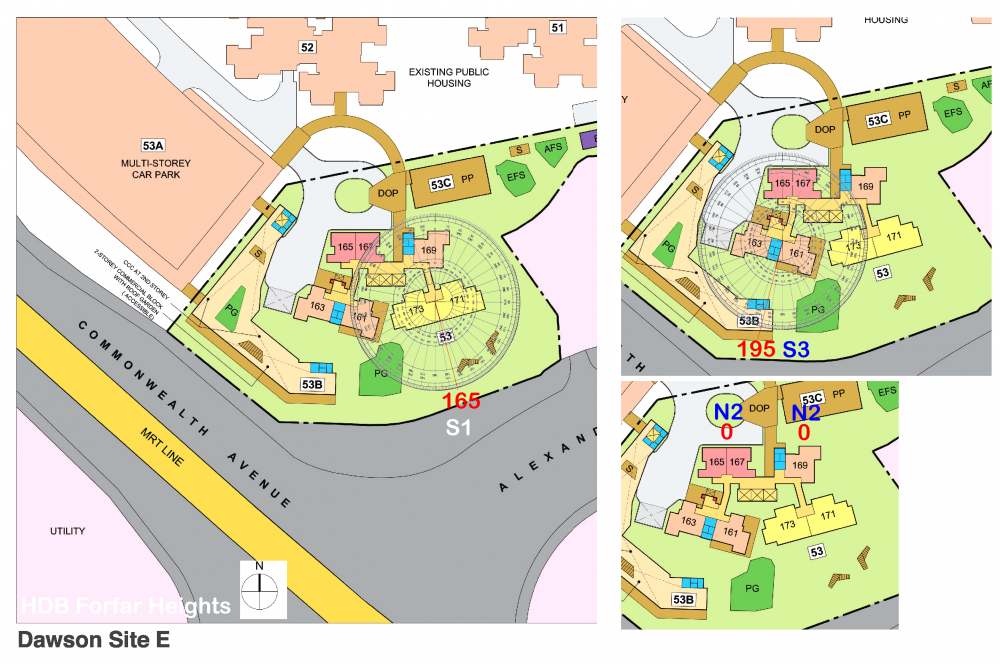
Part 3: Flying Star Feng Shui of HDB Forfar Heights Majority of all Dawson sites: A, B, C, D & E have stacks/units that face North or South directions. This small development has only three types of facing directions: N2 = 165, 167 & 169 S1 = 171 & 173 S3 = 161 & 163 If one has the time can read the Flying Star comments pertaining to Period 8 and 9. And also look into similar N2 and S3 facing directions. Search for Dawson site A, Dawson site B, Dawson site C and Dawson site D.
-
I can feel it that my luck changed from the better starting from 2022 onwards!

-
Fortunes change a few years before 2024!

-
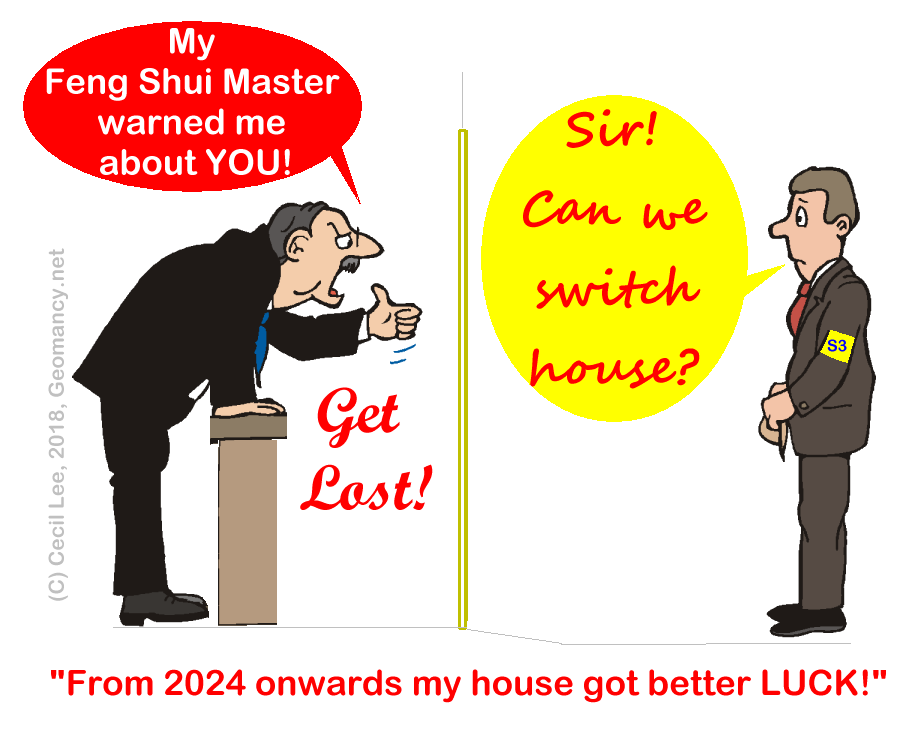
Part 4 - For Dawson Site D or HDB Dawson Vista.. how I wish I can swop my S3 unit with a neighbour's N3 chart around 2022... 2023.. Dear Neighbour, Can we do so, please?
-
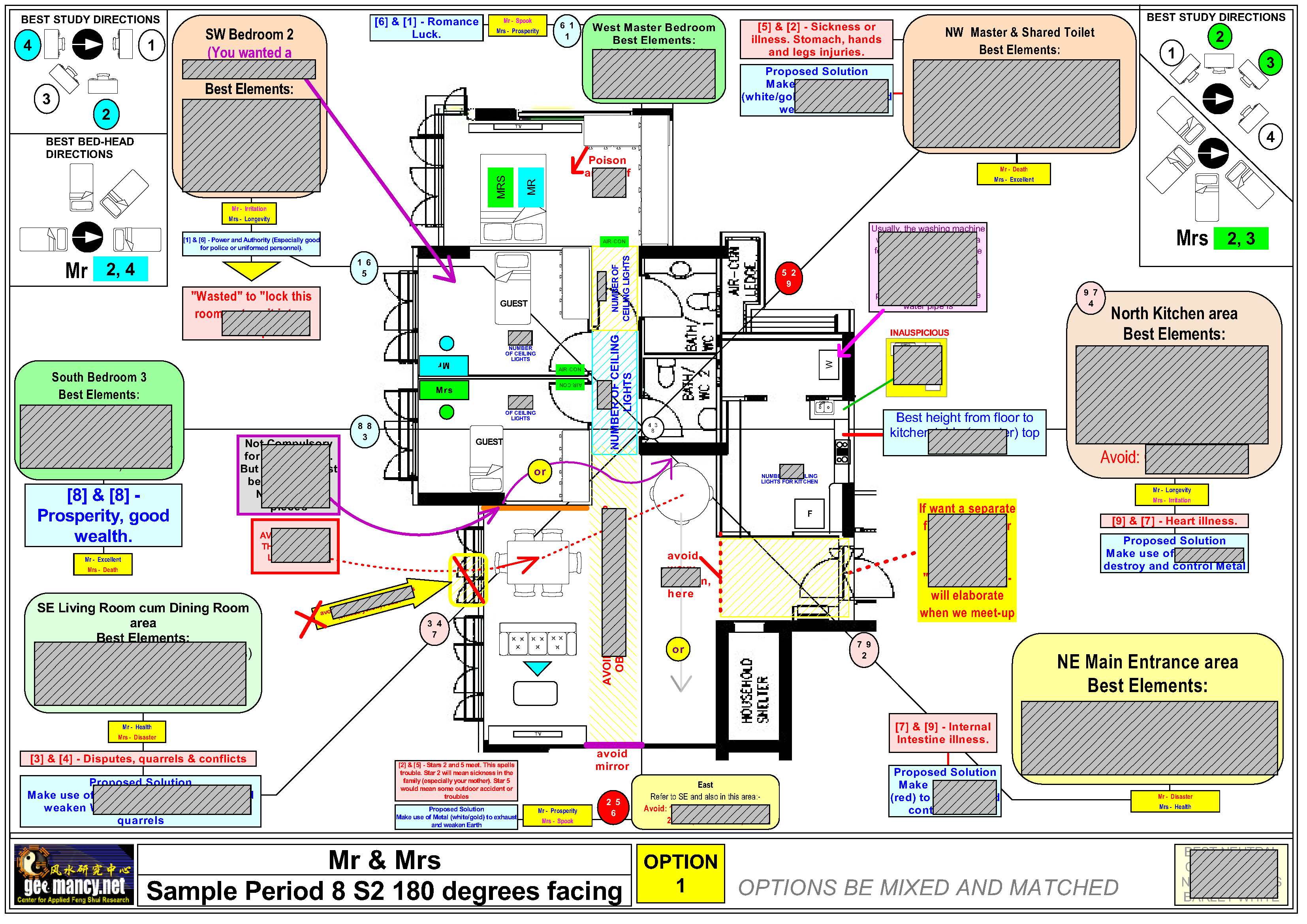
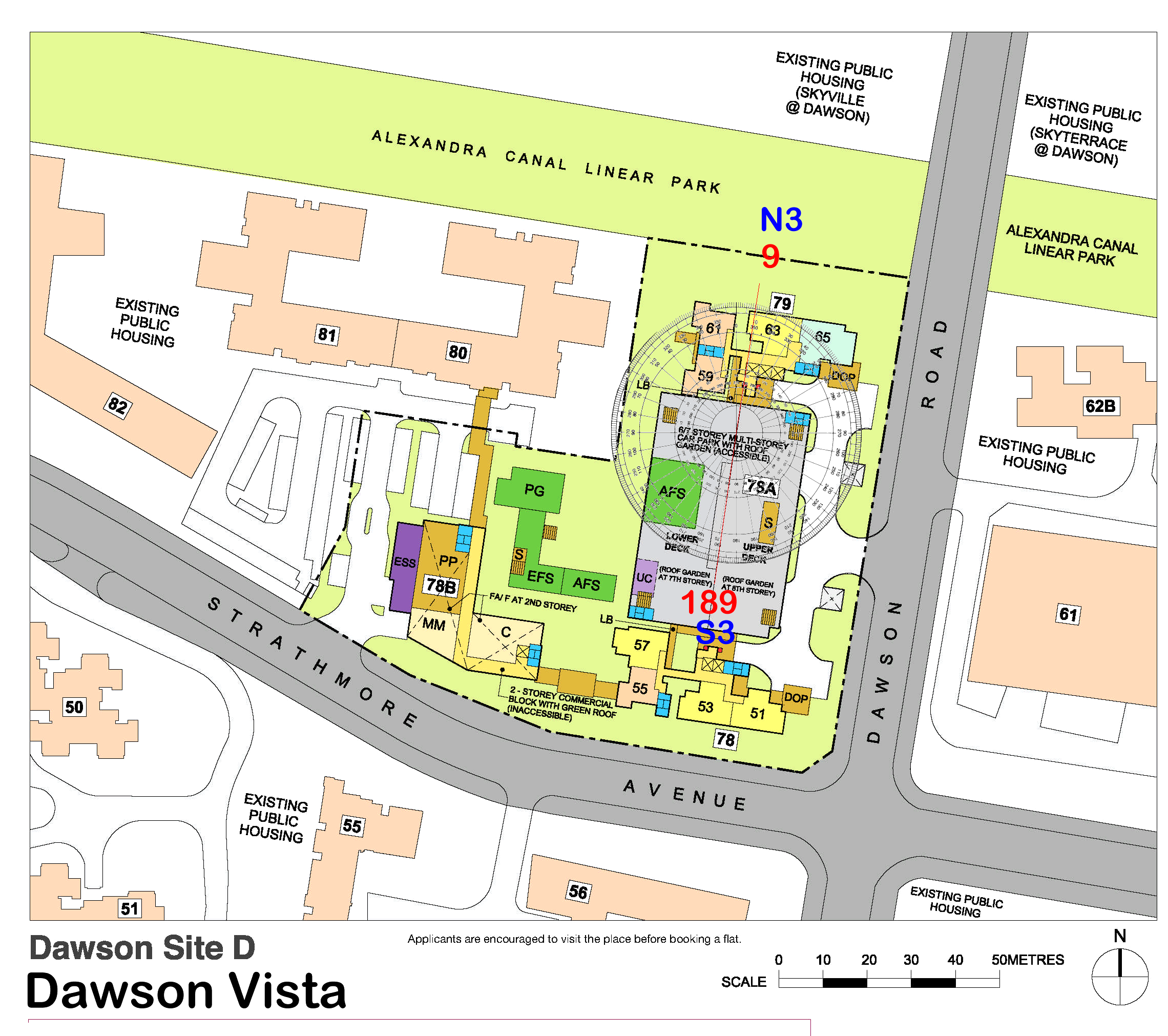
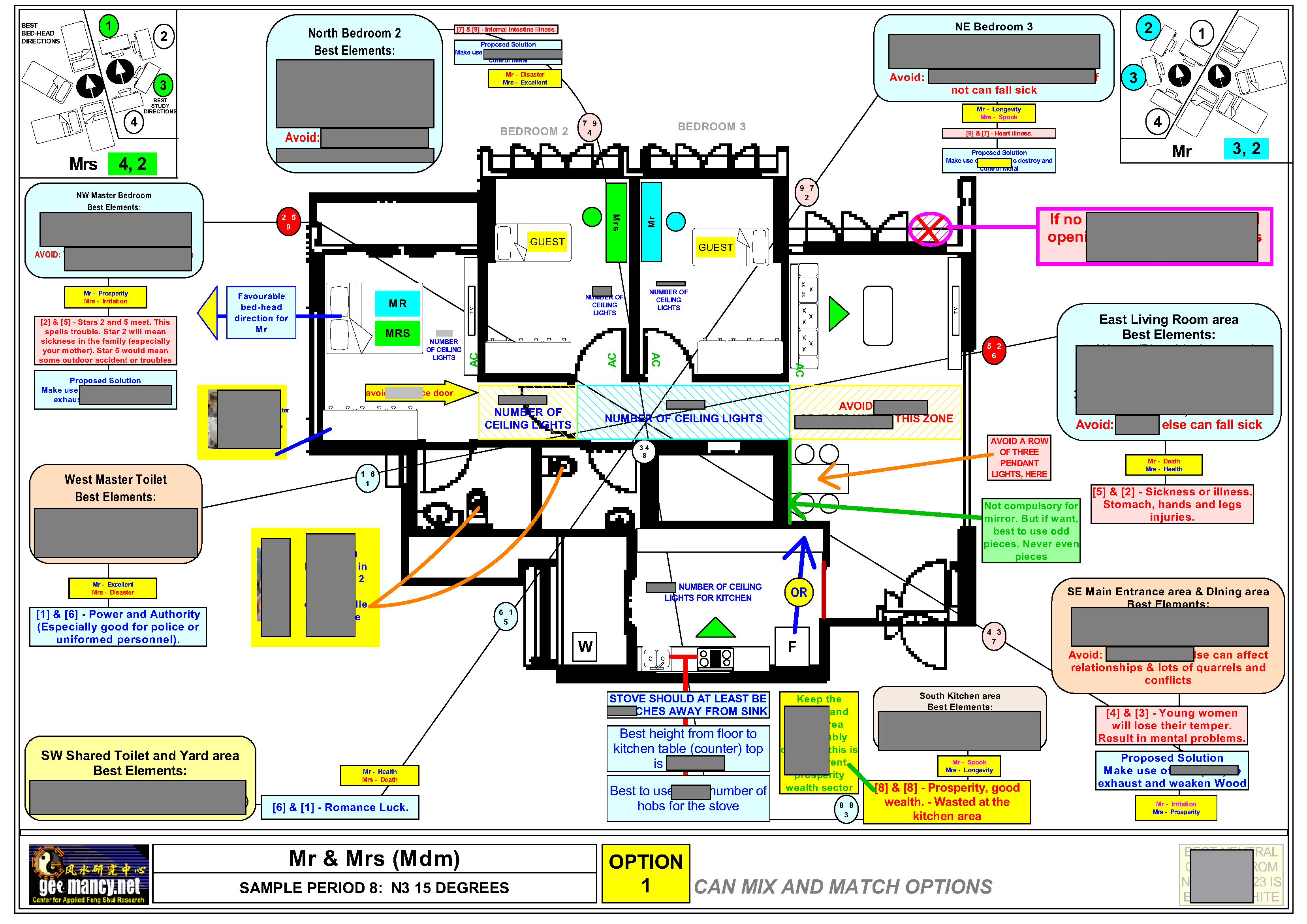
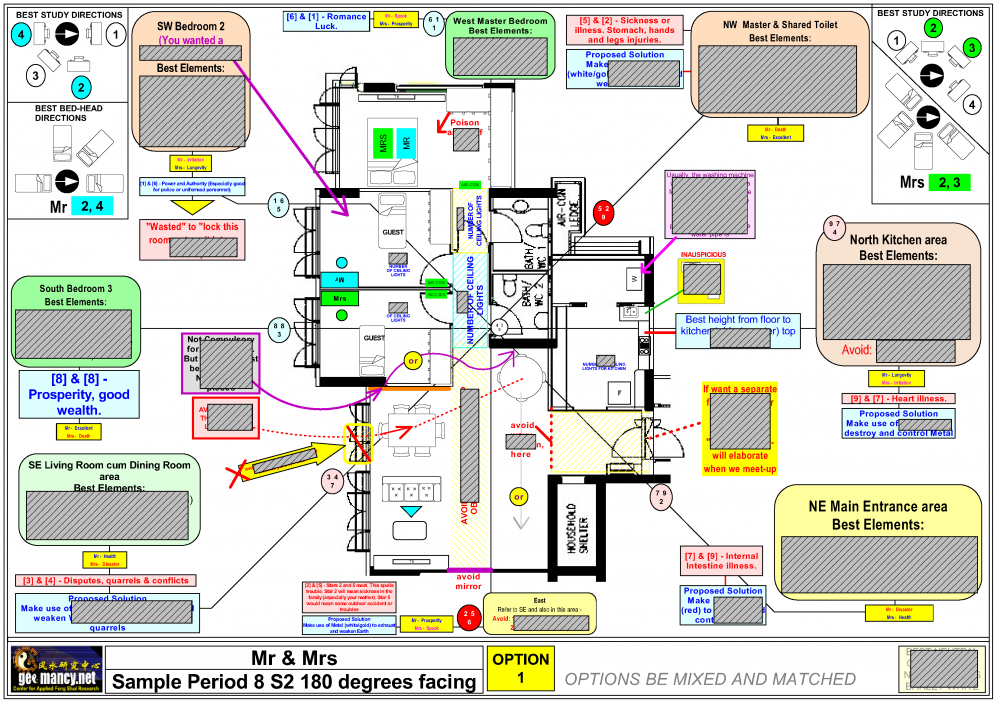
Part 3b: Flying Star Feng Shui of HDB Dawson Vista (Dawson Site D) South or (S3 facing) stacks = #51, #53 & #59 1. Unfortunately, the reverse luck is true for South facing stacks: As the Flying Star charts N3 and S3 are a mirror image of each other. 2. If it is true as mentioned above that for a N3 chart from now to before 2024, the wealth luck is wasted at the rear of the unit usually the kitchen area. 3. The opposite is true for a S3 chart. 4. From now till before nearing the transition thus from now till before 2024.. (Usually one can feel that it is less lucky from 2022 onwards till the cutover in 2024 for a S3 facing stack. 5. In this sample illustration. If one looks at the South compass direction: there are two double #8's at the bedroom side. Here, the double combinations of #8's are auspicious for a limited period before Period 9 comes in:- NOTE: The above is a Period 8 S2 chart. DO TAKE NOTE THAT S2 AND S3 CHARTS ARE IDENTICAL WITH THE EXCEPTION OF HOW THE COMPASS DIRECTIONS ALIGN ONTO THE LAYOUT PLAN. 6. In Period 9 or often two years before this transition; try to locate where are the two #9's. As by then #9's become the current prosperity wealth stars. While anything to do with #8'; #8's becomes past prosperity then. 7. For a S3 chart, unfortunately, there is a #9 at North. This #9 represents a Mountain Star #9 = networking and relationship luck from 2024 to 2043. Not too bad still given that it is a "mountain" and can be at the rear of a unit. 8. Where is the other #9 which represents the Water Star (WS) #9? fortunately in this example it is at the main door entrance. If your unit is a flip of this, then this water wealth current prosperity star would have flown towards the Master Toilet.
-
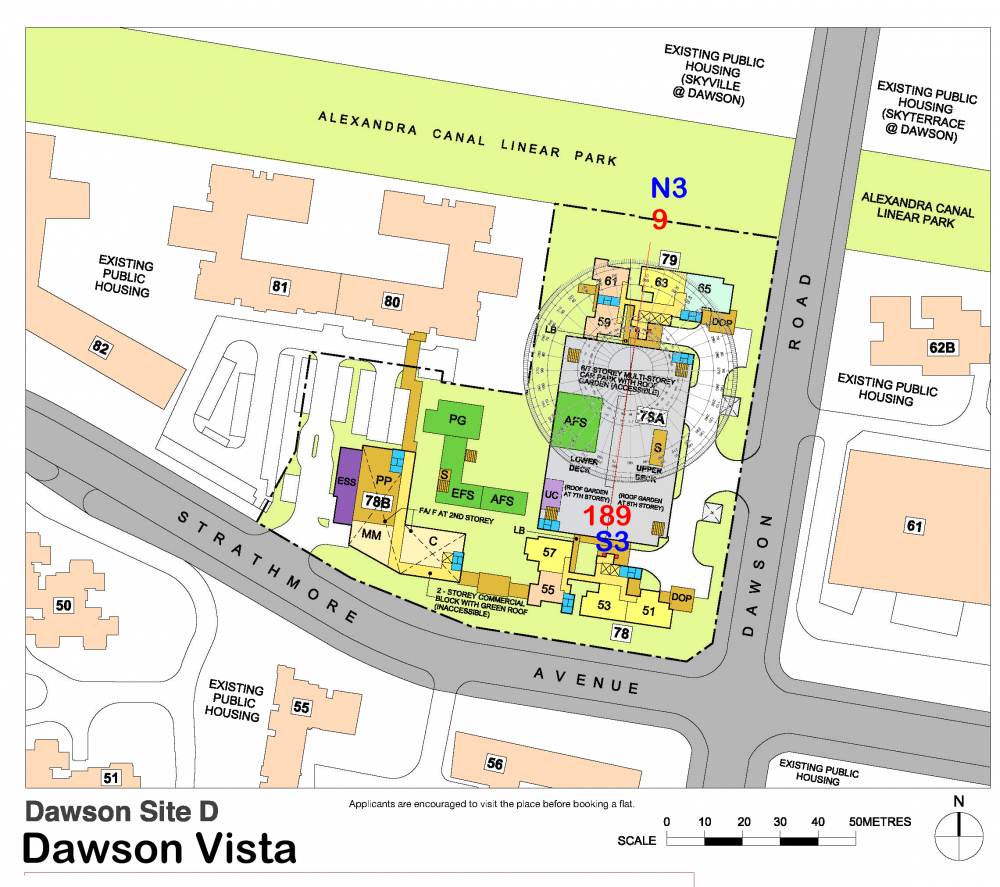
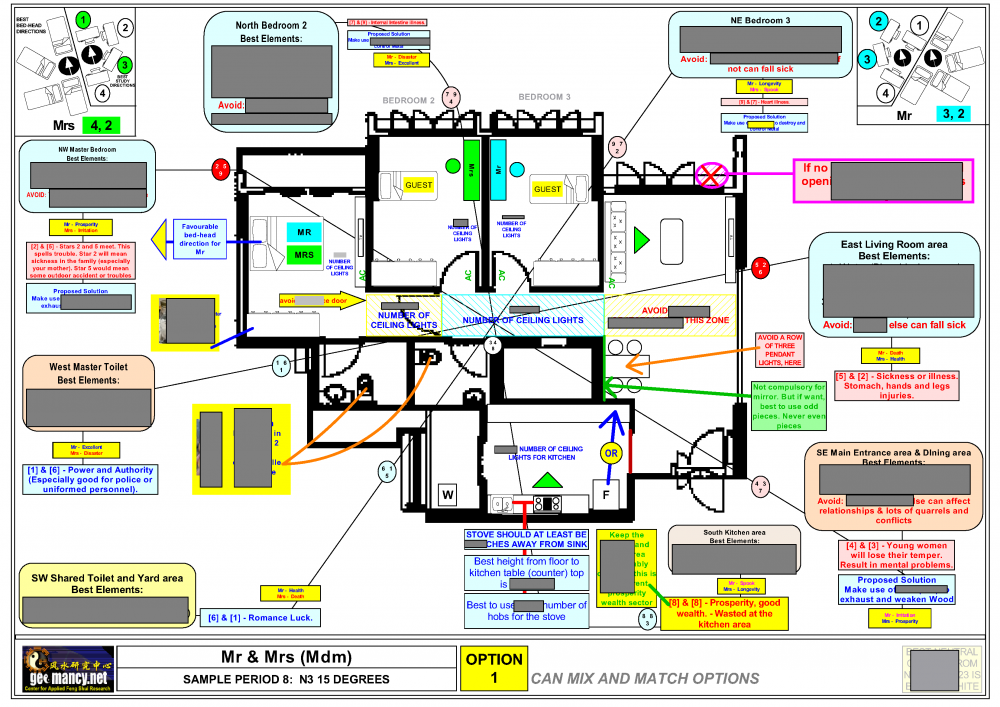
Part 3a: Flying Star Feng Shui of HDB Dawson Vista (Dawson Site D) North facing stacks 1. HDB Dawson Vista's stacks/units either face Flying Stars Period 8 N3 or S3 only 2. HDB Dawson Vista is expected to T.O.P. in 2020. As such this development under Flying Star Feng Shui is considered to be "born" or adopt a Period 8 (2004 to 2043) Flying Star N3 chart. 3. Thus Stacks #57, #61, #63 & 65 apply a similar chart as shown under this sample:- 3.1 From now to around 2022 - 2023. The wealth luck of Stacks #57, #61, #63 & 65 are all wasted at the kitchen where there is a combination of double #8's at South sector. 3.2 However, the good news is that around 2 years before 2024 the switch over to Period 8, by then the wealth luck stars no longer is the #8. The #8 then becomes "past prosperity wealth stars". 4. The good news is that from 2024 to 2043. The reigning wealth stars are the #9's. For these stacks by then the Mountain Star (MS) #9 will be located in the Master bedroom. (This MS represents networking and relationship luck). Good that by then it falls in the master bedroom. 5. The other #9 which is known as the Water Star (WS) #9 falls in the bedroom(s) depending on the type of unit 3/4/5 bedrooms.
-
As the year 2024 approaches. This additional thread aims to discuss the Feng Shui luck for the period from 2024 to 2043 concerning HDB SkyOasis. During this timeframe, the dominant luck number will shift from the current #8 to #9. By the end of 2023, #8 will be regarded as "past prosperity."
-
Please consider the above as a supplementary thread to below:- This is the original review.
-
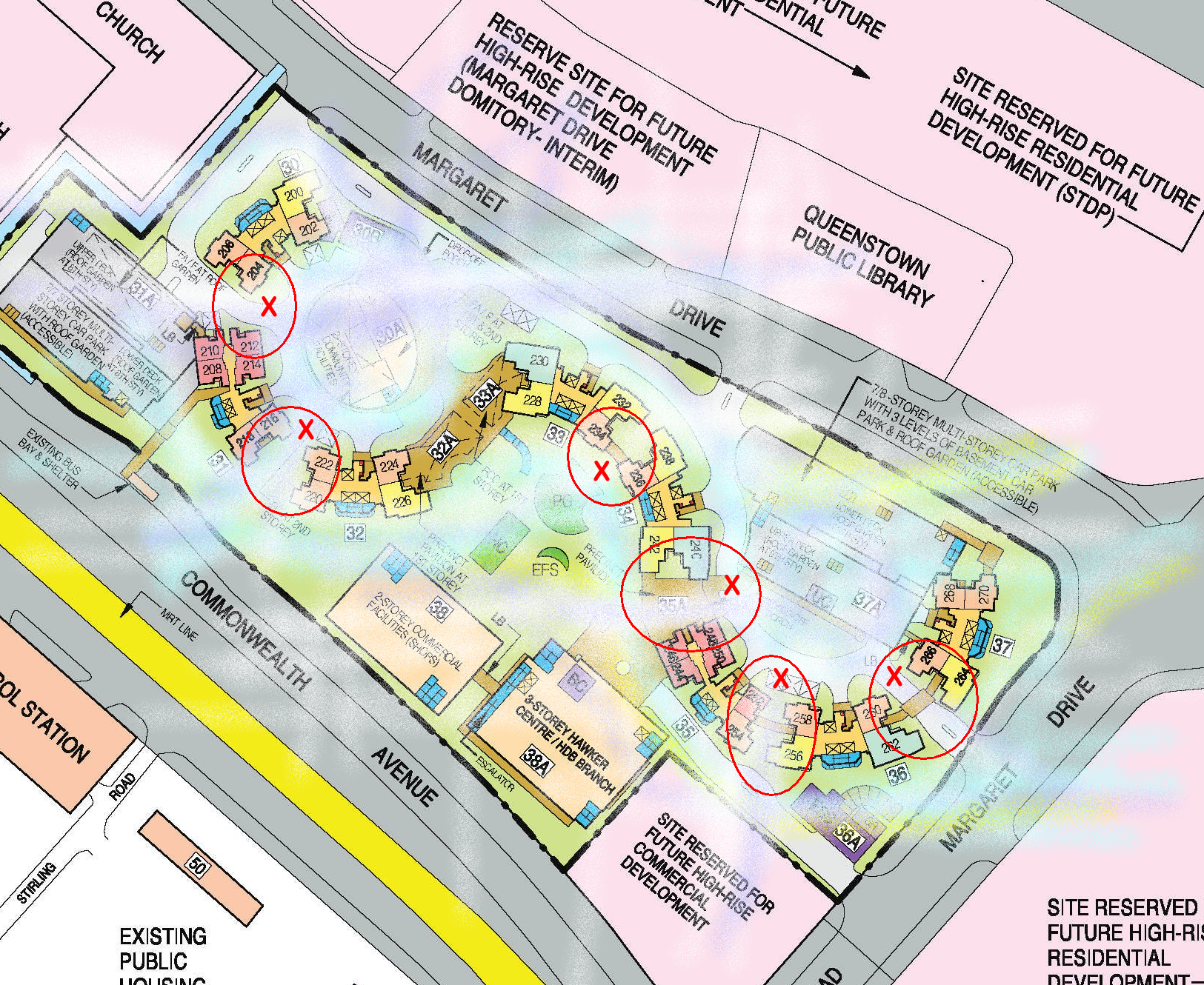
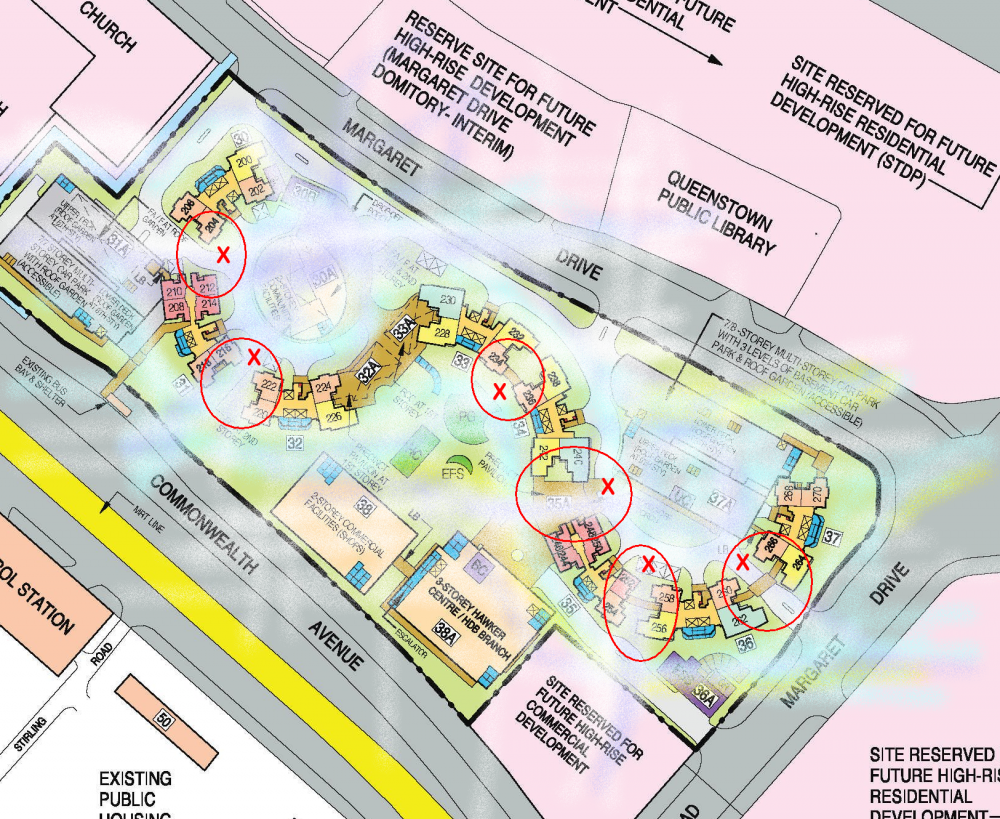
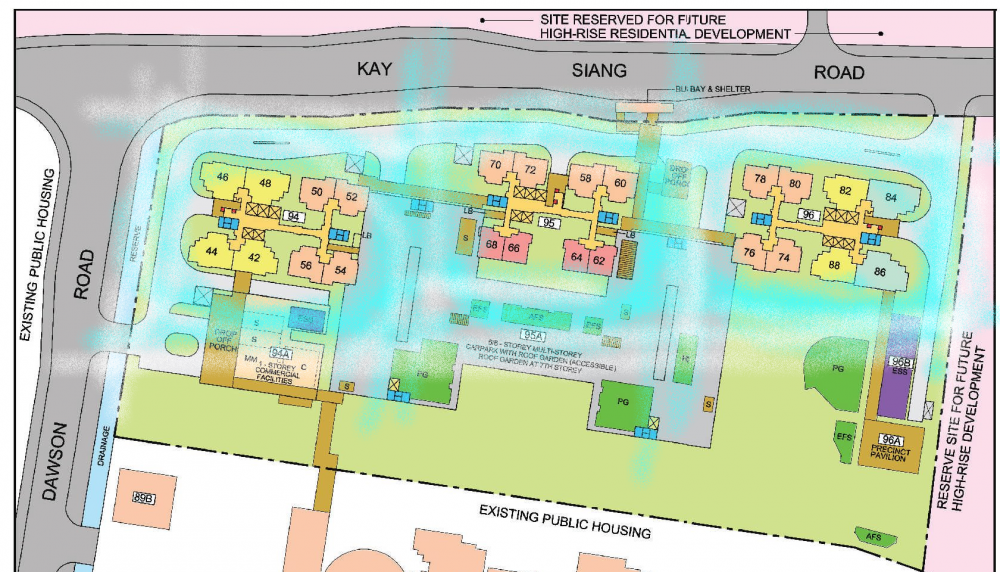
Part 3: Flow of Qi in an S curve and air-gaps 1. On a windy day, expect some air-turbulence around markings in red = "X". 2. If it is breezy, this brings good fortune to those stacks/units close to marking "X". 3. But if it is extremely windy days. For example, things go "flying" especially in the exposed yard area; it would be good for those units that have installed casement windows at the yard. 4. Thus on on extremely windy days.. do remember to close these windows to avoid affecting both health and wealth luck.
-
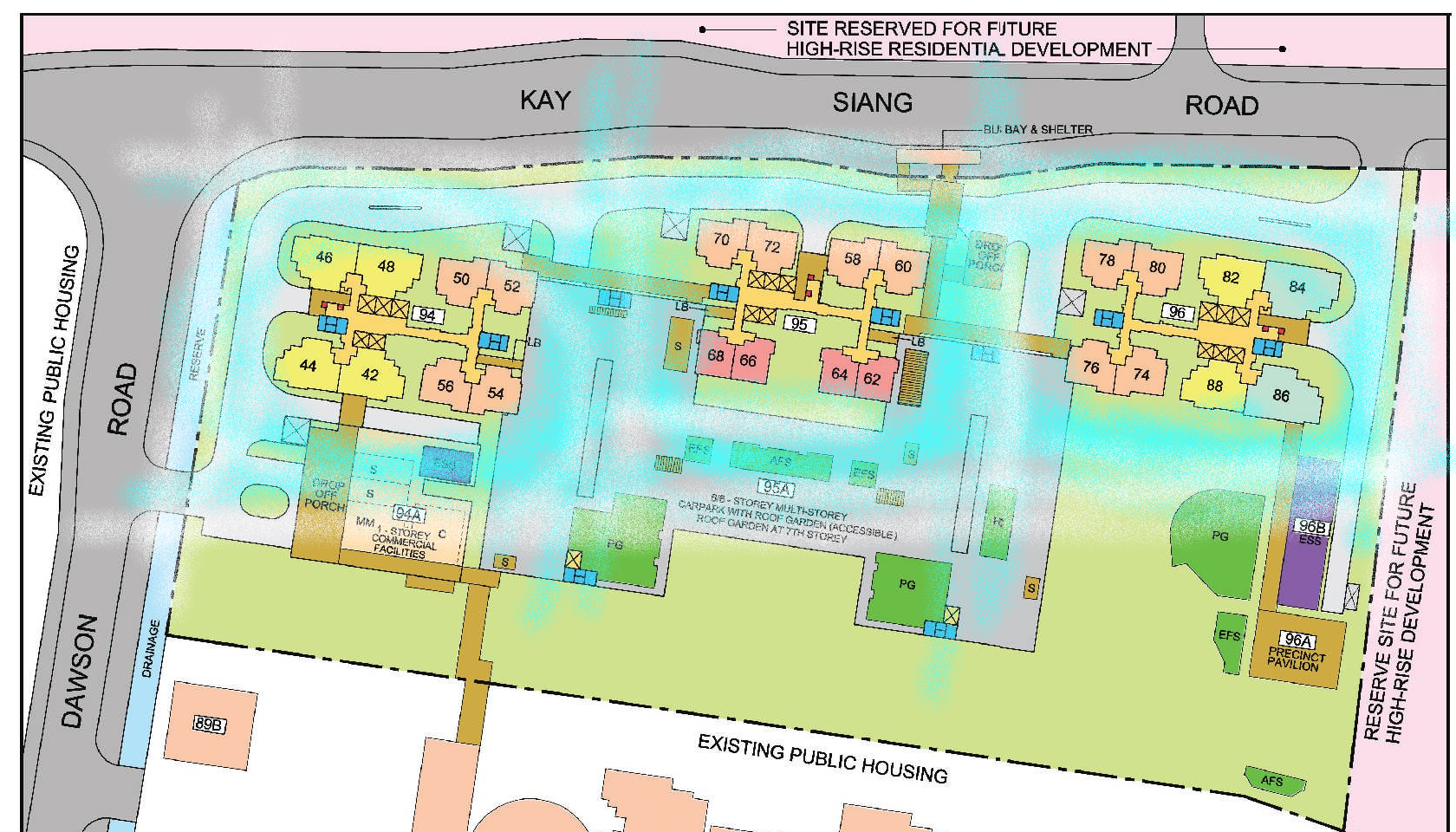
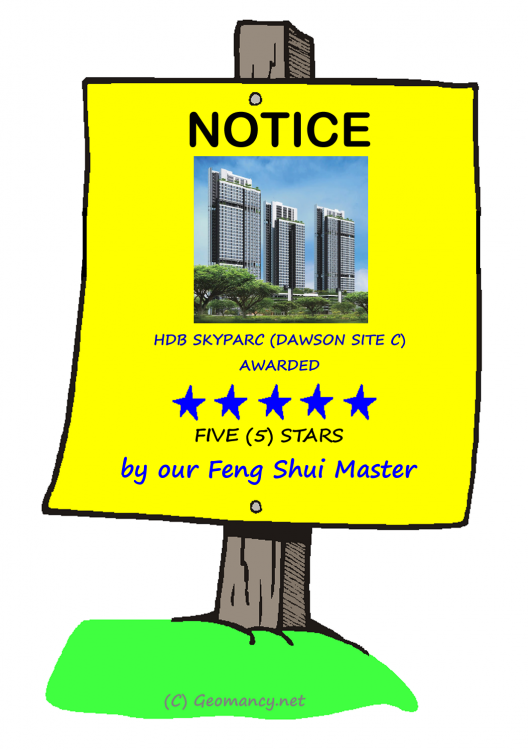
Part 3: HDB SkyParc @ Dawson has been awarded Five (5) stars for good Block design 1. Traditional "Point-block" or Tower-block designs are the safest. This follows the trend from single tower blocks x 3. 2. Point-blocks (tower-blocks) means that air-flow for each block is even and good for the residents living there. 3. Tower blocks are considered under the Five elements concept as the Wood element. 4. Wood element represents growth. Or growth for the whole family.. from having children to raising a family + career.
-
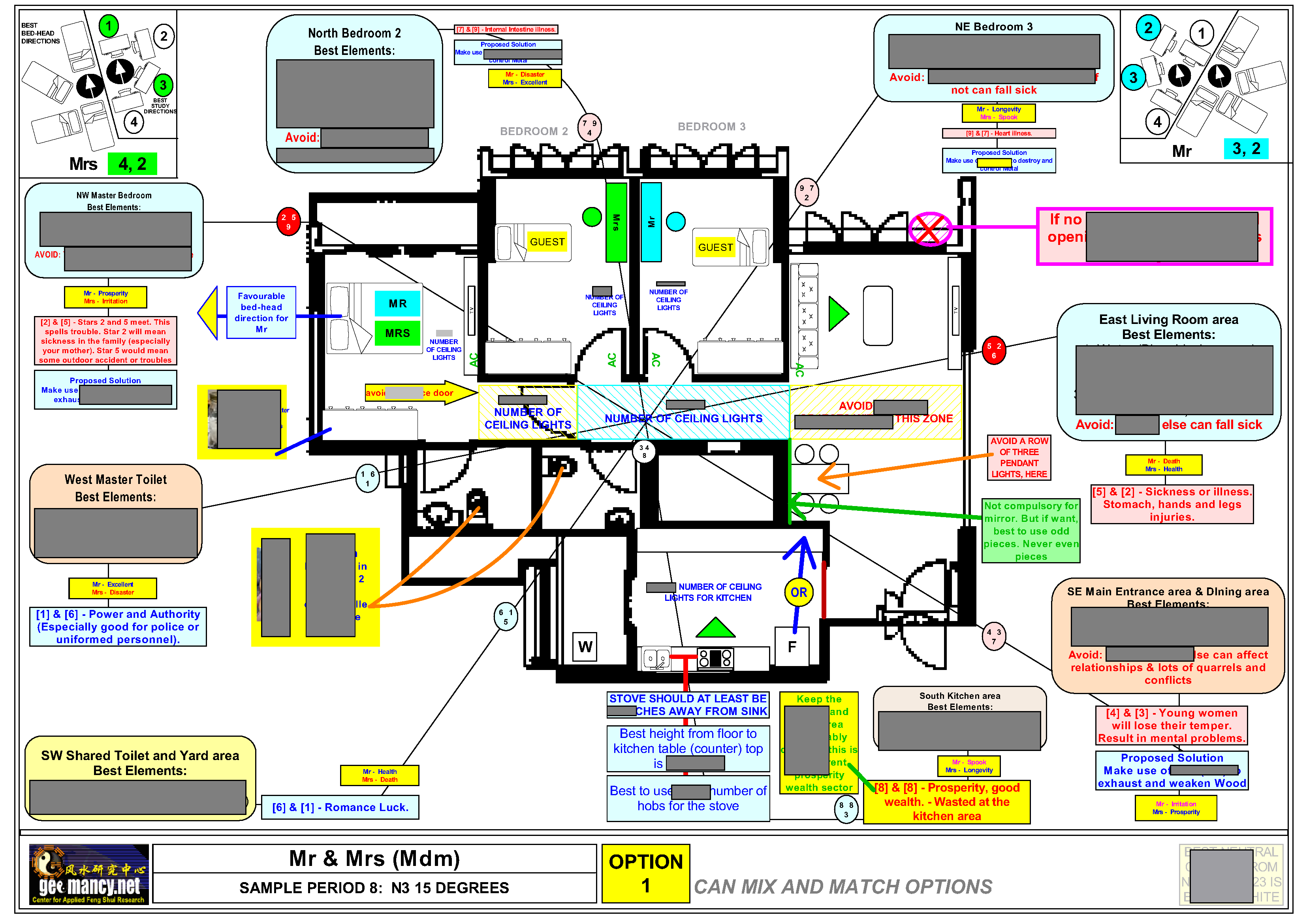
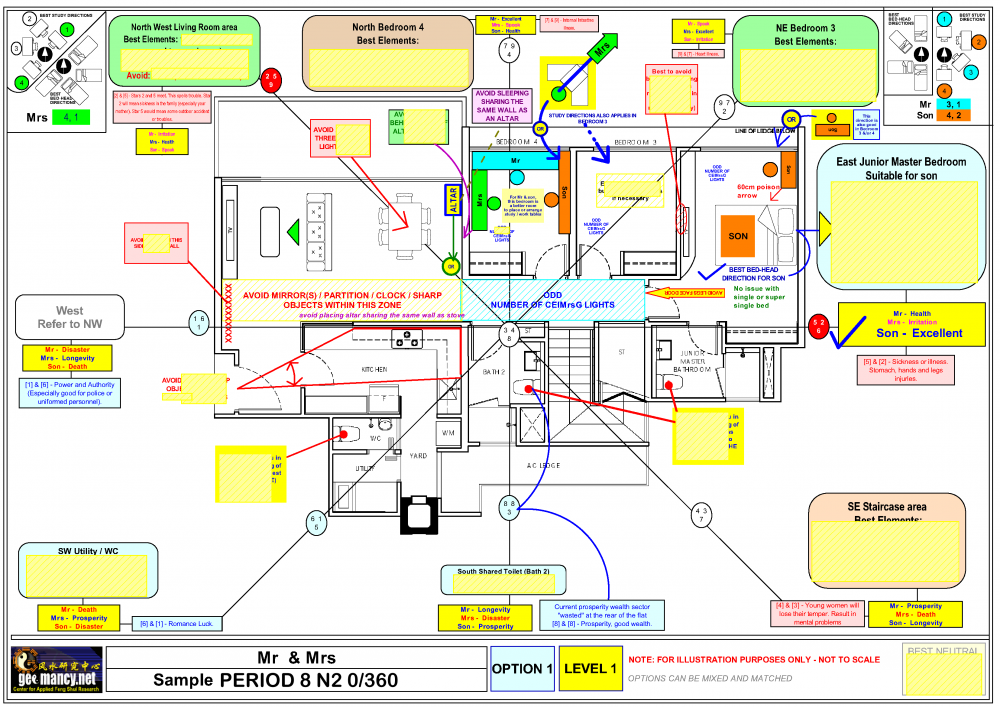
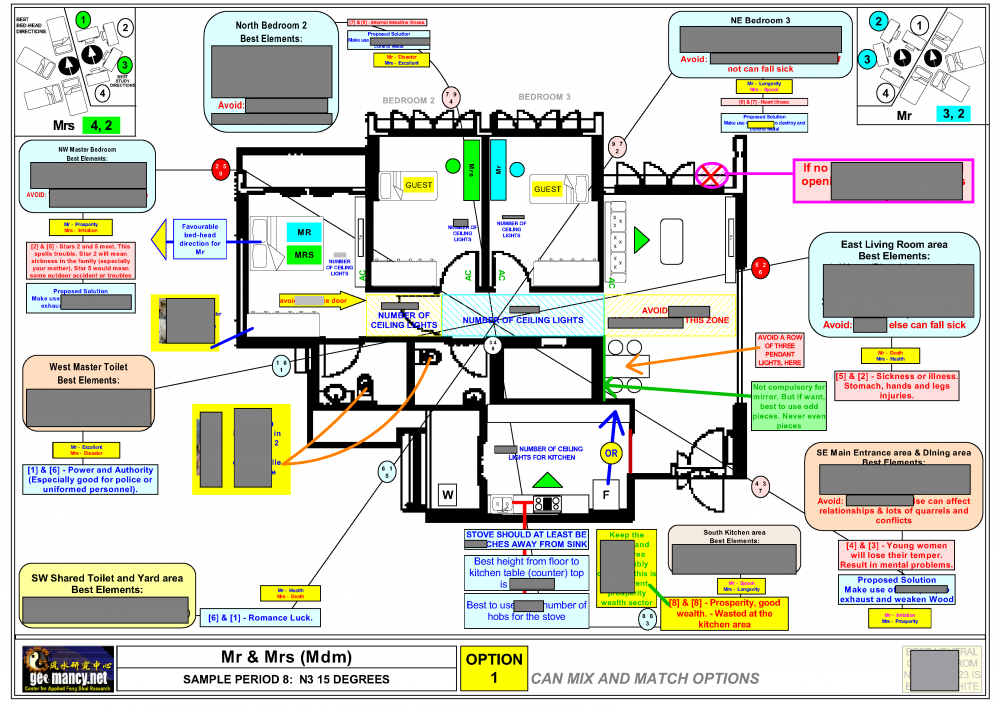
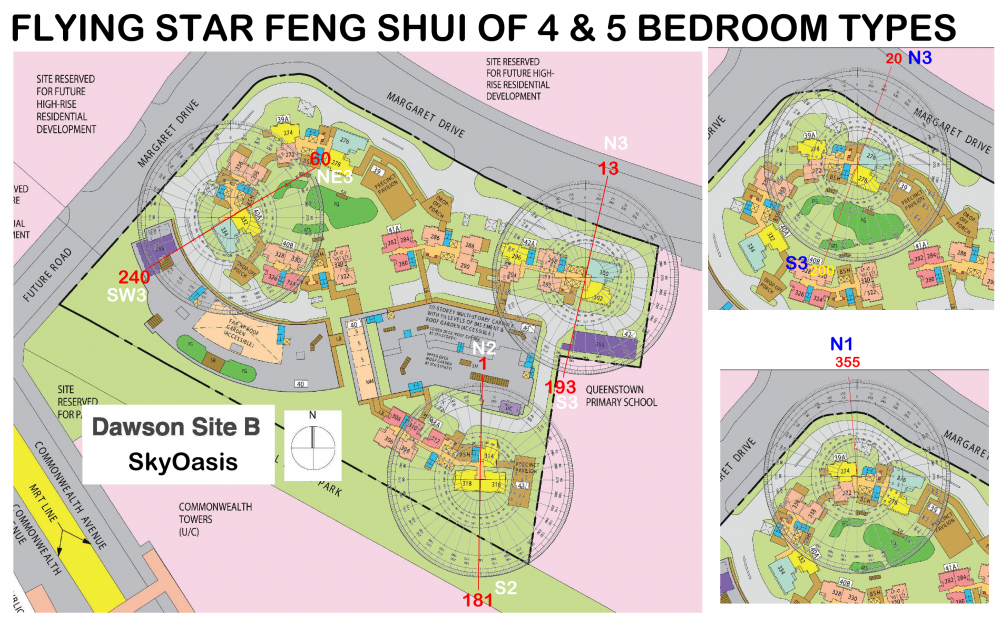
Part 4b: Under Flying Star Feng Shui both N2/3 and S2/3 shares the same Flying Star numbers 1. The Flying Star directions of various stacks: N2 = #314 S2 = #316 & #318 N3 = #276, #296 & #300 S3 = #278 & #302 2. Sample of a N2/N3 Flying Star Chart. For an N3, chart, the unit has to be plotted in relation to the compass directions. But an N2 #314 shares the identical Flying Star chart as the N3 = #276, #296 & #300. 3. The characteristics of an N2/N3 chart is that from now to 2023, the current prosperity double auspicious 8's stars are wasted at the rear of the unit. 4. Thus assuming the T.O.P. is obtained in 2020; the double auspicious #8's will be wasted at the rear of the unit for 4 years. 5. What happens after 2024? 5.1 Usually, one can feel the difference in luck around 2 years before the switch over. 5.2 This is because, during this time #8's are the current prosperity wealth stars. And in the sample chart below (not the actual layout of SkyOasis); the double auspicious #8's x 2 is at South = rear of the unit. 5.3 By 2022.. 2023 and from 2024 to 2043.. the Flying Star chart will remain the same. But the #8's has turned from auspicious to become past prosperity wealth stars. At the same time, #9's will become the current prosperity wealth stars! 5.4 If you look at the template below:- 5.5 North has the Mountain Star (MS) #7 with Water star (WS) #9. Usually this would be one of the bedrooms for a 4 or 5 bedroom type. Good that this water star is at the frontage! 5.6 Take a look at NE sector. Here, there is another #9. This #9 is a MS #9 representing = networking and relationship luck. And this falls in the master bedroom. Another plus! 5.7 Below: This is an N3 Flying Star chart. All the Flying Star numbers are exactly the same. Just that when we map the compass directions, it is slightly different from an N2 chart that's all. N3 = #276, #296 & #300 follows this compass alignment. 6. Flying Stars S2 = #316 & #318 fate is directly opposite the N2/N3. Good till 2022.. 2023.. But less lucky from 2024 to 2043. Given that the Flying Stars is a mirror of the above. Thus what is not so good for a P8
-
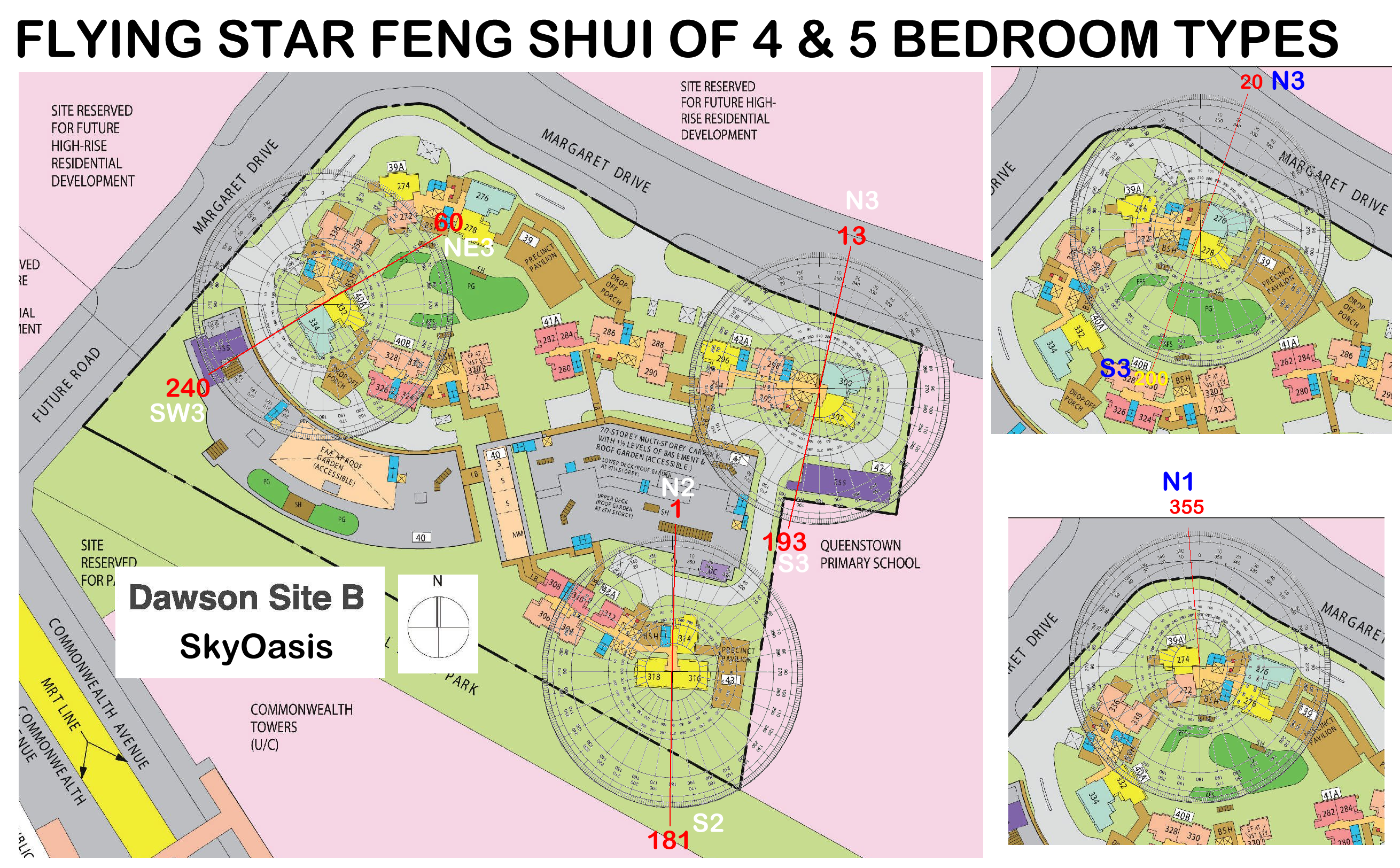
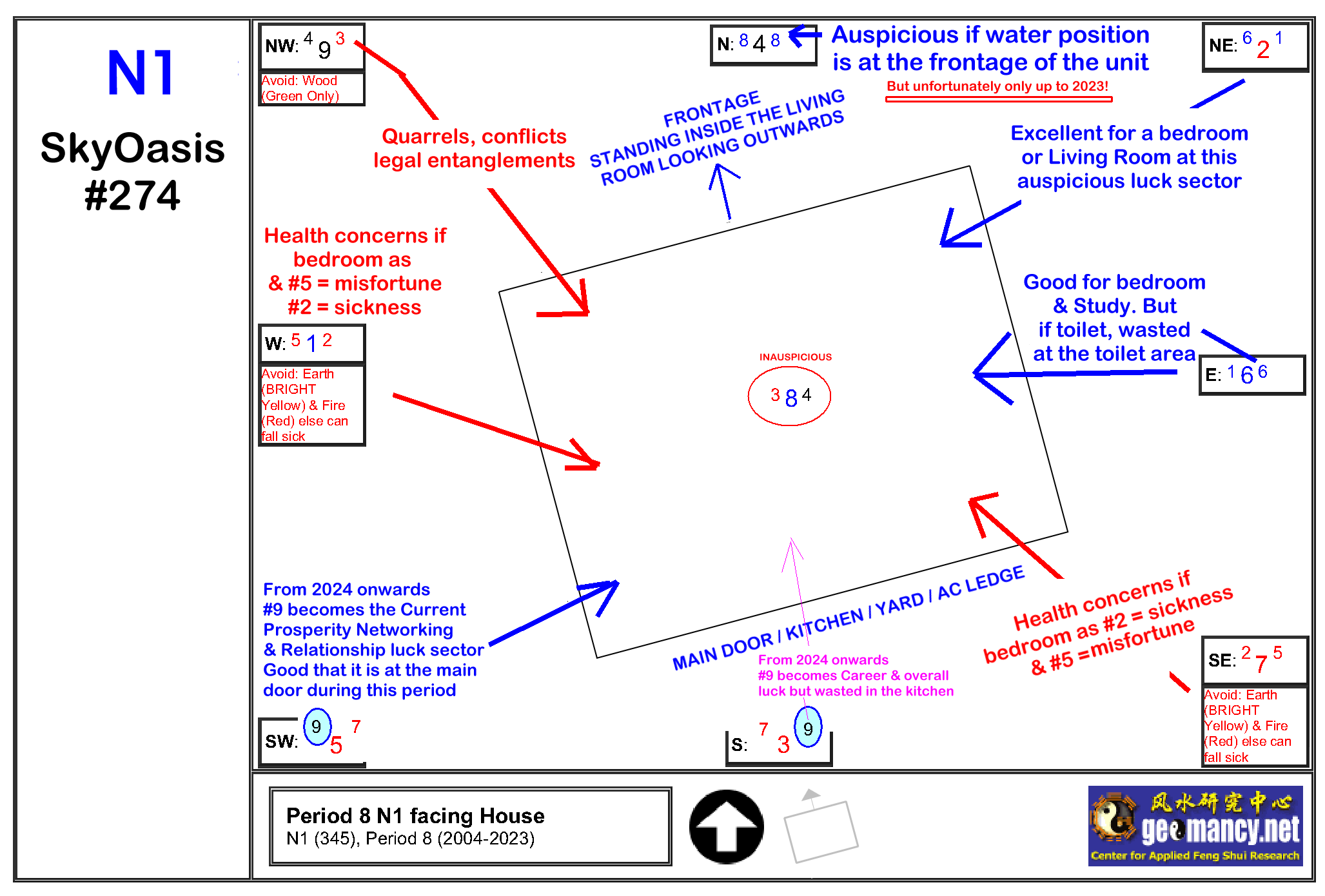
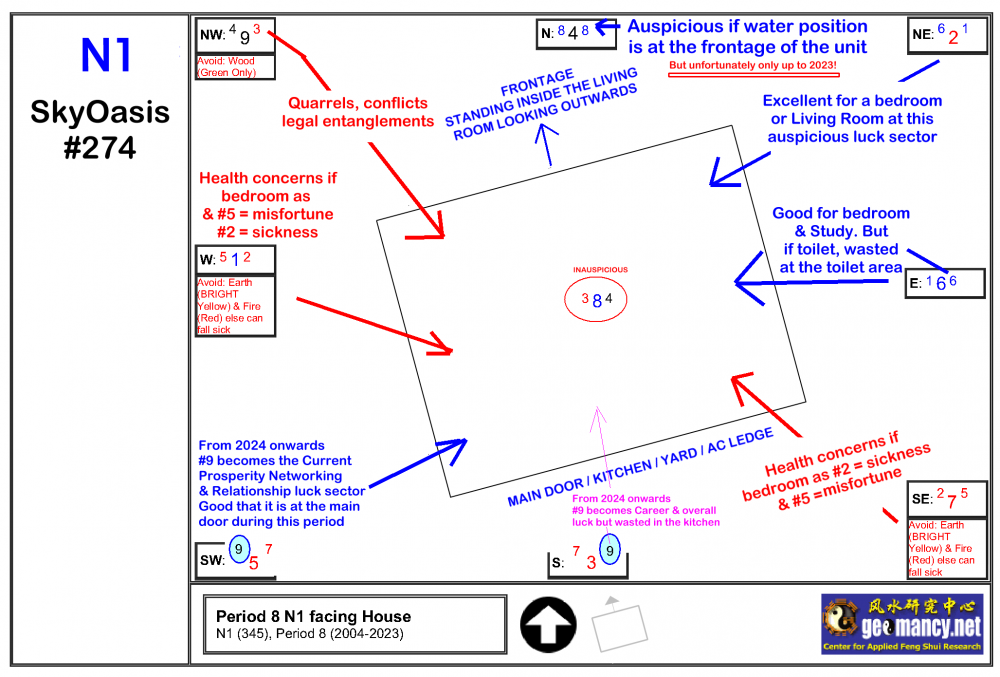
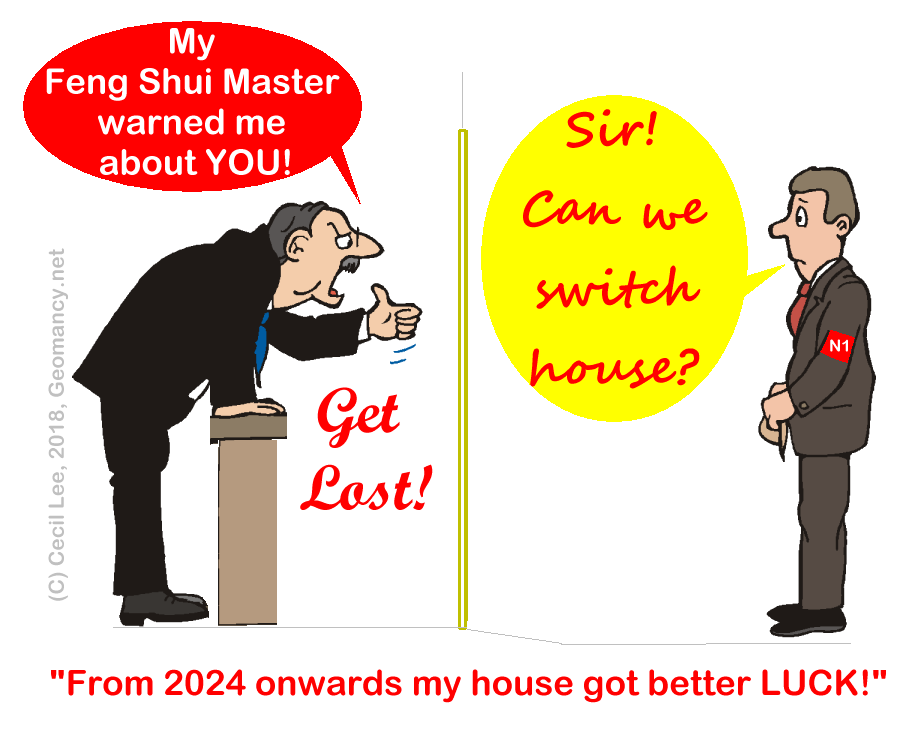
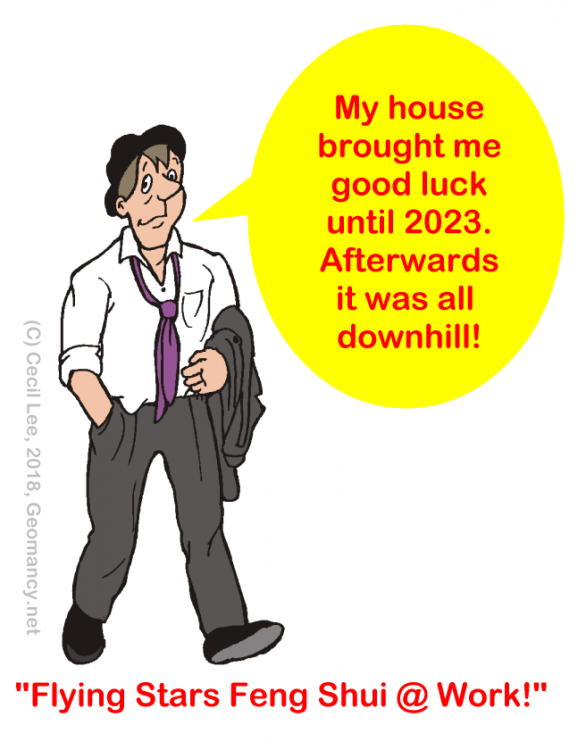
Part 4a: Flying Star Feng Shui directions of 4 and 5 bedroom Types at SkyOasis 1. Flying Star Directions / Stacks:- N1 = #274 N2 = #314 S2 = #316 & #318 N3 = #276, #296 & #300 S3 = #278 & #302 NE3 = #332 SW3 = #334 2. N1 with stack #274 has the auspicious double 8's at it's frontage from now to 2023. Thus lucky perhaps for as long as it does not cross over to 2024. 2.1 Good if the master bedroom is located at NE sector. As it has good auspicious star combinations of MS#6 + WS#1. 2.2 If a bedroom is located at East is good for a bedroom cum study. 2.3 The rest of other sectors has inauspicious stars. And may need to be disarmed. 2.4 From 2024 on-wards, the frontage's double 8's becomes past prosperity! 2.5 And from 2024 to 2043, at that time Water star #9 becomes the wealth star is wasted at the kitchen. While the Mountain star #9 is at the main door. 3. Thus Feng Shui is to be considered especially for this period carefully. 4. Under Flying Star Feng Shui luck can change from one direction to another:
-
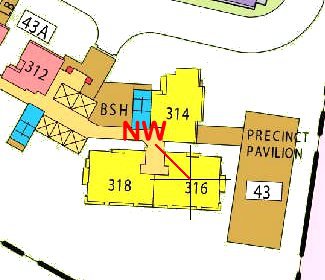
Part 3: HDB SkyOasis Dawson Site B and Inauspicious "Fire @ Heaven's Gate" with Block 43A stack 316 1. Block 43A stack 316 has it's kitchen at NW sector which is considered inauspicious. As NW represents two significance: a. Male Head of the household. Usually the male breadwinner. b. Luck from Heaven 2. Thus it is considered inauspicious whenever one uses the stove to cook. As this implies fire at the Male Head's domain. And also affects the overall family luck.
-
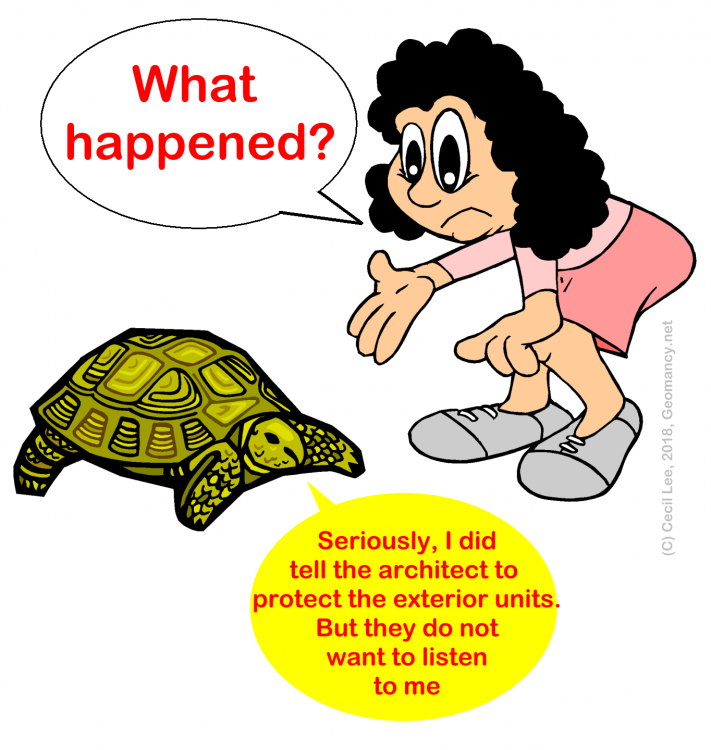
Tortise says: "Watch your front....no one believes him"
-
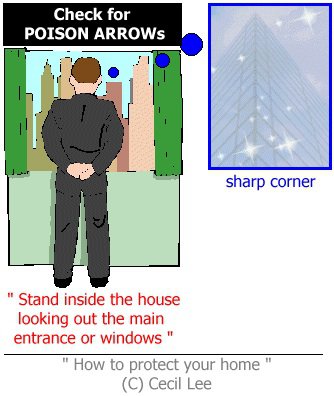
How to check when the physical building’s not up? This is the concern for under construction developments like Daintree Residence. Try crossing fingers, please. Safest is look inwards... FS Master says: “Sorry, your Guess is as good as mine! And I cannot help you now! Need to be on-site...”
-
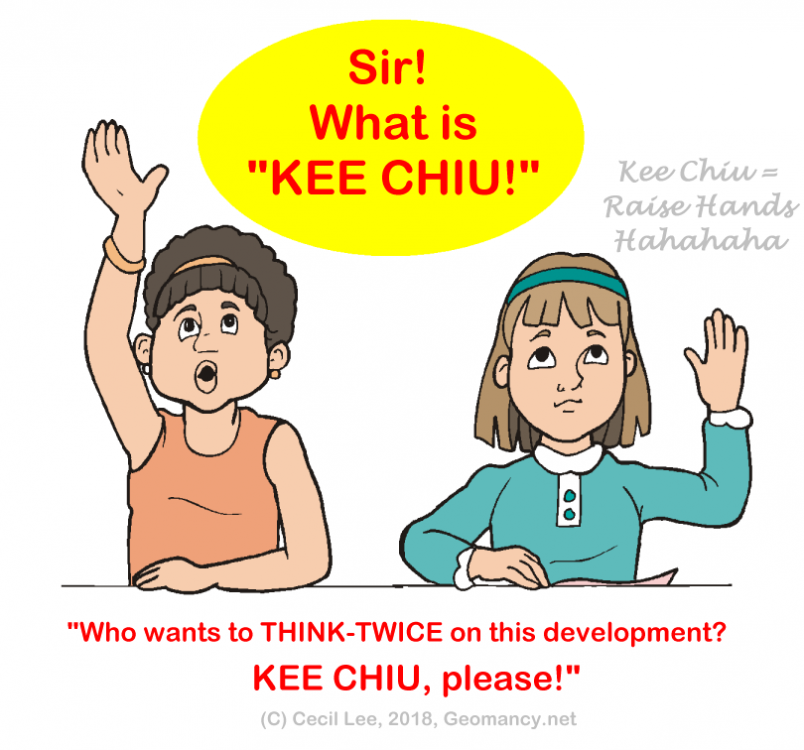
Reporter: "What happened?" FS Master: "For this development: look INWARDS not OUTWARDS!" Reporter: "GOT IT!" Potential buyer: "If I buy outwards how?" FS Master: "Caveat Emptor.. let the buyer beware.." Potential buyer: "Noted! I like because it is residential-neighourhood-legal-height restriction of only up to 5 storeys high! + I like this area.” Potential buyer: “Perhaps, I may look inwards or elsewhere... Anyone selling a unit at The Creek? Kee Chiu!
-
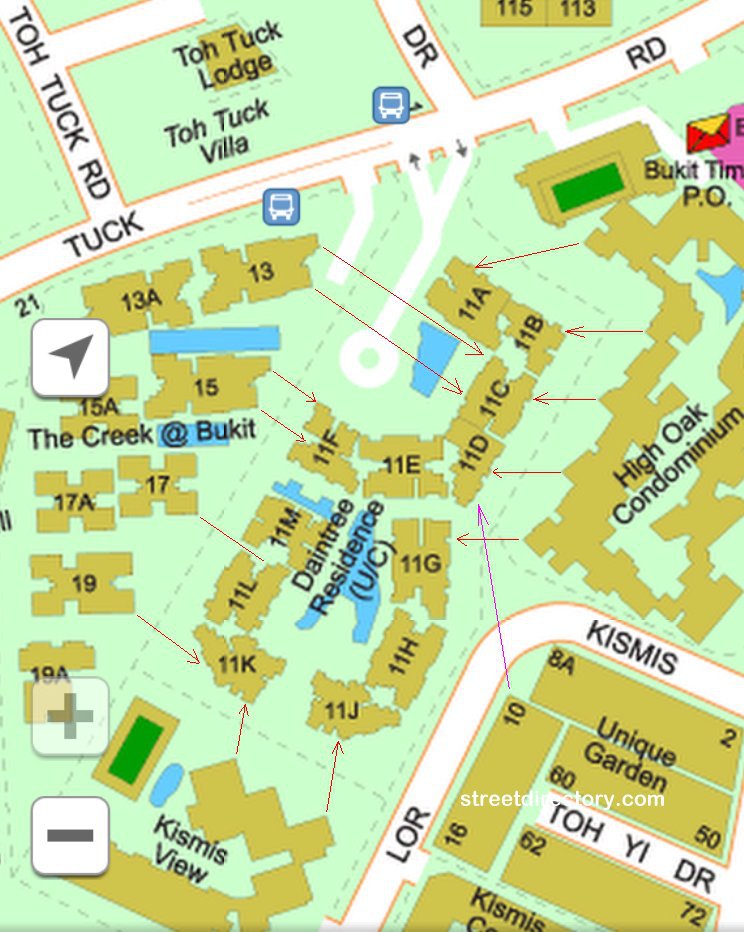
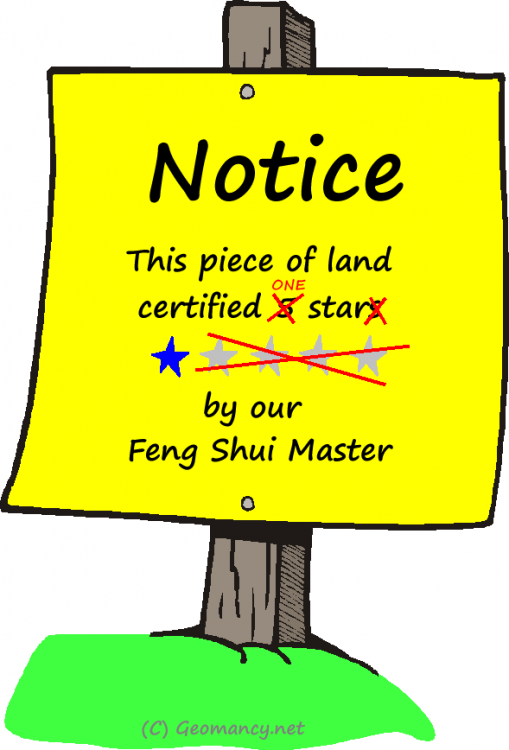
Part 2 - Poor External Shapes and Forms Feng Shui of Daintree Residence 1. The poor Daintree Residence site is literally surrounded all round with the exception of a "breathing tube" connected to Toh Tuck Road. 2. Please see below:- (Credit: Streetdirectory.com) 3. The recently TOP The Creek @ Bukit Batok has many Blocks/stacks with their sharp corners aimed at Daintree Residence. For example: Blocks 13, 15, 17 & 19. Please see the red arrow(s). 3.1. Cannot help it if the planners of The Creek decided to orientate or try to orientate their blocks in a North-Southerly direction. 4. Kismis View also has it's fair share of poison arrow(s). Two of it's arrows hit "on-target" Daintree Residence Block 11K and 11J unit's frontage... Oops! Ouch! 5. Unique Garden's Block 10 also has a sharp corner. 6. High Oak Condominium also has many stacks with sharp corners. Here, High Oak Condo although seems to be parallel to Daintree Residence.. not quite as this development has protrusions that are potential poison arrows. 6.1 For this development try to look "INWARDS" as one will never know of any potential enBloc of it's neighbours and if no poison arrow now.. in the future.. may or might have! 7. The problem with a newly under-construction development is one cannot properly confirm right now whether the sharp corner is aimed towards an opening of a unit at Daintree Residence or not? One can just play safe and say.. lets avoid stacks/units facing outwards of Daintree Residence! 8. Thus in general, because of this, the external Shapes and Forms sucks! 9. This award is for Daintree Residence: 10. The planners (architect) and developer should have opted for a North-Southerly orientation similar to that of The Creek at Bukit Timah.. DOH!
-
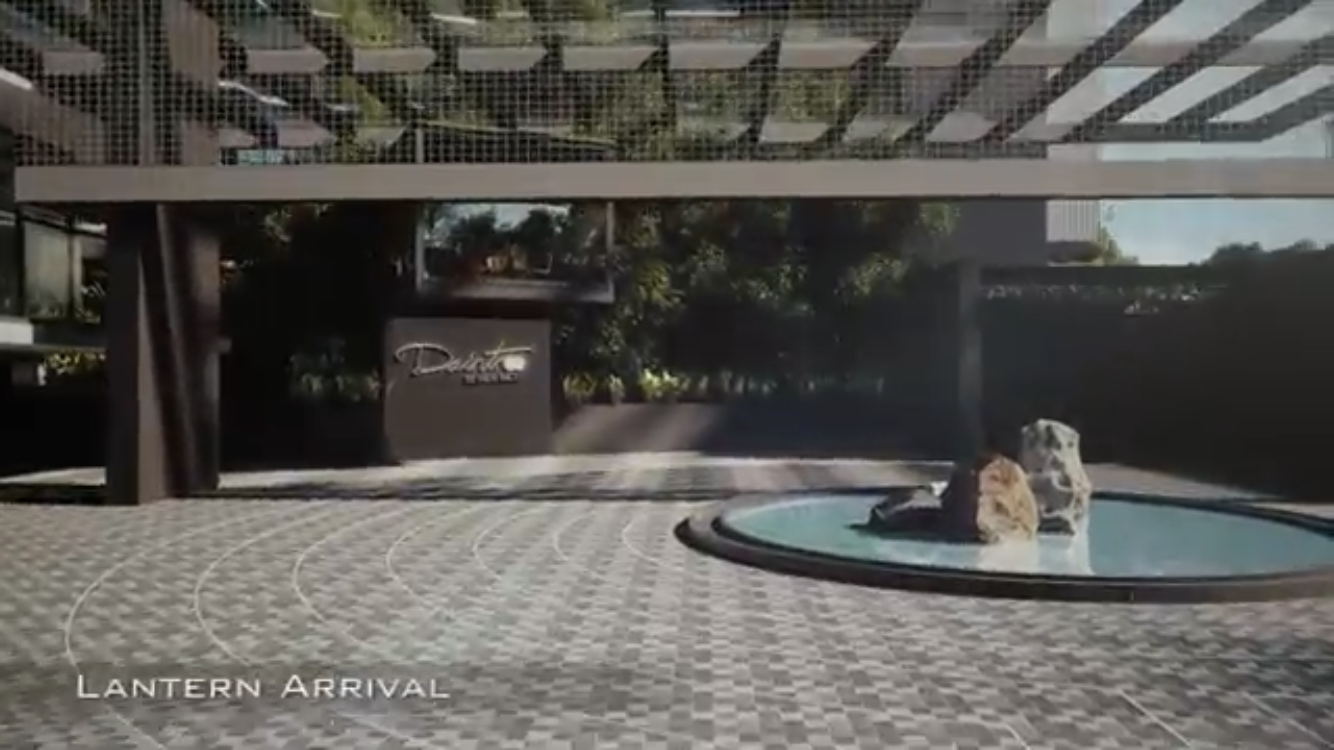
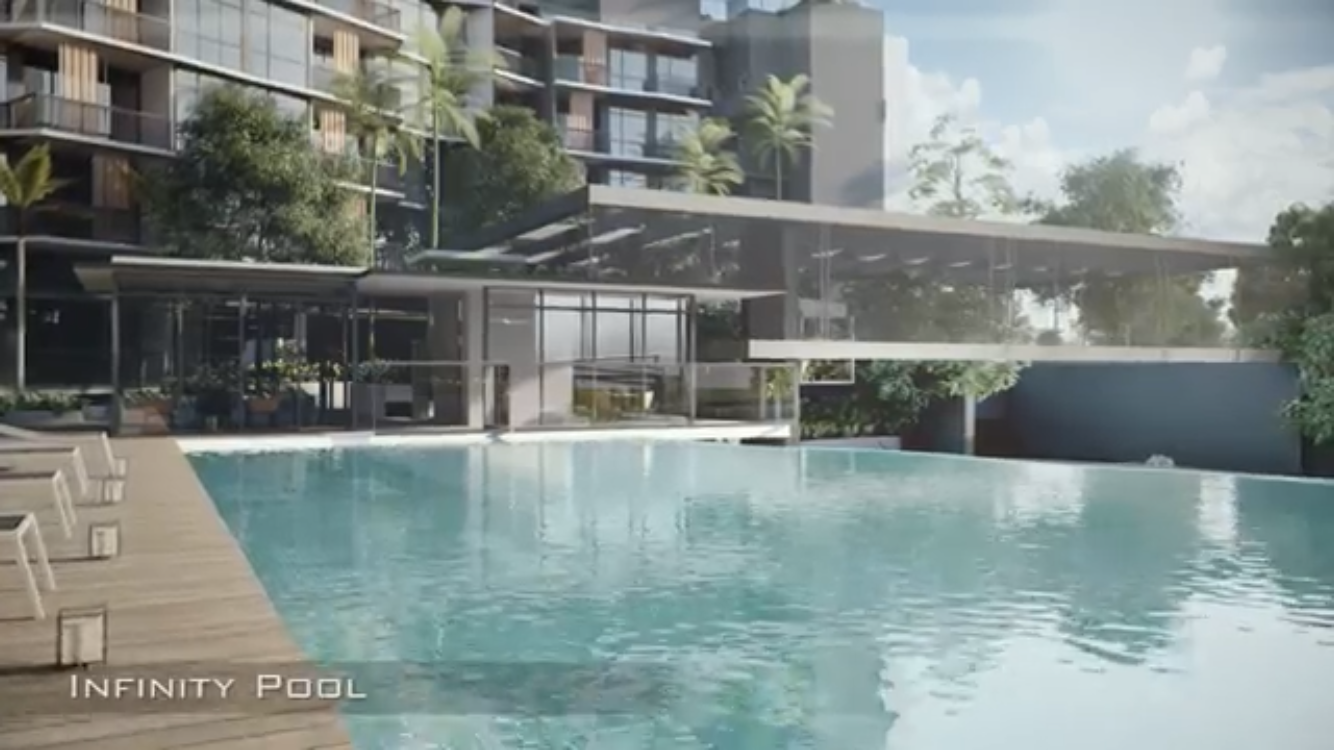
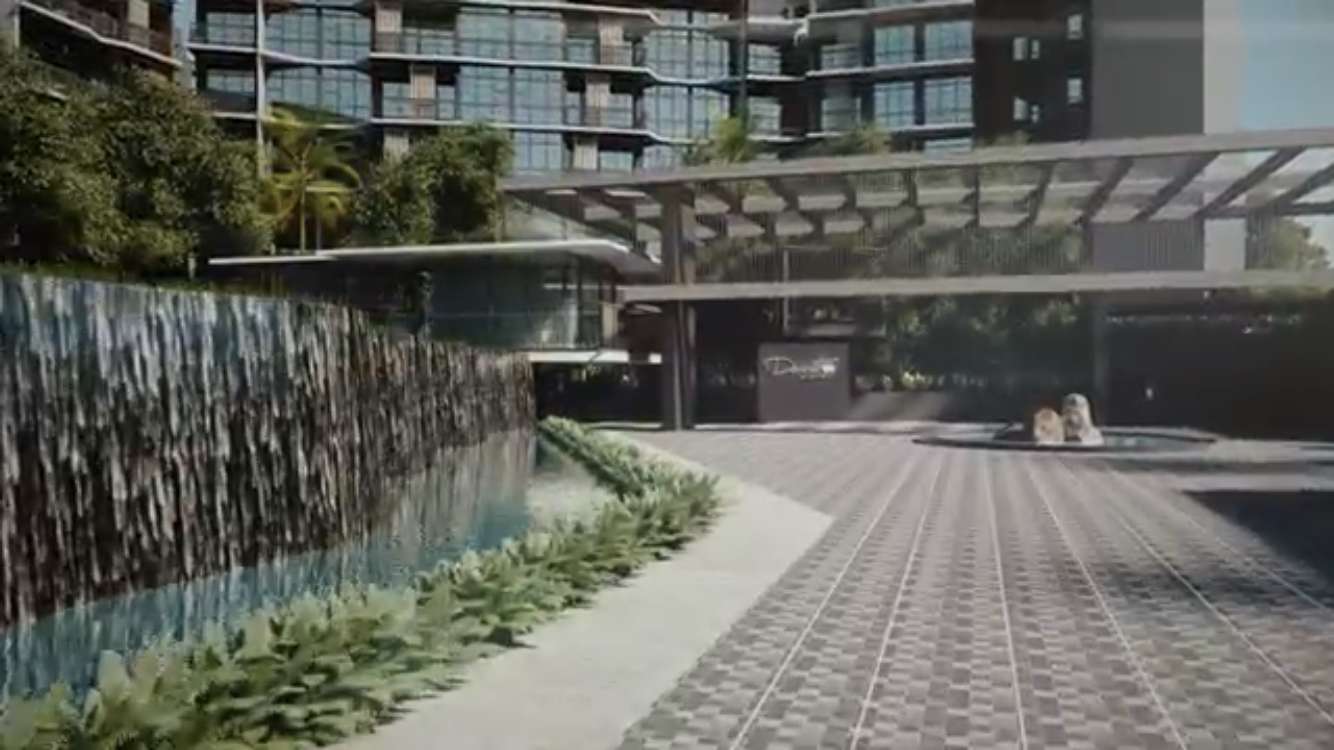
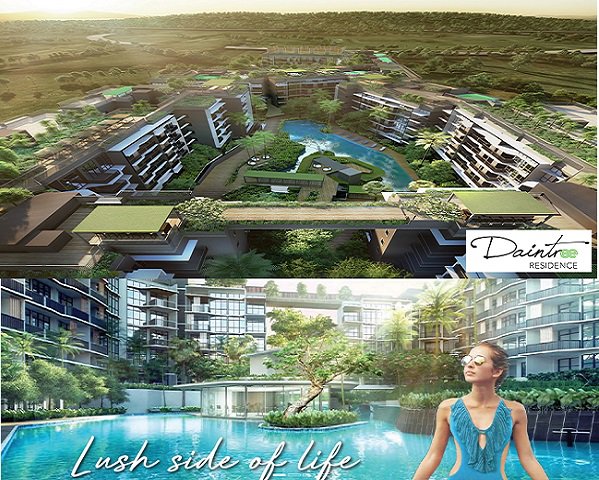
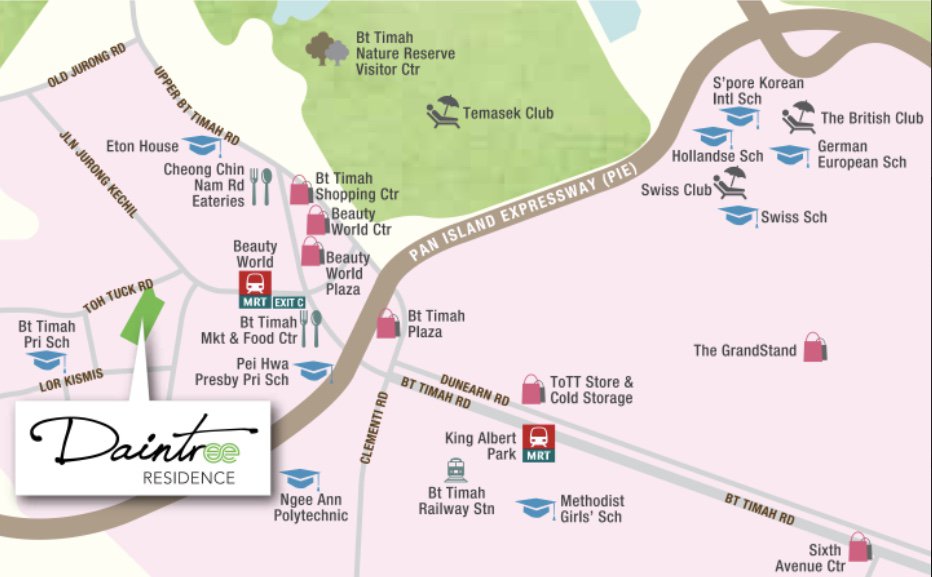
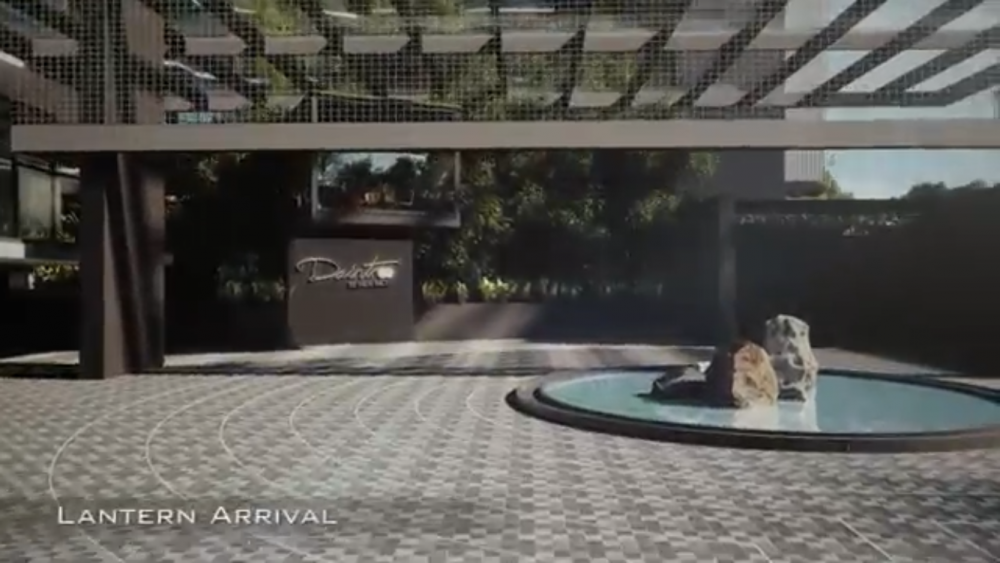
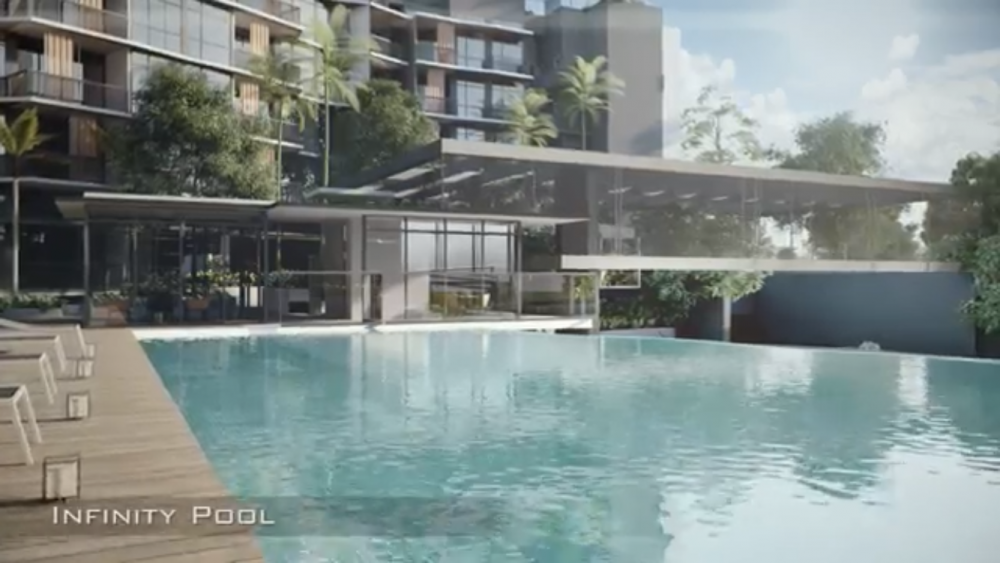
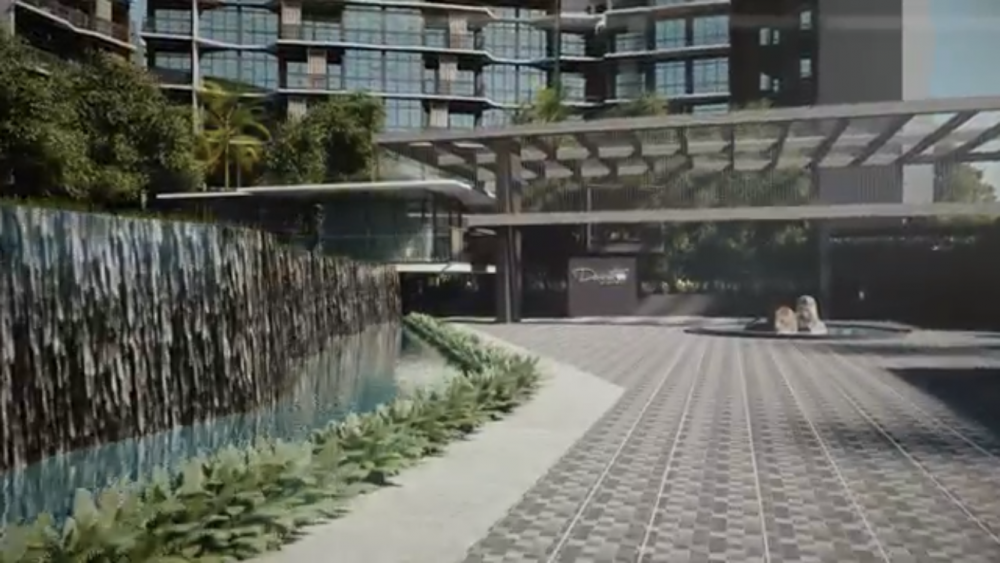
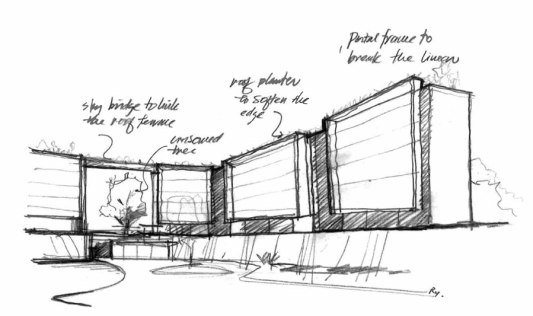
Part 1 - Daintree Residence a 99 year leasehold development consisting of 12 blocks of 5 storey high. The architect's creative concept or vision of the development: "AN ARCHITECTURAL MASTERPIECE Exquisite and elegant, the articulated façade of Daintree Residence is a stunning composition that is naturally sophisticated. Showcasing the rippling effect of a stone quarry’s vertical topography, the artfully contoured façade gracefully sprouts into lush natural surroundings of Rainforest and Valley that seamlessly integrate and pushes the boundary of design. While form and function efficaciously captivate an extraordinary identity, the panoramic Treetop walk offers a truly unique experience. Five storeys in height with just 327 exclusively well-appointed apartments, every resident shall luxe in the abundance of lifestyle facilities to pamper their every needs." In Feng Shui, this simply has to do with the Macro vision under Shapes and Forms.
-
-
Date: 18 July 2018 ... still waiting for launch details.. hmm... Reading between the lines of Sales Brochures...

-
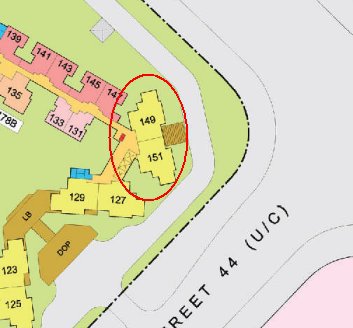
Part 3: There is a stigma associated with stacks 149 and 151 facing a junction of the road. Just yesterday, a client also called me. His apartment is also similar to that of stacks 149 and 151. He told me that it is very scary to hear frequent noises resulting from frequent accidents at a junction. Frankly, it has more to do if one's home is a landed property and on a ground floor. Here, there is a constant fear that a runaway vehicle may breech the main gate of such a property and even crash into the garden and into the home. Otherwise, the main consequence has more to do with strong winds. If too strong a wind may result and sickness and loss of wealth for those staying in 149 and/or 151, instead.