Cecil Lee
Staff
-
Joined
-
Last visited
Everything posted by Cecil Lee
-
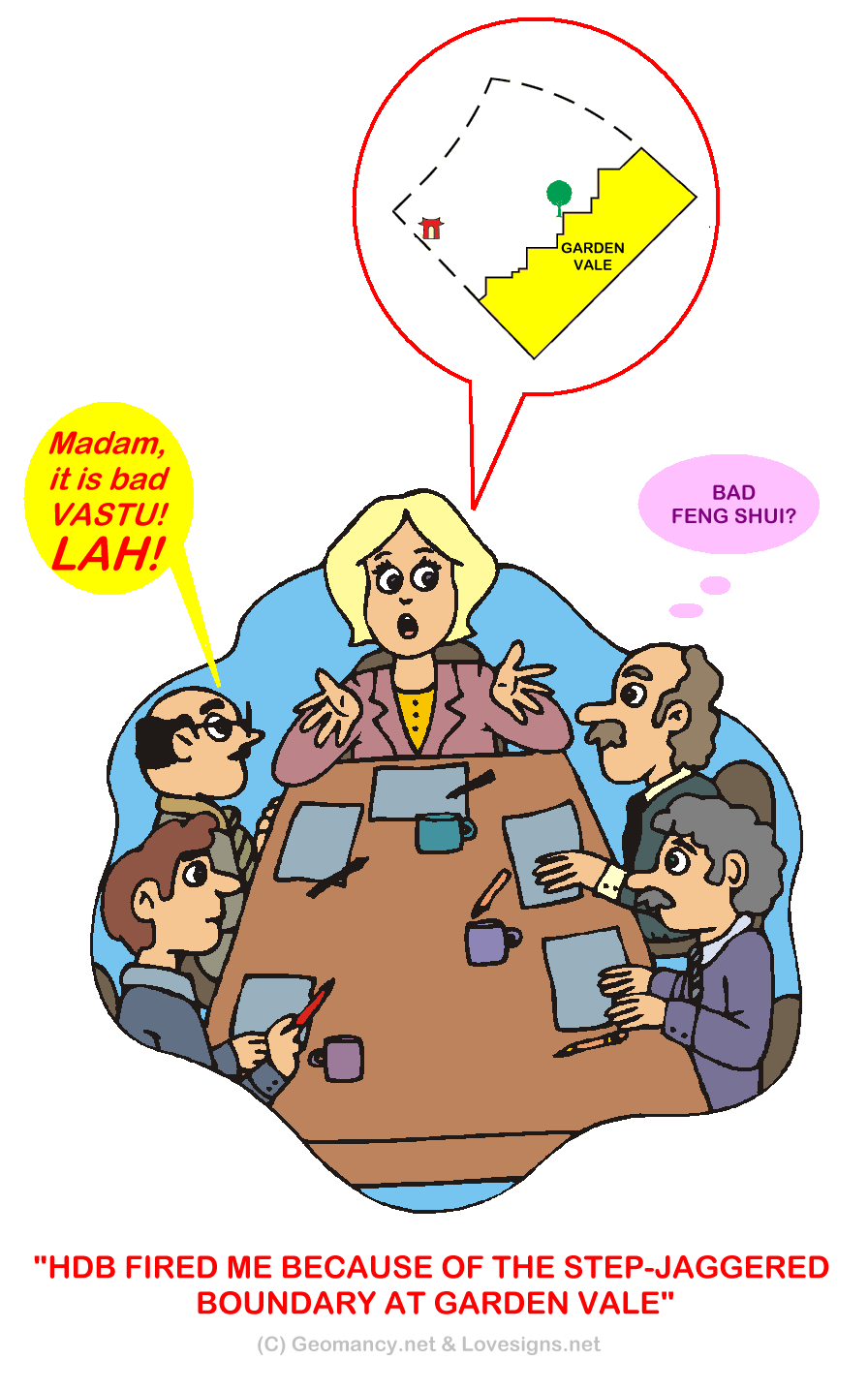
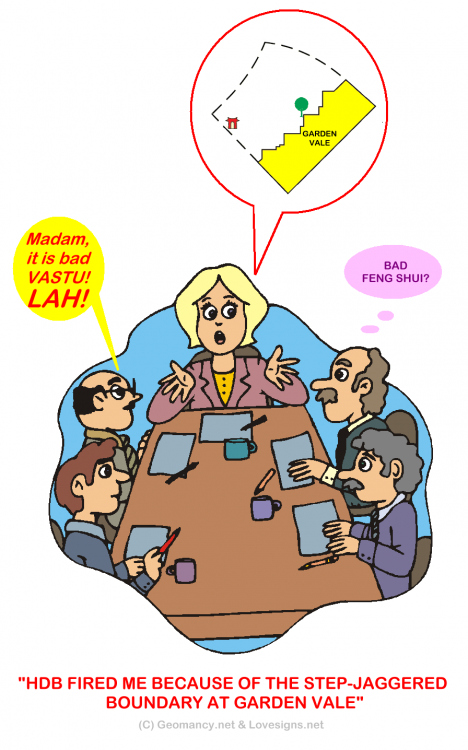
*** BREAKING (FAKE) NEWS *** "An architect firm by the name of Bo Liao Architects & Sons has been permanently banned from designing future HDB BTO developments". The CEO of Bo Liao Architects & Sons had just called a shareholder's meeting at their HQ:- The CEO has been fired due to a vote of no confidence. Even her Indian Vastu Master says so... And her next job? Still got a job? Yes! A homemaker at her own home. LOL... P.S. Bo Liao is a Hokkien term. Which is translated into English as "No substance"..
-
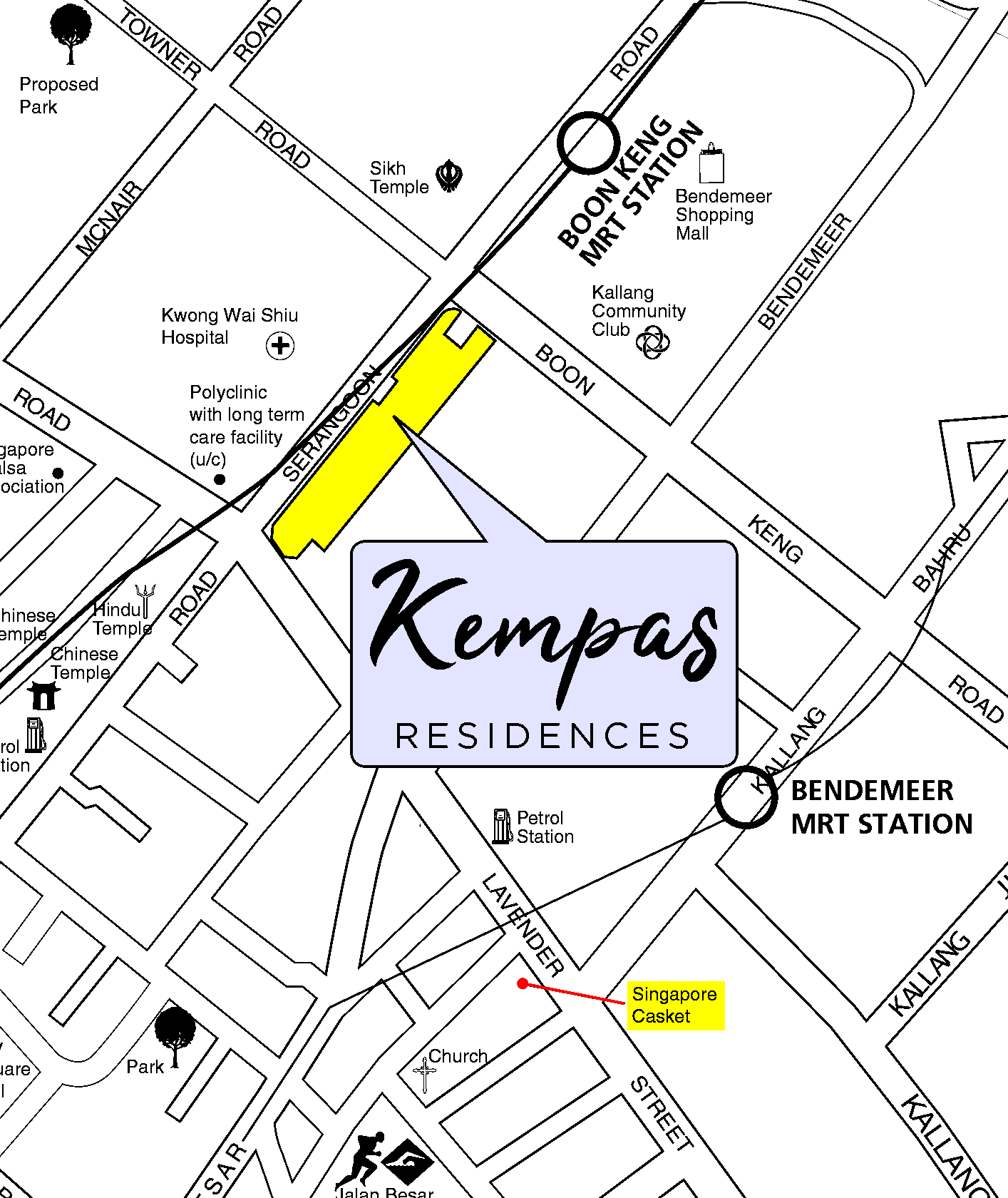
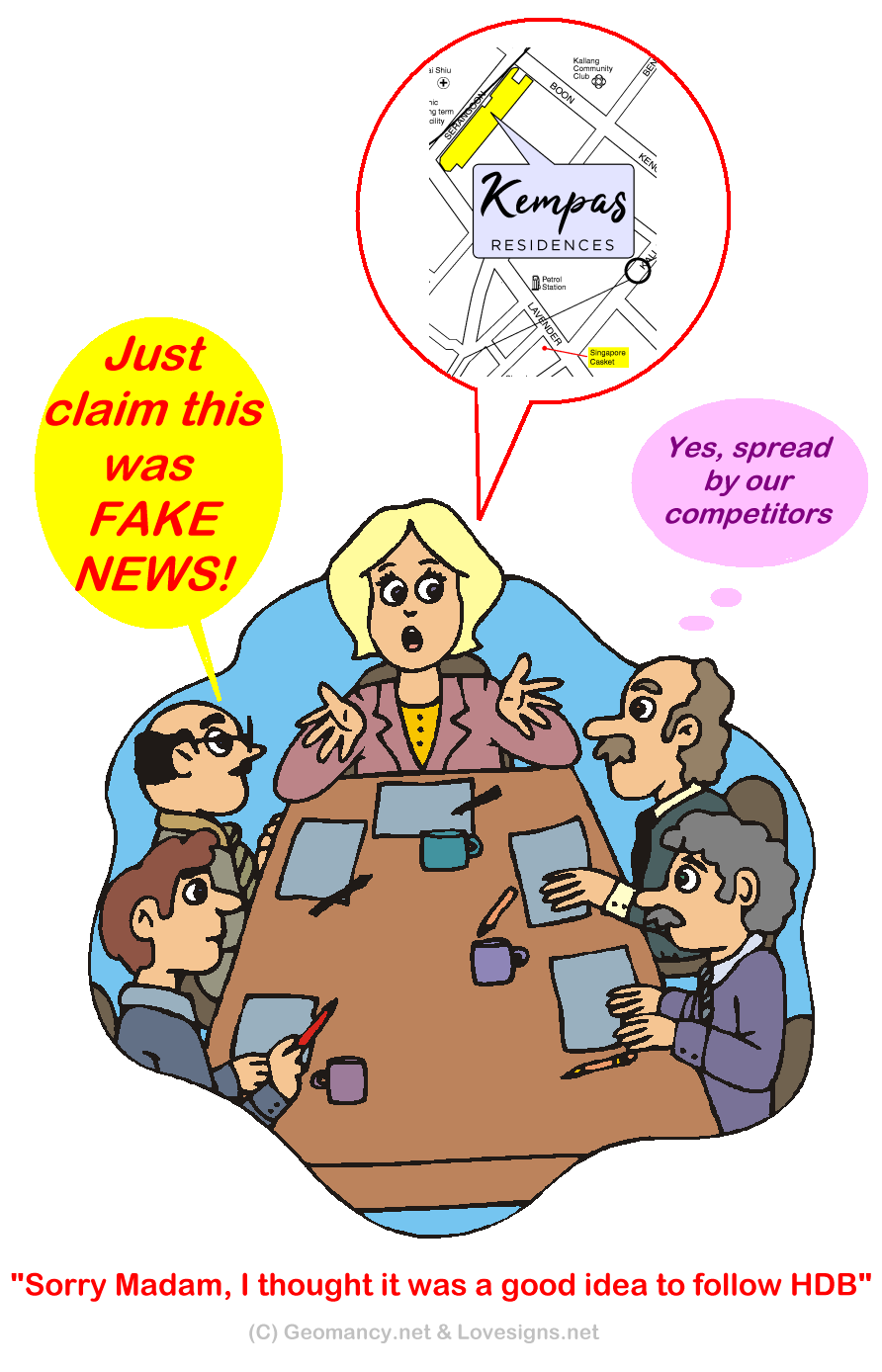
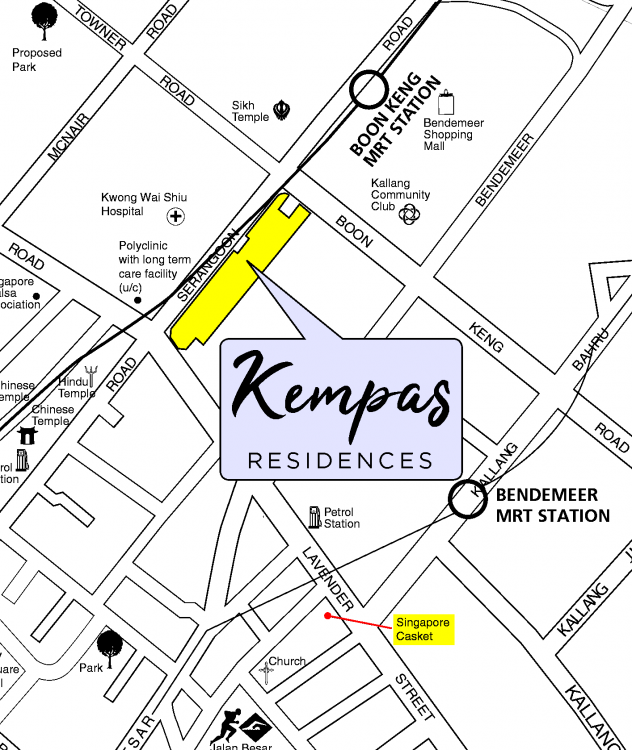
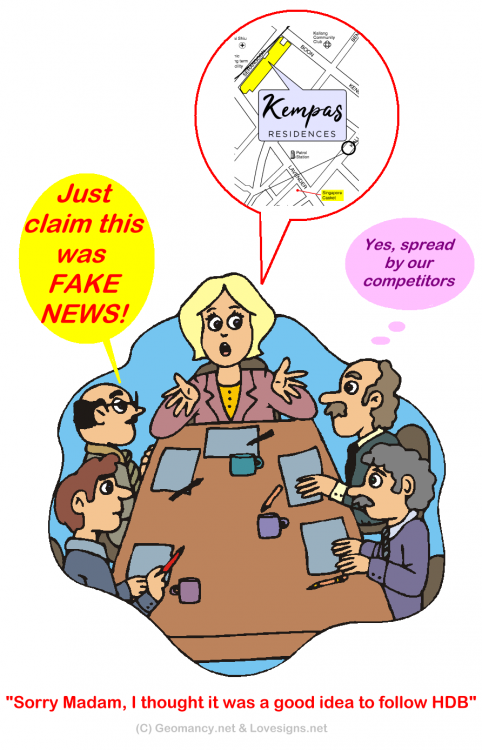
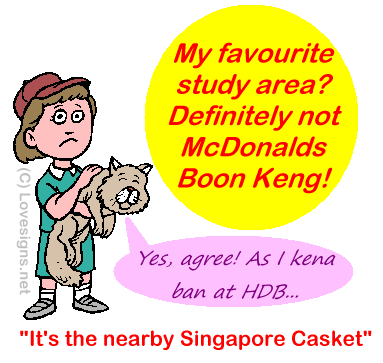
Part 11: "Singapore Casket is close-by" LOL... Life's like that: "Civil Servants exclaimed.. Our backs are covered.. We can sleep peacefully at that!" 1. Private developers will never show this on their Sales brochure: 2. [Singapore Casket] = It is nothing bad. Just plain honesty on the part of HDB Town map. 3. Hey! At least there is no excuse should a potential Kempas Residences to later on claim or faint ignorance that they were not informed of this. 3.1. For the civil servants; at least they can sleep soundly as their "backs are covered".. LOL 4. Perhaps the once upon a time Fernvale - Temple - Urn Niche was a wake-up lesson, here!
-
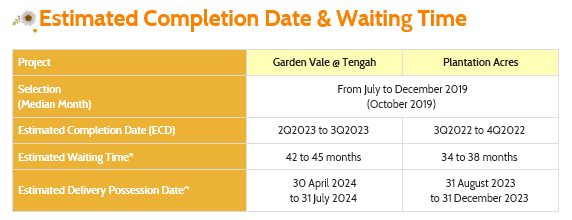
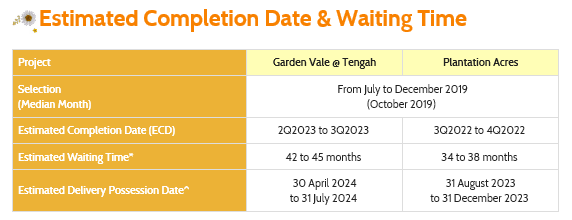
Part 8: Period 8 Flying Star Feng Shui and HDB Garden Vale @ Tengah Based on HDB's description, this development will be ready between 2Q2023 to 3Q2023 which belongs to Period 8 Flying Star Charting...
-
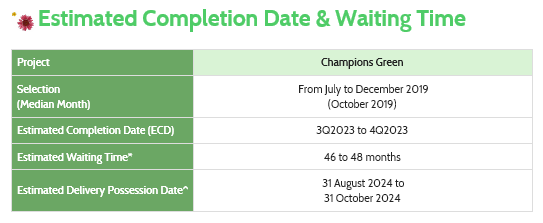
Part 7: Period 8 Flying Star Feng Shui and HDB Champion Green Based on HDB's description, this development will be reading between 3Q2023 to 4Q2023 which belongs to Period 8 Flying Star Charting...
- 23 replies
-
- hdb
- champion green
- champion drive
- review
-
Tagged with:
-
-
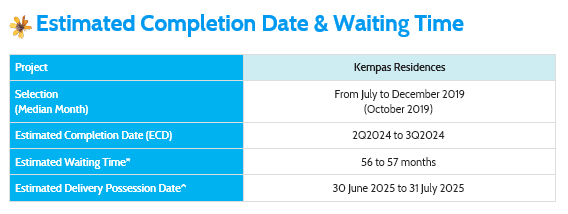
Part 10: Period 9 Flying Star Feng Shui and HDB Kempas Residences Based on this estimated completion date of between 2Q2024 to 3Q2024, this is first development that will be ready under Period 9 Flying Star Feng Shui:-

-
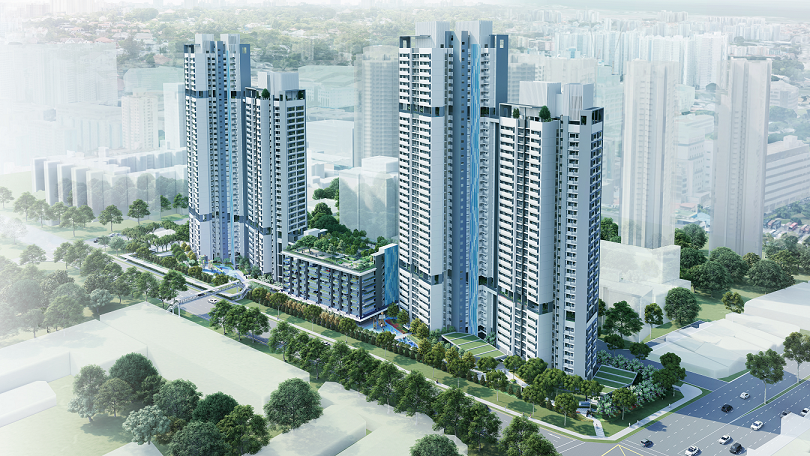
Part 9: Favourable Shapes and Forms Feng Shui of the "smart looking" twin Tower Blocks. 1. Looking at the two identical Siamese twins; shows favourable flow of qi around these two blocks:- 2. This is a plus point. Other than low stacks/units affected by traffic noise. 3. In addition with just a quick glance, one may be mistaken that this is a private development and not a HDB BTO development.
-
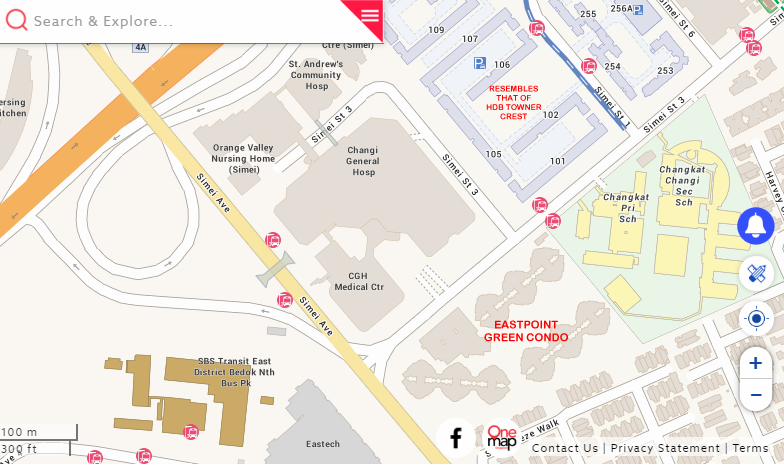
Part 8: Can I purchase a unit directly facing the Kwong Wai Shiu Hospital? 1. This has more to do with someone's perception and sometimes it can lead to a stigma attached to it. 2. Some people feel that it is inaupicious to have a home e.g. living room (on a daily basis) looking towards a hospital. Ultimately when it is time to resell the unit; one cannot control a potential buyer and/or a potential buyer bringing their Feng Shui Master and for whatever reason either/or or even both sharing the same concern = stigma/taboo. 3. Personally, if one or one's family is not duly concern, then go ahead. But not forgetting Para 2. above. 4. Eastpoint Green Condo much resembles the HDB BTO Kempas Residence development. Where this development is to the South-East of a hospital:- 4.1. In fact, HDB blocks 105, 101 and the likes at Simei Street 1 is somewhat like that of HDB Towner Crest. Fortunately for Towner Crest, there is a buffer of a Multi-storey car park [MSCP]. 5. From a Common Sense Feng Shui, the main concern of a hospital has more to do with where is the location of the Pathology department or the holding room where deceased patients are placed pending witnessing prior to sending the body away for funeral arrangements.
-
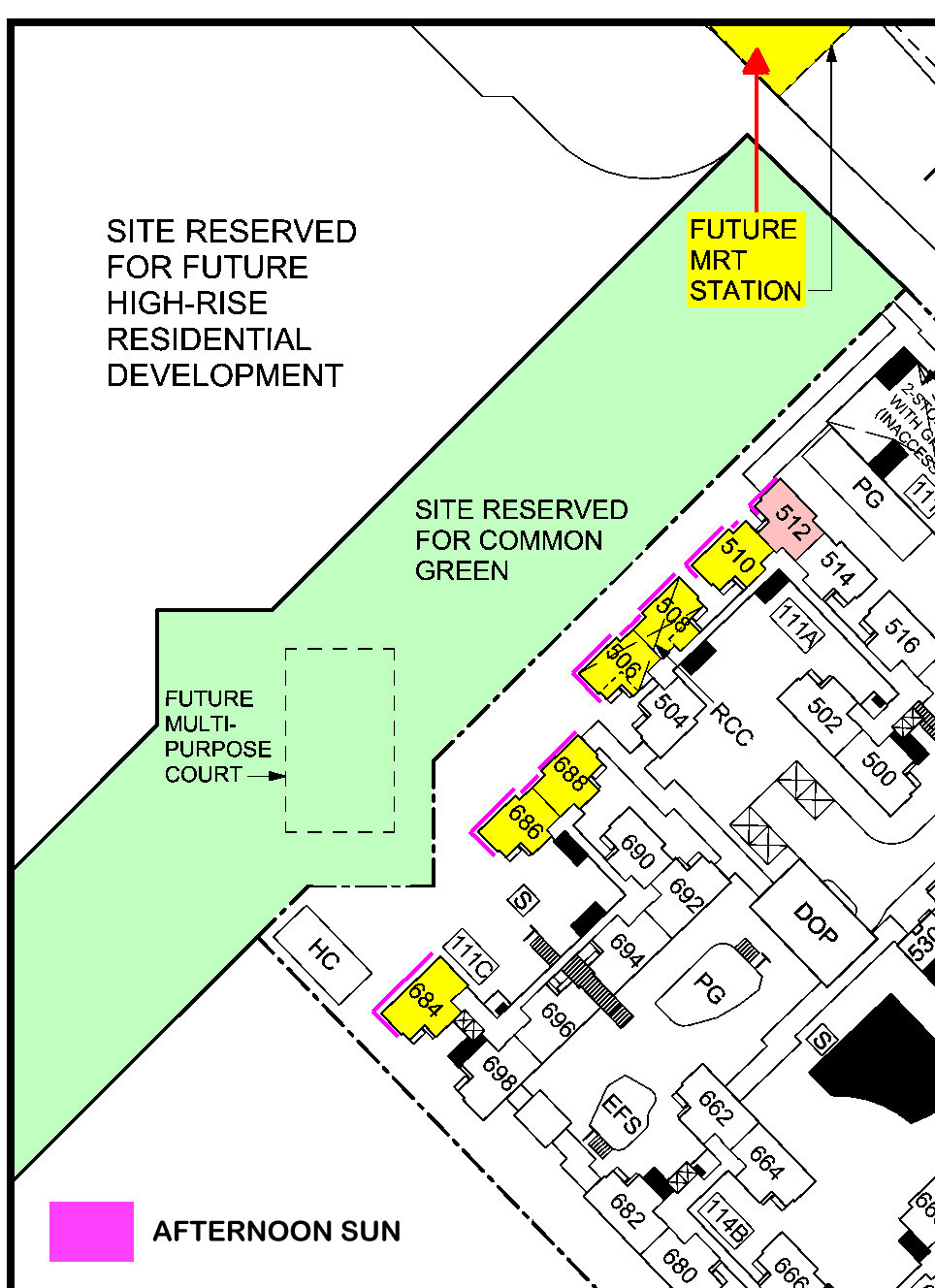
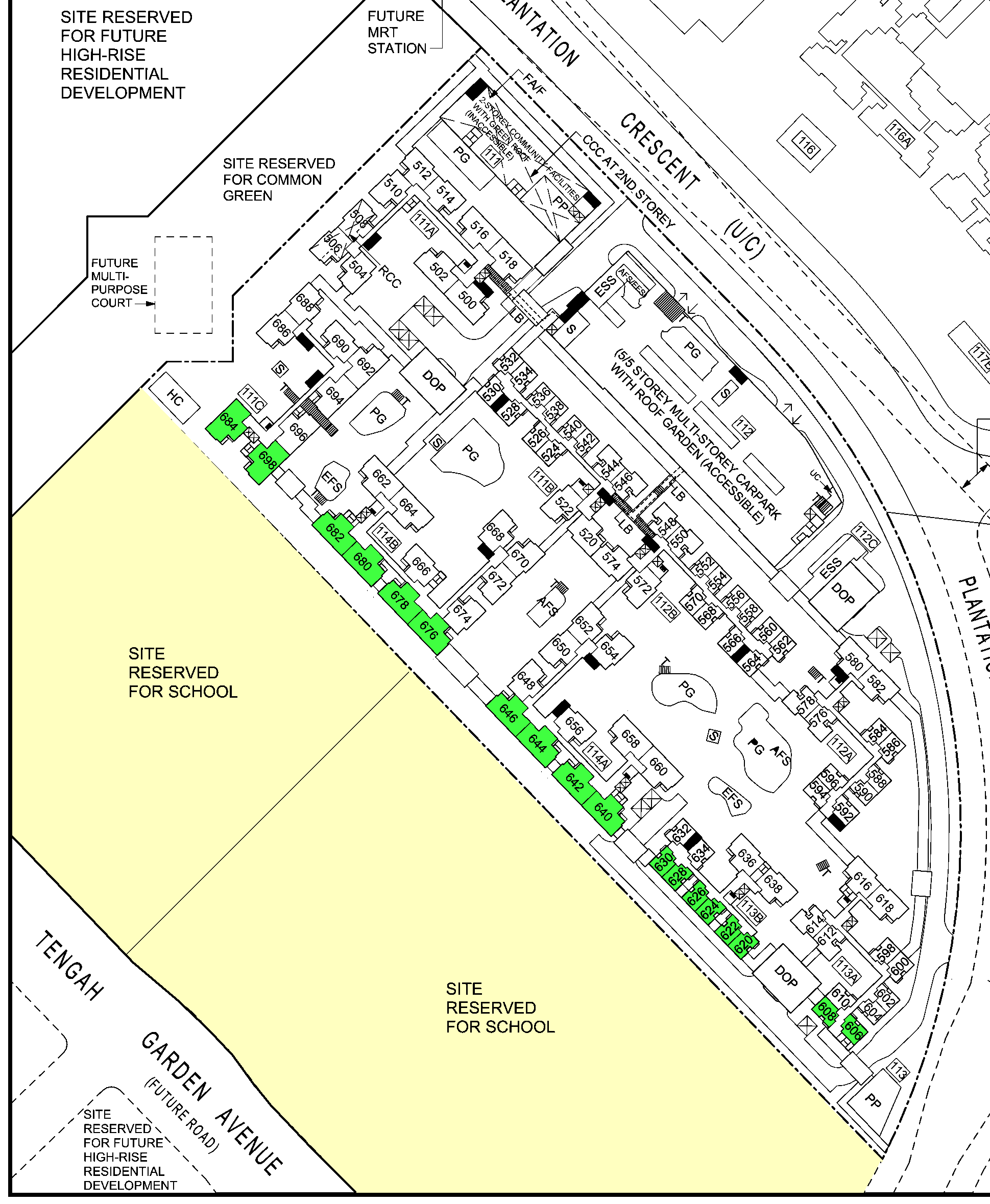
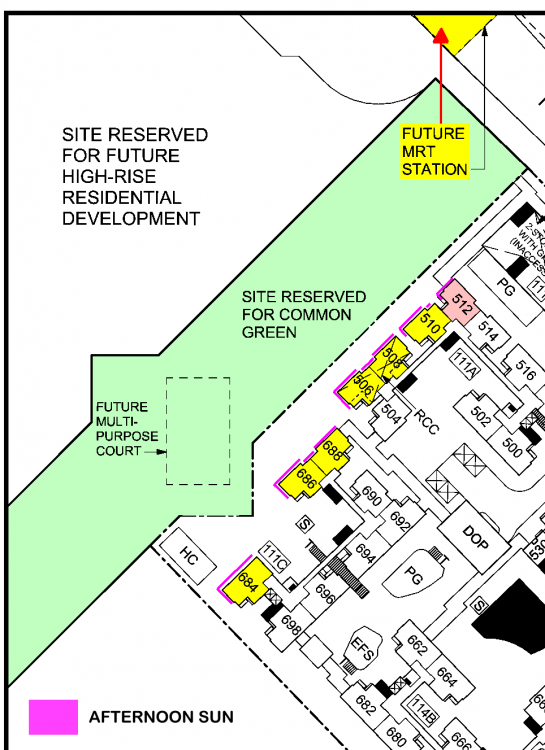
Part 7: Site Reserved for Common Green, "Direct" afternoon sun & future MRT station 1. There is a whole stretch of site reserved for common green. This site borders between HDB Plantation Acres and a reserved site for future high-rise development. 2. Should I get a stack/unit such as: 506, 508, 510, 684, 686 and 688 facing this proposed future common green? 2.1. However, the stacks/units mentioned above are affected by direct afternoon sun. Note: If one is luckly or low floors; the afternoon sun may be shielded by the future high-rise development on the plot mentioned under Para. 1 above. 3. Future MRT does not matter greatly given that it is undergound and is short walking distance within any of the Blocks within HDB Plantation Acres. 3.1. The close proximity of the future MRT station - if the price is right and potential future resale gain may or may not be attractive to some potential buyers. Hmm...... Kempas Residences at Boon Keng of course.. is more central.
-
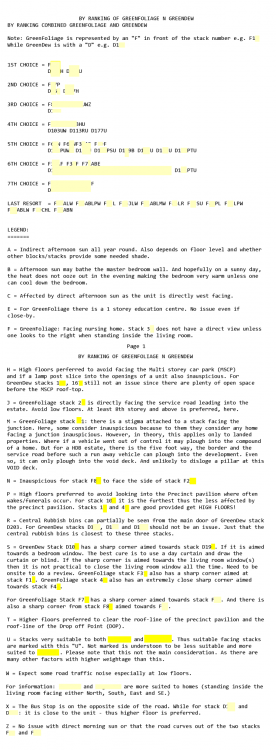
Part 7: Although majority of this resource applies to condos/EC development, some of the information such as the concern of a unit close to the common rubbish bins are useful....
-
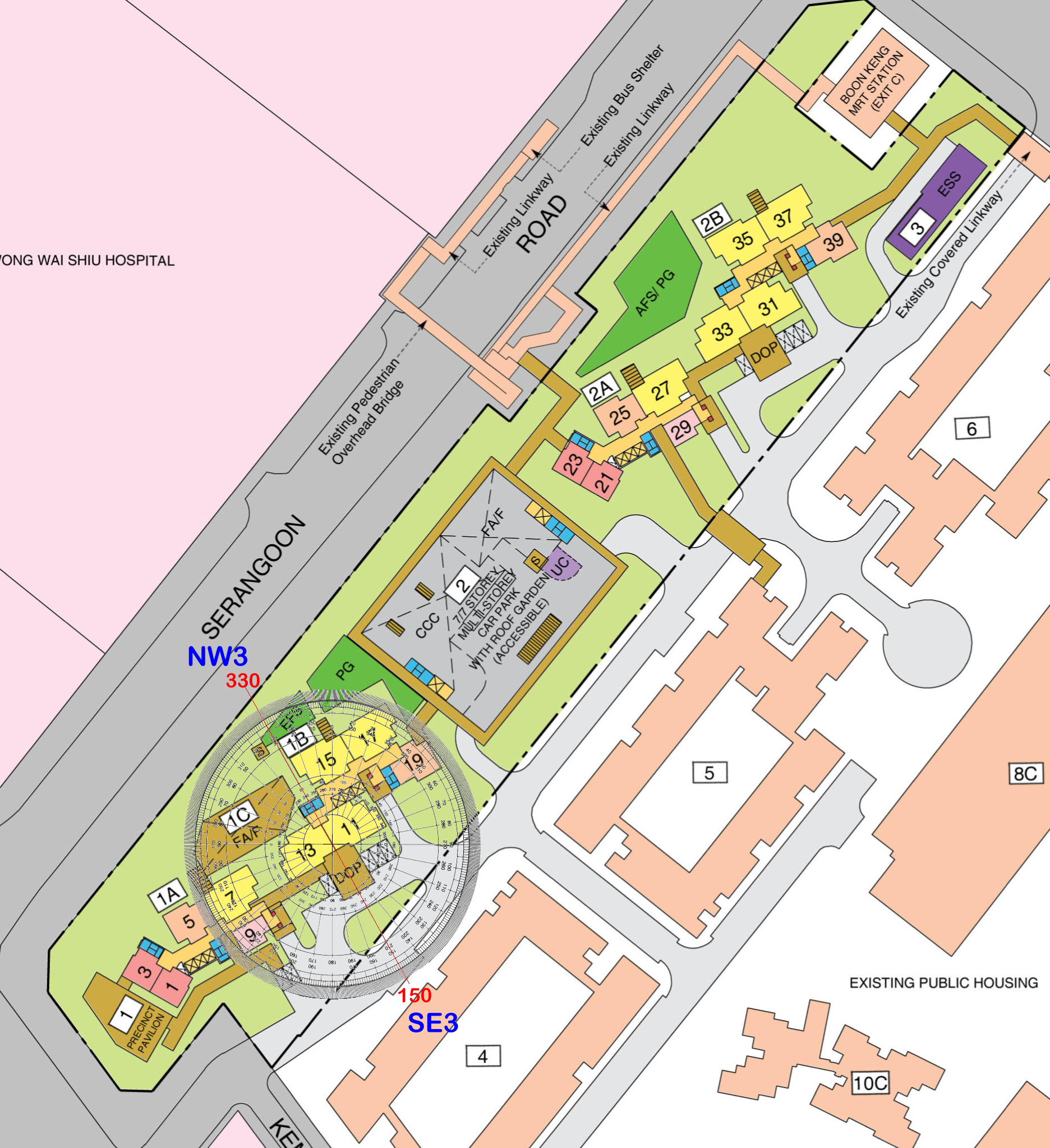
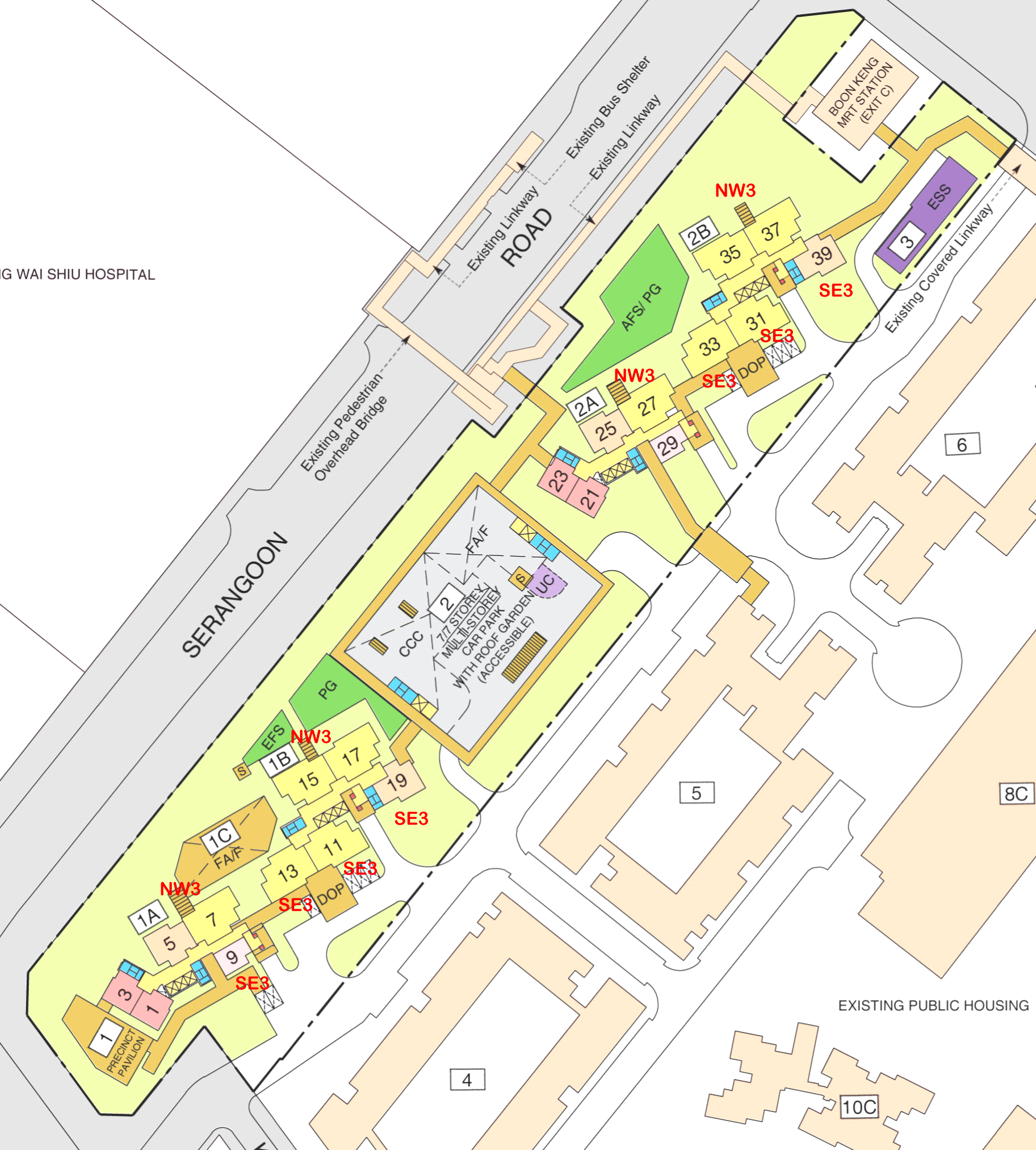
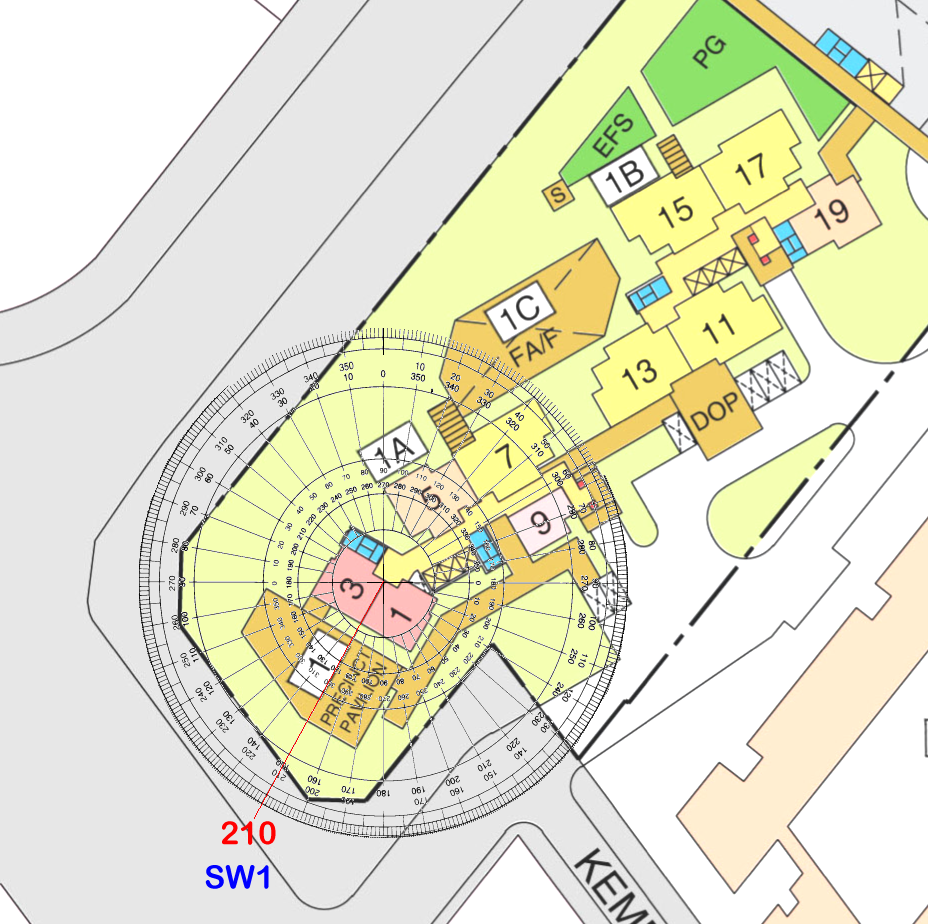
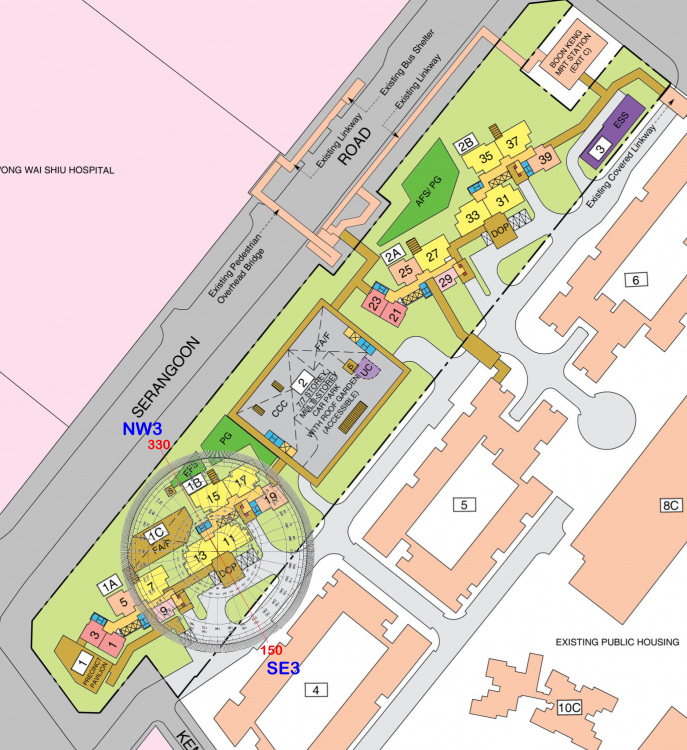
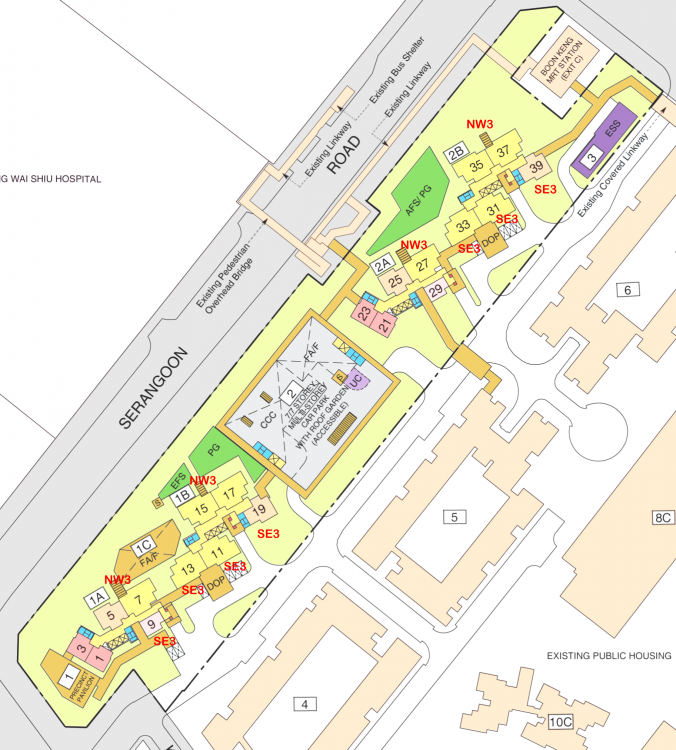
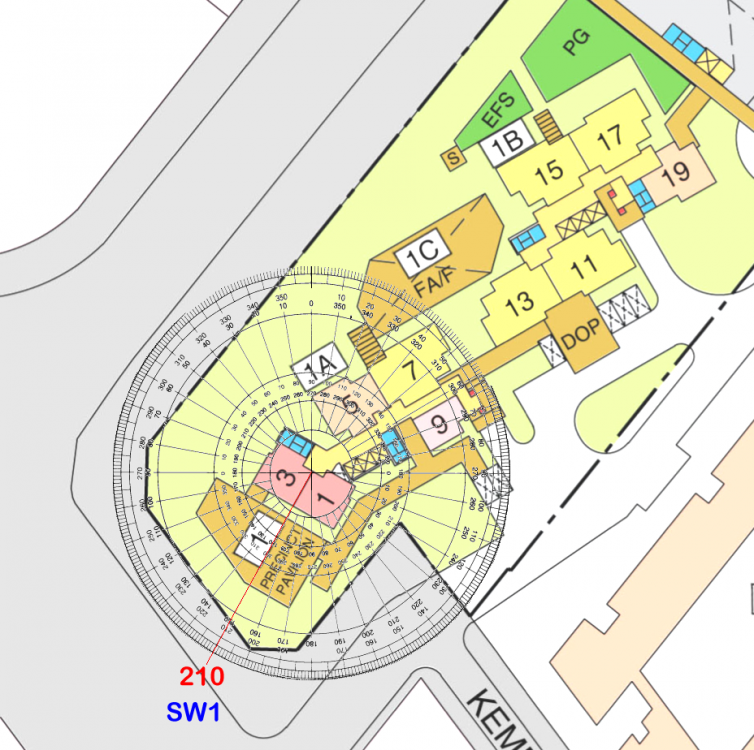
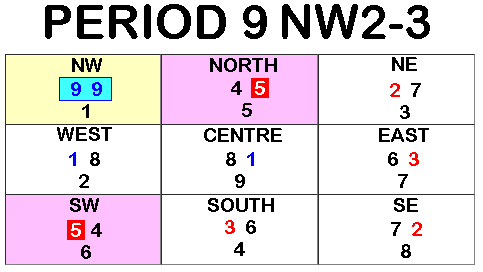
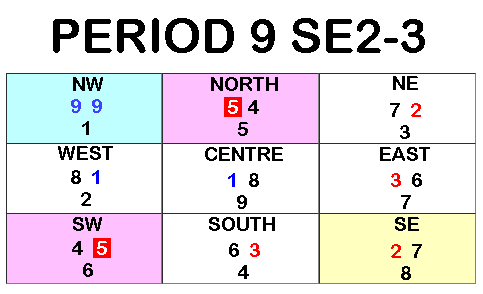
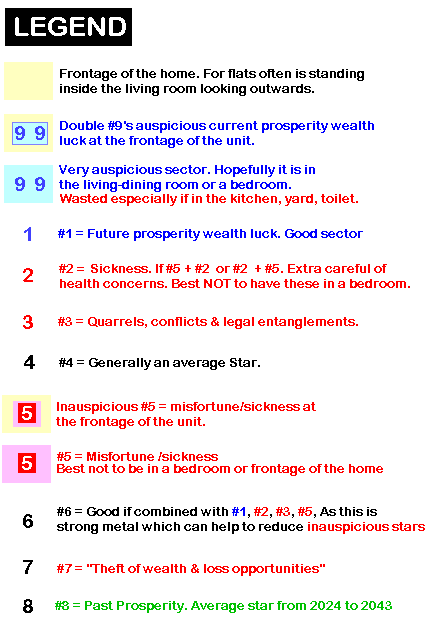
Part 6: Majority of the stacks/units in this development under Flying Star Feng Shui either face NW3 or SE3. With the exception of 2 - Room Flex [Type 2] which faces SW1 facing direction: 1. As the development lease commencent date is expected to be on or after the year 2024; this development thus belongs to Period 9. 2. Under Period 9, other than low floors and traffic noise and afternoon sun; in general, the better stacks under Flying Stars are the NW3 facing stacks. 2.1. This is because stacks like #5, #7, #15, #17, #25, #27, #35 & #37 belong to NW3. And under Period 9, these is a pair of very auspicious #9's at the frontage of the unit:- 2.2. For SE3 facing stacks, however, the frontage has a #2 sickness with #7 = "theft of wealth/loss opportunties", here. Plus the double auspicious #9's are often at the rear of the unit. Or rather wasted at the rear:- 3. Flying stars SW1 facing are stacks/units #1, #3, #21 and #23 4. How do I determine the Feng Shui of a home? Main Entrance Door or?
-
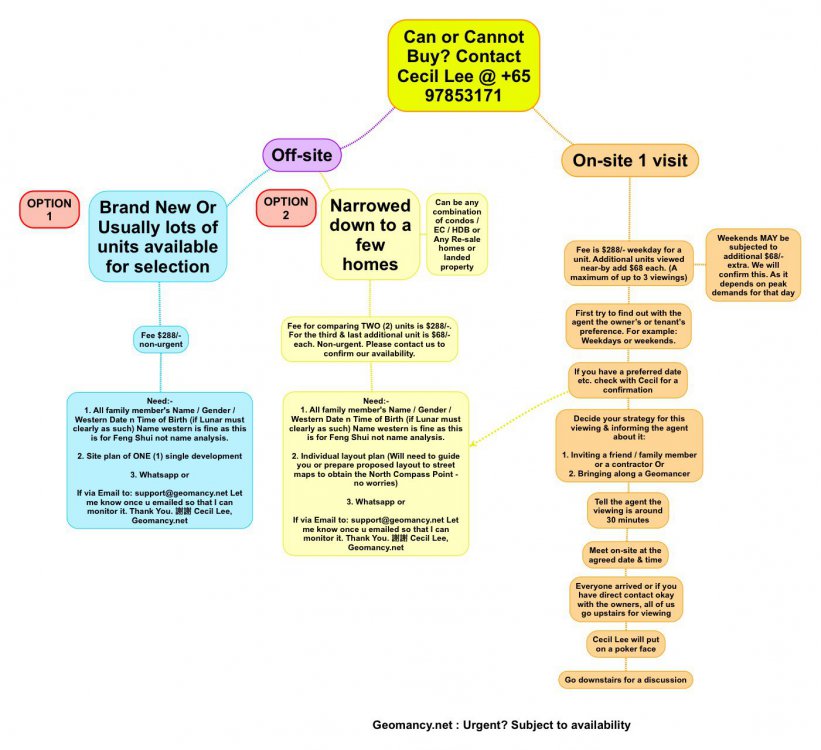
Can or Cannot Buy @ Geomancy.net For brand new BTO’s Option 1 is recommended
- 23 replies
-
- hdb
- champion green
- champion drive
- review
-
Tagged with:
Can we help you? For brand new BTO’s Option 1 is recommended Sample under Option 1 for brand new flats selection: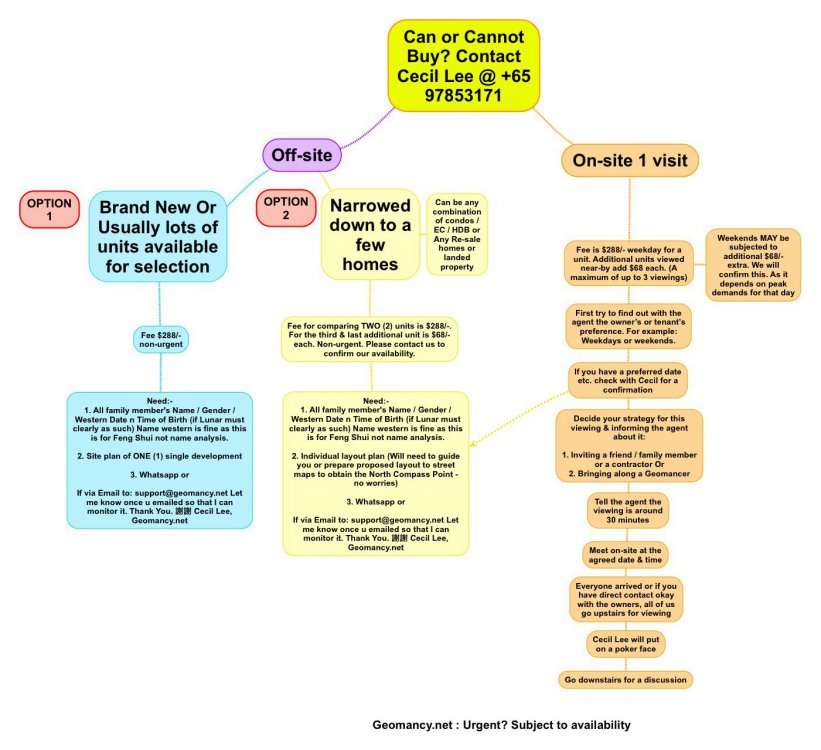
 Part 7: Did you realise that HDB Garden Vale has only ODD numbering of the units: such as #443 and #445 etc..? 1. It is highly unusual in HDB developments to use entirely ODD number unit numbers. 2. Usually, this only applies to landed homes. For example, one side of a road will have even number house numbers. And the opposite side odd numbers. 3. Coincidentally, because even numbers are never used in this development: there will never be a #444. 4. Again, this is not Feng Shui. More to do with phonetic sound-like. In the case of 444: in Cantonese it simply means "Die, die, die" Where 4 sounds like "die". 5. Feng Shui does not take into consideration a unit's number. This has more to do with personal preference or "stigma". Thus, for some, when it comes to resale; may have a harder time to sell. 6. However, one man's meat is another's poison applies. Some are neutral or even find 4 or 444 luck to them! 7. Whatever it is; do take unit numbers into some consideration during the purchase of a unit. 8. I am begining to suspect that the architect or planner for this development is either a green-horn e.g. step-jaggered plot and/or is more of a landed property planner. If not what goes with is ODD numbering of the units? 9. The other developments launched this month also share similar traits that of either all ODD or EVEN numbering system. LOL 9.1. Stack numbering in May 2019 BTO launch:- Garden Vale = ODD Kempas Residences = ODD Woodlands Champion Green = ODD Only Plantation Acres = EVEN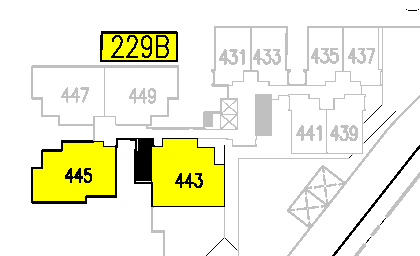
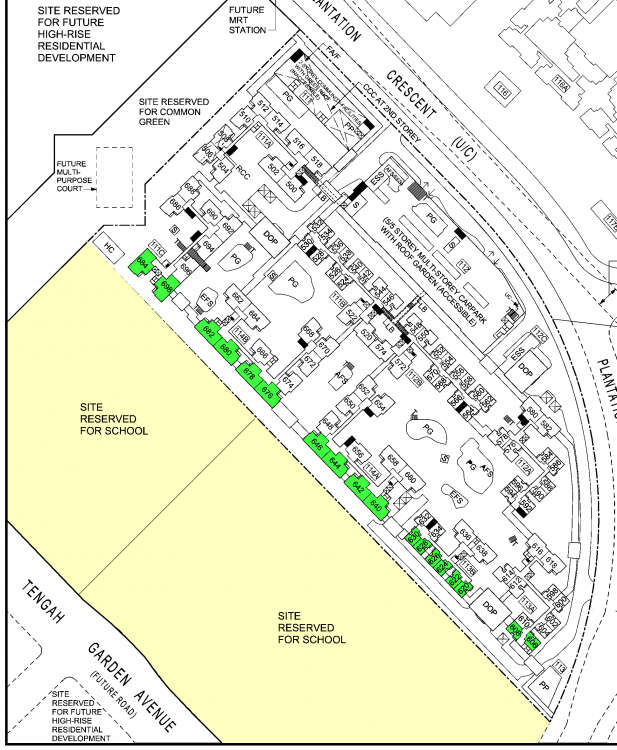
 Part 6: Is there an issue purchasing a home facing a school? 1. There are two proposed sites reserved for schools sharing a common border with HDB Plantation Acres. 2. Based on Shapes and Forms Feng Shui, if the roof-line of the school slices towards a unit's opening such as a window; then this is a Sha Qi or poison arrow(s). 2.1. Since the two schools have yet been built, best to be on the cautious side and best to purchase a unit higher than say 6th storey and above. Both to avoid facing the school roof-line as well as to avoid facing the brick/openings of either one of these two schools. 3. "White noise" or Noise pollution. 3.1. Between start of school and during school hours do expect some noise especially during school assembly (if any) and recess time. 3.2. If one does not like such things than, best to avoid a low unit facing these schools. 4. Is there a stigma attached to a home/unit facing a school? 4.1. There is a small percentage of the population who has read that Schools are considered "Yin". 4.2. As the argument is that after school hours especially usually after 5pm onwards the school is often empty. Thus considered YIN till say until around 6.30am onwards. 4.3. Thus, this might be a "stigma" especially if some home owners begin to believe this argument or when it is time for resale of the unit; the potential buyer may also share this same concern. 4.4. Although, so far, there are so many schools in Singapore and many HDB flats also face schools. How often do we get to hear that it is very unlucky to have a house facing a school building. 4.5. Thus, this is subjective. 4.6. In fact, some found it okay given that their unit is of a high floor and thus unblocked view(s) once their unit is higher than the school's roof-line. 5. Others is of course, to some a blessing if it is an "Atas" or a school with good genes such as Tao Nan etc.. 6. Fortunately many modern schools do not have a clock tower. If so, best to avoid having the face of a school's clock aimed towards one's unit opening such as the windows. Some school fields can nowadays be of dual use...
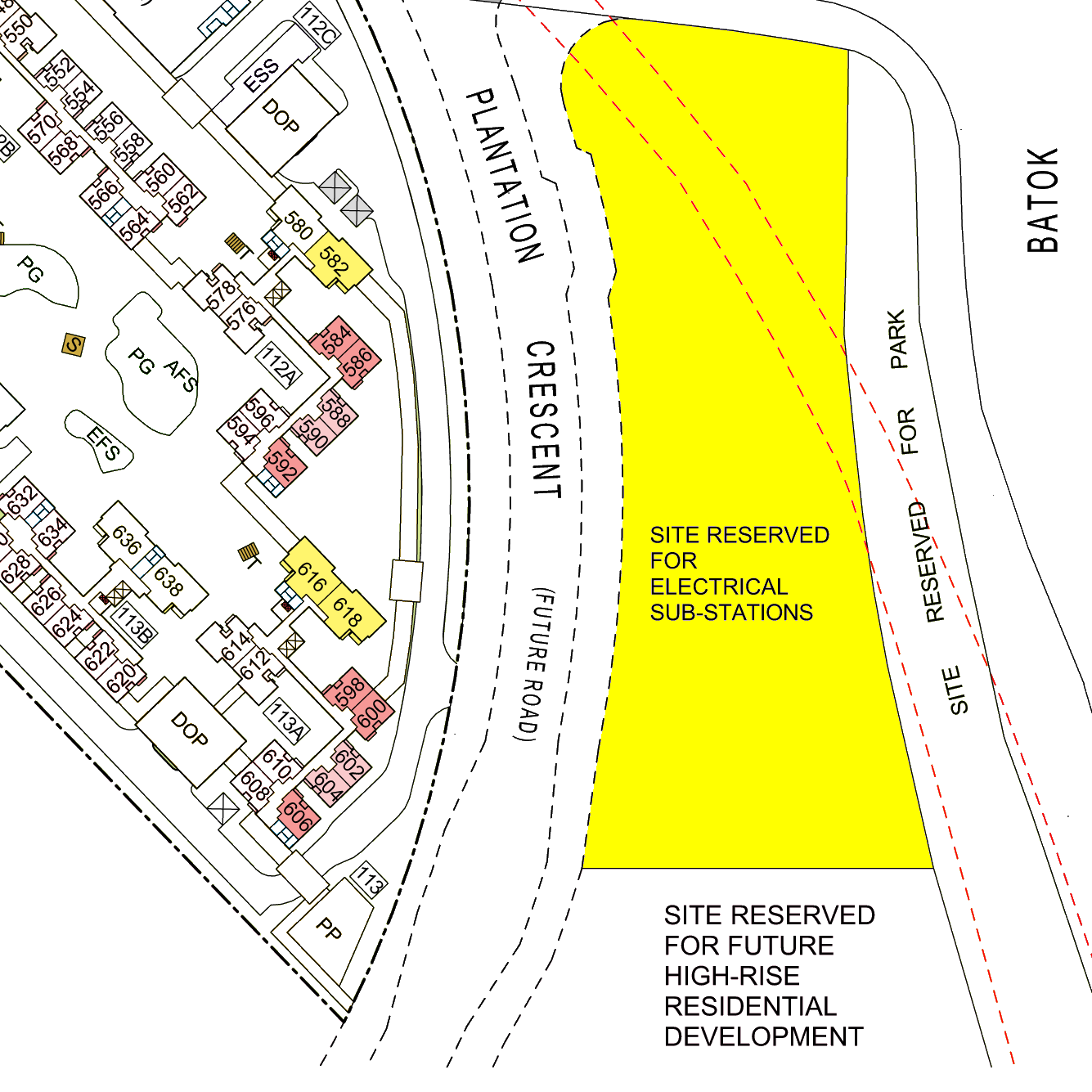
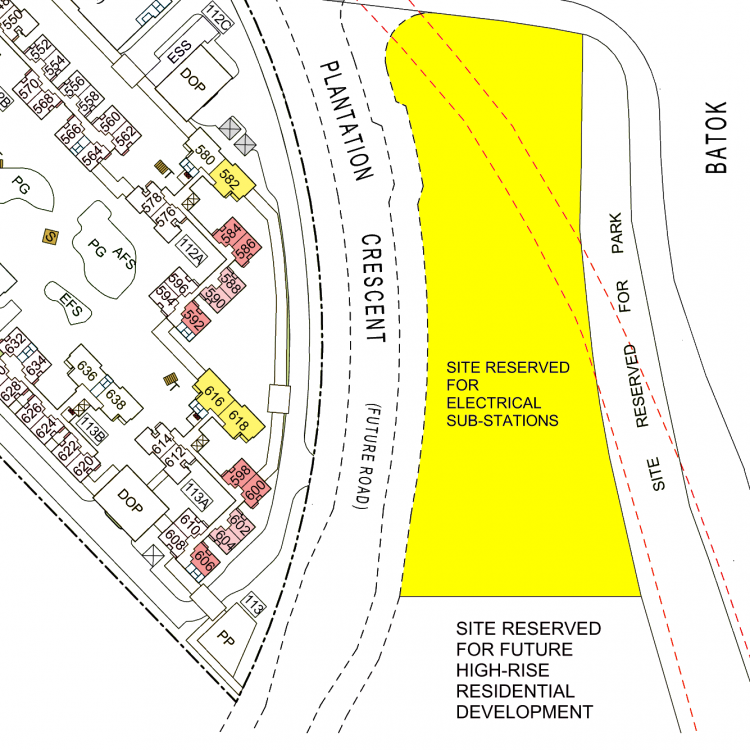
 Part 5: Site Reserved for Electrical Sub-Stations (ESS) 1. Unique to HDB Planation Acres is a large plot of a nearby neighbour dedicated specifically only for many ESS! 2. Although there are no known effects from living near to an ESS, nevertheless, this has more to do with a stigma attached to it. And often it is so difficult to brush this stigma-off. 3. Of course, many would agree that there is no issue. But personally once one is given a choice and also have to place our money to buy a home; I am sure, many of us would think: twice, trice! about doing so. 4. In addition, this may in the future affect one's resale value or even ability to sell such a unit! 5. Although an ESS is often no more than 2 storeys high and the roof line is always flat. 5.1. However, many of the flats within HDB Plantation Acres faces this ESS plot of land. 5.2 And one would assume that it can be both an unusual sight as well as remind a potential future buyer of this contention. 6. Thus why give oneself the hassle of such a concern (if any).
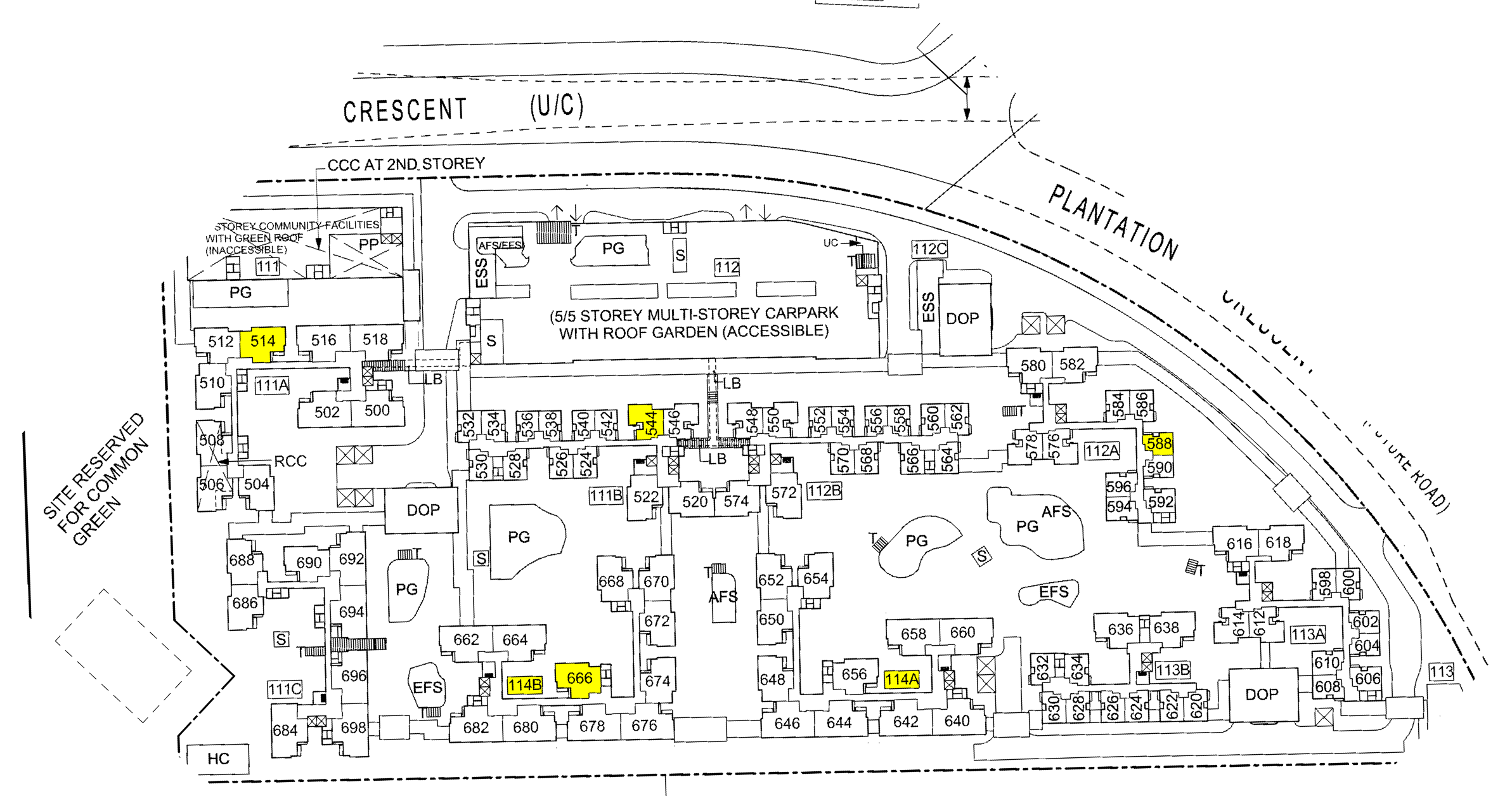
 Part 4: Numerology and HDB Plantation Acres: Block 114B Unit #666? Can Buy? 1. Do take note that house Block and Unit numbers has nothing to do with the science of Feng Shui. 2. House numbers has more to do with personal or group preferences. 3. For example this development has Block 114B and unit number #666. 3.1. Some Chinese especially don't like the number "114". As to the Cantonese dialect group, it sounds like "Sure, sure to die". Sometimes this can be rubbed into other Chinese and to some they don't like this 114 be it Block 114A or 114B. 3.2. To some be it Christians or others... may not like "666". 4. Again such numbers are highly subjective. 5. In fact, there are some who even find such numbers lucky for them. Here "One man's meat and another's poison applies". 6. Sometimes, it has more to do with FUTURE resale value. 6.1. I had once a non-Chinese who had purchased Block 4, unit #04-04 in a EC in Rivervale, Sengkang. 7. Thus, it is always wise to take this as one of the considerations why selecting an apartment be it at HDB Plantation Acres or other developments.
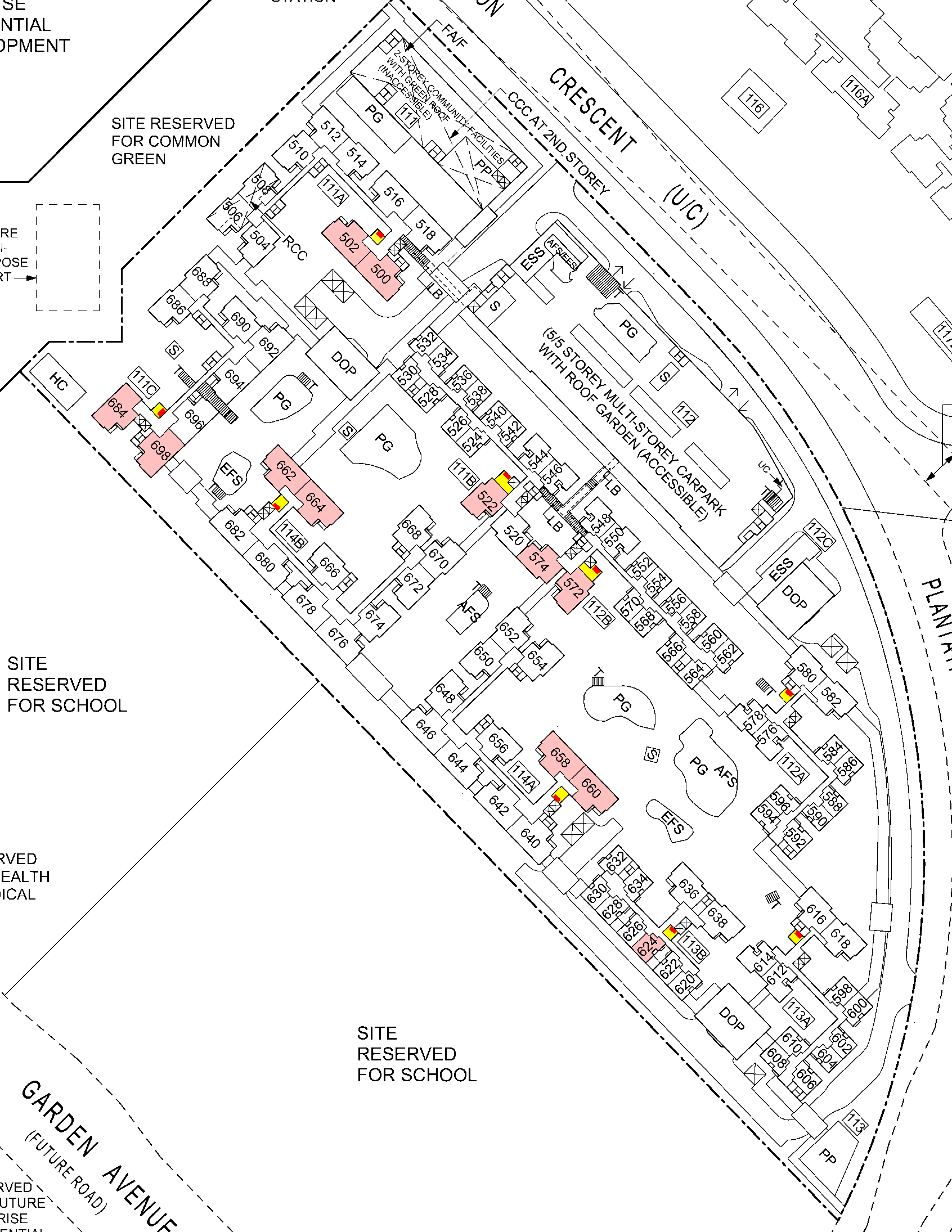
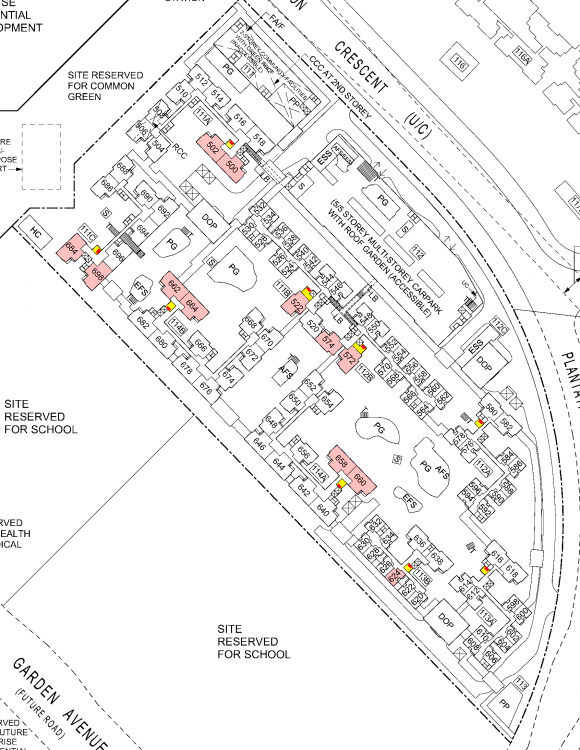
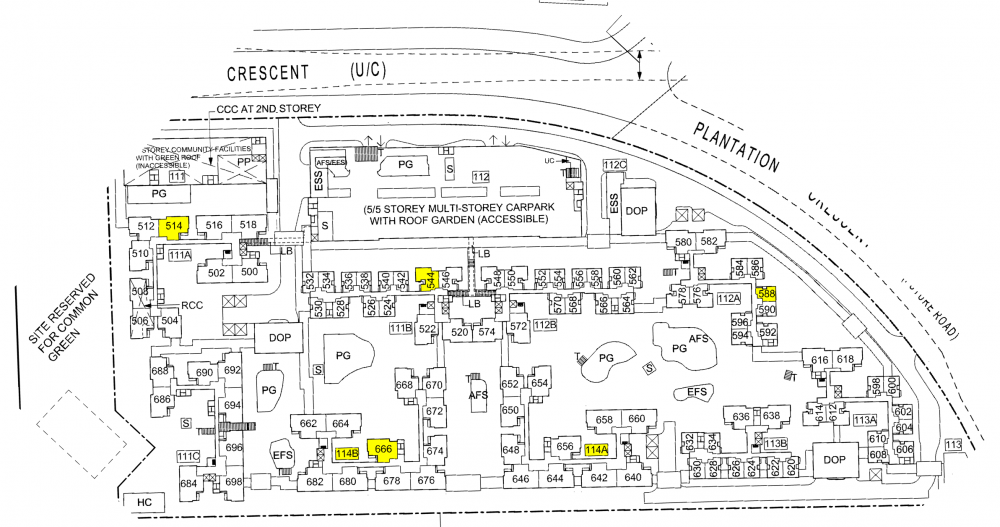 Part 3: Common Rubbish Bins / Bin Lobby and HDB Plantation Acres Less than ideal to purchase a unit under the following conditions:- Main door has a view into the common bin lobby = 500, 572, 658, 664, 684 Main door close to the common bin lobby = 502, 624, 660, 662, 698 Main door next to the common bin lobby = 522, 572
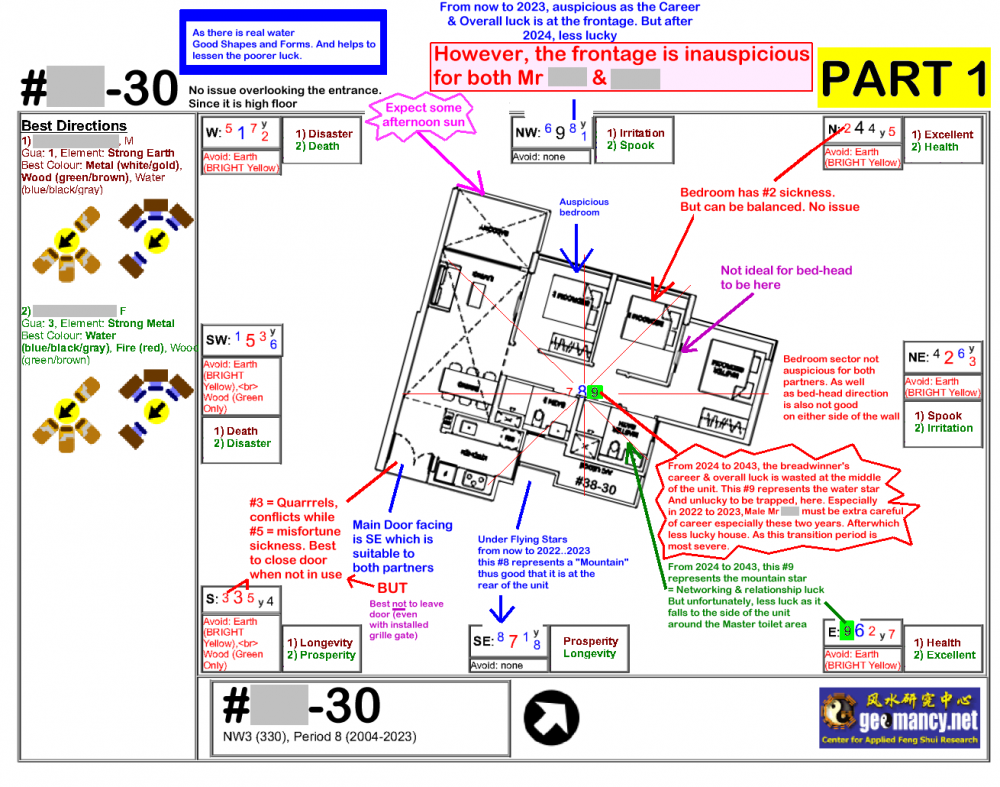
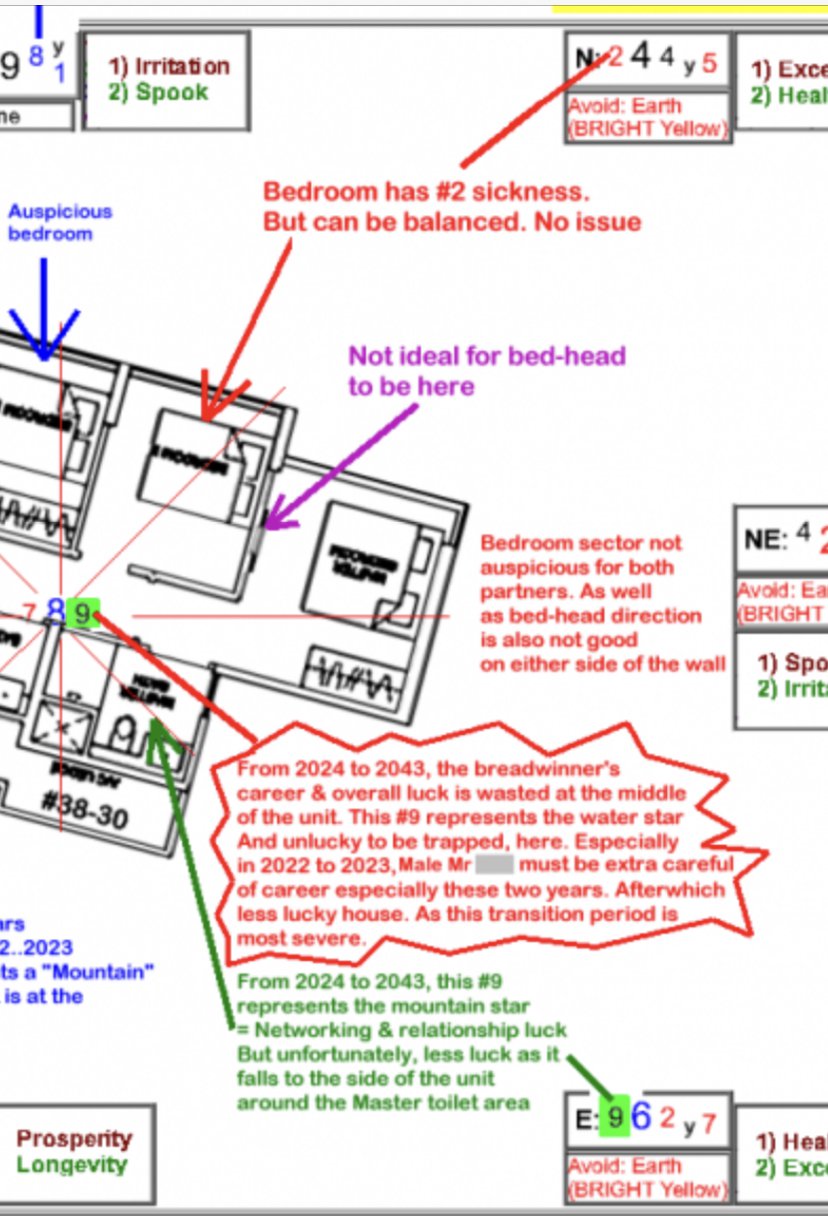
 There are sufficient past materials on this subject matter in past resources of the 2004 change over from Period 7 to 8.1. There are many examples of past Can or Cannot Buy reviews. And many of such reviews will consider the current wealth star of #8 and an understanding of what it will be after 2024 onwards. 2. This is one such example.. where most of the past reviews can be found at close to the bottom of this thread: 3. Please note that although current prosperity #8 is suppose to be exactly between 2004 to 2024. 4. Often, in real life; by around 2021...2022; #9 will often take over and gain strength! As such #8 slowly looses it's wealth luck prosperity and fades... 5. Thus in all Can or Cannot buy reviews, that I have done in the past few years will highlight to the potential buyer what is in store for them after 2021.. 2022... 2023 towards 2043. 6. For example in the above thread on Stirling Residences, one of the reviews was for: Sample Can or Cannot Buy on stack #30 Stirling Residences.... 6.1. This is also a Period NW1 chart. 6.2 Here, I talk about the current wealth star #8: where this Mountain star #8 is at SE. And the Water Star #8 is at NW: 7. I have also highlighted and made comments on the coming prosperity wealth star #9. Where under Period 9, a #9 becomes the current prosperity wealth star and makes the home unlucky... 8. The full review or example is shown above. The home can belong to a specific period as it could be built under Period 8. But wealth lucky will change when it goes into another Period! 9. Thus Flying Star Feng Shui is about "Timely stars".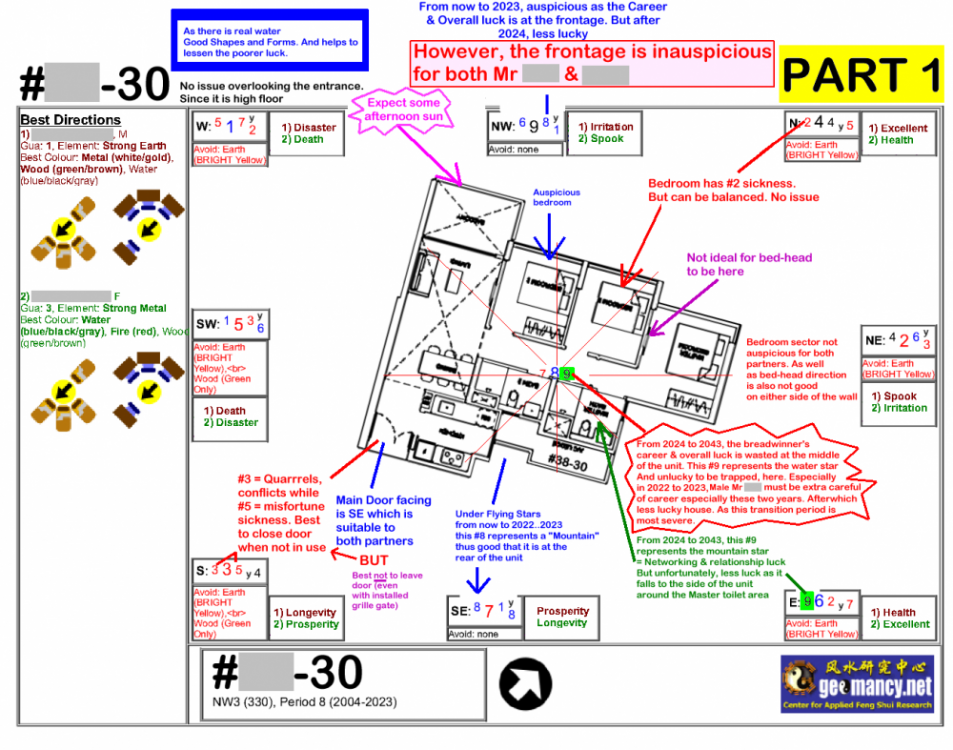
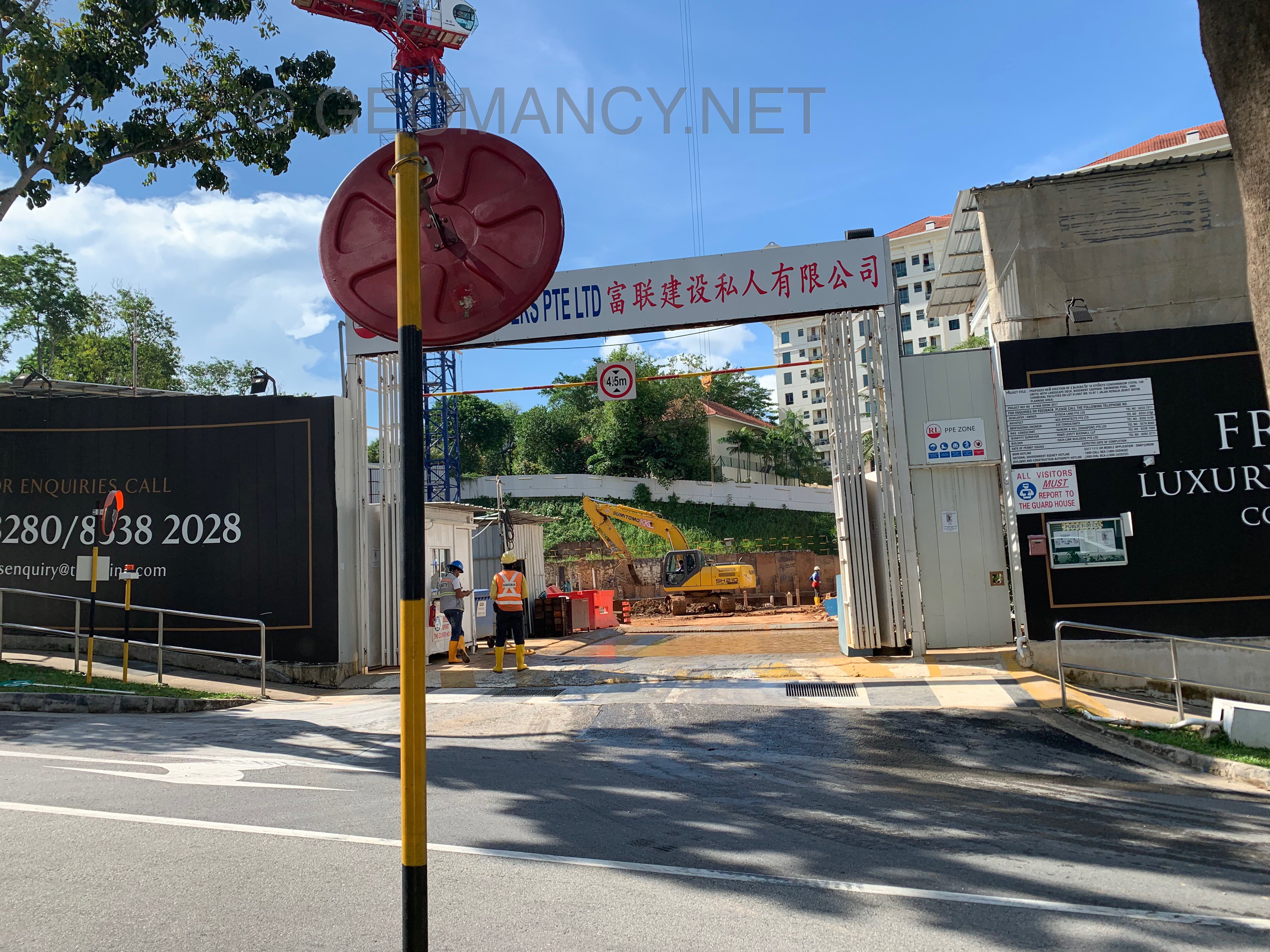
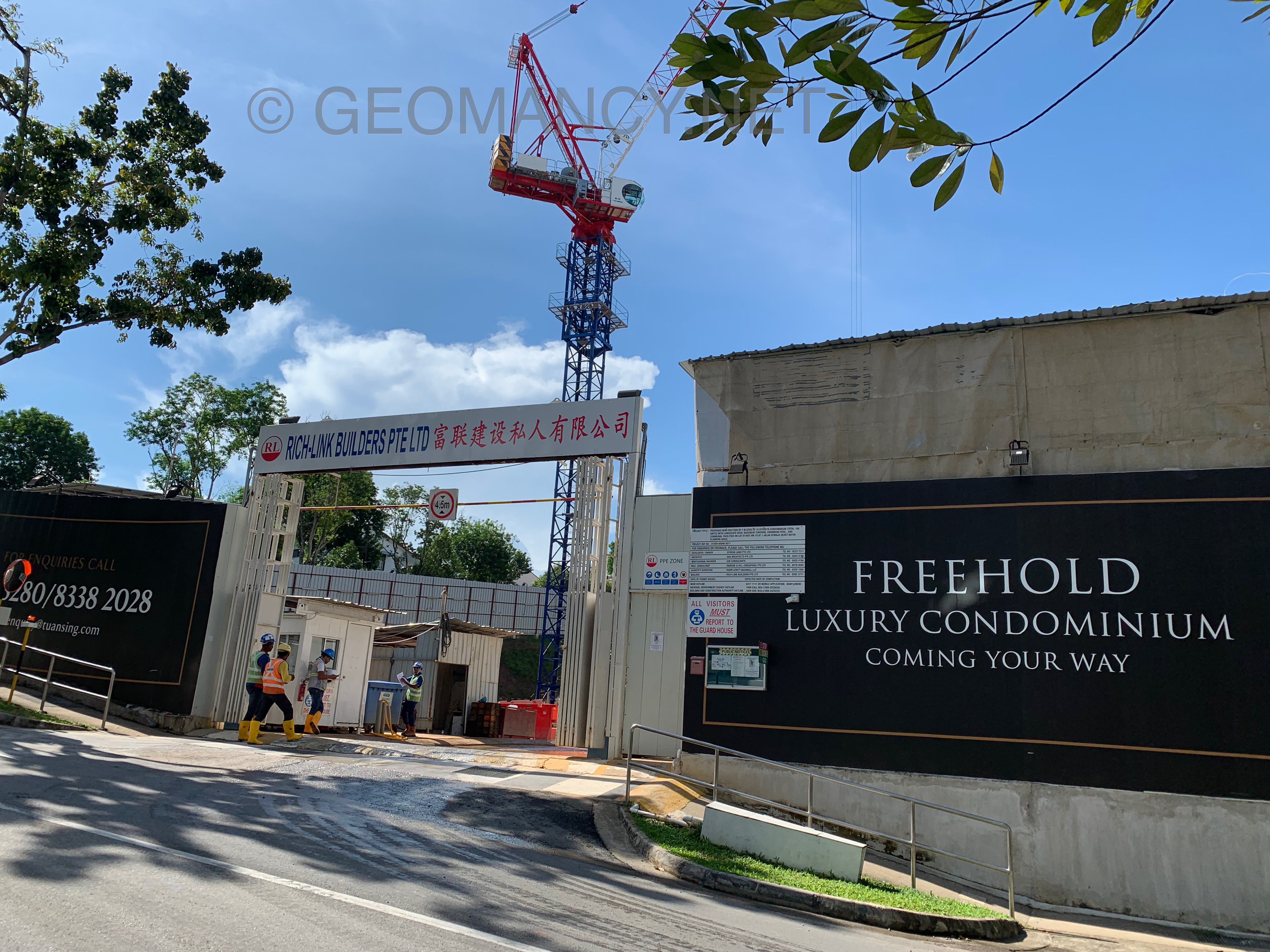
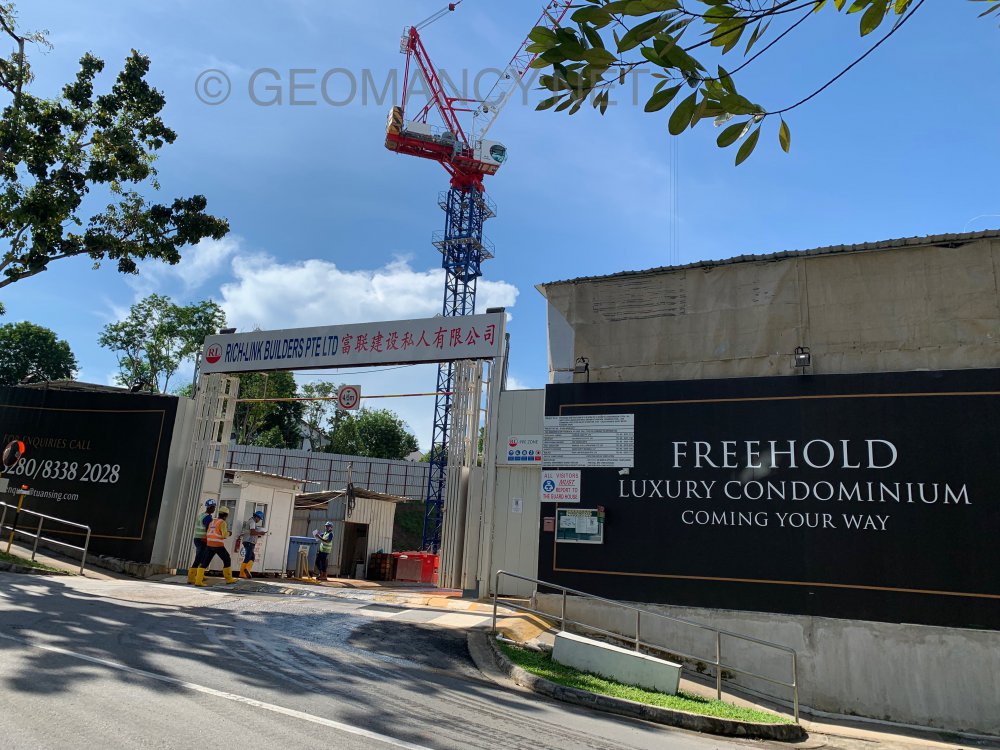
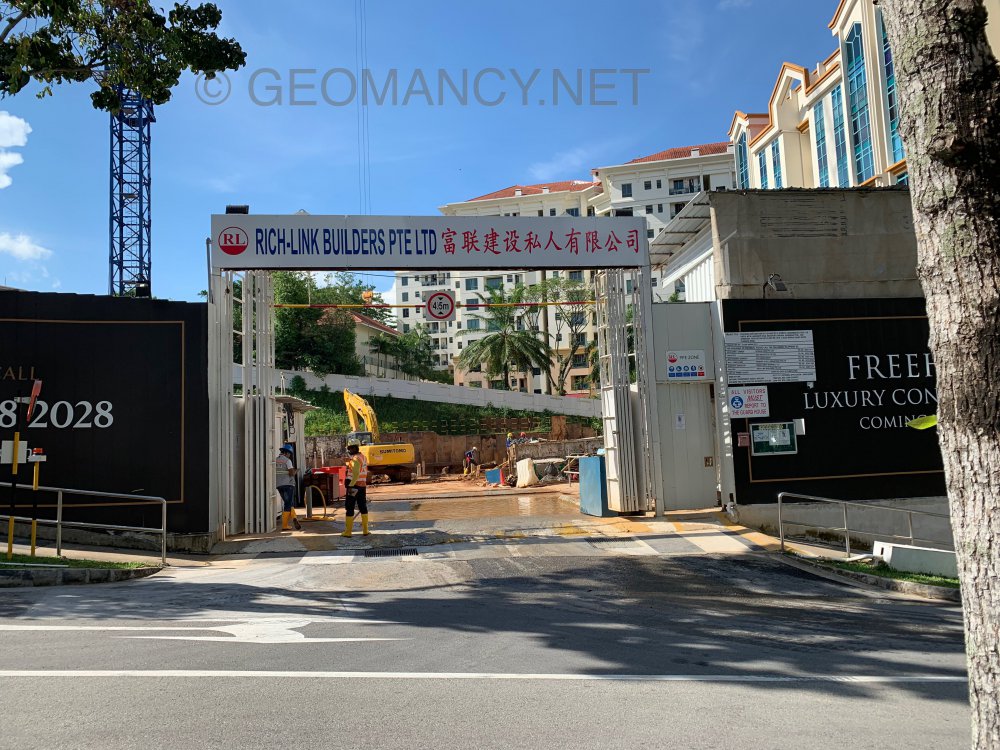
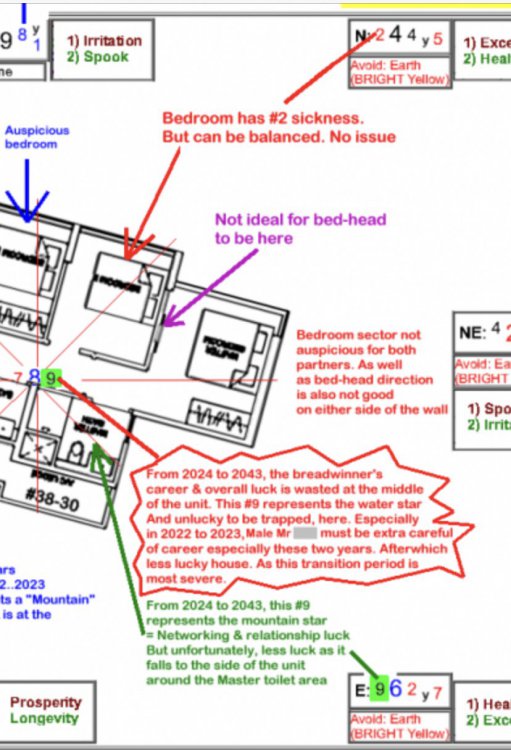 1. Yes, it also applies to a female breadwinner but to a lesser extent. 2. Under Period 8: 2004 to 2023, it is correct to say that the current prosperity wealth star is #8. 3. However, on or after 2024 to 2043; this #8 becomes past prosperity. And during this range of period; #9 then becomes the current prosperity star. And #8? becomes the PAST prosperity star. 4. This is why Flying Stars is called “Timely”.On 23 May 2019... foundation work started...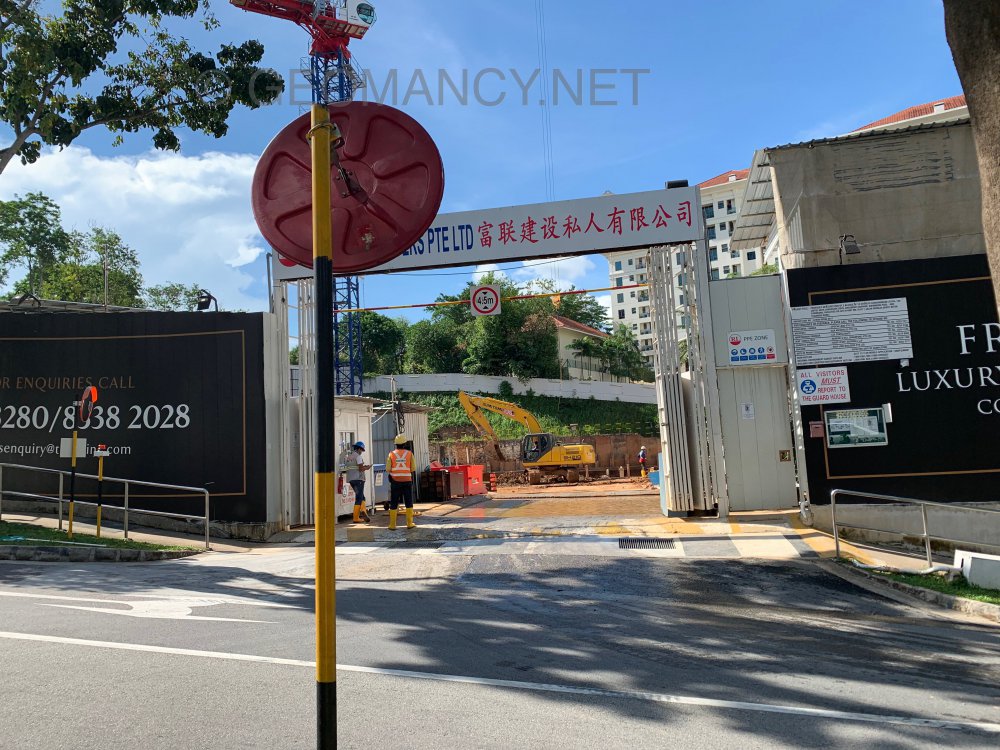
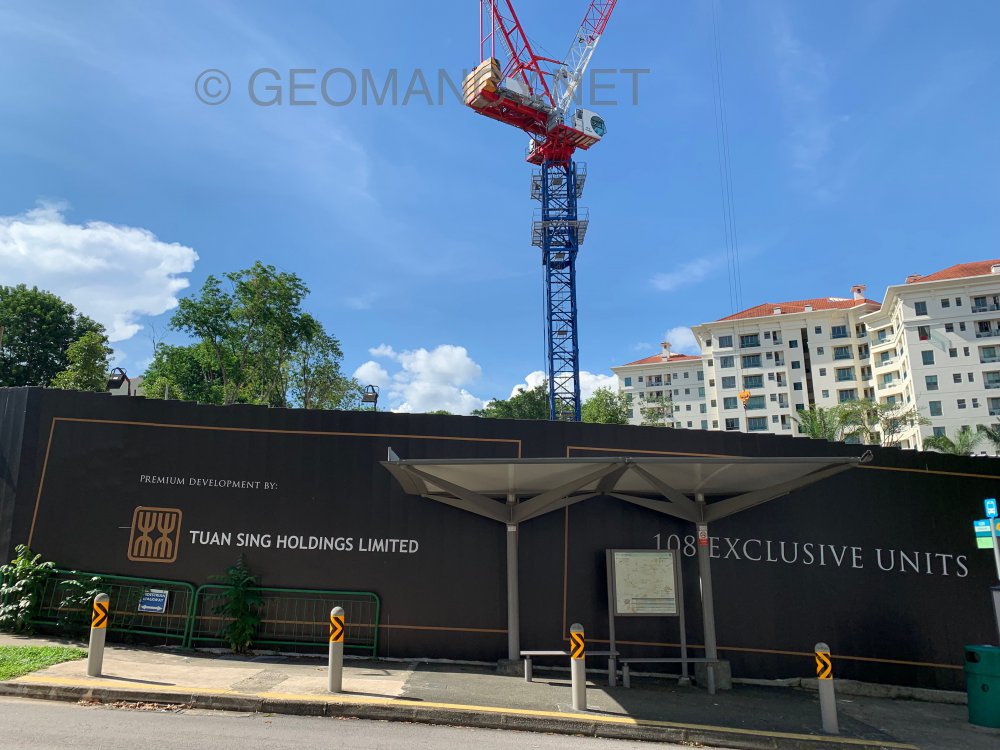
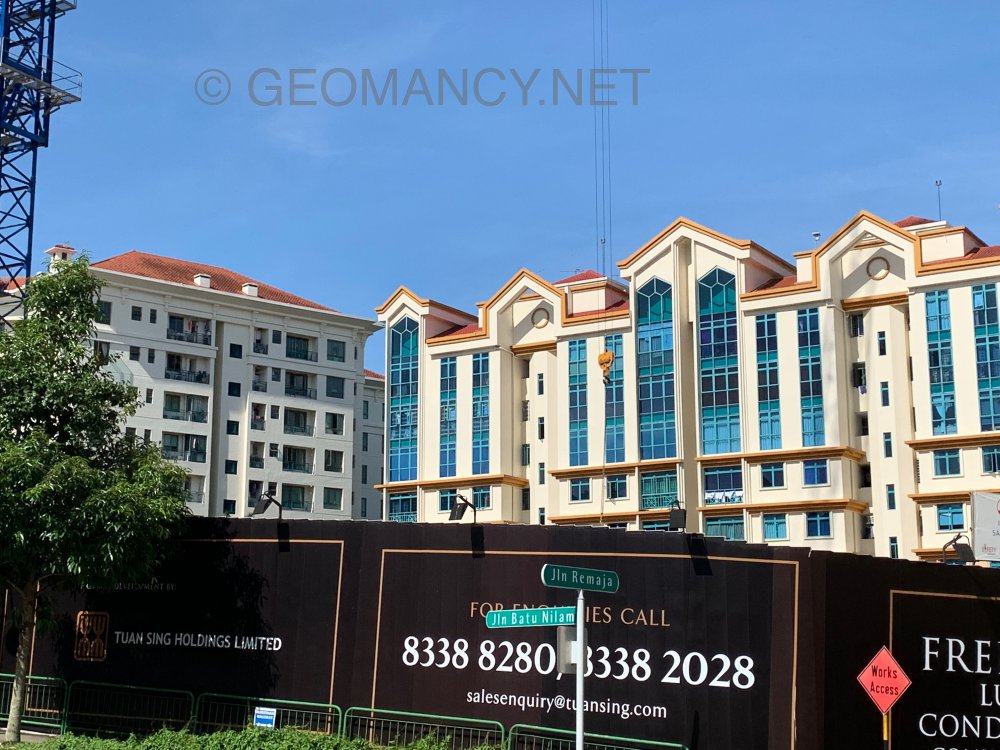
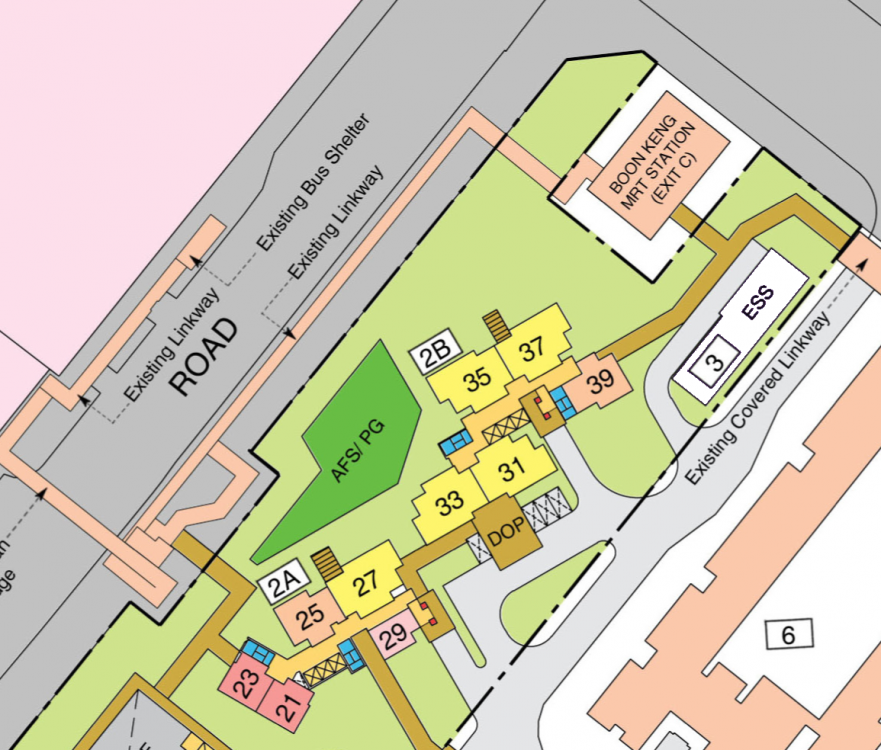
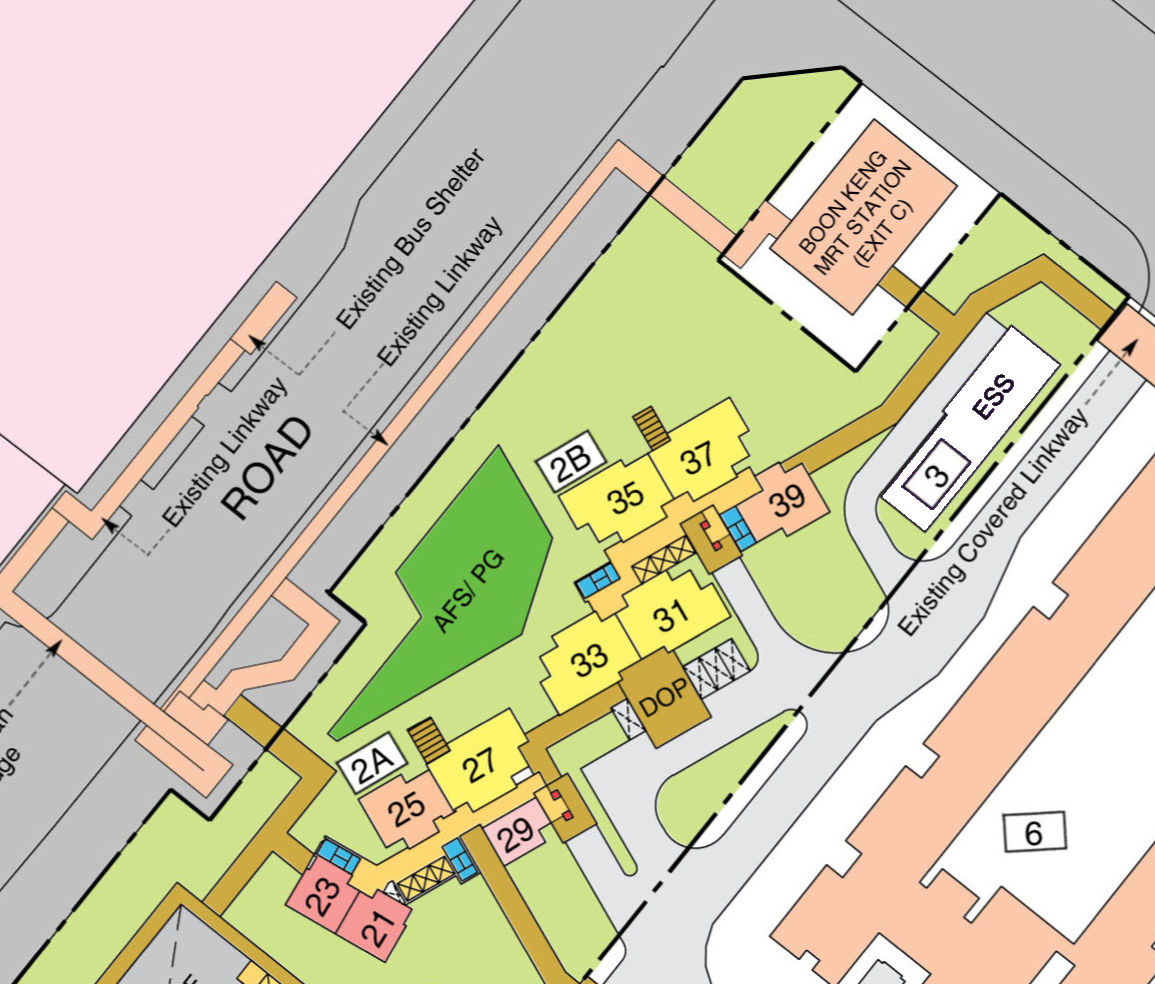
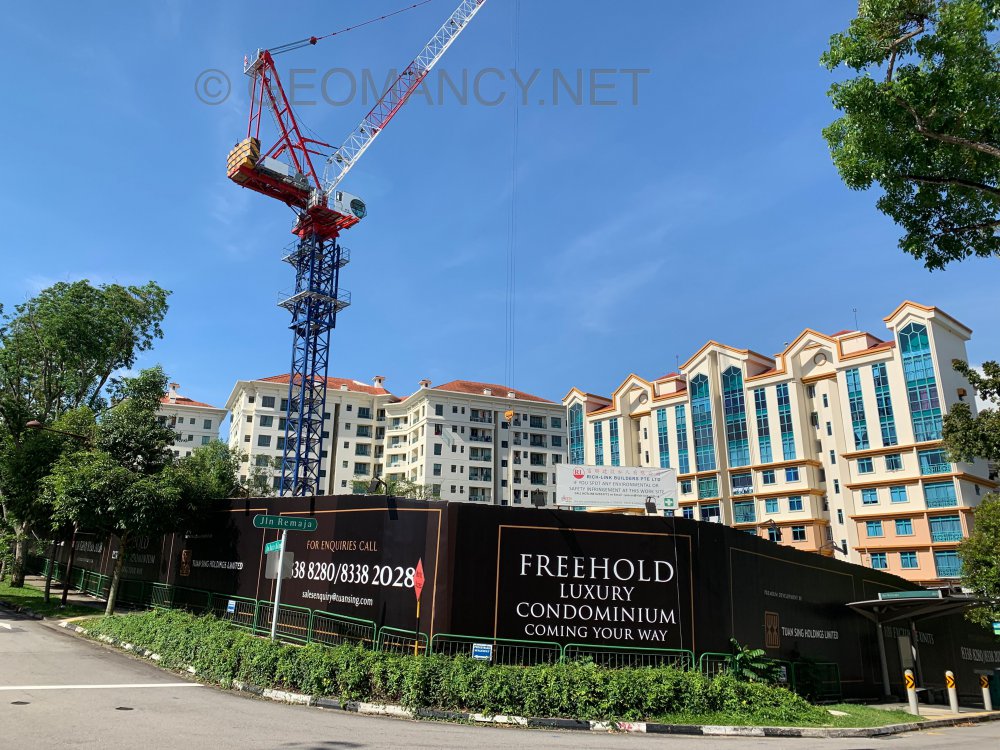 Part 5: Electrical Sub Station (ESS) at HDB Kempas Residences It is good that the ESS is partially facing the entrance towards one of the Boon Keng MRT's entrance/exit. Even if Block 2B stack #39 is closest to this ESS, seems non threating. Especially if one does not purchase units at levels 2 or 3. If so, this is fine or okay.